


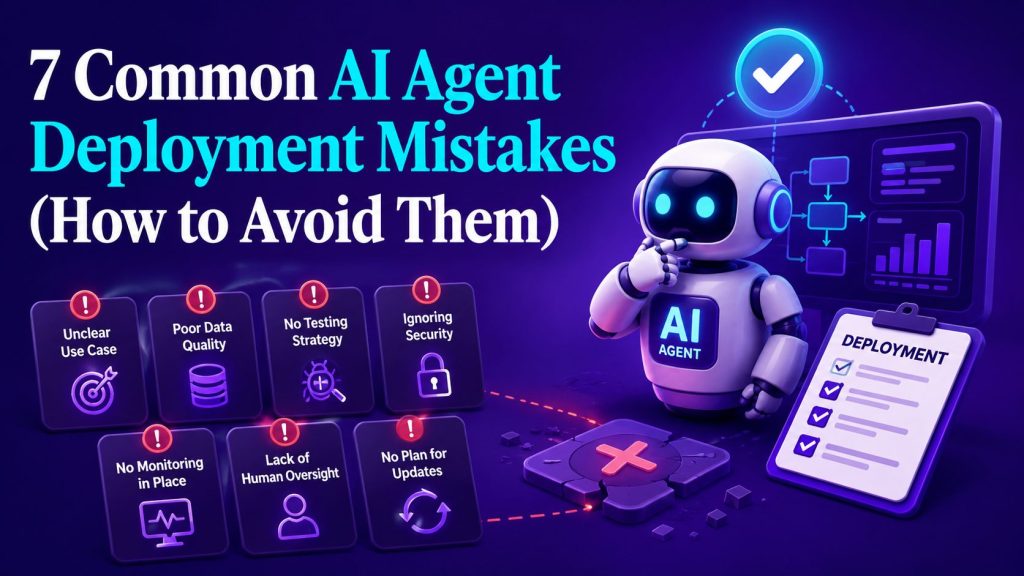
Six months ago, a mid-market logistics company rolled out AI-powered customer service agents across their website, WhatsApp, and email. The CEO announced it in the all-hands. The engineering team spent weeks on integrations. The vendor promised a 40% reduction in support tickets.
Two weeks in, adoption was at 12%. By month two, it was 5%. The agents were hallucinating shipping dates, failing to hand off to humans, and confusing customers so badly that the support team was spending more time cleaning up messes than before. The project was quietly shelved. The vendor blamed “poor training data.” The CTO blamed the vendor. The CEO blamed the CTO.
The real culprit? A classic AI agent deployment failure, overpromising, underpreparing, and skipping the hard work of aligning the technology with how people actually operate. As more businesses invest in Agentic AI, these organizational mistakes have become far more common than technical ones.
This scenario plays out somewhere every week. And it doesn’t have to.
Key Takeaways
- AI agents fail most often because of people and process problems, not technology. The model works. The deployment strategy usually doesn’t.
- Start with a narrow, high-value use case. Trying to replace an entire department on day one is the fastest way to kill momentum.
- Governance isn’t optional. Without guardrails, observability, and escalation paths, agents will make decisions you can’t explain or undo.
- Your data is the bottleneck. If your knowledge base is messy, your agents will be too. Garbage in, garbage out applies harder to AI than any other system.
- Plan for the handoff before you build the agent. When the agent can’t handle something, and it will happen, the escalation path must be seamless.
- Measure what matters. Response time and cost savings are vanity metrics if customer satisfaction and agent accuracy are dropping.
- Treat AI agent deployment as an ongoing lifecycle, not a one-time project. The work doesn’t stop at launch. Monitoring, iteration, and retraining are the real job.
Portable AI Agents In Seconds, Use Everywhere
Prompt, Test, and Deploy AI Agents Across Social Platforms and LLMs. Automate Everything.
Mistake #1: No Clear Use Case or Success Criteria

Why It Happens
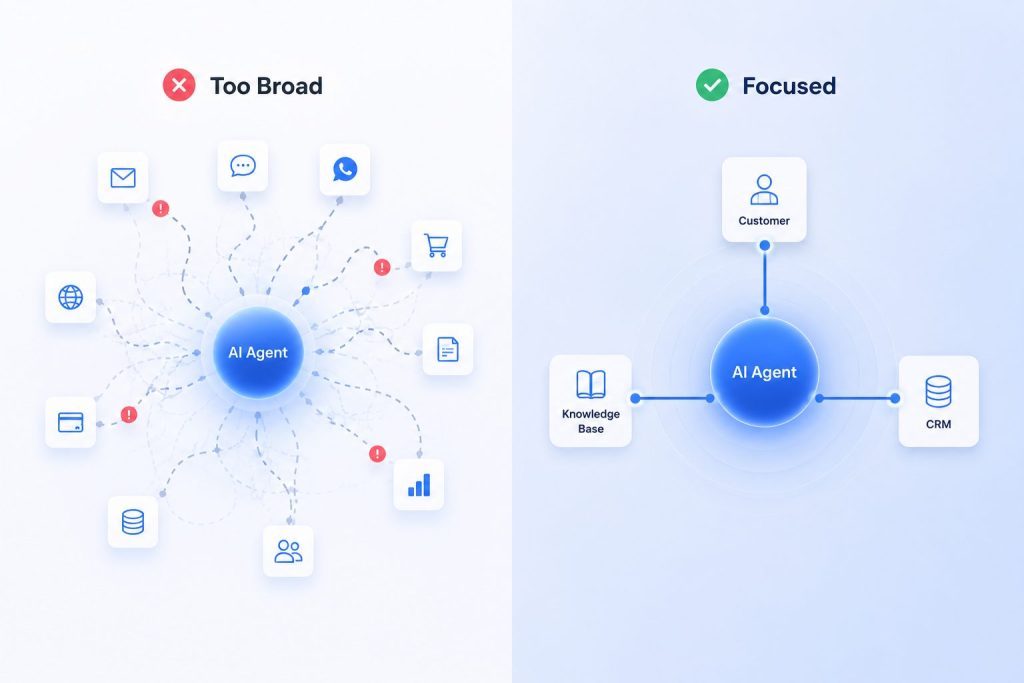
“Let’s deploy an AI agent” sounds like a strategy. It’s not. It’s a tool looking for a problem. The most common driver of this mistake is a combination of FOMO (“our competitors are doing it”) and vendor pressure (“our platform can handle everything”). The result is a deployment that solves nothing specific and therefore solves nothing well.
The Business Impact
Without clear success criteria, every stakeholder measures success differently. The CFO sees the line item. The VP of Customer Experience sees deflection rate. The engineering team sees uptime. When nobody agrees on what “good” looks like, the project is always either overperforming or underperforming, and usually the latter in someone’s eyes.
Warning Signs Your Organization Is Making This Mistake
| Sign | Red Flag Level |
| The project brief says “improve efficiency” without specifics | 🔴 High |
| No baseline metrics exist for the process being automated | 🔴 High |
| Different executives have different definitions of success | 🟡 Medium |
| The use case is “customer service” or “sales” (too broad) | 🟡 Medium |
| The vendor demo looked impressive and that was the business case | 🔴 High |
How to Avoid It
Start with a problem statement, not a technology decision. Ask: What specific task takes too long, costs too much, or scales poorly? What would a successful outcome look like in measurable terms? Answering those questions helps define your AI agent requirements, making it much easier to keep the deployment focused and measure success objectively.
Define three to five success metrics before you write a single line of prompt. Examples:
- Reduce average first-response time from 4 hours to under 5 minutes for Tier 1 support
- Increase qualified lead follow-up within 60 seconds from 20% to 85%
- Decrease human-agent escalations by 30% without reducing CSAT
Then map those metrics to the AI Agent Lifecycle, from discovery through deployment and ongoing optimization. Use an AI Agent Implementation Checklist to track every stage against measurable outcomes. Every item on that checklist should tie back to a specific, quantifiable goal.
Expert Tip: Run a “pre-mortem” with your stakeholders. Ask everyone to imagine the project failed in six months and write down why. The answers will tell you exactly what your success criteria should address.
Mistake #2: Ignoring AI Agent Governance
Why It Happens
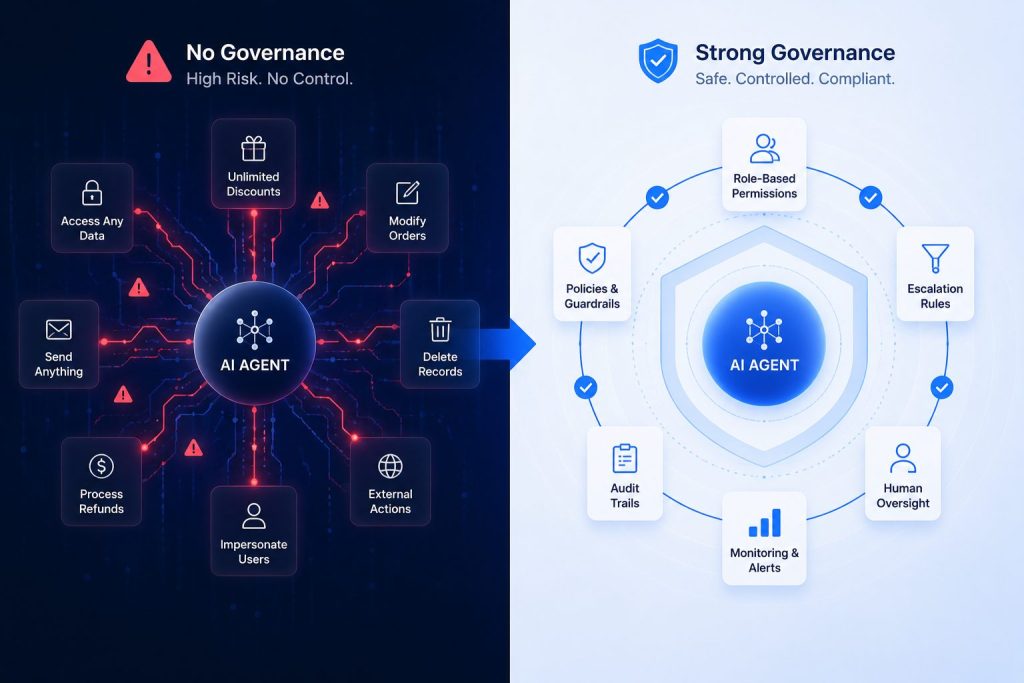
Governance feels like a problem for “later.” When you’re moving fast to deploy, pausing to write policies, set boundaries, and design oversight mechanisms seems like bureaucracy. But governance is what separates a trusted AI agent from a liability.
The Business Impact
Without governance, agents make decisions that:
- Violate company policy (e.g., offering discounts that exceed margin thresholds)
- Violate regulatory requirements (e.g., mishandling PII or financial advice)
- Contradict each other (e.g., the sales agent promises a delivery date the logistics agent can’t fulfill)
- Go completely off the rails with no audit trail
One financial services firm deployed an AI agent that started authorizing refunds above the dollar threshold because nobody had set a limit. It ran for three weeks before anyone noticed.
How to Build Governance Into Your Deployment
AI Agent Governance isn’t a document you file away. It’s a system of controls that operates in real time:
- Role-based permissions: Define what the agent can and cannot do. Can it create tickets? Modify orders? Access customer billing data? Each capability needs explicit approval.
- Escalation thresholds: Set clear rules for when the agent must hand off to a human. Dollar amounts, sentiment flags, regulatory triggers, these should be hard-coded, not left to the agent’s judgment.
- Audit trails: Every decision the agent makes should be logged, traceable, and reviewable. If you can’t explain why an agent did something, you can’t fix it.
- Human-in-the-loop for high-risk actions: For any decision with meaningful downside (financial, legal, reputational), require human approval before execution. A mature AI Agent Builder should make these approval workflows easy to configure and maintain, allowing teams to update policies without rebuilding the entire deployment.
Expert Tip: Treat governance like a product feature, not a compliance checkbox. The best governed AI agents move faster, not slower, because teams trust them. Build your governance model into the AI Agent Platform from day one; retrofitting governance is significantly harder than designing it in.
Mistake #3: Underestimating Data Readiness
Why It Happens
The AI can read your knowledge base, right? It’ll just figure it out.
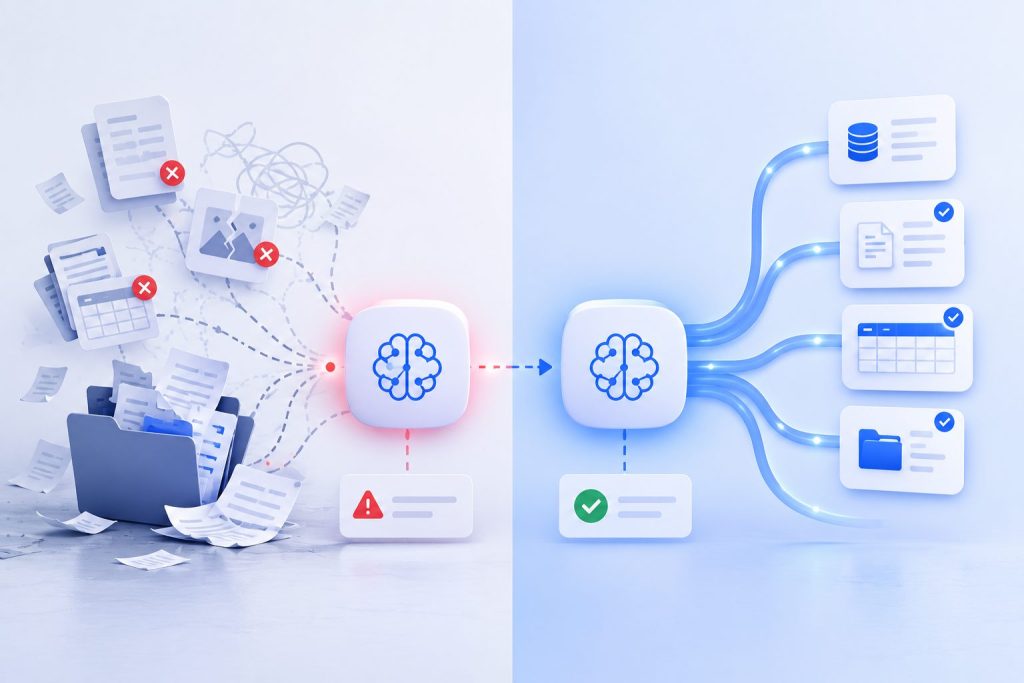
This is the most expensive misconception in AI implementation mistakes. A language model is only as good as the context you give it, and your context is only as good as your data. Most organizations have:
- Outdated documentation
- Contradictory policies across departments
- Missing edge cases
- Unstructured data scattered across silos
The AI doesn’t know any of this is wrong. It will confidently generate answers based on bad information or follow inconsistent AI Agent Workflows, leaving teams debugging production issues instead of improving the deployment.
The Business Impact
Bad data produces bad agents. Every inaccurate answer erodes customer trust. Every mistake requires human intervention, which defeats the purpose of automation. The cost isn’t just the failed deployment, it’s the damage to your brand every time the agent gets it wrong.
How to Avoid Data Readiness Issues
Step 1: Audit your knowledge sources. Inventory every document, FAQ, policy, and database the agent will reference. Flag anything that’s more than six months old, contradicts another source, or lacks a clear owner.
Step 2: Clean and structure your data. Remove duplicates, resolve contradictions, and standardize formats. If your deployment relies on AI Agent Memory, make sure the information your agents retain stays accurate, current, and aligned with your organization’s data governance policies.
Step 3: Test with real data, not curated examples. Your vendor demo worked because they used cherry-picked data. Run your agent against the actual messy, contradictory, edge-case-filled data your team deals with daily.
Step 4: Establish a data refresh cadence. Your knowledge base will change. Your product will change. Your policies will change. Schedule regular updates, monthly for dynamic content, quarterly for stable reference material.
Expert Tip: Most teams underestimate this by 3-5x. If you think data preparation will take two weeks, budget six. The teams that succeed are the ones that treat data readiness as the critical path, not an afterthought.
Mistake #4: Skipping the Human Handoff Design
Why It Happens
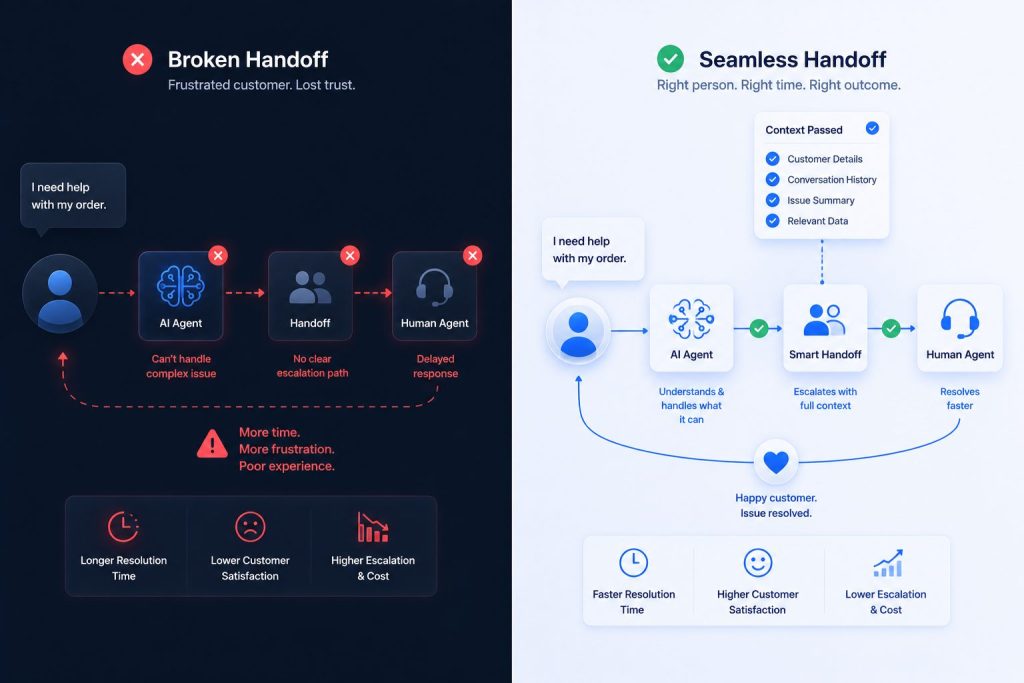
The sales pitch for AI agents often focuses on “fully autonomous” operation. The implication is that the agent handles everything, the human is optional. This creates unrealistic expectations, and when the agent inevitably can’t handle something, the handoff to a human is an afterthought, built hastily and poorly.
The Business Impact
A bad handoff is worse than no handoff. When a customer has already invested time explaining their problem to an AI, and then gets transferred to a human who has no context and asks them to repeat everything, the frustration is amplified. You’ve now spent compute and damaged the relationship.
Real-world example: An e-commerce company deployed an AI agent for order issues. The agent handled simple tracking queries well, but when a customer reported a damaged item, the agent couldn’t process the refund, and the transfer to a human dropped all context. The customer had to re-explain the issue. Survey scores for “transferred interactions” dropped 40 points.
How to Design Handoffs That Work
Pre-define escalation triggers. Every interaction should be classified by complexity and risk. Map out exactly which scenarios the agent handles and which it escalates. Be conservative — it’s better to escalate too early than too late.
Pass full context. The handoff should include the entire conversation history, the agent’s assessment, and any data already collected. The human should be able to pick up exactly where the agent left off, with zero repetition.
Give the human tools to override. The human agent should be able to see what the AI agent recommended, accept it, modify it, or reject it, and override the agent’s behavior for future interactions if needed. As organizations deploy multiple specialized agents, AI Agent Orchestration becomes equally important, ensuring agents coordinate their decisions instead of creating conflicting responses across departments.
Expert Tip: The best-designed AI agent deployment includes a “did we handle this correctly?” feedback loop where the human can tag successful and unsuccessful handoffs. Use those signals to improve the agent’s escalation logic over time. This is a critical part of AI agent integration that many teams overlook.
Mistake #5: Deploying Without a Feedback and Iteration Loop
Why It Happens
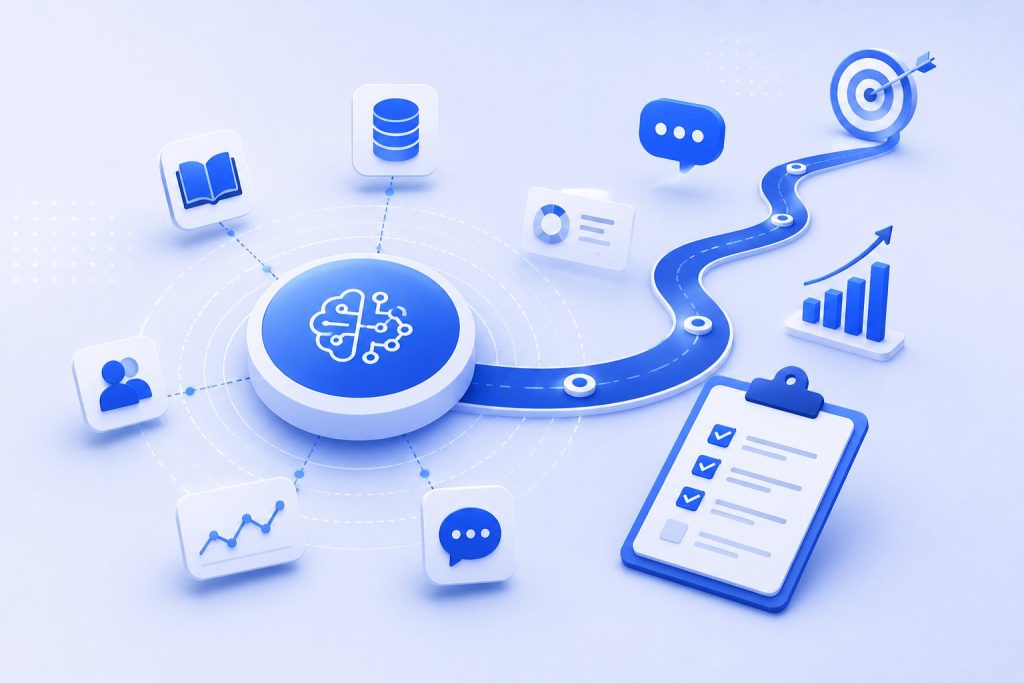
Launch day feels like the finish line. The team celebrates, the executive sends a congratulations email, and everyone moves on to the next project. But AI agent deployment isn’t a project with a launch date, it’s a service that needs continuous improvement.
The Business Impact
Without a feedback loop, small issues compound. The agent starts drifting from its intended behavior. Edge cases that weren’t caught in testing start showing up in production. The quality of responses gradually degrades as the underlying models update and the knowledge base falls out of sync.
By the time anyone notices, the agent is performing below the threshold that made it worth deploying. And nobody knows why, because nobody was measuring.
Warning Signs Your Feedback Loop Is Broken
- No one on the team owns “post-launch agent performance”
- The only metric reviewed is cost savings
- Customer complaints about the agent are handled by the support team, not the agent team
- The agent’s knowledge base hasn’t been updated since launch
- No one can tell you the agent’s accuracy rate this week vs. last week
How to Build an Effective Iteration Loop
- Own it. Assign a dedicated owner for agent performance post-launch. This isn’t a side project, it’s a role.
- Measure it. Track accuracy, escalation rate, customer satisfaction for agent-handled interactions, and cost per interaction, all on a weekly cadence.
- Review it. Hold a weekly 30-minute review of agent performance. Flag anomalies, review escalated cases, and prioritize fixes.
- Update it. Schedule regular knowledge base refreshes. Review prompts quarterly. Retrain on new data as usage patterns evolve.
Expert Tip: The best indicator of a healthy AI agent is a declining escalation rate combined with stable or improving CSAT. If both metrics are moving in the right direction, you’re iterating correctly. If one is improving and the other isn’t, you have a specific problem to solve, not a general failure.
Mistake #6: Measuring the Wrong Things

Why It Happens
The metrics that are easy to measure are rarely the metrics that matter. Deflection rate, response time, and cost per conversation are all easy to pull from a dashboard. They’re also all capable of looking great while the actual deployment is failing.
The Common Misconception
“Cost per conversation went down 40% — the AI agent is a success.”
But what if the agent is handling only the simplest conversations and escalating everything hard? Cost per conversation is down, but the human team is now handling a higher proportion of complex, time-consuming cases. Total cost might actually be up.
The Metrics That Actually Matter
| Metric | What It Tells You | Why It Matters |
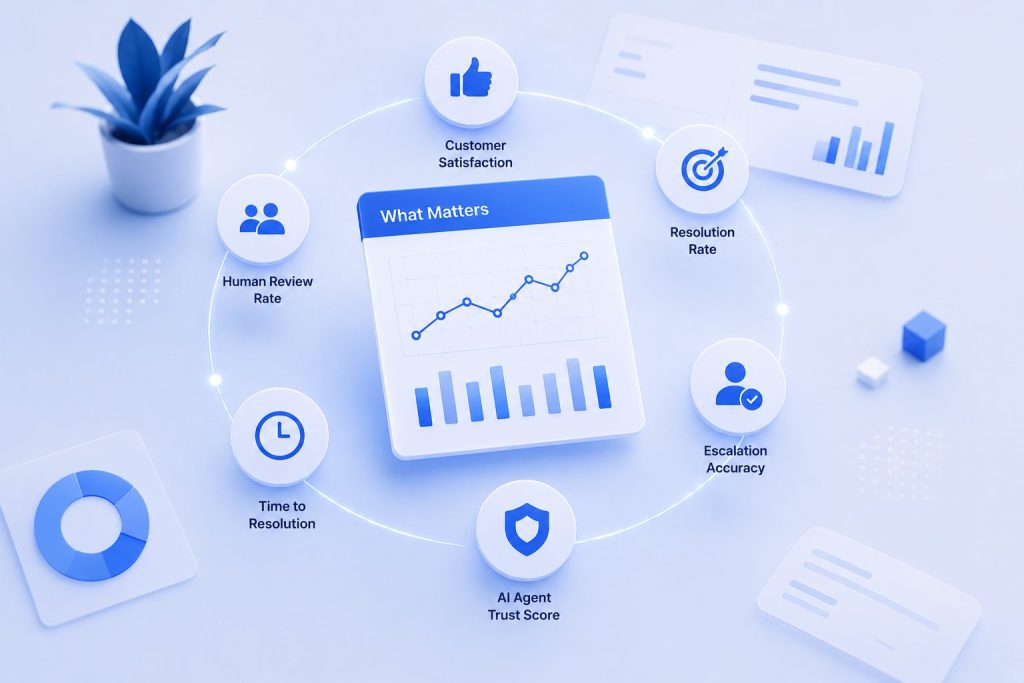
| Resolution rate | % of interactions resolved without human escalation | Core measure of agent capability |
| CSAT for agent-handled | Customer satisfaction specifically for AI interactions | Quality of experience, not just cost |
| Escalation accuracy | % of escalations that were appropriate vs. unnecessary | Agent’s judgment quality |
| Human handle time post-escalation | How long humans spend on escalated cases compared to baseline | Whether the agent is actually reducing workload |
| Net Promoter Score impact | Whether agent deployment affects overall brand perception | Long-term business impact |
| Re-engagement rate | % of customers who return within 7 days after agent interaction | Whether issues are actually resolved |
How to Build a Better Measurement Framework
Define leading indicators, not just lagging ones. Leading indicators (accuracy rate, escalation appropriateness) tell you if the agent is healthy today. Lagging indicators (cost savings, ROI) tell you if it was healthy last quarter. You need both.
Segment your metrics. How does the agent perform on different types of interactions? On different channels? At different times of day? An agent that handles email well but fails on live chat is a different problem than one that struggles with angry customers regardless of channel.
Organizations running multiple Custom AI Agents should also compare performance across different use cases to identify where optimization delivers the greatest business value.
Expert Tip: Build a single dashboard that combines cost metrics with quality metrics. If one is improving faster than the other, you have a specific optimization problem. If both are improving, you’re winning. If cost is improving but quality is declining, you’re saving money at the expense of your customers, and that’s a losing trade.
Mistake #7: Treating Deployment as a One-Time Event
Why It Happens
The organizational muscle for “launching” is strong. The muscle for “operating” is often weak. Teams are rewarded for shipping, not for maintaining. Budgets are allocated for build phases, not run phases. The vendor contract covers implementation, not long-term optimization.
But the reality of AI adoption is that the work starts at launch, not ends.
The Business Impact
When deployment is treated as a project, the agent eventually becomes a liability. Knowledge bases go stale. Prompts degrade. The model updates and behavior shifts. The team that deployed it has moved on to other projects, and no one is left to maintain it.
Six months after launch, the agent is performing worse than it did on day one. The cost savings have evaporated. The business case that justified the deployment no longer holds. And the organization writes off “AI agents” as a failed experiment, when the real failure was in how they approached the AI Agent Lifecycle.
How to Build for Long-Term Success
Shift from project to product mindset. The AI agent is a product, not a project. It needs a product manager, a roadmap, a backlog, and ongoing investment. It needs the same operational discipline you’d apply to any customer-facing product.
Budget for operations. Plan for at least 20-30% of the total deployment cost to be ongoing operational spend. This covers monitoring, maintenance, retraining, and continuous improvement.
Build an AI workforce strategy. As you deploy more agents across different functions, how do they work together? How do they share knowledge? How do you avoid creating silos where each agent has its own contradictory version of the truth? An AI Workforce strategy addresses these questions before they become problems.
Create a sunset plan. No agent runs forever. As your business evolves, some agents will need to be retired, replaced, or consolidated. Plan for this from the beginning, and you’ll avoid the “stale agent” problem that plagues most organizations after 12-18 months.
Expert Tip: The most successful enterprise AI deployment teams treat their agents like a distributed team of employees. They have onboarding, performance reviews, training budgets, and, when necessary, offboarding. This mindset shift is worth more than any technical optimization.
The Deployment Stress Test: A Pre-Launch Checklist
Before you push that agent to production, run through this checklist. Think of it as the final review before launch. Teams that consistently succeed usually formalize this process through an AI Agent Implementation Checklist, ensuring every deployment meets the same operational standards.
| Question | Yes/No |
| Have we defined specific, measurable success criteria? | ☐ |
| Do we have governance controls in place for every decision the agent can make? | ☐ |
| Has our data been audited, cleaned, and structured for the agent? | ☐ |
| Is the human handoff designed, tested, and documented? | ☐ |
| Do we have a post-launch owner assigned with clear KPIs? | ☐ |
| Are we tracking the right metrics — not just the easy ones? | ☐ |
| Is there a budget and plan for ongoing operations, not just deployment? | ☐ |
| Have we tested with real, messy data — not curated examples? | ☐ |
| Do we have a rollback plan if the agent degrades? | ☐ |
| Are stakeholders aligned on what “good” looks like at 30, 90, and 180 days? | ☐ |
Comparison: DIY vs. Partner-Led Deployment
One of the most important decisions you’ll make is whether to build in-house or work with an experienced partner. This decision, build in-house vs development partner, shapes everything from timeline to risk profile to long-term maintainability.
Whether you build internally or partner with a provider, comparing platforms against the same evaluation criteria is essential. Solutions like Botsify, a White Label AI Agent Platform, help organizations standardize deployment, governance, and ongoing management instead of piecing together multiple disconnected tools.
| Factor | DIY Deployment | Partner-Led Deployment |
| Timeline | 3-6 months typically | 4-8 weeks typically |
| Upfront cost | Lower (team salaries) | Higher (services) |
| Total cost over 12 months | Often higher due to iteration | Often lower due to fewer mistakes |
| Risk of common mistakes | High (learning curve) | Low (pattern recognition) |
| Control | Full control | Shared control |
| Knowledge transfer | Internal team builds expertise | Requires intentional knowledge transfer |
| Long-term maintenance | Internal team owns it | Partner can provide ongoing support |
The honest take: If you have a strong AI/ML engineering team and the time to go through the learning curve, DIY can work. If you need to move fast, avoid the mistakes in this guide, and learn from teams that have done this before, working with an AI agent development company can save you months and significant cost.
When you choose a partner, look for one that offers AI Agent Development Services that include governance design, data preparation guidance, and post-launch support, not just the technical build. The best partners are the ones who help you avoid the mistakes in this guide, not just implement the technology.
Conclusion
AI agent deployment is not a technology project. It’s an organizational transformation disguised as a technology project.
The seven mistakes in this guide share a common root: treating AI agents as a plug-and-play solution rather than a system that needs strategy, governance, data, and ongoing care. The teams that succeed are the ones that treat deployment with the same rigor they’d apply to launching a new product line or hiring a new department.
Start narrow. Define success before you start building. Build governance into the architecture. Invest in your data. Design the handoff before the agent. Measure what matters. And commit to the long game.
If you’re evaluating how to approach your own deployment, start by defining your AI Agent Requirements: the specific capabilities, constraints, and success criteria your use case demands. Then build an AI Agent Implementation Roadmap that accounts for each of the seven mistakes in this guide.
The technology works. The strategy is what needs work. Get that right, and the rest follows.
AI Agentic Platform For Building Portable AI Agents
Say Hello To Agentic AI That Connects With Your CRM And Even Other Agents
Frequently Asked Questions
What is the most common AI agent deployment mistake?
The most common mistake is deploying without a clearly defined use case and measurable success criteria. Organizations rush to implement AI agents because of competitive pressure or vendor enthusiasm, without first identifying a specific problem to solve and defining what “success” looks like. This leads to misaligned expectations, inability to measure ROI, and eventual project abandonment.
How long does it typically take to deploy an AI agent in an enterprise?
A well-planned enterprise AI agent deployment typically takes 4-12 weeks, depending on complexity, data readiness, and integration requirements. Simple customer-facing agents with existing knowledge bases can deploy in 4-6 weeks. Agents that require custom integrations, complex data pipelines, or multi-channel orchestration can take 8-12 weeks. The timeline doubles if data preparation and governance frameworks haven’t been started before the deployment project.
What’s the difference between an AI chatbot and an AI agent?
An AI chatbot responds to queries with pre-defined or generated answers. An AI agent takes action, it can update records, process transactions, trigger workflows, and make decisions within defined boundaries. AI agents have memory, execute multi-step tasks, and integrate with backend systems. This distinction is critical for deployment because agents require significantly more governance, data integration, and human handoff design than simpler chatbots.
How do you measure the success of an AI agent deployment?
Measure both cost and quality metrics. Key indicators include: resolution rate (percentage of interactions handled without human escalation), customer satisfaction specifically for agent-handled interactions, escalation accuracy (was the escalation appropriate?), human handle time post-escalation compared to baseline, and overall impact on Net Promoter Score. Track leading indicators (accuracy, escalation rate) weekly and lagging indicators (cost savings, ROI) monthly.
Can AI agents handle all customer interactions autonomously?
No. Even the most advanced AI agents have limitations and should be designed with clear escalation paths for scenarios they can’t handle. Responsible deployment defines specific criteria for autonomous operation and forces escalation for anything outside those boundaries. The goal is not 100% automation, it’s optimizing the mix of AI and human effort to maximize both efficiency and customer satisfaction.
What industries benefit most from AI agent deployment?
Industries with high-volume, repetitive interaction patterns benefit most, customer support, sales lead qualification, HR helpdesk, IT service management, and logistics tracking. Regulated industries (finance, healthcare, insurance) can also benefit significantly but require more robust governance frameworks and compliance automation. The key is identifying use cases where the cost of mistakes is low enough to tolerate autonomous operation, and the volume of interactions is high enough to justify the investment.