
An agent can find a product, fill a cart, or prepare a subscription change in seconds. The risk begins when it can submit the order, move money, change an account, or trigger a bulk operation without a reliable control outside the model.
To prevent unsafe AI agent actions, design the workflow so the agent can propose work while a separate policy layer verifies authority, scope, and approval before execution. A spending cap helps limit exposure, but it cannot tell whether the customer intended the purchase, whether the same request already ran, or whether the selected item is correct.
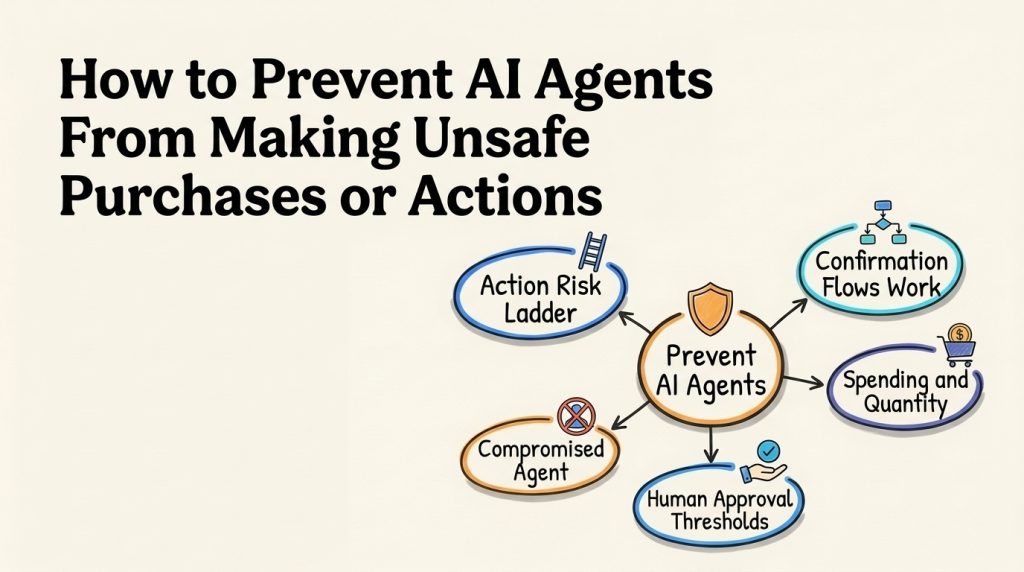
This guide covers a practical action-risk map, transaction confirmations, permission boundaries, approval routing, duplicate protection, testing, and incident response. The right controls depend on the action and business policy. A fixed dollar threshold or universal “human approval for every refund” rule is not appropriate for every organization.
Treat the model as a request composer. Let deterministic application logic decide whether an action is allowed to execute.
Map actions by impact and reversibility
Start with an inventory of every tool the agent can call. Include actions that change records, send messages, spend credits, or expose information, not only payments. For each tool, document its target, inputs, permissions, reversibility, and worst credible outcome.
| Action class | Examples | Initial control pattern |
|---|---|---|
| Read-only | Check inventory, retrieve an order status, view a public price | Scope access to the requester and the smallest required data set |
| Prepare, but do not commit | Build a cart, draft a purchase request, calculate a refund | Allow the agent to prepare a proposal; prevent the preparation step from submitting it |
| Reversible change | Update a delivery preference, reserve a slot, edit a draft | Validate the target and policy; require customer confirmation when the change affects them |
| Financial or consequential | Submit an order, issue a credit, change a paid plan | Verify authorization for the exact action and apply the organization’s approval policy before execution |
| Broad or hard to reverse | Bulk purchases, mass deletion, account ownership changes | Keep unavailable to the agent unless a narrowly controlled workflow is explicitly approved |
Classify by impact and reversibility rather than by tool name alone. “Update order” may mean correcting a typo or changing the delivery address after dispatch. Those have different risks. Document exceptions and name the policy owner who can approve them. This becomes part of AI agent governance and helps teams maintain a consistent rule set as tools change.
For each operation, answer five questions: Who is requesting it? Which resource can it affect? What exact state change will occur? What evidence authorizes it? How can the action be stopped or reversed? If the team cannot answer one of these, keep that operation in proposal-only mode until the gap is addressed.
Separate the agent’s proposal from execution
The model may misunderstand a request, follow hostile instructions in retrieved content, or choose the wrong tool. Do not make its text the final authorization check. Instead, have the agent submit a structured action proposal to application logic that validates the request against account permissions, business rules, and the current state of the target record.
A purchase proposal could contain:
request_id: unique identifier for this attempt
customer_id: verified account identifier
action: create_order
items: [{sku, quantity}]
currency: USD
total: amount calculated by the commerce system
shipping_address_id: verified saved address
policy_version: identifier of the rule set evaluated
approval_status: pending | approved | denied
Treat these fields as untrusted until validated. Calculate totals from the commerce system, not from model-generated text. Confirm that each SKU is available, the quantity is allowed, the customer can use the selected address, and the final price still matches the displayed proposal. Reject unknown fields, missing values, unexpected currencies, and values outside the allowed range. The agent’s claim that a customer is verified is not proof of identity; use the system that actually performed verification.
Keep write credentials out of the conversational model where possible. The agent can request an operation through a service that checks authorization and then calls the downstream API. Give each connector only the read or write privileges it needs. This is the practical application of least privilege, and it complements a scoped AI agent integration rather than relying on a broad shared account.
Make approval specific to the exact action
An approval is useful only if it applies to the operation that eventually runs. A generic “approve purchase” button can be misleading if the item, amount, or destination changes after a person approves it.
Show the approver the information needed to make the decision: requester, item or operation, quantity, total amount, vendor, affected account, and reason. Bind the approval to those details and expire it after a short, defined period. If any material field changes, invalidate the approval and ask again. Keep the approval outside the agent’s editable context so the model cannot rewrite a pending approval as permission for a different transaction.
Approval policy can vary by risk. A routine, low-value request may proceed after the authenticated customer confirms the exact details if the business permits it. A new vendor, unusual quantity, policy exception, or high-impact change may require a designated employee. A bulk action may be prohibited altogether. Use risk-based human review to define where a person should review a proposed action, while keeping the actual business rules in the execution layer.
An approval decision also needs a clear denial path. If the reviewer rejects the request, the agent should not retry through another tool or restate the same request until it gets approval. It should tell the customer that it cannot complete the change and offer an allowed alternative, such as contacting support or selecting a different item.
Confirm the transaction details with the requester
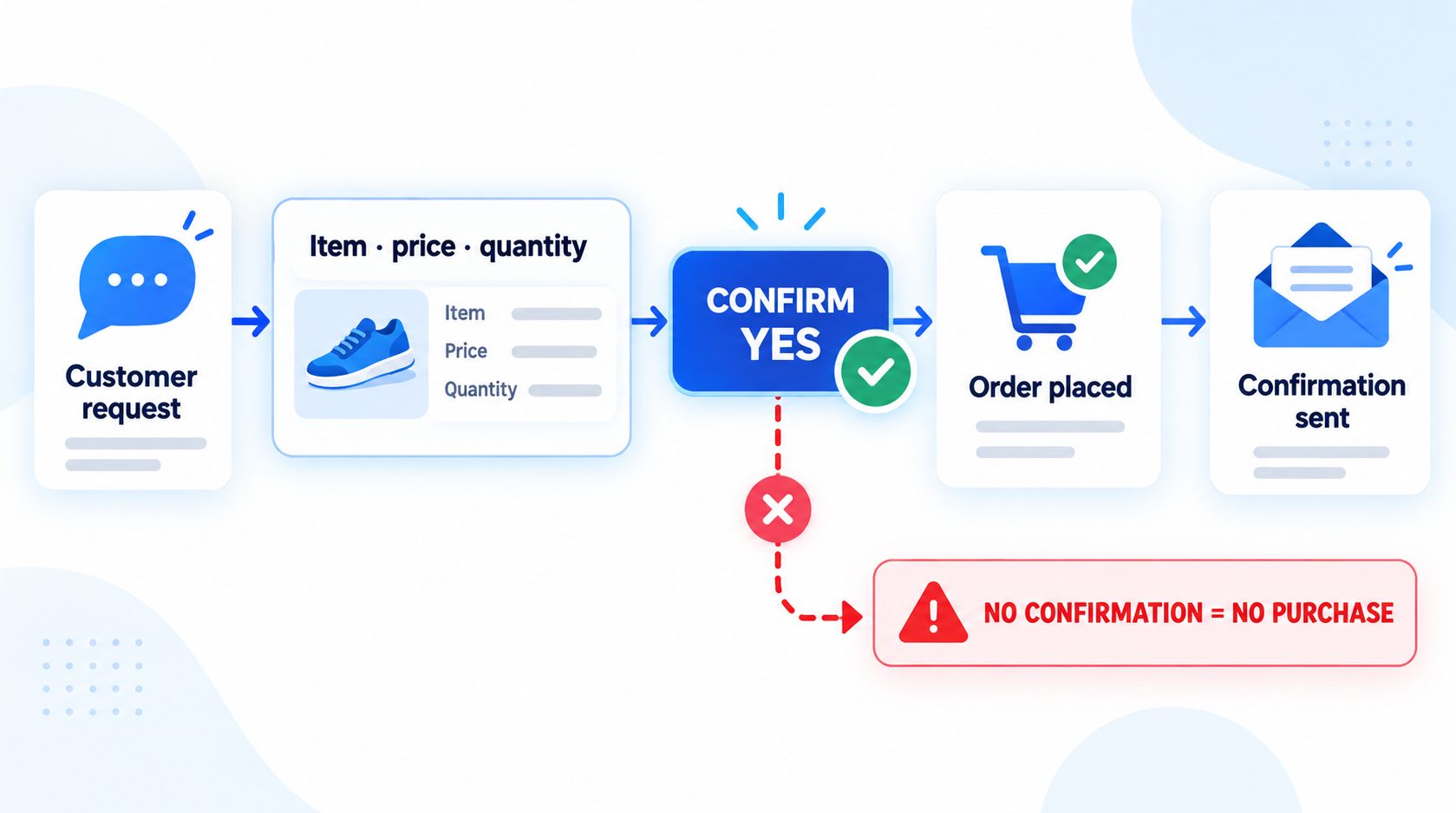
For customer-initiated changes, summarize the action before execution whenever policy or risk requires confirmation. Name what will be bought or changed, the quantity, total cost and recurring terms where relevant, the destination or account, and any material timing. Avoid asking a vague “Should I proceed?” when the user cannot see what “proceed” means.
For example:
I found 2 replacement filters for order 7814.
The total is $38.00, shipping to your saved address ending in 42.
This will charge the card already on the order.
Reply CONFIRM to submit this order, or CANCEL to stop.
The commerce service must revalidate the proposal after confirmation. A price, inventory, or shipping change between the summary and the final API call should invalidate the confirmation and produce a new summary. A conversational “yes” from an earlier turn should not authorize a materially different transaction. If the person’s reply is unclear, ask once for clarification or route the case according to policy. Do not infer confirmation from silence, a friendly response, or an unrelated message.
Confirmation is not a substitute for authentication or authorization. It establishes that the requester agreed to the displayed details; it does not grant them access to another customer’s account or override a business restriction. For high-impact actions, require the stronger identity check or independent approval that the organization’s policy specifies.
Set limits that cover cumulative and repeated activity
Limits should exist in the transaction or policy service, not only in the prompt. Useful constraints may include maximum amount per action, daily total, quantity per product, permitted vendors, allowed categories, or number of attempts in a time window. Choose values from business policy and observed risk. The examples below describe limit types, not universal dollar recommendations.
| Control | What it can catch | What it does not prove |
|---|---|---|
| Per-transaction cap | One unusually large request | That the item or intent is correct |
| Daily or account budget | Repeated small actions that add up | That a purchase is useful or authorized |
| Vendor or category allowlist | Requests to unfamiliar or prohibited sellers | That an allowed vendor’s item is the right one |
| Quantity and frequency limit | Duplicate or unusually frequent orders | That separate requests are legitimate |
| Rate limit and retry budget | Tool loops and repeated submissions | That a single allowed request has valid details |
Evaluate limits across the relevant scope: agent, customer, organization, project, vendor, and time window. A per-purchase cap can be bypassed in effect if the agent submits many smaller purchases. A daily cap may still be too broad if several agents share it without ownership or attribution. Set a maximum retry count and an overall spend ceiling for model and tool calls so an error loop cannot create unlimited cost.
Use a circuit breaker that pauses the action path when a key control is unavailable, repeated tool failures occur, or unusual activity crosses a defined threshold. A fallback should not silently remove a check because the approval service is down. Keep read-only help available if appropriate, but block the affected write action until the policy check is healthy. Define these AI agent stop conditions with the workflow owner so a limit breach cannot quietly turn into an unbounded series of attempts.
Prevent duplicate and replayed actions
Network timeouts create a common failure: the agent submits an order, receives no response, and tries again. The first request may have succeeded even though the agent did not receive confirmation. Before retrying, check the transaction system using a stable request identifier. Where the downstream service supports idempotency keys, reuse the same key for the same logical request so a retry cannot create a second order.
Design the workflow as a state machine rather than a series of loosely connected messages:
- Drafted: the system has calculated the proposed action.
- Awaiting confirmation or review: required details are shown to the right person.
- Authorized: the exact, unexpired proposal has passed checks.
- Executing: the request is sent once using a unique identifier.
- Completed, rejected, or uncertain: the system records the confirmed result or blocks further action pending reconciliation.
Do not let a stale approval move a new proposal directly to execution. Prevent out-of-order transitions and preserve the transaction’s identity across retries. If the downstream system cannot confirm whether a request succeeded, mark it uncertain and send it for reconciliation instead of claiming success or submitting it again. For additional implementation patterns, the AI agent audit trail guidance covers useful action records and review practices.
Decide how to recover before enabling execution
Reversibility is not a checkbox that means “undo is available.” Determine what the downstream system can actually reverse, what the time window is, and whether the customer or another team needs to be notified. An order may be cancellable before fulfillment but not after shipment. A subscription change may take effect immediately even if the interface offers a later reversal. A refund can post twice if the correction process is not tied to the original transaction.
For each tool, write down the compensating action and the person who can invoke it. Test the recovery using a non-production transaction or a safe simulation. Confirm that a reversal changes the record once, carries the original request identifier, and does not cause another automated workflow to repeat the action. If the downstream system offers no safe reversal, classify the action as higher impact and use stricter authorization before execution.
Make the customer message match the true transaction state. “Requested,” “authorized,” “submitted,” and “settled” are different states. If an action is pending, say it is pending. If the result is unknown, do not describe it as complete. A clear status prevents the customer from retrying the request and helps support decide whether it should investigate or wait for the system response.
Keep the approval process usable
An approval step can fail in practice if every request looks urgent, the approver cannot see the relevant details, or no one owns the queue. Route requests to a role with authority over that action, and show enough context to evaluate the policy without exposing unrelated customer information. The approver should be able to approve, deny, or request clarification, and the agent should receive only the resulting state needed to continue.
Define what happens when no approver responds before the request expires. The safe default is to leave the action pending or cancel the proposal, not to convert the timeout into automatic approval. When a person denies a request, keep the denial tied to that proposal so another prompt or tool cannot silently reopen the same action. If the policy allows resubmission after new evidence, create a new proposal and evaluate it again.
Review approval workload alongside transaction outcomes. A queue with many stale requests may need narrower automation scope, clearer eligibility rules, or better routing. Do not raise dollar thresholds solely to make approval volume fall. First sample the denied, approved, and expired cases and ask whether the decisions match the business policy. That keeps the control meaningful without turning every routine action into unnecessary manual work.
Watch for prompt injection and confused intent
An attacker may place instructions in a product page, email, uploaded document, or customer message that tell the agent to ignore its rules or spend money. Treat those instructions as untrusted data. Restrict which tools can be called from each workflow, validate all arguments server-side, and ensure a message cannot expand the agent’s permissions.
Test direct requests such as “buy the most expensive option,” indirect instructions embedded in a webpage, and benign mentions of malicious phrases. The expected result should be defined at the action boundary: the proposal is rejected, requires confirmation, or enters human review according to the policy. A refusal in the chat is insufficient if a background tool call still executes. Include action checks when you follow an AI agent testing guide and repeat them after changing prompts, tools, permissions, or policy logic.
Choose approval rules from the real business process
Avoid inventing one static dollar threshold for every team. The same amount may be trivial in one setting and consequential in another. A small charge can still be risky if it recurs monthly, goes to a new vendor, affects a regulated service, or is hard to reverse. Base the rule on impact, reversibility, customer authorization, fraud exposure, and the cost of a mistaken action.
Write a decision table with a policy owner:
| Condition | Decision | Example next step |
|---|---|---|
| Request is in scope, verified, within limits, and reversible | Allow the validated action | Record the result and notify the requester |
| Details are incomplete or ambiguous | Pause before execution | Ask a specific question or return to a human |
| The amount, vendor, or quantity exceeds policy | Require the configured approval | Route the exact proposal to an authorized approver |
| Identity, policy, inventory, or approval service is unavailable | Fail closed for the write action | Keep the request pending or explain the service issue |
| The request is prohibited or approval is denied | Reject without retrying through another route | Offer an allowed alternative |
Your policy should state who can approve, how long approval remains valid, what happens when the approver is unavailable, and how urgent requests are handled. Review the rules after a real incident or material change to pricing, vendors, payment systems, or permissions. An AI agent implementation checklist can help make the owners and launch gates explicit.
Design safer agent workflows for real business actions
Review purchase controls and approval workflows for your specific use case.
Test the action path before launch
Test the full path from natural-language request to downstream result. Include happy paths, missing information, malicious input, failures, and retries. Use synthetic or properly anonymized cases rather than live customer payment details.
- Ask for a purchase without naming quantity, vendor, or destination.
- Change the price or inventory after the confirmation summary is shown.
- Reply with an ambiguous confirmation or a confirmation in a different context.
- Submit the same request twice and simulate a timeout after the first call.
- Try an amount just below and just above each policy boundary.
- Use an account that cannot access the requested order or payment method.
- Include instructions to bypass controls in a product description or email.
- Disable the approval service, transaction API, and audit event sink one at a time.
- Deny an approval, then ask the agent to try a different tool or workflow.
- Verify that a blocked request remains blocked after a model or prompt update.
Check both what the agent says and what the application actually did. A response that says “I did not place the order” is not safe if a background call already submitted it. Track policy decisions, approval state, request identifiers, and execution results without storing unnecessary payment secrets or full card data. Keep audit access restricted, and set a retention period that follows the organization’s policy. An AI agent data retention policy can help teams make those decisions deliberately.
Roll out with a narrow set of tools and intents. In a shadow phase, let the agent prepare proposals while a person completes the real action. Compare the proposed action with what the employee chose and identify missing checks. When enabling execution, start with the lowest-risk workflows and a clearly staffed escalation path. Avoid widening limits simply because the first few transactions succeeded; review exceptions, near misses, and repeated human corrections.
Measure whether the controls are working
Track the decisions around each action, not only the final purchase count. Useful measures include how often requests are blocked by policy, how often a confirmation expires, duplicate submissions prevented, proposal details changed between approval and execution, timeouts left unresolved, and actions reversed after completion. Review these by tool, customer journey, risk class, and policy version. A quiet week can reflect low volume, a broken integration, or a control that is being bypassed, so interpret the number alongside actual cases.
Pair these counts with human review of a sample of allowed and blocked requests. Check whether a rule is preventing a real risk, producing unnecessary friction, or missing an edge case. Ask support and operations staff which cases repeatedly arrive incomplete, and compare the agent’s proposed details with the final system record. A high approval rate is not proof that approval is effective; reviewers may be rubber-stamping requests if the details are hidden or the queue is overloaded.
Give an owner the authority to pause an action path and a regular time to review results. When policy changes, update the rule and its test cases together. When an incident occurs, distinguish a model misunderstanding from a missing permission check, state-management flaw, or unclear business policy. That diagnosis prevents a wording change from being mistaken for a technical fix. The AI agent audit trail for leadership can help teams decide what action evidence should be available for review.
Respond to an unsafe action or near miss
Prepare an incident path before launch. Know who can disable a specific tool, revoke credentials, pause a vendor, or cancel a pending transaction. Preserve the request and approval records needed to investigate, but do not expose secrets while collecting evidence.
When a failure happens:
- Stop the affected action type and contain pending requests.
- Check the downstream system to determine whether the action executed, not just what the agent reported.
- Reverse or correct the transaction when policy and system capability allow it.
- Notify the affected customer or team through the approved process.
- Identify whether the cause was ambiguous intent, bad data, broad permissions, missing confirmation, duplicate execution, or an integration failure.
- Add a regression case and restore the action only after the control passes review.
Do not restart the entire agent if only one tool is affected, but do not leave a risky action path available while the team investigates. A broader AI agent deployment review can help find related rollout weaknesses.
FAQ
Should an AI agent be allowed to make purchases?
It can be appropriate for a narrowly defined workflow when the business has validated the permissions, transaction checks, confirmation or approval rules, duplicate protections, and recovery path. Start with preparation-only access if the end-to-end controls have not been tested.
Does a spending limit make agent purchases safe?
No. A cap limits the maximum exposure within its scope, but it does not verify customer intent, correctness, identity, vendor, or duplicate requests. Pair limits with policy validation and action-specific authorization.
Should every refund require human approval?
That is a business policy decision. Define which refund cases can be handled automatically, what evidence and confirmation they require, and which exceptions need a person. Never claim a refund was issued until the payment system confirms the result.
What if the agent times out after submitting an order?
Check the transaction using the original request identifier before retrying. If the result is still uncertain, stop and reconcile with the payment or commerce system. Do not send a second order just to get a clearer response.
Can a customer’s “yes” authorize an action?
Only when it clearly refers to the current proposal and the requester is authorized. Bind confirmation to the displayed item, amount, quantity, destination, and time window. Ask again if material details change.
What should the agent do when approval is unavailable?
Block the write action and explain the next step. It may keep the proposal pending or route it to a person, depending on policy, but it should not bypass the missing approval service.
Make unsafe AI agent actions harder by design
To prevent unsafe AI agent actions, separate proposal from execution, give tools narrow permissions, bind approval to the exact transaction, verify state changes, and make retries safe. Spending limits are one useful layer, but reliable controls also test intent, identity, scope, approval, and the actual downstream result.
Begin with a small action set and prove the controls against ordinary requests, edge cases, and failures. Expand only when the business owner can explain what the agent may do, what stops it, who can approve exceptions, and how the team will respond when the system behaves unexpectedly.
Review the controls around your AI agent workflows
Map safe actions and approval paths across your agent workflow.
