


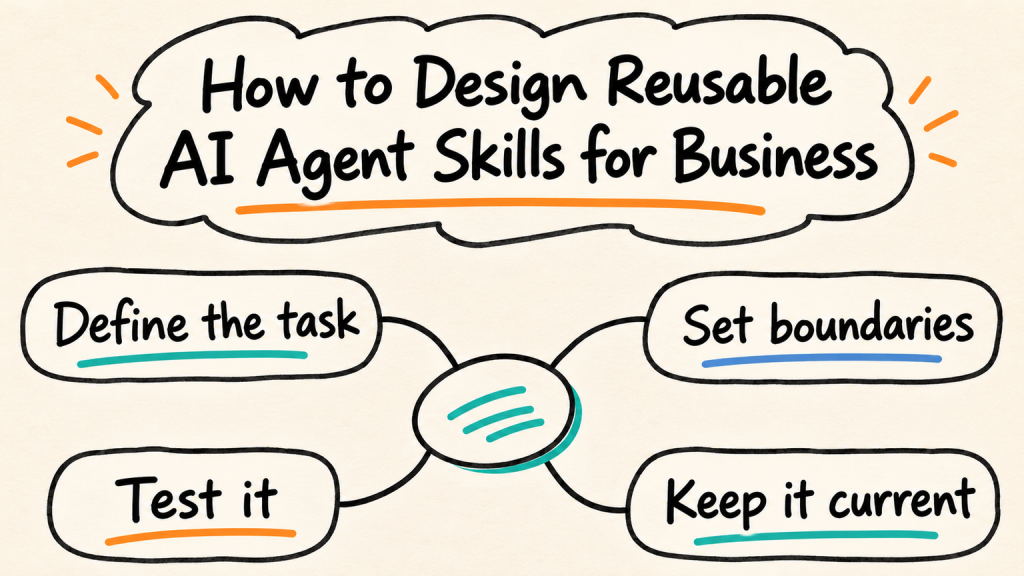
A team has already solved the same customer question dozens of times. One person knows which details to collect, what to check, when to update the CRM, and when to hand the case to a colleague. The process works, but it lives in scattered prompts, staff memory, and a long checklist nobody remembers to open.
Reusable AI agent skills can package that process so an agent can apply it when the right task arrives. The useful part is not the label “skill.” It is the work of defining the task, the required information, the permitted actions, the exceptions, and the evidence that shows the workflow is behaving as intended. Before building one, write down the AI agent requirements that define the agent’s job and limits.
This guide focuses on that practical design work. It explains what teams mean by an agent skill, when a process is a good candidate, how to write a reusable skill specification, and how to test and maintain it without treating a folder of instructions as a guarantee of safe behavior.
Working definition: A reusable AI agent skill is a documented capability that helps an agent complete a repeatable task. It defines when the capability applies, the steps and information it needs, its allowed actions, and what to do when the task cannot be completed safely.
What “AI Agent Skill” Means in Practice
The term has more than one use. In the Agent Skills format, a skill is commonly packaged around a SKILL.md file with instructions and metadata, and it may include supporting files such as examples, reference material, or scripts. OpenAI describes skills as reusable instructions and supporting files, while Anthropic describes a skill as a directory that can include its main instructions and additional resources. Those details describe particular implementations; not every platform feature called a “skill” follows the same file format or loads the same way.
For a business team, think of a skill as an execution guide for one bounded job. It may include written instructions, references to approved knowledge, structured input and output expectations, and steps that use the agent’s existing tools. The skill can explain how the agent should use a calendar or CRM integration. The skill itself does not necessarily provide that integration, create credentials, or grant permission to use it.
A skill also does not make an agent automatically accurate. It gives the agent a repeatable procedure to follow. The model may still misunderstand an instruction, the source data may be stale, and a connected tool may fail. Skills need testing, restricted permissions, and a clear fallback just like other workflow components.
Skill, Prompt, Tool, and Agent: Four Different Pieces
These terms describe different parts of an agent workflow. Keeping them separate helps teams avoid assuming that a better prompt creates a complete capability or that a skill can grant access on its own.
| Piece | What it does | Example in lead qualification |
|---|---|---|
| Prompt | Gives an instruction for a particular request or turn | “Ask the visitor what service they need.” |
| Skill | Describes a repeatable process the agent can use when relevant | Collect service, location, timing, and contact details; check qualification rules; route exceptions |
| Tool or integration | Performs a defined operation or retrieves data | Look up a service area or create a CRM record |
| Agent | Interprets the task and coordinates the model, skills, tools, and conversation | Runs the website lead workflow and responds to the visitor |
A skill can tell an agent when to use a tool and what to verify before and after the call. The tool’s authorization layer should still enforce what records or actions are available. If you are designing several connected procedures, the wider AI agent workflow determines how the agent selects and hands work between them.
Some vendors use “skill” for a prebuilt workflow, a tool wrapper, a code module, or a general capability. When evaluating a platform, ask what the term means in that product: how the component is stored, what invokes it, what resources it can read, whether it can call tools, and how its changes are tested. Do not assume that the same word means portable behavior across platforms.
When to Build Reusable AI Agent Skills
Not every task deserves a reusable package. A process is a good candidate when the same goal comes up often enough to justify documenting it, the team can describe its normal steps, and the exceptions can be handled without guessing. Reuse is less useful when every case needs a different judgment or when the process changes faster than anyone can keep the instructions current.
Use these questions to decide whether to package a workflow:
- Does the task recur across conversations, agents, channels, or clients?
- Can the team name a clear trigger that tells the agent when the workflow applies?
- Can the required inputs be identified, checked, and collected with permission?
- Are the normal steps stable enough to document?
- Can the expected output be inspected by a person or validated by software?
- Can errors be contained, reversed, or routed to a person?
- Is there an owner who can approve changes and keep the supporting information current?
If a process fails several of these checks, start with a prompt or a human runbook while the team clarifies it. A skill should preserve a useful process, not make an unclear process harder to see. When a procedure crosses several tools and decision points, map the complete workflow first and define where the agent pauses for people.
For example, “answer questions about our services” is too broad to be a useful skill specification. “Collect the visitor’s requested service and location, check the approved service-area reference, ask one clarifying question if either is missing, and offer the right next step” has a clearer trigger, inputs, and completion condition.
The Parts of a Business-Ready Skill
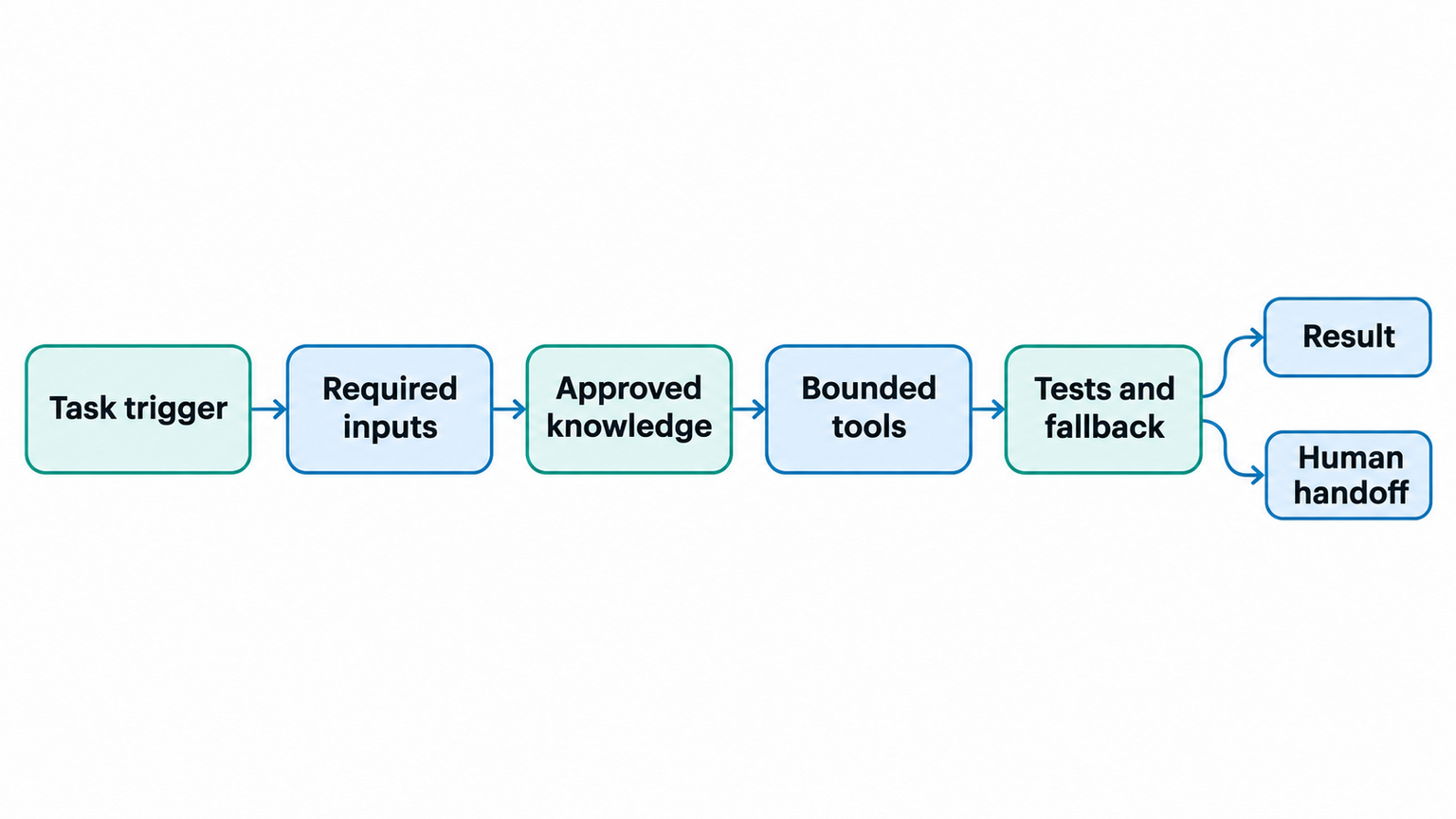
A skill specification does not need to be a large technical document. It does need enough detail for someone else to understand what the agent should do, what it may use, and what happens when the ideal path is unavailable. Keep these parts explicit:
| Part | Questions to answer | Lead qualification example |
|---|---|---|
| Purpose | What job does this capability perform? | Qualify a new website inquiry for a service appointment |
| Trigger | What request or context makes it relevant? | A visitor asks about booking or requests a service quote |
| Inputs | Which facts are needed, and how are they verified? | Service type, service location, preferred timing, contact method |
| Procedure | What sequence should the agent follow? | Ask only for missing details, check eligibility, summarize next step |
| Knowledge | Which approved source answers policy questions? | Current service-area and appointment policy documents |
| Tool boundary | Which tools may be called, with what scope? | Read availability and create a lead record; no pricing override |
| Output | What should a complete result look like? | A concise summary with collected fields and routing outcome |
| Exceptions | When should the agent stop or involve a person? | Conflicting eligibility details, unusual request, or customer asks for a person |
| Checks | How will the team know it worked? | Required fields present, correct route selected, no unsupported promise |
| Ownership | Who maintains the instructions and references? | A named operations owner, with a backup reviewer |
An important distinction is the difference between instructions and enforcement. Instructions explain what the agent should do. The application, integration, and access controls determine what it can actually do. A skill should not be the only barrier between a model and a sensitive action. Apply the broader AI agent governance process to assign owners, permissions, and review responsibilities.

Turn a Repeatable Business Process Into an Agent Workflow
Build a practical workflow that fits your goals and boundaries.
A Copyable Skill Specification
Start with a short design sheet before writing platform-specific files. The outline below works as a planning template, whether the eventual skill is stored in Markdown, configured in a visual builder, or implemented another way.
Name:
Owner and backup:
Purpose:
Trigger: Use this capability when...
Do not use it when...
Required inputs:
Approved information sources:
Procedure:
  1.
  2.
  3.
Allowed tools and permitted operations:
Actions that require a person or are prohibited:
Expected output:
Validation before reporting completion:
Fallback and escalation path:
Test cases and expected outcomes:
Version and last-reviewed date:
Write each line so an operator can tell whether it has been satisfied. “Use the right information” is not testable. “Check the current service-area table; if the visitor’s postal code is absent, do not promise availability and offer a human follow-up” is more useful. If you need a general structure for writing clear instructions, start with AI agent requirements and adapt them to the skill’s specific task.
The design sheet is not the skill itself on every platform. Some products require a particular directory structure, metadata fields, or supported resource types. Check the current OpenAI skills documentation or the Anthropic Agent Skills guide for the platform you will use, and keep platform-specific packaging separate from the business rules when portability matters.
Build One Skill Step by Step
A repeatable process helps keep the design tied to real work instead of vague capability names.
- Choose one task. Name the business outcome rather than a broad department. “Create a complete lead summary” is a better starting point than “do sales.”
- Collect real examples. Review normal cases, missing information, policy exceptions, tool failures, and customer corrections. Remove personal data that is not needed for design or testing.
- Write the trigger and exclusions. State what request activates the skill and when another process should handle the task.
- Define required inputs. Separate required facts from optional context. Specify how the agent should obtain a missing fact and what to do if it cannot.
- Document the steps and boundaries. Keep the normal path short. Identify which operations are read-only, which cause a side effect, and where a human decision is required.
- Name the trusted sources. Link to the current policy or knowledge base rather than copying a large body of text that will become stale.
- Define the output and checks. Describe the result in a form a person or system can verify. Include a check that prevents the agent from claiming an action succeeded before the connected tool confirms it.
- Test normal and difficult cases. Compare expected and actual behavior, revise the skill, and rerun the cases after material changes.
- Assign ownership and release it deliberately. Record the version, approver, supported environment, and rollback path before making the skill available to other agents.
This sequence is especially useful when an agent coordinates several steps. A workflow map can expose where a single skill should stop and another should begin, and where the agent must transfer the case. Teams can use AI workflow automation patterns to think through those connections without hiding the person’s role.
Example: A Lead Qualification Skill
Imagine a small service business that receives website inquiries from several locations. A useful skill would not promise to “qualify leads perfectly.” It would gather a defined set of details, consult approved criteria, and leave uncertain cases for the team.
Purpose: Prepare a complete, policy-aligned lead summary for a human sales or scheduling follow-up.
Trigger: The visitor asks for a quote, appointment, or service recommendation that falls within the business’s supported categories.
Required information: Requested service, service location, preferred timing, and a contact method the visitor chooses to provide. The agent should not ask for unrelated personal details just because a CRM field exists.
Procedure: First, identify the service the visitor is asking about. Next, ask for the location if it is needed to determine coverage. Check the approved service-area source. Then ask about timing and contact preference. Summarize the details back to the visitor and ask for confirmation when a transcription or interpretation could change the request. Finally, create or update a lead record only if the connected system and business policy allow it, and report completion only after the tool confirms the change.
Stop conditions: The visitor asks for a service the business does not offer, the approved coverage source is missing or ambiguous, the customer requests a commitment the agent cannot verify, or a tool returns an error. In these cases, the skill should not invent availability or keep retrying with different wording. It should explain the next step and route the case according to the company’s human handoff rules.
Expected result: A brief summary with the confirmed details, source checked, routing outcome, and any missing information. This gives the staff member a useful starting point without implying that the lead is guaranteed to convert.
The skill should work in different channels only when the required inputs, privacy rules, and confirmation behavior are supported in each one. A website form may collect details differently from a live chat or messaging channel. Keep the core process consistent, but test the interaction and tool permissions in every deployment context.
Separate Skills From Tool Access and Approvals
A skill can describe a task that uses tools, but distributing the skill should not silently distribute broad access to those tools. Give each agent the minimum permissions needed for its job. Keep authentication, authorization, and policy enforcement in the connected application wherever possible.
| Question | Answer belongs in | Example |
|---|---|---|
| When does the process apply? | Skill trigger | A new appointment request arrives |
| What sequence should the agent follow? | Skill instructions | Check location, ask for timing, then inspect availability |
| What can the agent retrieve or change? | Tool and permission configuration | Read availability for supported locations |
| What needs human approval? | Business policy and workflow controls | Confirm a special exception before booking |
| How is completion verified? | Integration response and validation | Check that the calendar returned a confirmed appointment ID |
Treat a skill from a public repository as untrusted code and instructions until a reviewer has inspected it. A text file may contain directions that conflict with company policy, while companion scripts can perform actions outside the visible conversation. Review the source, scripts, dependencies, network behavior, and requested permissions. Test it in an isolated environment with non-production data before connecting it to business accounts.
This matters because the package can influence how the agent uses its existing access. A skill should never be allowed to override system policy, reveal secrets, or treat external content as a trusted instruction. For broader controls, include skill ownership and review in the organization’s AI agent governance process and its pre-deployment AI agent implementation checklist.
Research on public skill ecosystems has documented malicious behavior in some sampled packages. A USENIX Security 2026 study reported confirmed malicious behavior in 157 skills from a 98,380-skill collection; those findings describe the researchers’ dataset and methods, not the share of every skill registry that is unsafe. A separate Snyk ToxicSkills audit also found security issues in the specific marketplace samples it analyzed. Use such reports as a reason to inspect provenance and behavior, not as a shortcut for deciding whether an individual skill is safe.
Test a Skill Before Reusing It
A polished example is not evidence that a skill is dependable. Build a small evaluation set that covers what the skill should do, what it must refuse, and how it should recover. For each test, record the input, expected behavior, actual behavior, and the version tested.
| Test case | Expected behavior | What to inspect |
|---|---|---|
| Normal request with complete information | Follow the documented steps and return the expected output | Required fields, correct source, appropriate tool use |
| Required detail is missing | Ask for the missing detail or stop safely | No fabricated values or unsupported promise |
| Conflicting source information | Surface the conflict and route it | No silent selection of whichever source is convenient |
| Request outside the skill’s scope | Decline this workflow or transfer to the right process | No unrelated action or broad fallback |
| Prompt asks to ignore the skill limits | Keep the documented boundary | No permission escalation from user-provided text |
| Tool is unavailable or returns an error | Explain what remains incomplete and provide next step | No false success message or uncontrolled retry |
| Tool returns unexpected data | Validate before using it in a response | No assumption that a syntactically valid result is correct |
| Repeat request or retry | Detect duplicate side effects where applicable | No duplicate message, booking, or record |
Use realistic examples without exposing unnecessary customer information. Include negative cases and variations in language, but keep each test focused enough that a failure can be diagnosed. A simple guide to testing AI agents can help extend this into a repeatable test routine.
A skill may perform well on the model or platform used to draft it and poorly somewhere else. Test every environment you plan to support. If the execution system interprets metadata, loads resources, or applies permissions differently, portability needs to be demonstrated rather than assumed.
Review Your Agent Workflow Before Launch
Review scope, tools, and handoffs before wider rollout.
Version, Ownership, and Maintenance
A reusable skill is a maintained business asset. Assign one person or role to own its purpose, another reviewer for changes that affect customer commitments or data access, and a place where the approved version can be found. If nobody owns it, the instructions can become stale while agents keep using them.
Track a small set of useful details with each release:
- Name and short description of the capability.
- Skill version and date approved.
- Named owner and backup contact.
- Supported agent, model, tools, channels, or environments.
- Required permissions and information sources.
- Test cases and their latest results.
- Known limitations and handoff conditions.
- Change summary and rollback instructions.
When a source policy changes, update the reference and run the tests that depend on it. When a tool, model, channel, or skill instruction changes, rerun tests for the normal path and the affected edge cases. Record who approved the release and remove old copies where the team can no longer guarantee their behavior.
For skills that can modify records, send messages, or book appointments, keep enough event detail to investigate failures while following company privacy and retention rules. The team’s AI agent audit trail should show which capability and version ran, which tool action occurred, and whether it completed. Keep the amount of stored conversation content proportionate to the question the audit needs to answer.
Measure Whether Reuse Helps
The goal is not to maximize the number of skills. It is to make a useful task more consistent without adding confusing complexity or unnecessary risk. Compare the process before and after introducing the skill, and interpret measures alongside a sample of real outcomes.
Useful measures include:
- Completion rate: Did the skill produce the required result without an avoidable human correction?
- Exception rate: How often did it correctly stop or hand off because a case fell outside scope?
- Correction reasons: What did staff need to change, and which instruction or source caused the mismatch?
- Tool errors and retries: Did the integration fail, return stale data, or repeat an action?
- Time to resolution: Did the skill reduce waiting or simply move work into an approval queue?
- Customer follow-up: Did people need to repeat details or correct a promise after the interaction?
- Maintenance effort: How often does the workflow or its references need an owner’s attention?
A high automation rate by itself does not show that a skill is successful. If it completes more cases by making unsupported assumptions, the design needs work. If it hands off many cases, inspect whether the trigger is too broad, the required information is hard to obtain, or the business process genuinely needs a person. Review the measures and update the skill rather than loosening boundaries simply to improve a dashboard.
Common Skill Design Mistakes
- Naming a broad capability instead of defining a task. “Support skill” gives little guidance. Describe the trigger, action, output, and exclusions.
- Packing every business rule into one file. Large bundles become hard to review and expensive to maintain. Split capabilities when they have different owners, permissions, or triggers.
- Assuming the skill grants or restricts access. Instructions do not replace tool authorization and enforcement.
- Copying customer-specific details into a reusable skill. Keep reusable policy separate from client records and secrets.
- Leaving exceptions undefined. The model may improvise when it does not know how to stop.
- Testing only a happy path. Missing data, conflict, prompt injection, retries, and tool errors are part of the workflow.
- Installing without reviewing provenance. A public skill package can include code or instructions that deserve the same scrutiny as other software dependencies.
- Reusing without tracking versions. Teams cannot tell which behavior changed or which tests applied to an agent.
- Measuring only speed or automation. A shortcut that produces corrections or customer confusion is not a successful reuse.
If agents routinely continue after the workflow should stop, revise the boundary and customer path. This is the core issue behind AI agent over-automation: teams need clear stop conditions and a useful handoff, not just stronger wording in a prompt.
Frequently Asked Questions
Does every AI agent need skills? No. A one-off question or simple response may need no reusable package. Skills are most useful when the task repeats and benefits from documented steps, approved information, and defined checks.
Is a skill just a prompt? Not always. In some systems the skill may consist mostly of instructions. The useful distinction is that a skill is intended to be reused for a bounded task and may include metadata, supporting resources, examples, or code. The exact packaging varies by platform.
Does an AI agent skill include tools? It may describe when and how to use tools, and a particular platform may bundle scripts or tool references with it. The integrations and permissions usually live in the agent environment or connected application. Check the platform’s implementation rather than assuming every skill grants access.
Can I share one skill across different agents? Sometimes. Reuse depends on compatible formats, models, tools, and policies. Test the skill in every target environment and keep client-specific settings, credentials, and data outside the shared package.
How many skills should a business create? There is no standard count. Start with one recurring task that has a clear owner and measurable outcome. Add another when it has a distinct trigger, process, or permission boundary, not just to make a catalog look complete.
Should a skill be allowed to make customer-impacting changes? That depends on the action, authorization, business policy, and available safeguards. Keep high-impact operations behind the relevant validation or human decision, and verify the result before the agent tells a customer that it is complete.
How often should a skill be reviewed? Review it when its source policy, tools, model, supported channel, or business owner changes, and on a regular cadence set by the team. Rerun the relevant test cases after any meaningful update.
Final Thought
Reusable AI agent skills make a repeatable process easier to apply and improve, but the package is only as useful as its boundaries, sources, and tests. Start with one task the team understands, specify what the agent may do, and give it a safe path when the answer or tool result is uncertain. Then measure the result and keep the skill under clear ownership.
Plan a Reusable AI Agent Workflow for Your Team
Discuss a practical path for your team’s agent workflows.