


An AI agent can answer customer questions, resolve routine issues, and reduce the workload on support teams. But what happens when a customer asks for a human, the agent cannot find a reliable answer, or a request requires approval?
That’s where AI human handoff becomes essential. A poorly designed transfer can leave customers waiting, repeating their problems, or wondering whether anyone is actually helping. A good handoff recognizes when human assistance is needed, passes along the conversation context, and makes the next step clear.
This guide explains when AI agents should escalate conversations, how to configure human handoff rules, what information to transfer, and how to test the process before customers depend on it.

Why handoff design matters more than agent intelligence
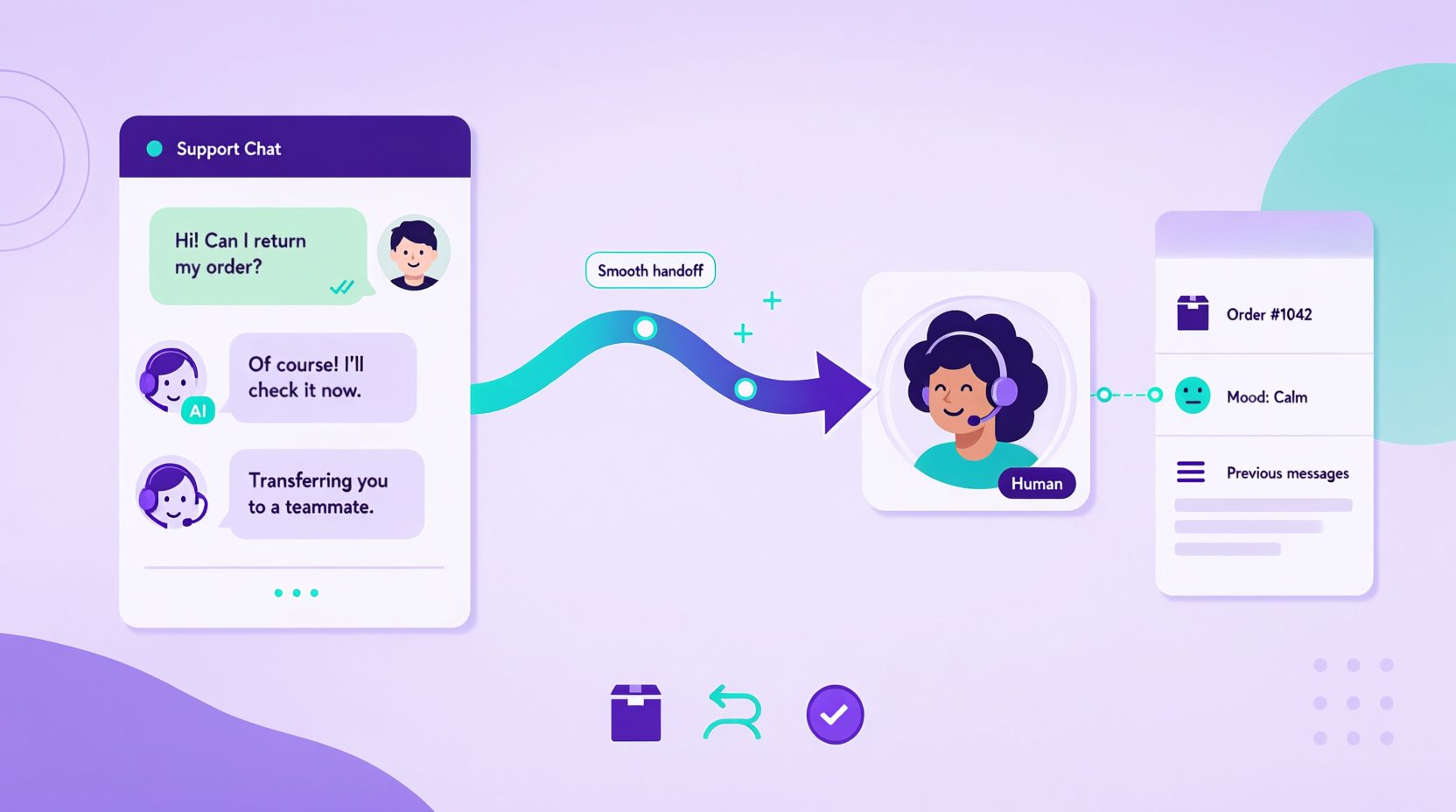
Two agents with identical models can produce completely different customer experiences. The difference is handoff design:
- Agent A tries to answer everything, fails on edge cases, and frustrates customers who needed a human from message one.
- Agent B recognizes uncertainty quickly, hands off with context, and the human arrives prepared.
The difference isn’t necessarily the model. It’s how the agent behaves when a request falls outside its capabilities. Clear AI agent governance establishes the boundaries, while effective handoff rules determine when and how those boundaries trigger human intervention.
A fast, graceful handoff is not a failure of automation. It is the feature that makes automation trustworthy.
AI Human Handoff Rules: When Should an Agent Escalate?
A reliable AI agent needs clear rules for deciding when to continue a conversation and when to involve a human.
These rules should reflect the customer’s needs, the agent’s limitations, and your business policies. Escalation shouldn’t depend entirely on whether the AI believes it can produce another answer.
Common escalation triggers
| Trigger | Example | Recommended action |
|---|---|---|
| Explicit human request | “I want to speak to someone.” | Escalate immediately |
| Repeated failure | The agent cannot resolve the same question after two attempts | Offer or initiate handoff |
| Customer frustration | The customer repeatedly expresses dissatisfaction | Offer human assistance |
| Financial dispute | A disputed charge or refund exception | Route to the authorized team |
| Security concern | Suspicious account activity or unauthorized access | Escalate through the security process |
| High-stakes issue | Legal, medical, or safety-related concerns | Follow the relevant specialist escalation policy |
| Low-confidence response | The agent cannot find reliable information | Avoid guessing and escalate when necessary |
| Priority account | An account with a defined support-routing agreement | Route according to the account’s support policy |
A direct request for a human should not require the customer to explain why they want one.
How to detect escalation signals
Different situations require different detection methods.
Keyword-based triggers identify explicit requests such as “human agent,” “supervisor,” or “speak to a person.” They’re easy to test, although wording varies between customers.
Conversation-based triggers look for repeated questions, unsuccessful answers, and unresolved requests. These are useful because they reflect what is happening in the interaction rather than relying on individual words.
Sentiment signals can help identify frustration, but they aren’t always accurate. When handling angry customers with AI, the agent should consider repeated complaints, unresolved requests, and the customer’s actual words rather than relying on tone detection alone.
Business-rule triggers cover situations where company policy requires human approval or specialist review, regardless of how confident the AI sounds.
Set confidence rules based on available evidence
| Situation | Agent behavior |
|---|---|
| Reliable answer available in approved knowledge | Respond using that information |
| Information is incomplete | Ask a clarifying question or explain the limitation |
| No reliable answer available | Offer or initiate human assistance |
| Request conflicts with policy or exceeds authorization | Stop the restricted action and escalate |
Avoid relying on a numerical confidence score unless your system produces one that has been tested and calibrated.
Turn the triggers into operational rules
For every escalation condition, document who receives the request, what information must accompany it, and what happens if no human is available.
Review these rules using actual conversations. If customers repeatedly reach a dead end, the trigger may be too restrictive. If the agent escalates routine questions unnecessarily, investigate whether its knowledge or routing rules need improvement.
The objective isn’t to minimize escalations at all costs. It’s to make sure customers reach the right support when automation is no longer useful.
What Information Should Transfer During an AI Human Handoff?
A handoff should continue the customer’s conversation, not restart it.
When a human representative joins, they need enough information to understand the issue without asking the customer to repeat everything.
Essential handoff information
| Information | Why it matters |
|---|---|
| Conversation transcript | Shows what the customer and AI have already discussed |
| Issue summary | Helps the representative understand the problem quickly |
| Customer or account reference | Connects the conversation to the correct record |
| Customer’s requested outcome | Clarifies what the customer wants resolved |
| Actions already attempted | Prevents unnecessary repetition |
| Statements or commitments made by AI | Helps the human identify anything that needs correction |
| Escalation reason | Explains why the AI could not complete the request |
| Relevant support history | Provides context for recurring issues when available |
Only transfer personal information that the receiving team is authorized to access and needs to resolve the issue.
Make the summary actionable
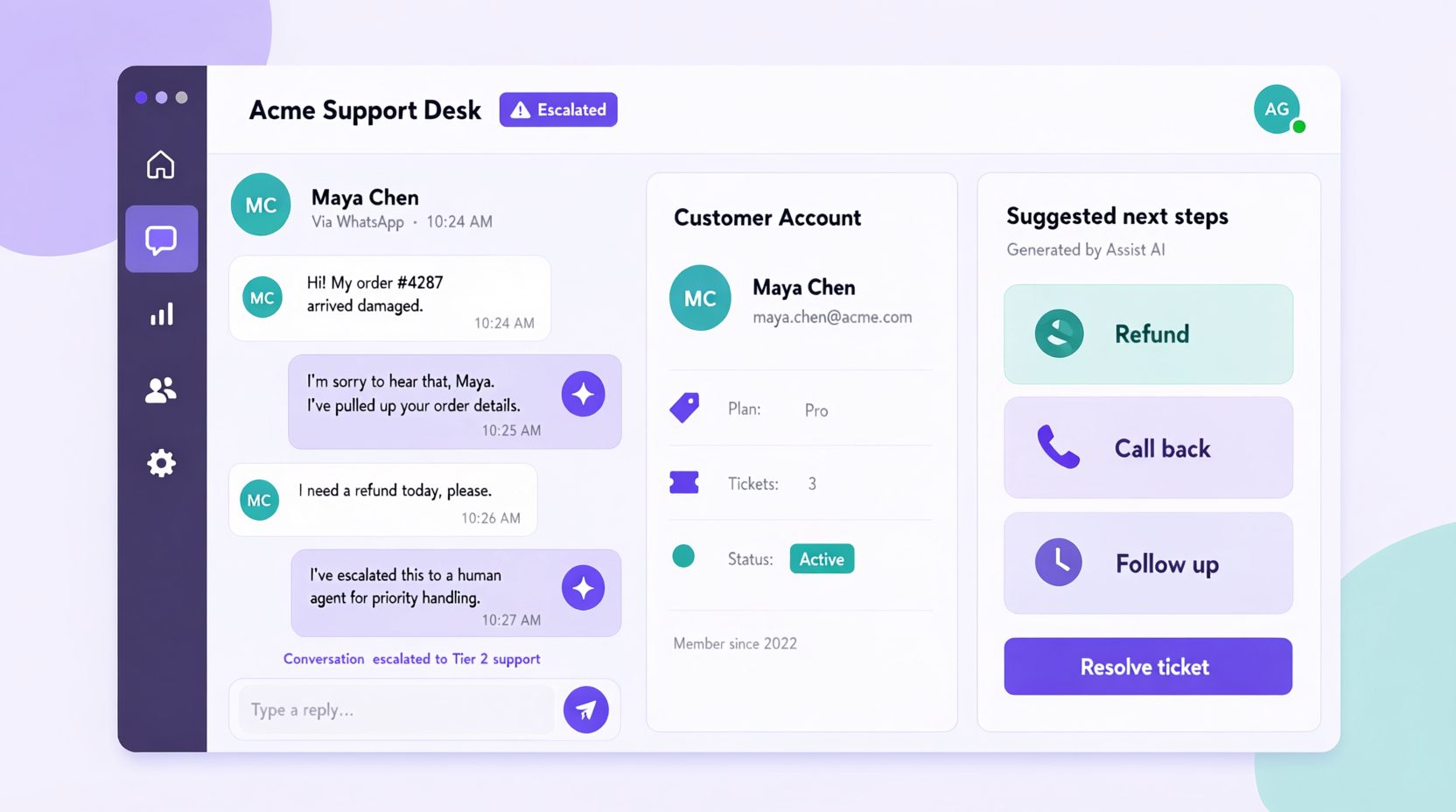
A useful handoff summary should explain the customer’s problem, what the AI has checked, and what still needs to happen. This is also an important part of AI support ticket triage, where incoming requests are classified and routed to the appropriate support team.
For example:
Customer issue: Duplicate payment reported
Order reference: #1042
AI actions: Verified the order reference and collected the customer’s description
Escalation reason: Payment dispute requires human review
Next step: Billing team to investigate the charge
This is more useful than a vague note such as “Customer needs help with billing.”
Preserve the conversation history
If the AI gave incorrect information or made an unauthorized promise, the human representative needs to know.
The agent should also confirm that the handoff record was successfully created before telling the customer that their request has been transferred.
A complete handoff allows the human to focus on solving the issue rather than reconstructing the conversation.
Setting Realistic Human Handoff Response Times
A successful AI human handoff doesn’t end when the agent creates a support ticket or transfers a conversation. Customers also need to know when someone will respond and what happens if no representative is available.
A handoff message that promises an immediate connection can create more frustration if no representative is available.
Define response-time commitments based on your staffing, support channels, and the urgency of each request.
Example handoff priorities
| Situation | Recommended approach |
|---|---|
| Customer requests a human during staffed hours | Transfer to the available support queue |
| Billing or payment dispute | Route to the authorized billing team with appropriate priority |
| Security or account-access issue | Follow the designated security escalation procedure |
| After-hours routine request | Create a ticket and communicate the next available support window |
| Priority customer account | Follow the response commitment in the customer’s support agreement |
| Public complaint | Acknowledge appropriately and move private account details to a secure channel |
These are routing examples, not universal response-time benchmarks.
Communicate realistic wait times
If your team can reliably respond within a defined period, tell the customer.
If no accurate estimate is available, explain that the request has been queued and how the customer will receive an update.
Don’t invent a response time simply to make the handoff sound faster.
Plan for unavailable agents
Every escalation workflow needs a fallback.
When no human is available, the AI should create or queue the request, preserve the conversation context, and explain the next step.
Urgent cases may need a separate escalation path depending on the business and the issue.
Review actual response times regularly to ensure the commitments you communicate match what your team can deliver.
What Should an AI Agent Say Before Transferring a Customer?
The final AI message before a human takes over should make the transition clear.
Customers should understand why the request is being transferred, what information has already been shared, and when they can expect a response.
A useful handoff message has three parts: acknowledge the issue, explain the transfer, and set a realistic expectation.
Immediate human transfer
“I can connect you with our support team for this. I’ll pass along the details you’ve already shared so you won’t need to explain everything again.”
Customer joins a support queue
“I’ve sent your request and conversation details to our support team. They’ll respond here when a representative is available.”
After-hours handoff
“Our support team isn’t available right now, but I’ve recorded your request and passed it to the appropriate queue. You’ll receive an update during our next support window.”
Billing or payment escalation
“This payment issue needs a review by our billing team. I’ve collected the relevant details and will transfer your request so they can investigate.”
Priority account handoff
“I’m routing this to the team responsible for your account. They’ll have the conversation details when they pick up your request.”
Avoid misleading handoff messages
Don’t say a specific representative is joining unless that person has actually been assigned.
Don’t promise an exact response time unless your team can meet it.
And don’t tell customers their issue has been resolved when the human review hasn’t started.
The message should reassure the customer through clarity rather than making promises the system cannot guarantee.
Make Every AI-to-Human Handoff Count
See how Botsify can help your team automate conversations and bring in human support when needed.
Handling edge cases
| Situation | Rule |
|---|---|
| Customer escalates, then goes quiet | Follow up according to your support team’s policy and customer preferences |
| Agent hands off, human unavailable | Queue with priority and an honest wait estimate |
| Customer escalates the same issue twice in a week | Flag for supervisor review — systemic issue |
| Agent accidentally promised something | Human honors it or corrects it explicitly — never let it hang |
| Customer is abusive | Document, respond once calmly, then disengage per policy |
The repeat-escalation flag deserves emphasis: it is your best early-warning system for broken processes. If the same issue generates three escalations in a week, the problem is upstream of the AI.
How to Measure AI-to-Human Handoff Performance
A successful handoff isn’t simply a conversation that reaches a human. The transfer also needs to happen at the right time, preserve useful context, and lead toward a resolution.
Measure the entire experience rather than counting how many conversations the AI escalates. The same principle applies to AI customer support metrics, where resolution quality, repeat contacts, and customer satisfaction matter alongside automation rates.
Metrics worth tracking
| Metric | What it measures |
|---|---|
| Escalation trigger accuracy | Whether the agent identifies situations that require human help |
| Time to human response | How long the customer waits after escalation |
| Context completeness | Whether the receiving representative gets the necessary information |
| Post-handoff resolution rate | How often escalated conversations are successfully resolved |
| Repeat escalations | How often customers need further transfers for the same issue |
| Customer satisfaction | Whether the customer feels the overall interaction was helpful |
Review both numbers and conversations
A low escalation rate doesn’t necessarily mean the agent is performing well. It may indicate that customers are getting stuck without being offered human assistance.
Similarly, a high escalation rate can be appropriate if the agent handles complex or sensitive requests.
Review conversation samples to understand whether escalation happened too early, too late, or for the right reason.
Use findings to improve the workflow
If humans repeatedly ask customers for the same information, improve the context-transfer process.
If customers wait too long, investigate staffing and queue routing.
If the AI repeatedly escalates the same routine question, check whether the knowledge base or workflow instructions are incomplete.
Set targets using your team’s actual performance and customer expectations rather than applying universal benchmarks.
Common handoff mistakes
- Making customers repeat themselves. The cardinal sin. If the human asks what the issue is, the handoff failed.
- Handing off without flags. A human walking into an angry conversation blind makes it worse.
- Vague escalation criteria. “If it seems serious” produces inconsistent behavior. Write explicit triggers.
- No fallback when humans are offline. Every escalation path needs a queue-and-notify fallback.
- Never reviewing escalations. Every escalation is free process research. Ignore them and the same problems repeat.
How Human Handoffs Work Across Chat, Messaging, and Voice
Human handoffs don’t work exactly the same way on every communication channel.
A website chatbot can serve as the first point of contact, answering routine questions and routing conversations that need human assistance. Messaging and voice channels may require different transfer methods depending on their technical limitations and available integrations.
Handoff requirements by channel
| Channel | What to consider |
|---|---|
| Website chat | Whether a representative can join the existing conversation and see its history |
| Messaging permissions, customer-service windows, and approved follow-up methods | |
| Messaging eligibility and the ability to continue the conversation privately | |
| Voice | Live transfer availability, hold handling, and callback options |
| Preserving the message thread and making the escalation summary available to the receiving team |
The exact capabilities depend on your platform and channel configuration.
Voice handoffs need extra preparation
A voice customer is waiting in real time, so long silences and unexplained transfers can be especially frustrating.
When live transfer is supported, the agent should explain that it is connecting the customer and provide the receiving representative with the relevant issue summary.
If no representative is available, the agent can offer an authorized callback or another support option.
It should never leave the caller on indefinite hold or promise a live transfer that the system cannot complete.
Keep the experience consistent
Across channels, the same principles apply: preserve context, communicate clearly, and confirm that the request has reached the intended destination.
If the platform cannot support a particular handoff behavior, design an alternative workflow rather than pretending the transfer has happened.
Building the escalation prompt rules
When configuring an agent through Botsify, write escalation rules as explicit instructions that the agent can follow consistently. These should define when human assistance is required, what context to transfer, and how to handle unavailable representatives.
Escalate immediately when:
- The customer directly requests a human representative.
- The request involves a restricted action requiring human approval.
- A security or safety concern requires specialist handling under company policy.
- The customer raises a dispute the agent isn’t authorized to resolve.
Offer or initiate a handoff when:
- The agent cannot provide a reliable answer after the permitted clarification attempts.
- The customer repeatedly expresses frustration with an unresolved issue.
- The request falls outside the agent’s approved knowledge or capabilities.
When escalating:
- Preserve the relevant conversation history.
- Summarize the customer’s issue and requested outcome.
- Record actions or commitments already made.
- Route the request to the appropriate team.
- Explain the next step and provide a realistic response expectation.
- Confirm that the transfer or ticket creation succeeded.
These rules should also explain what happens when no human is available or when a transfer fails. Adapt the template to your support policies, integrations, and available staff.
Training humans to receive escalations
Even well-configured AI customer support agents depend on the people receiving escalated conversations. Before launch, make sure your support team understands the handoff process and knows what information it will receive.
- What context they receive — transcript, account, sentiment.
- The first-message rule — acknowledge the wait, never make the customer repeat themselves.
- What they can offer — refunds, credits, escalations to managers, with limits.
- What not to do: Avoid blaming the AI or dismissing the customer’s experience. If the agent provided incorrect information, acknowledge the error clearly and explain the correct next step.
- How to close the loop — after resolution, note the outcome so patterns surface in weekly review.
A five-minute briefing prevents most escalation damage. The teams that skip this are the ones where humans start saying “ignore the bot, just email me directly”, which quietly kills the whole system.
Multilingual handoffs
If you serve multiple languages, decide the handoff language policy in advance:
- Route to a human who speaks the customer’s language, or
- Continue in-language with translation support, or
- Acknowledge in-language and switch to a shared language with the customer’s consent.
Silently switching to English mid-escalation is a common failure that reads as “we don’t actually care.” The multilingual support guide covers language routing across channels if that is part of your setup.
How to Test Human Handoff Rules Before Launch
Before launching an AI agent, test its human handoff workflow against realistic customer conversations. The goal is to confirm that escalation triggers, context transfers, routing rules, and fallback processes work as expected. Effective AI agent testing should cover successful transfers, failed handoffs, unavailable representatives, and unexpected customer requests.
A handoff that looks correct in the prompt may still fail when the customer uses unexpected wording, a representative is unavailable, or the connected help desk rejects a transfer.
Essential handoff test scenarios
| Test scenario | Expected behavior |
|---|---|
| Customer explicitly requests a human | Agent initiates handoff without unnecessary resistance |
| Customer repeats an unresolved question | Agent recognizes the failure and offers human assistance |
| Customer reports a disputed payment | Request follows the approved billing escalation process |
| Customer expresses repeated frustration | Agent recognizes the issue and provides an appropriate handoff option |
| Customer uses multiple languages | Agent follows the configured language-routing process |
| No human is available | Agent creates or queues the request and communicates the next step |
| Agent cannot find reliable information | Agent avoids guessing and escalates when needed |
| Ticket creation or transfer fails | Agent reports the failure accurately and follows a fallback process |
Final pre-launch checks
Before making the workflow available to customers, confirm that:
- Escalation rules are documented and tested.
- Context transfers correctly to the receiving team.
- Handoff behavior works on every enabled channel.
- Response-time expectations reflect actual support availability.
- Human representatives understand how to receive escalations.
- Failed transfers have a documented fallback.
- Someone is responsible for reviewing escalation performance.
Don’t rely solely on a successful test conversation. Check the receiving team’s view to confirm that the transcript, summary, and customer details arrive correctly.
If a critical escalation scenario fails, correct it and retest before launch.
Build AI Support That Knows When to Escalate
Configure AI agents to handle routine requests and route complex conversations to your support team.
What a Successful Human Handoff Looks Like
After the AI agent has handled real customer conversations, review whether the handoff process is making support easier for both customers and employees.
A reliable process should show several improvements:
- Customers can request a human without getting stuck in repeated automated responses.
- Representatives receive enough context to understand the issue before replying.
- The support team meets its stated response-time commitments.
- Escalated conversations reach the appropriate department or specialist.
- Customers rarely need to repeat information already provided to the AI.
- Regular reviews reveal recurring problems that can be fixed through better instructions, knowledge, or routing.
The goal isn’t to eliminate every escalation. It’s to make sure customers receive appropriate support when the AI reaches its limits.
A good handoff makes automation feel like part of the support team rather than an obstacle between the customer and the help they need.
How to Audit and Improve Your Human Handoff Workflow
Once the agent is live, review a sample of escalated conversations regularly.
You don’t need a complicated reporting process to find common handoff problems.
A simple handoff audit
- Select a recent sample of escalated conversations.
- Check whether the escalation happened at the appropriate point.
- Confirm that the human received the relevant transcript and issue summary.
- Review whether the customer had to repeat information.
- Compare the actual response time with the team’s stated commitment.
- Identify recurring reasons for escalation, such as missing knowledge, unclear policies, or routing errors.
Focus on the problems that appear repeatedly rather than treating every escalation as an isolated incident.
For example, if customers often reach a human because the AI cannot answer billing questions, investigate whether the agent lacks information or whether those questions require human approval by design.
Review the results with the support team and update the relevant instructions, knowledge sources, or escalation rules. If handoffs repeatedly fail because customer details or conversation history don’t reach the help desk, investigate the underlying AI agent integration rather than adjusting the prompt alone.
The aim is to improve the entire support process, not simply reduce the number of handoffs.
Pricing and capacity planning for handoffs
Escalations require human support capacity, even when an AI agent handles the first part of the conversation.
You can estimate the monthly workload using:
Human hours per month = (Monthly conversations × Escalation rate × Average handling time in minutes) ÷ 60
For example, if your agent handles 2,000 conversations per month, escalates 15% of them, and each escalation takes eight minutes of human work:
(2,000 × 0.15 × 8) ÷ 60 = 40 human hours per month
This is an illustrative estimate. Actual staffing needs also depend on when requests arrive, the response times you’ve promised, and the additional work involved in resolving each case.
Use the calculation to plan coverage before launching the handoff workflow.
FAQ
Should the customer know they were talking to an AI?
Yes. Honesty about the handoff (“I’ve brought in Sam”) builds trust; pretending the whole conversation was human creates problems when a human joins.
What if no human is available?
The agent should say so honestly and offer the best available alternative — a callback time, an email ticket with a stated SLA, or an emergency channel. Never promise instant human help that will not arrive.
Can the agent hand off mid-conversation?
Yes, and it should. The conversation continues in the same thread with the full context attached — the customer should not have to start over. How much context should transfer?
Everything: full transcript, account data, sentiment flag, and what the AI said. Under-contextualized handoffs are the top cause of “I already explained this” frustration.
Final thought
Customers shouldn’t have to fight an AI agent just to reach someone who can help. When automation reaches its limits, the transition to a human should feel like a natural continuation of the conversation rather than a fresh support request.
A reliable AI human handoff process depends on clear escalation rules, complete conversation context, realistic response expectations, and a support team prepared to take over. Getting these details right makes AI agents more useful without leaving customers stuck when they need human judgment.
The goal isn’t to prevent customers from reaching people. It’s to make sure the right person gets involved at the right time, with enough information to resolve the issue.
Ready to Improve Your AI Support Experience?
Discover how Botsify can help you build AI agents with clear escalation rules and human support workflows.