
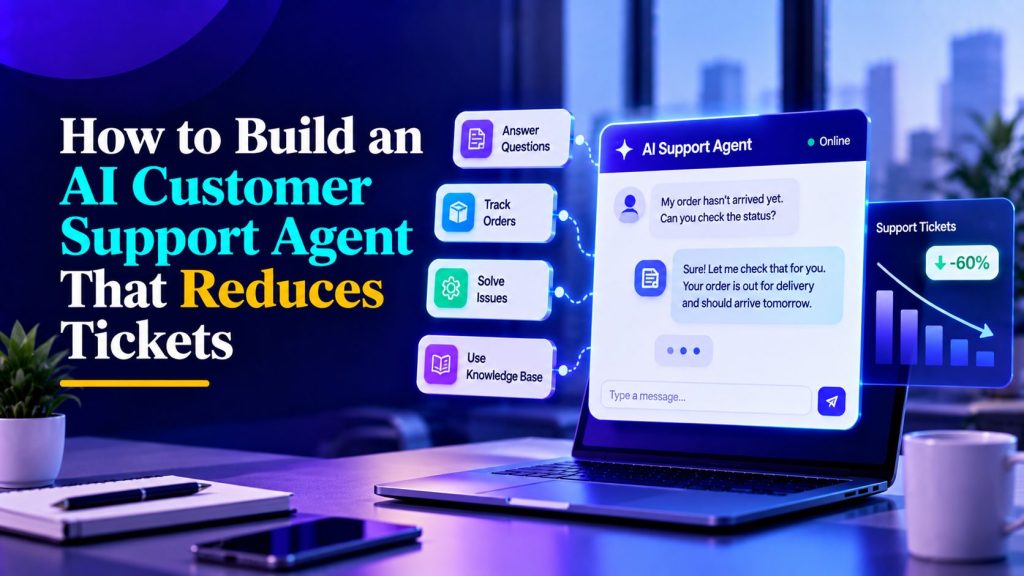
Customer support teams spend a surprising amount of time answering questions they’ve already answered hundreds of times. Customers want to know where their orders are, how to reset passwords, whether they qualify for refunds, or how to update their subscriptions. These questions may be straightforward, but handling them manually takes time away from more complicated issues.
An AI customer support agent can handle much of this repetitive work by answering questions from approved documentation, retrieving information from connected systems, and directing customers to human support when necessary. However, simply adding an AI chatbot to your website won’t automatically reduce support tickets. The agent needs accurate information, clear permissions, reliable integrations, and a way to recognize when it cannot resolve an issue.
This guide explains how to build an AI customer support agent that reduces unnecessary tickets without compromising the customer experience. We’ll cover everything from identifying suitable support requests and configuring the agent to testing its performance and measuring actual ticket reduction.
Why AI Customer Support Agents Fail to Reduce Tickets
If you have had a bad experience with a support bot, you already know why. The problems are predictable:
- It only understands exact keywords. “Where’s my order?” works. “Where did my package go?” does not.
- It answers questions nobody asked. The FAQ has twenty entries; customers ask five things and the bot covers all twenty.
- It refuses to hand off. The worst experience is being trapped in a loop when you clearly need a human.
- It hallucinates. It confidently tells a customer a policy that does not exist.
These problems can come from poor conversation design, unreliable knowledge, missing integrations, or weak escalation rules. Our guide to AI agents for customer support explains the underlying technology and capabilities. Here, we’ll focus on building an agent that can resolve routine requests and reduce unnecessary support tickets.
A support agent’s job is not to deflect tickets. It is to give customers useful answers faster than a human could, and to know when to step aside.
Step 1: Analyze Your Support Tickets and Identify Automation Opportunities
Before building an AI customer support agent, look at what your support team actually handles every day. Your product documentation might contain hundreds of topics, but that doesn’t mean customers need help with all of them equally.
Start by reviewing 100 to 200 recent support tickets, or a representative sample based on your ticket volume. Group them by issue type, frequency, resolution process, and whether the request requires access to customer-specific information.
The goal is to identify repetitive questions the agent can resolve reliably, not simply automate whichever category receives the most tickets.
For example, an e-commerce support team might organize its tickets like this:
| Ticket category | Example customer request | Recommended automation approach |
|---|---|---|
| Order tracking | “Where is my package?” | Retrieve order status from a connected system after appropriate verification |
| Password and account access | “I can’t log in.” | Guide customers through the approved account recovery process |
| Product questions | “Does this product come in blue?” | Answer using verified product information |
| Shipping and return policies | “Can I return this after 30 days?” | Explain the current policy and applicable conditions |
| Return requests | “I want to return my order.” | Check eligibility and initiate the approved return workflow where permitted |
| Refund status | “When will I receive my refund?” | Check verified refund status or route to support |
| Technical issues | “The checkout page keeps crashing.” | Collect troubleshooting details and escalate unresolved issues |
| Billing disputes | “You’ve charged me twice.” | Gather relevant information and transfer to an authorized representative |
| Customer complaints | “I’ve contacted support three times!” | Acknowledge the frustration and prioritize human assistance |
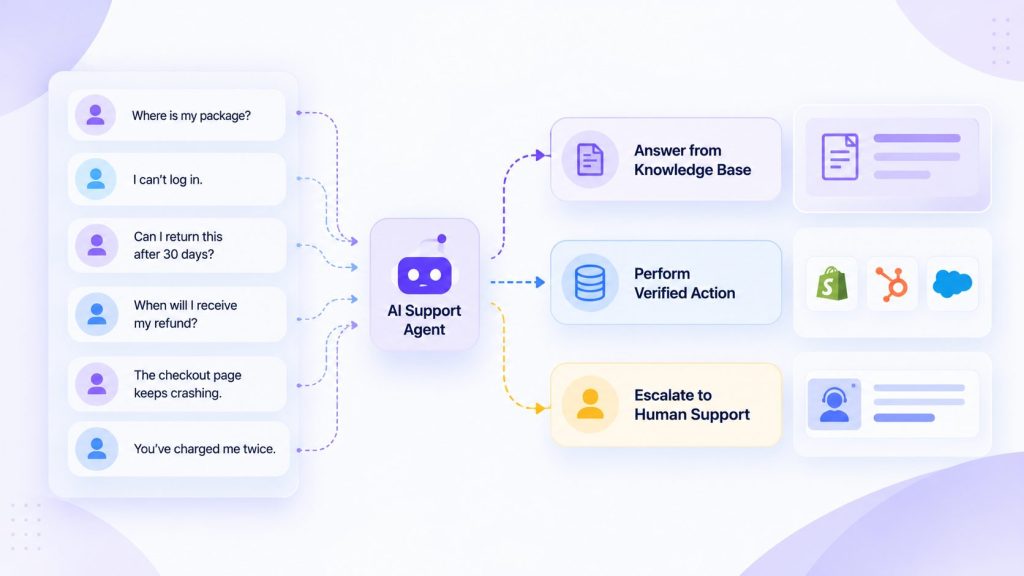
Notice that some requests can be answered using documentation alone, while others require integrations or human approval. An agent can explain a refund policy without accessing an account, but checking the status of a specific refund requires a reliable connection to the relevant system.
Prioritize tickets using three factors:
- Frequency: How often does this type of request appear?
- Complexity: Can the issue be resolved using clear instructions or verified system information?
- Risk: Could an incorrect answer or action cause financial loss, expose customer information, or create additional problems?
Start with frequent, low-risk requests that have clear resolution steps. These are usually easier to test and offer a practical starting point for reducing repetitive support work. If you’re unsure which requests are suitable, our breakdown of AI customer service use cases explains which tasks involve answering questions, retrieving information, performing actions, or escalating to humans.
Once you’ve identified suitable categories, document what the agent should handle independently, what requires verification or approval, and what must go directly to a human. This becomes the foundation for your knowledge base, agent instructions, and escalation rules.
Step 2: Build the knowledge base
An AI support agent is only as good as what it knows. For support, the knowledge base should include:
- Shipping and return policies
- Refund rules and timelines
- Product documentation and how-to guides
- Known issues and workarounds
- Pricing and plan details
- Account and billing FAQs
Where to get it: your existing help docs, past email responses, and the most common replies your support team has written. If a question has been answered three times in the last month, it belongs in the knowledge base.
Two things that matter more than most teams expect:
- Keep answers short. Customers read on phones. Long paragraphs get skimmed.
- Review Regularly. If a policy changes, update the knowledge base the same day. A stale answer is worse than no answer.
Uploading documents is only part of the process. You also need to remove outdated information, resolve conflicting policies, and organize content so the agent can retrieve the right answers. Our guide on how to build an AI knowledge base for customer support explains how to prepare, structure, test, and maintain those sources.
Step 3: Configure Your AI Customer Support Agent
Once your knowledge base is ready, the next step is turning that information into an agent that can handle customer conversations. You don’t need to automate every support process immediately. Start with the ticket categories you identified earlier and give the agent clear instructions about what it should answer, which tools it can use, and when it needs human assistance.
With a no-code AI agent builder such as Botsify, you can configure the agent’s knowledge and behavior without developing the entire conversational system from scratch.
Start with these configurations:
- Define the agent’s role. Tell it which customer support requests it is responsible for handling and which topics fall outside its scope.
- Connect approved knowledge sources. Add the relevant help documents, product information, policies, and troubleshooting instructions.
- Set response guidelines. Instruct the agent to provide clear, accurate answers, ask relevant follow-up questions, and avoid inventing information.
- Configure available tools. Connect the systems needed for approved tasks, such as retrieving order information or creating support tickets.
- Establish escalation behavior. Specify when the agent should stop troubleshooting and transfer the conversation to a human.
- Test the configuration. Use realistic customer questions to check whether the agent follows its instructions before making it available publicly.
Build an AI Support Agent Without Coding
Configure an AI agent with your business knowledge, support instructions, and connected tools using Botsify.
Example AI Customer Support Agent Instructions
The following example provides a starting point for an agent handling general customer support questions. Replace the placeholders and adapt the permissions to your actual business processes.
You are a customer support agent for [Company Name].

Your role is to help customers with product questions,
account guidance, order information, and support requests.

Use only approved knowledge sources and verified
information returned by connected systems.

If information is missing or uncertain, explain that
you cannot confirm it and offer human assistance.

Do not invent policies, delivery dates, refund approvals,
or troubleshooting instructions.

Follow the company's identity verification process before
accessing or changing account-specific information.

If a customer requests a human representative, initiate
the approved handoff process without unnecessary questions.

Never claim that an action is complete unless the
connected system confirms its success.

Keep responses clear, helpful, and relevant to the
customer's question.
These instructions establish the agent’s basic behavior, but they shouldn’t be your only safety mechanism. Sensitive actions also need appropriate permissions and verification within the connected systems.
After configuring the agent, test how it responds to routine questions, missing information, account-specific requests, and situations that require escalation. Adjust the instructions based on the results before moving to deployment.
Step 4: Define what the agent will not do
This is the step most teams skip, and it is what separates a good deployment from a bad one.
Your support agent should never:
- Process refunds outside the company’s approved eligibility, verification, and authorization rules.
- Change account details or subscription plans without confirmation.
- Give legal, tax, or medical advice.
- Promise a refund timeline the company cannot deliver.
- Discuss another customer’s account.
Write these as hard rules in the agent prompt and test them. If a customer asks for something the agent cannot do, it should say so clearly and escalate, not improvise.
The AI agent governance guide covers how to formalize permissions so these rules are enforced by the system, not just written in a doc.
Step 5: Design the conversation flow
A good support conversation has four phases:
- Acknowledge — respond to what the customer actually asked.
- Answer or clarify — either answer from the knowledge base or ask one clarifying question.
- Resolve or escalate — either the answer solves it or a human takes over.
- Confirm — end with a clear next step.
Example: Handling an Order Tracking Request
Customer: “My order hasn’t arrived. Can you check where it is?”
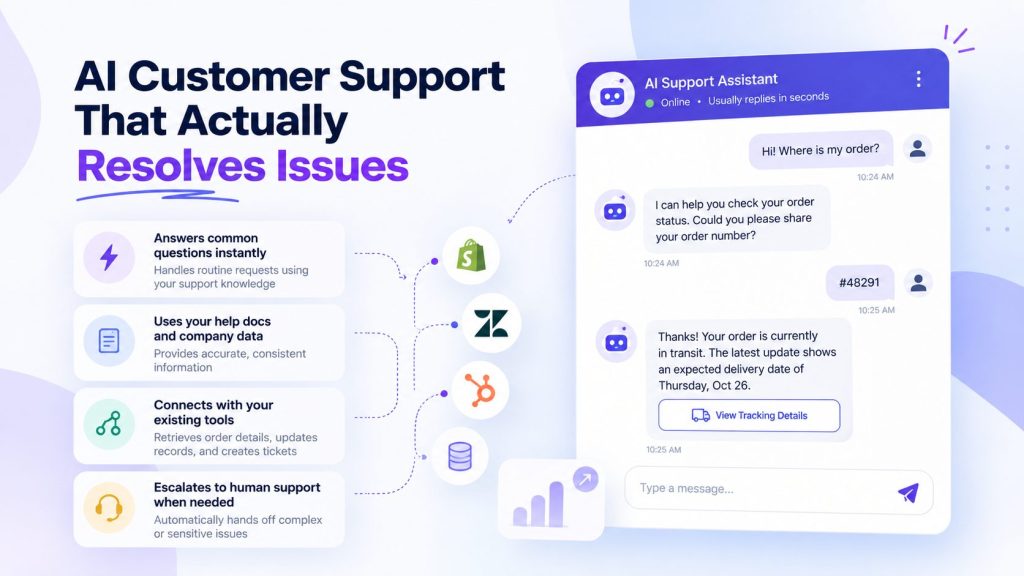
Agent: “I can help you check its status. Do you have your order number?”
Customer: “Yes, it’s #48291.”
Agent: “Thanks. I’ll need to verify the order details through our approved process before sharing tracking information.”
After the customer completes verification and the connected order system returns a confirmed status:
Agent: “Your order is currently in transit. The latest carrier update shows an expected delivery date of Thursday. Would you like the tracking link?”
Customer: “Yes, please.”
Agent: “Here’s the tracking link provided by the carrier: [Verified tracking link]. Is there anything else I can help you with?”
This example assumes the agent has access to a connected order management system and an approved customer verification process. Without those connections, it should explain how the customer can check the order or offer human assistance rather than inventing a delivery update.
Step 6: Define Escalation Rules and Human Handoff Triggers
An AI customer support agent should know when to stop troubleshooting and involve a human. Without clear escalation rules, even a well-trained agent can frustrate customers by repeating unhelpful answers, making promises it cannot keep, or continuing conversations that require human judgment.
The solution is to define escalation triggers before deployment and connect each trigger to an appropriate support workflow.
Create an Escalation Matrix
Different support issues require different levels of attention. A billing dispute may need an authorized account specialist, while a technical problem might need a support engineer.
Use an escalation matrix to determine when the agent should transfer a conversation and where it should go.
| Escalation trigger | When to escalate | Recommended destination |
|---|---|---|
| Explicit human request | Customer asks to speak with a person | Available support representative or support queue |
| Customer frustration | Customer shows clear frustration or repeated dissatisfaction | Customer support team |
| Refund requiring approval | Request exceeds the agent’s permitted actions or refund authority | Authorized billing or refund specialist |
| Technical problem | Troubleshooting fails or the issue requires investigation | Technical support queue |
| Account or billing dispute | Customer reports an unauthorized charge or disputed transaction | Billing specialist |
| Legal or regulatory question | Request requires specialized legal or compliance judgment | Authorized specialist |
| Repeated unresolved issue | Customer contacts support again about an unresolved problem | Human support representative |
| Agent uncertainty | Agent cannot verify information or provide a reliable answer | Appropriate support team |
These are starting points, not universal rules. Your escalation thresholds should reflect your support policies, team structure, and the consequences of an incorrect response.
For example, a straightforward product question may deserve another clarification attempt, while an account security issue should follow the appropriate verification and escalation process immediately.
Handle Requests for Human Support Without Resistance
One of the quickest ways to frustrate a customer is to keep them in an automated conversation after they’ve explicitly asked for a person.
If someone says, “Can I talk to a human?”, the agent should acknowledge the request and initiate the approved handoff process.
A suitable response would be:
“Of course. I’ll connect you with our support team so they can help with this.”
The agent shouldn’t insist on additional troubleshooting or force the customer to repeat the same request.
However, immediate handoff does not always mean an employee is available immediately. If your support team operates during specific business hours, the agent should explain the available options, such as creating a ticket, requesting a callback, or joining a support queue.
Define What Happens When Escalation Fails
Escalation workflows also need a fallback. A human representative may be unavailable, the ticketing system might fail, or the conversation could lose its connection during transfer.
Configure the agent to recognize these situations and explain the next available step rather than claiming that the customer has been connected successfully.
For example, if the ticketing integration fails, the agent should provide an approved alternative contact method or retry option. It should never tell the customer that a ticket was created unless the connected system confirms it.
Finally, test each escalation trigger using realistic customer messages. Include frustrated customers, repeated questions, explicit human requests, account disputes, and situations where the agent cannot find a reliable answer.
The goal is not to minimize escalations at all costs. It is to resolve suitable requests automatically while ensuring that customers who need human assistance can reach it without unnecessary friction.
Step 7: Wire the handoff to support
When the agent escalates, the human should receive:
- The full conversation transcript
- A one-line summary of what the customer wants
- Any account or order details the agent already collected
- The reason for escalation
That context is the difference between a smooth handoff and a customer repeating themselves for the third time. Build the summary into the workflow so support sees it before they respond.
Botsify’s human takeover handles this handoff: the agent steps back, the human steps in, and the conversation continues without the customer noticing a seam.
Step 8: Integrating with your existing support stack
The agent should plug into whatever you already use, not replace it:
| Tool | Integration pattern |
|---|---|
| Zendesk / Intercom / Freshdesk | Agent handles first response; escalations create tickets |
| Shopify / WooCommerce | Agent looks up order status directly |
| CRM (HubSpot, Salesforce) | Conversation context attached to the customer record |
| Slack | Urgent escalations ping a support channel |
| Help docs / Notion | Knowledge base source, updated by your team |
Start with the integration most important to your initial support workflow, whether that’s a ticketing system, order database, or CRM. Test authentication, data retrieval, permissions, and error handling before connecting additional tools. For a more detailed explanation of APIs, connectors, and production-ready integrations, see our AI agent integration guide.
Step 9: Deploy Your AI Customer Support Agent
Where should the agent live? Start with the channel where most tickets arrive.
For most businesses that is:
- Website chat — easiest to deploy, catches visitors before they email.
- Email — the highest-volume channel for many teams; an agent can triage and auto-reply.
- WhatsApp — if your customers prefer it, especially in EMEA and APAC markets.
Adding all channels at once is a mistake. Launch on one, prove the conversation quality, then expand. The multi-channel lead qualification guide covers the expansion pattern if you plan to unify channels later.
Turn Your Support Channels Into AI-Powered Conversations
Handle routine customer questions across your website and supported messaging channels, with human assistance when needed.
Testing Your AI Customer Support Agent Before Launch
Start with these test scenarios. Any failure is a fix before launch, not a “we’ll watch it” item.
| # | Test input | What should happen |
|---|---|---|
| 1 | “where’s my order” (no order number) | Agent asks for order number or email |
| 2 | “can I return this after 45 days?” | Agent cites the actual policy, does not improvise |
| 3 | “I want a refund NOW” | Agent stays calm, explains process, offers human if needed |
| 4 | “how do I change my email?” | Agent gives accurate steps from docs |
| 5 | A question in another language | Agent responds in the same language |
| 6 | Long angry message about a bug | Agent apologizes, collects details, escalates |
| 7 | “is this a scam?” | Agent reassures with facts, does not get defensive |
| 8 | “are you a robot?” | Honest answer, no pretending |
| 9 | Off-topic question (“what’s the weather?”) | Polite redirect to support topics |
| 10 | “can I speak to a human?” | Immediate handoff, no resistance |
Launch readiness should depend on the severity of failures, not simply the number of tests the agent passes. A single critical failure, such as exposing another customer’s information, inventing a refund approval, or ignoring an explicit request for human assistance, should block deployment until it is resolved and retested.
For other issues, record the expected behavior, actual result, severity, and corrective action. Test with a larger set of anonymized support conversations that reflects the requests your business actually receives. The agent should go live only when critical scenarios pass and the remaining risks meet your team’s documented acceptance criteria.
How to Measure AI Customer Support Agent Performance
Launching an AI customer support agent is only the beginning. The real test is whether it reduces unnecessary support work while helping customers resolve their problems.
A lower ticket count doesn’t automatically mean the agent is performing well. Customers might abandon conversations, receive incomplete answers, or contact support again because their original problem wasn’t solved.
To understand the actual impact, measure ticket volume alongside resolution quality and customer satisfaction.
Track the Metrics That Matter
| Metric | What it measures | Why it matters |
|---|---|---|
| Support ticket volume | Number of tickets created during a defined period | Shows whether incoming ticket demand is changing |
| AI resolution rate | Percentage of eligible conversations resolved by the agent without human intervention | Indicates how effectively the agent handles suitable requests |
| Escalation rate | Percentage of AI conversations transferred to humans | Helps identify requests the agent cannot handle independently |
| First response time | Time customers wait for an initial response | Shows whether customers are receiving faster assistance |
| Customer satisfaction (CSAT) | Customer feedback after AI-supported conversations | Helps evaluate the quality of the experience |
| Repeat contact rate | Customers who contact support again about the same issue | Reveals whether apparent resolutions are actually effective |
| Human support workload | Time and effort spent handling remaining support requests | Shows whether automation is freeing up support capacity |
Avoid relying on universal performance targets. A company handling straightforward order-tracking questions will have different automation opportunities from a business providing complex technical support.
Instead, establish your existing support metrics before launch and compare them with results after deployment.
Calculate Whether Tickets Are Actually Decreasing
Start by measuring the number of support tickets your team receives before introducing the agent. Then compare that baseline with the volume after deployment.
For example, suppose your support team previously received 1,000 tickets per month and receives 800 after launching the agent.
The change in ticket volume would be:
Ticket reduction = (1,000 – 800) ÷ 1,000 × 100 = 20%
That represents a 20% decrease in recorded tickets, but it doesn’t prove that the AI agent caused the entire reduction.
Seasonal demand, product changes, customer growth, and differences in support volume can influence the results. For a more reliable comparison, track tickets relative to customer activity, such as tickets per 1,000 orders or active customers, and compare similar periods.
Also check whether customers are opening additional conversations or returning with unresolved problems.
What to Review During the First 30 Days
During the first month, review AI conversations regularly to identify problems that automated reports may miss.
Pay particular attention to:
- Unresolved questions: Which customer requests consistently lead to escalation or abandonment?
- Incorrect answers: Is the agent using outdated policies or misunderstanding customer questions?
- Repeat contacts: Are customers returning because the initial response failed to solve their issue?
- Customer satisfaction: Are AI-assisted conversations receiving acceptable feedback?
- Human workload: Is the support team spending less time on repetitive requests?
- Knowledge gaps: Which questions should be added to the knowledge base?
For example, if customers repeatedly ask about a confusing checkout process, improving the checkout experience may reduce support demand more effectively than adding more chatbot responses.
Use these findings to update the agent’s knowledge, adjust its instructions, improve integrations, and refine escalation rules.
A successful AI customer support agent should reduce avoidable tickets without creating additional work elsewhere. The goal is not simply fewer conversations with humans, but fewer unresolved customer problems.
A Practical AI Customer Support Agent Implementation Timeline
The time needed to launch an AI customer support agent depends on the complexity of your support processes, existing documentation, integrations, and security requirements. A basic agent answering FAQs may require less preparation than one that accesses customer accounts or performs actions in billing and order management systems.
| Phase | What to complete |
|---|---|
| Planning | Review existing tickets, identify suitable requests, and establish success metrics |
| Knowledge preparation | Organize documentation, update policies, and identify authoritative information sources |
| Agent configuration | Define instructions, permissions, conversation behavior, and escalation rules |
| Integration and testing | Connect required systems, validate data access, and test real support scenarios |
| Controlled launch | Deploy to a limited audience or channel and review conversations |
| Optimization | Update knowledge, resolve recurring failures, and expand supported requests |
These phases may overlap, and the schedule will vary by business. Rather than committing to an arbitrary launch date, move to production when the agent can reliably handle its intended requests, protect customer information, and escalate situations it cannot resolve.
Sample Customer Support Agent Response Templates
A support agent doesn’t need an elaborate response for every situation. It needs clear language that helps customers understand what information is required, what the agent can do, and what happens next.
These templates can be adapted to your business policies and connected systems.
| Customer request | Suggested agent response |
|---|---|
| Order tracking | “I can help you check your order. Could you share the order number so we can begin the verification process?” |
| Return request | “I can check the return policy for your purchase. Could you share your order number?” |
| Password reset | “You can reset your password using our secure account recovery process. Would you like the instructions?” |
| Refund status | “I can help you check your refund status once your account is verified. Do you have the relevant order number?” |
| Technical problem | “Can you tell me what happened and whether you received an error message? I’ll check the available troubleshooting steps.” |
| Human assistance | “Of course. I’ll connect you with our support team or help you submit a request if no representative is available.” |
| Unknown question | “I don’t have enough verified information to answer that accurately. Would you like me to refer this to our support team?” |
These responses are starting points, not fixed scripts. The agent should adapt its wording to the customer’s situation while following the company’s actual policies, verification requirements, and available support options.
Handling multilingual support
If you serve customers in multiple languages, an agent earns its keep immediately. Rather than hiring a support person for each language, the agent handles first response in the customer’s language and escalates to the right human when needed.
Practical setup:
- Load your help docs in each supported language, or use translated docs.
- Test each language with real customer questions, not just translations of English tests.
- Define escalation per language — some languages may need human review more than others.
- Watch for mixed-language conversations (customer switches mid-thread) and make sure the agent follows.
Botsify’s multilingual support handles this natively, which matters when your customer base spans multiple markets.
Building vs buying
Three realistic paths:
| Approach | Best for |
|---|---|
| Build in-house | Teams with engineering resources and custom requirements |
| No-code platform | Teams that want to configure and manage their own agent |
| Done-for-you service | Teams that prefer assistance with setup and deployment |
Building the agent is only part of the work. Someone also needs to maintain its knowledge, review conversations, and improve the workflows after launch. Teams without dedicated technical resources may prefer Botsify’s done-for-you agents, while businesses that want more control can configure their own agent.
Common mistakes that undermine support agents
These come up in almost every deployment:
- Launching with an incomplete knowledge base. An agent that cannot answer policy questions is worse than no agent, it just adds a step before the email.
- Not connecting order systems. “Where is my order?” is the highest-volume question for e-commerce. If the agent cannot look it up, it deflects to a human, which defeats the purpose.
- No CSAT measurement on AI conversations. You will not know if the agent is helping or annoying until you ask.
- Setting the escalation threshold too low. The agent hands off everything and nothing gets automated.
- Setting it and forgetting it. Products change, policies change, prices change. If nobody updates the knowledge base, quality decays within weeks.
Every one of these is a process failure, not a technology failure. Plan for the human side before you build.
FAQ
Will customers hate talking to an AI?
They hate waiting two days for an email reply more. An agent that answers in five seconds at 2 AM is usually better than the alternative, as long as it hands off gracefully when needed.
How many tickets can this realistically deflect?
The number depends on your ticket categories, knowledge quality, integrations, and how many requests can be resolved without human intervention. Routine questions with clear answers are generally easier to automate than complex technical issues or sensitive account disputes. Start by measuring your current ticket volume, then track AI resolutions, repeat contacts, and customer satisfaction after deployment to establish a realistic result for your business.
What if the agent gives a wrong answer?
It will occasionally. The mitigation is a clear escalation path and transcript review so you catch errors quickly. Never let it answer questions
outside its knowledge base.
Do I need developers to build this?
No, with a modern no-code platform. Most of the work is writing good answers and defining escalation rules.
Final thought
Your support team is not spending their day on hard problems. They are spending it on the same ten questions, over and over, at all hours.
A well-configured AI customer support agent can take repetitive questions off your team’s plate while keeping human assistance available for more complicated issues. The key is to start with the right support requests, connect reliable information, and keep improving the agent based on real customer conversations.
Reducing support tickets isn’t about preventing customers from reaching your team. It’s about resolving their problems before another ticket becomes necessary.
Want an AI Support Agent Built for Your Business?
Get help configuring an AI agent around your support processes, knowledge sources, and customer workflows.

Pingback: AI Agent Test Cases From Real Support Tickets
Pingback: Prompt Injection Testing for AI Agents