
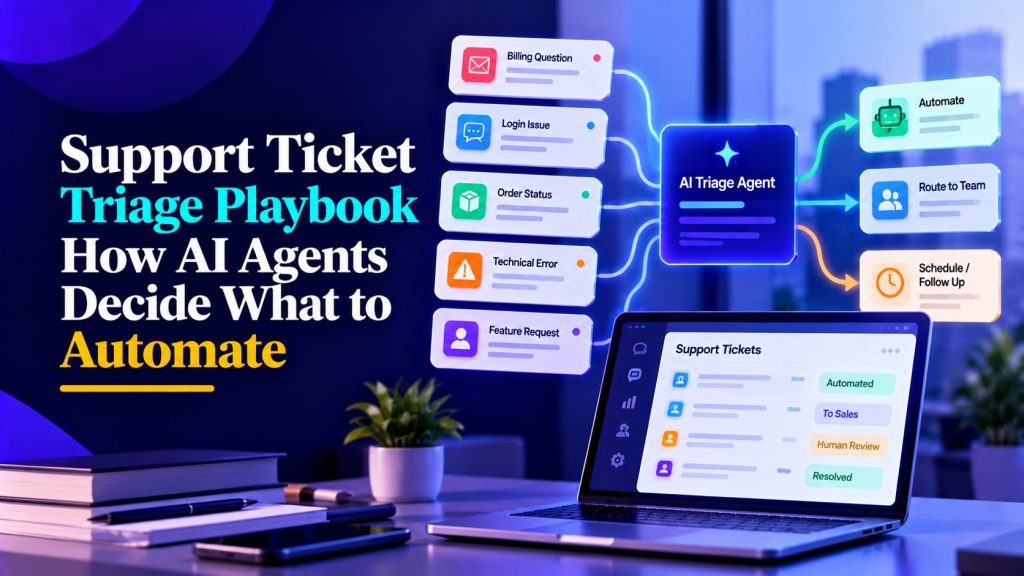
Not every support ticket should be automated. Treating every request the same way can lead to frustrated customers, misrouted issues, and unnecessary work for support teams.
AI support ticket triage helps teams decide which requests can be answered automatically, which need additional information, and which should reach a human immediately.
This playbook explains how to classify incoming tickets, assign priorities, define escalation rules, and build a triage workflow that keeps the right people involved.
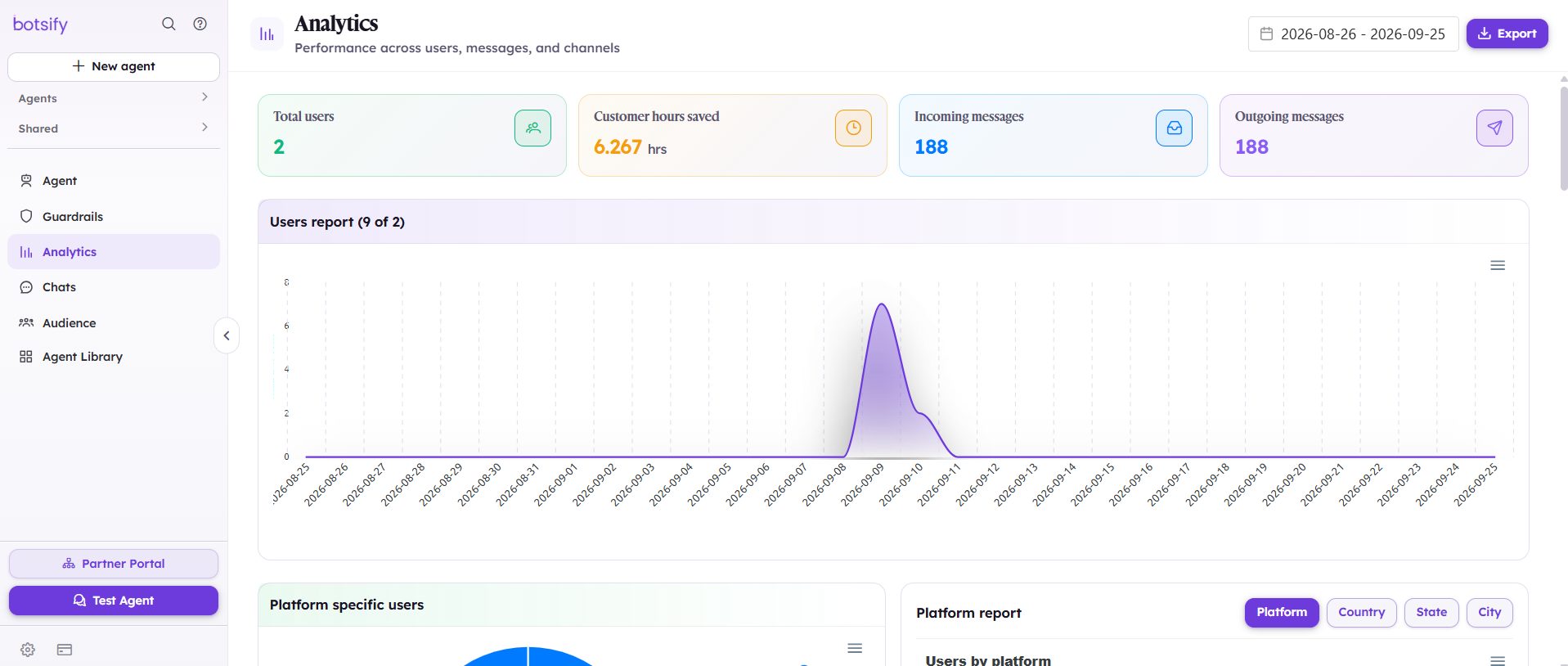
The Four-Tier AI Support Ticket Triage Framework
Before configuring an AI triage agent, divide your support requests into four categories based on complexity, risk, and the systems needed to resolve them.
| Tier | Ticket type | Example | Recommended action |
|---|---|---|---|
| Tier 1: AI-ready | Routine, low-risk questions with verified answers | Product FAQs, shipping policies | AI can answer using approved information |
| Tier 2: AI-assisted | Requests requiring account context, verification, or approval | Order tracking, refund requests | AI gathers information and routes or performs permitted actions |
| Tier 3: Human-led | Sensitive, disputed, or judgment-heavy requests | Unauthorized charges, security incidents | Prioritize human review |
| Tier 4: Out of scope | Requests belonging to another department | Sales inquiries, partnerships | Route to the appropriate team |
These tiers describe how a ticket should be handled, not whether AI is capable of generating an answer. For example, an order-status question may sound simple, but the agent still needs an authorized system connection and appropriate customer verification before sharing account-specific information.
Start by using AI to classify and route tickets. Once routing is reliable, you can gradually enable automatic resolution for approved Tier 1 requests, using the knowledge sources, connected systems, and permissions required by AI agents for customer support.
How to Categorize Tickets for AI Support Ticket Triage
Pull the last 200 tickets and sort them into the four tiers above. This takes about two hours and changes everything about how you build.
What to look for:
- Which questions appear more than ten times? Those are Tier 1 candidates.
- Which require looking up account data? That is Tier 2, automatable if you connect the system, human otherwise.
- Which require judgment calls? Tier 3. Route these; do not try to automate them.
- Which are not support at all? Tier 4. Route them to sales or partnerships.
Most teams discover their Tier 1 is smaller than they assumed, and their Tier 2 is bigger. That is fine, it just means the agent’s first job is triage and routing, not full resolution.
How AI Support Ticket Triage Works
When a customer submits a support request, the AI agent should identify three things before deciding what happens next:
- Category: Is the issue related to billing, technical support, account access, product information, or something else?
- Priority: How urgently does the issue need attention based on business impact, security risk, and support policies?
- Routing: Can the agent handle the request using approved information, or does it require another team?
The output should be a structured ticket record containing the category, priority, recommended route, and a short summary. These decisions form part of the broader AI agent workflows that connect classification, routing, and human intervention. If customer-specific details are required, the agent should follow the appropriate verification process.
Example Support Ticket Triage Prompt
You are a support ticket triage assistant for [COMPANY].

For each incoming ticket:

1. Classify the issue as billing, technical, account, product, complaint, sales, or other.

2. Assign a priority: low, medium, high, or urgent, according to [COMPANY]'s support policies.

3. Assign a route:
   - AI-ready
   - AI-assisted
   - Human-led
   - Out of scope

4. Produce a short summary containing:
   - Customer's main issue
   - Category and priority
   - Recommended route
   - Reason for escalation, if applicable

Rules:
- Never invent account details or ticket outcomes.
- Do not perform actions outside approved permissions.
- Escalate suspected security incidents immediately.
- Honor explicit requests for human support.
- If classification is uncertain, request clarification or route to human review.
- Never claim a ticket was created or transferred without confirmation from the connected system.
You can configure these instructions using Botsify’s no-code AI agent builder, adapting ticket categories, priority rules, and permitted actions to your support workflow. Test the output against previously resolved tickets before connecting it to a live queue.
Stop Sorting Support Tickets Manually
See how Botsify can help classify incoming requests, prioritize urgent issues, and route tickets to the right team.
Priority scoring: what makes a ticket urgent
Not all “urgent” tickets are urgent. Use these signals:
| Signal | Priority | Why |
|---|---|---|
| Payment failed | Urgent | Customer cannot buy — revenue at risk |
| Account locked | High | Blocking work |
| Product bug affecting many users | Urgent | Potential widespread issue |
| Single feature question | Low | Can wait for business hours |
| Refund request | Medium | Time-sensitive but not blocking |
| “Just checking in” | Low | No action needed yet |
Priority should reflect the actual impact of an issue, not just the words a customer uses. A failed payment might be urgent for one business but routine for another. Configure priority rules around your service commitments, security requirements, and customer impact, then route tickets according to those rules.
When AI Should Escalate Support Tickets to Humans
Some tickets require more than classification or an automated answer. Requests involving account security, disputed charges, legal concerns, or repeated failures may need authorized human review.
Define escalation rules before deployment so the agent knows when to transfer a ticket and which team should receive it.
| Escalation trigger | Recommended action | Destination |
|---|---|---|
| Customer requests a person | Initiate handoff without unnecessary troubleshooting | Available support team |
| Suspected account compromise | Follow security procedures and prioritize review | Security or account support |
| Billing dispute or unauthorized charge | Collect permitted context without approving changes | Billing specialist |
| Refund requiring judgment | Check policy and route for authorization | Approved refund team |
| Repeated unresolved issue | Attach previous ticket history and escalate | Human support |
| Legal or compliance concern | Avoid providing unauthorized advice | Appropriate specialist |
| Agent cannot classify reliably | Request clarification or send for review | Support queue |
A high-priority ticket should follow the response targets defined by your organization. Avoid promising an immediate human response unless someone is actually available.
Protect Customer Data During Triage
Triage agents may encounter names, account information, order numbers, and payment-related requests. Their permissions should be limited to the information needed for classification and approved workflows.
Effective AI agent governance requires identity verification before disclosing account-specific information, restricted access to sensitive records, and appropriate data retention and logging policies.
These controls help prevent a simple routing task from becoming a security or privacy problem.
Connecting AI Triage to Your Ticketing System
An AI triage agent should work with your existing support tools rather than force your team to manage a separate queue.
The workflow is straightforward:
- A customer submits a request through a connected support channel.
- The agent identifies the category, priority, and recommended route.
- The ticketing system receives the classification, summary, and relevant conversation context.
- Approved routine requests can be handled automatically once resolution workflows are enabled.
- Other requests are assigned to the appropriate human support queue.
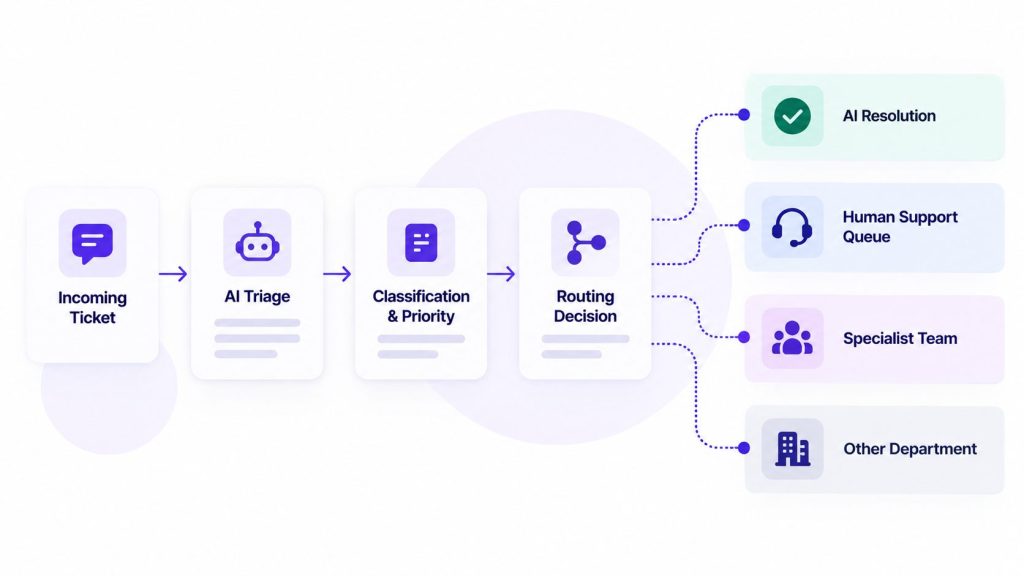
Reliable AI agent integration allows this workflow to connect with ticketing platforms, CRMs, order management systems, and internal notification tools, depending on the available connectors and APIs.
For example, a technical issue might be assigned to a support specialist with the customer’s description and previous troubleshooting steps attached. A straightforward product question could receive an answer from the approved knowledge base.
Before deployment, test whether the integration correctly creates or updates tickets, assigns priorities, transfers conversations, and reports failures. The agent should never claim a ticket was created or assigned unless the connected system confirms it.
Real Support Ticket Triage Examples
Example 1: Order Tracking Request
Customer: “Where is my order?”
AI triage: Classifies the request as shipping or order support. If an approved order lookup workflow is available, the agent begins the required verification process. Otherwise, it routes the request to the appropriate support team.
Route: Tier 2 until the necessary verification and system access requirements are satisfied.
Example 2: Refund Request
Customer: “My order arrived damaged. I want a refund.”
AI triage: Identifies a refund request, collects permitted details, and routes the case according to the company’s refund policy. It does not promise approval before the required checks.
Route: Tier 2, with human approval where required.
Example 3: Repeated Unresolved Complaint
Customer: “This is the third time I’ve contacted support, and nobody has fixed this.”
AI triage: Recognizes the repeated unresolved issue, attaches available conversation history, and initiates human escalation.
Route: Tier 3, prioritized according to the support team’s escalation policy.
These examples show why classification matters. Two requests may look straightforward, but the appropriate route depends on available integrations, permissions, and the customer’s situation.
Handling edge cases
Some tickets do not fit cleanly into categories. Build handling for the common ones:
| Edge case | Approach |
|---|---|
| Multi-topic ticket | Agent asks which issue to handle first; handles them one at a time |
| Ticket in another language | Agent responds in that language and routes normally |
| Customer replies to a closed ticket | Reopens with full history attached |
| Spam or bot messages | Filter and flag for human review, do not auto-respond |
| VIP or high-value customer | Route to a named human based on account value |
| Out-of-scope request | Politely redirect to the correct team or channel |
Edge cases are where automation usually breaks. Test at least 20 edge cases before launch, the AI agent testing guide has a full methodology.
How to Measure AI Support Ticket Triage Accuracy
A triage agent is useful only when it consistently sends requests to the right destination. Faster classification means little if urgent issues reach the wrong team or sensitive requests are handled without authorization.
Track these metrics during your initial rollout:
| Metric | What to measure |
|---|---|
| Classification accuracy | Percentage of tickets assigned to the correct category |
| Priority accuracy | Percentage assigned the appropriate urgency level |
| Routing accuracy | Percentage reaching the correct team or workflow |
| Escalation reliability | Whether required human handoffs are initiated successfully |
| Time to correct routing | How long tickets take to reach their intended destination |
Establish your baseline using a representative sample of previously reviewed tickets. Compare the agent’s classifications with the decisions made by experienced support staff, and review disagreements before expanding automation.
What to Do When the Agent Misroutes a Ticket
When a ticket reaches the wrong queue, the support team should correct its category or destination and record what went wrong.
During your weekly review, look for recurring patterns. Are billing disputes being classified as general questions? Are multi-topic requests confusing the agent? Are urgent issues being assigned low priority?
Use these findings to clarify category definitions, adjust routing rules, and add the failed examples to your test set.
Treat security failures, incorrect sensitive-data handling, and missed critical escalations as launch-blocking issues rather than ordinary classification errors.
The goal isn’t to achieve an arbitrary accuracy percentage. It’s to demonstrate that the agent handles your actual support requests reliably and that mistakes are identified and corrected.
Common triage mistakes
Even teams that triage well make these mistakes:
- Too many categories. If you have 20 categories, the agent will guess wrong often. Start with 5–7.
- Categories that overlap. “Billing question” and “payment issue” are the same thing to the customer. Merge them.
- No escalation path for ambiguous tickets. When the agent is unsure, it should create a ticket for a human, not guess.
- Not reviewing miscategorized tickets. Every misroute is a signal about your categories or your prompt. Ignoring it means the same errors repeat.
A note on when not to triage with AI
Honest limits matter. Skip automation entirely if:
- Your ticket volume is under ~100/month — manual triage is fine at that scale.
- Most tickets require account-level judgment that no agent can make.
- Your categories are not clearly defined yet. Define them manually first; automate second.
- Your team is skeptical of the tool. Fix the internal buy-in before the technology.
Automation amplifies whatever process you already have. If the process is messy, the agent amplifies the mess.
Testing your triage agent
Run these test tickets before launch. Any failure is a fix, not a “watch it” item.
| # | Simulated ticket | Expected route |
|---|---|---|
| 1 | “I forgot my password” | Tier 1 — provide the approved account recovery instructions. |
| 2 | “My card was charged twice” | Billing, urgent, human |
| 3 | “How do I export my data?” | Tier 1 — answer from docs |
| 4 | “Your product is broken and I’m losing money” | Escalate immediately, human |
| 5 | “¿Cómo rastreo mi pedido?” | Respond in Spanish, route normally |
| 6 | Two issues in one message | Ask which to handle first |
| 7 | “I want to cancel my subscription” | Retention flow or human, per policy |
| 8 | Spam message | Flag, no response |
| 9 | Question about a feature that doesn’t exist | Honest answer, no hallucination |
| 10 | “Can I speak to a manager?” | Escalate to a human with full history |
Passing these examples is a useful starting point, but ten tests cannot establish production accuracy. Thorough AI agent testing should include a representative set of anonymized tickets covering ambiguous requests, sensitive information, integration failures, and incorrect classifications. Resolve critical safety and routing failures before launch.
Sample week-one checklist
Once live, here is what to do each day for the first week:
- Review every escalated ticket for correct routing
- Sample 10 auto-resolved tickets for accuracy
- Check that urgent tickets reached a human within SLA
- Note any question the agent handled poorly and add it to the test set
- Update the knowledge base if policies changed
By day five, patterns will emerge: usually one or two categories the agent handles poorly. Fix those before expanding volume or channels.
Adding auto-resolution after triage works
Once the agent consistently classifies and routes tickets correctly, you can begin introducing automatic resolution for selected low-risk requests.
- Pick your top three Tier 1 categories (usually order status, password reset, policy questions).
- Define the AI workflow automation rules for what the agent can resolve independently, which systems it can use, and when human approval is required.
- Connect the systems it needs (order lookup, account tools).
- Test with 20 real tickets from each category.
- Enable resolution, monitor CSAT for the first two weeks.
Start with a limited set of approved requests, monitor resolution quality and repeat contacts, and expand only when the results justify it. Accurate triage should come before automated resolution.
A realistic rollout plan
| Week | Focus |
|---|---|
| 1 | Categorize tickets, define priority rules, write triage prompt |
| 2 | Build and test the agent against 50 sample tickets |
| 3 | Soft launch on one channel, measure triage accuracy |
| 4 | Fix miscategorizations, expand to more channels |
| 5+ | Automate resolution for Tier 1, keep humans on Tier 2 and 3 |
This rollout sequence is only an example, since integrations and security requirements affect implementation time. Teams without the resources to manage setup internally can use Botsify’s done-for-you AI agents to get assistance with configuration, deployment, and ongoing improvements. Expand into automatic resolution only after classification, routing, and escalation workflows have been tested successfully.
Ready to Automate Your Support Workflow?
Let Botsify help you build an AI support agent that handles routine requests, organizes incoming tickets, and supports your customer service team.
FAQ
Will triage accuracy improve over time?
Yes, if you review miscategorized tickets and update the prompt or categories accordingly. Without that review loop, accuracy plateaus at whatever level you launched with.
What if a ticket could be both Tier 1 and Tier 2?
Default to Tier 2. It is better to have a human glance at a ticket that could have been automated than to automate something that needed judgment.
Should the agent tell customers it is triaging?
Be honest but brief: “Let me get this to the right person” is fine. Pretending a human is handling it creates problems when the human picks it up later.
How long does setup take?
Setup time depends on ticket volume, category complexity, available integrations, and testing requirements. A basic classification workflow may be relatively quick to configure, while account-specific routing and automated actions require additional validation.
Final Thoughts on AI Support Ticket Triage
Not every support ticket needs a human, but every request needs to reach the right place.
Effective AI support ticket triage helps teams classify incoming issues, prioritize urgent requests, and route complex cases without leaving customers waiting in the wrong queue.
Start with reliable classification and escalation rules, measure how well they work, and introduce automatic resolution only when your support process is ready for it.
