


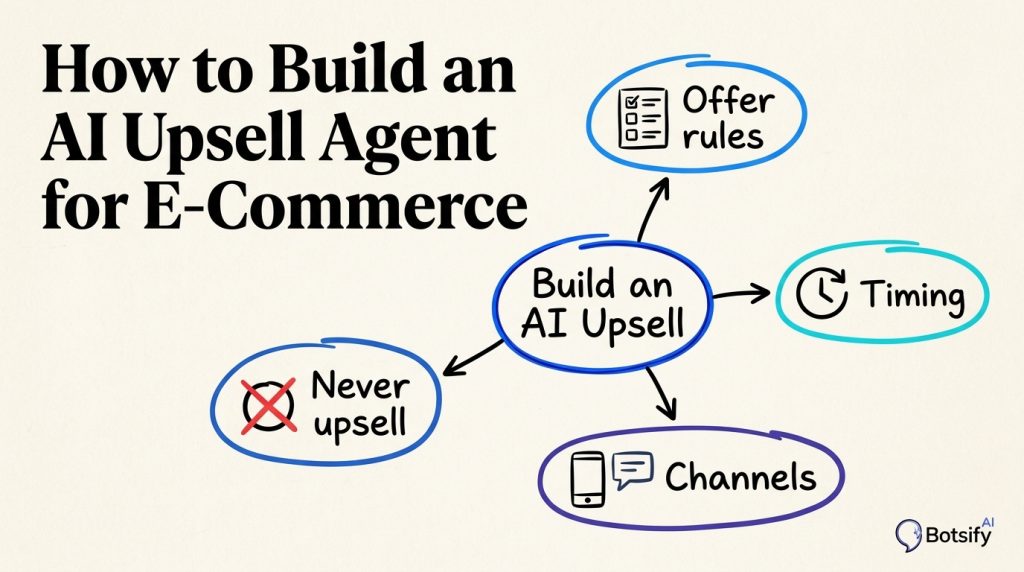
An e-commerce team may know that certain products are often bought together, but that does not mean every shopper should see the same add-on. A useful AI upsell agent considers what the shopper is trying to buy, whether a suggested product fits, whether it is available, and whether this is an appropriate moment to show it. It should also know when to stay quiet.
This guide explains how to build that workflow without treating every extra impression as a win. You will define the offer, prepare product data, set eligibility and contact rules, choose the agent’s authority, test the experience, and measure whether recommendations create incremental value. The aim is a more relevant shopping decision, not a guaranteed lift in order value.
If your broader goal is a better e-commerce customer experience, make the recommendation feel like useful merchandising. A shopper should understand why an item appears, be able to ignore it easily, and continue the original purchase without friction.
What an AI upsell agent should do
An AI upsell agent helps select and present an approved next-best offer in a defined shopping context. It may interpret a product question, retrieve catalog details, compare eligible items, and explain a recommendation in plain language. The surrounding application should control what data it can access and which actions it can take.
Be precise about the offer type. An upsell proposes a higher-tier or more capable version of the product the customer is considering. A cross-sell suggests a complementary product, such as a protective case for a device. A bundle may combine both. Customers often use “upsell” to describe all three, but distinguishing them makes the rules easier to write and the results easier to measure.
A recommendation agent can add value when shoppers ask varied questions or when product fit depends on context. It may not be needed for a simple, stable rule such as “show the matching filter on every water-pitcher page.” In that case, ordinary merchandising or automation can be easier to manage. The decision framework in e-commerce UX principles for conversions can help evaluate the entire product journey before adding another recommendation surface.
The agent should not invent compatibility, stock, delivery dates, product benefits, or discount terms. It should not make a purchase, change a cart, or apply a discount unless the store has explicitly authorized that action and the integration confirms it succeeded. Keep the checkout in the customer’s control.
Step 1: Choose one shopping moment and outcome
Start with a moment where a suggestion could help a customer make a better decision. Do not begin with “increase average order value” alone. That target does not tell the team which shopper needs what, and it can encourage irrelevant offers.
Possible starting points include:
| Moment | Potentially useful suggestion | What to protect |
|---|---|---|
| Product page | A compatible accessory or a higher-capacity version | Keep the selected product and price easy to compare |
| Cart | An item that solves a missing need for the products already in the cart | Do not obscure totals, shipping, or checkout controls |
| Product question in chat | A suitable alternative based on the shopper’s stated needs | Ask a clarifying question when key details are missing |
| Order confirmation or post-purchase page | Setup, care, or an optional complementary product | Do not imply the existing order is incomplete |
| Replenishment window | A refill that matches the item and a plausible usage cycle | Respect messaging consent and avoid assuming the customer has run out |
Pick one moment and one measurable question. For example: “For shoppers comparing two compatible coffee machines, does showing a clearly labeled upgrade help them choose the model that fits their stated use without lowering completed purchases?” That is more actionable than “Will AI increase sales?”
Write down the group of shoppers, the offer placement, the eligible products, the customer action you want to support, and the primary outcome. Also define a guardrail such as checkout completion, returns, complaints, or opt-outs. A test that increases order size while worsening another important customer outcome should not be called a success.
Step 2: Prepare accurate product and policy data
The agent’s product selection can only be as dependable as the catalog and rules it receives. Before connecting a model, identify the source of truth for each piece of information and who maintains it.
| Data | Questions to resolve | Typical owner |
|---|---|---|
| Product identity and variants | Are SKUs, sizes, colors, and model numbers consistent? | Merchandising or catalog operations |
| Compatibility | Which accessories fit which versions, and are there exceptions? | Product or technical team |
| Price and discount rules | Which price is current, and who can approve an offer? | Commerce or finance |
| Availability | Does the source distinguish in stock, low stock, backorder, and discontinued? | Inventory operations |
| Product attributes | Which specifications are verified and safe to compare? | Product content team |
| Returns and warranties | Which conditions are current and store-specific? | Customer service or policy owner |
| Customer context | Which order or preference data may be used, and for what purpose? | Privacy, security, and commerce owners |
Normalize variant and accessory relationships. “Fits Model X” should be explicit and machine-readable, not buried in a paragraph that a model may misinterpret. Include exclusions, such as regional versions or products that look similar but use different fittings. If the system cannot confirm a match, it should ask the shopper or stop the recommendation.
Set an update process for price, stock, and policy data. Decide how quickly changes reach the agent and what happens when the catalog feed is stale or unavailable. A safe fallback is to show no offer, answer only from verified information, or route the question to a person. Do not let the model fill gaps with a plausible guess.
Give the agent the smallest useful data set. A product recommendation may need the current cart and product attributes, not a shopper’s full profile or unrelated purchase history. Check the store’s privacy notices, platform terms, communication preferences, and applicable requirements before using behavioral or customer data for personalization.
Step 3: Decide how candidates are selected
A practical system separates candidate generation from the final decision to show an offer. Candidate generation creates a short list from explicit relationships, catalog attributes, or approved shopping context. A ranking step can order those candidates by relevance to the stated need and store rules. Eligibility then removes anything the business should not display.
For an initial version, use a combination of understandable merchandising rules and the model’s ability to interpret language. For example, the model may understand that a shopper needs a travel-friendly charger, while structured catalog rules verify wattage, connector, regional compatibility, stock, and price. Keep those responsibilities visible so staff can diagnose a wrong suggestion.
Make relevance explainable. A team member should be able to answer: which customer need or product relationship made this item eligible? If the only explanation is “the model thought it was a good fit,” the business cannot reliably review or improve the decision.
Establish an empty-result behavior. If no candidate passes the rules, the agent should answer the shopper’s question without forcing an offer. A helpful system can return “I don’t have a verified match for that model” and offer a way to contact support. It does not need to produce a recommendation every time.
Document the trigger, decisions, actions, and exception routes before implementation. The AI agent workflow design guide can help teams make those steps explicit.
Step 4: Define eligibility, timing, and limits
An attractive product is not automatically an appropriate offer. Write eligibility rules before drafting promotional language. The rules should determine whether the item fits this shopper and whether the offer is permitted at this moment.
A basic eligibility check can ask:
- Does the item meet the shopper’s stated requirements?
- Is compatibility verified for the cart or product in question?
- Is the item currently available in the relevant market?
- Is its price and any promotion current and approved?
- Has the customer already added or purchased the same item?
- Is the shopper in a state where a sales suggestion is appropriate?
- Have communication preferences and contact limits been respected?
Suppress or revise recommendations when the customer has an open complaint about the related item, has requested help with a defect, is processing a return, or has declined similar offers. These cases may require service, not selling. Do not use support conversations as a signal to make a more aggressive pitch.
Choose timing based on the shopping journey and the offer. A compatible item on a product page may help comparison. A small accessory in the cart may be useful if it does not obscure checkout. A post-purchase suggestion may belong after order confirmation, but a replenishment reminder should depend on product type, customer expectations, communication consent, and the store’s policy. “Thirty days later” is not a universal rule.
Set a frequency cap that fits the channel and customer relationship. The cap might consider repeated views, recent offers, campaign messages from other systems, and whether the customer has dismissed the recommendation. Assign one owner to coordinate these limits so email, chat, and on-site surfaces do not each act as if they are the only message the shopper has seen.
A recommendation should be clearly labeled. Explain why it is shown in shopper-facing language, identify sponsored or paid placement where required, and avoid scarcity claims unless they are accurate and current. Make “no thanks” or dismissal simple. The principles in how to stop AI agents from over-automating customer conversations apply here too: set stop conditions and respect customer preferences.
Plan a shopper-first e-commerce agent with Botsify
Discuss product fit, offer rules, and customer safeguards with our team.
Step 5: Map the workflow and decide what the agent may do
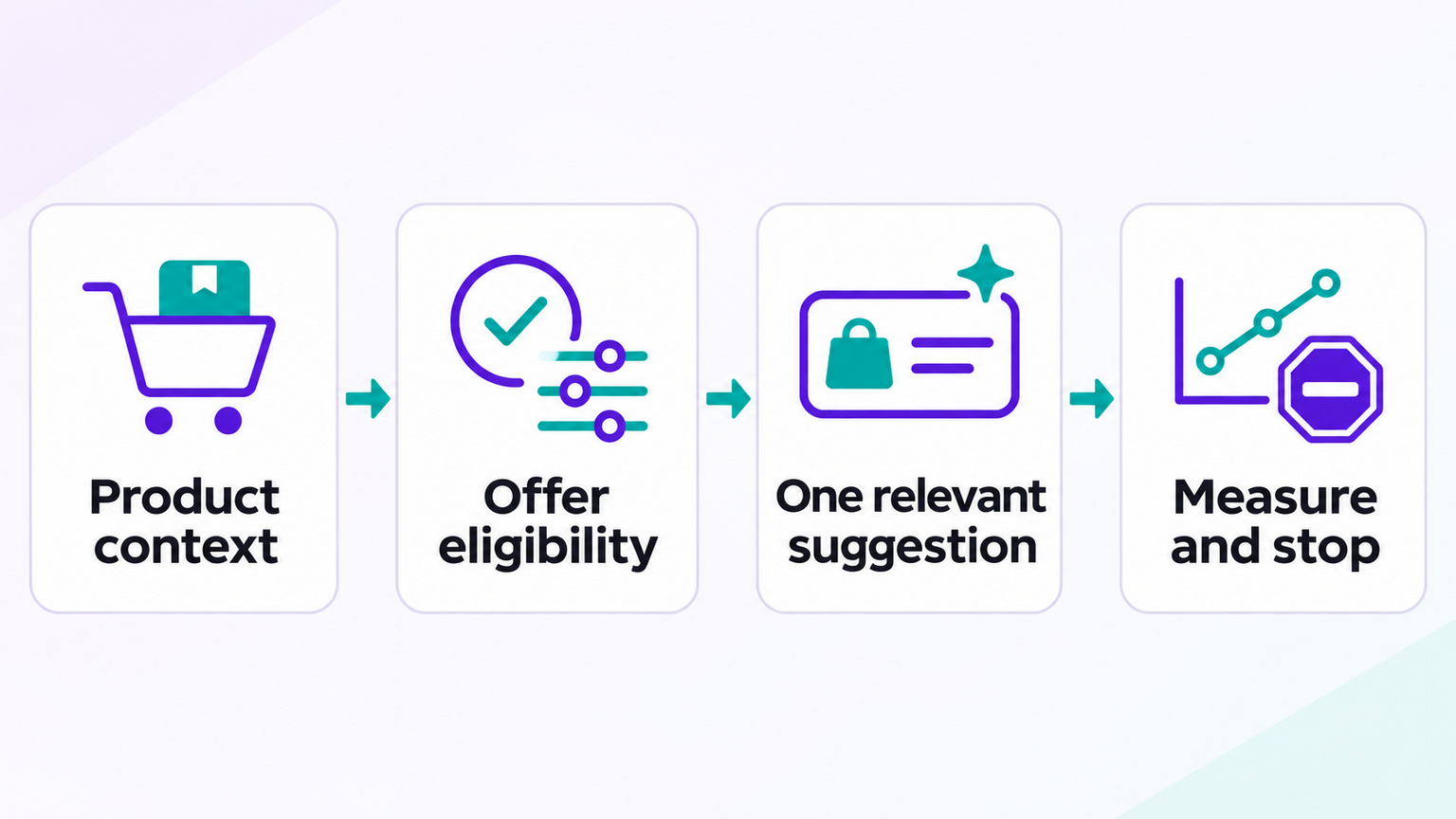
Keep the workflow easy to inspect. A first version may look like this:
- Receive a product question or an approved shopping event.
- Identify the product, variant, cart context, and the shopper’s stated need.
- Check required catalog fields and current availability.
- Generate candidates from approved product relationships or attributes.
- Apply eligibility, consent, frequency, and suppression rules.
- Show at most the permitted suggestion with a short, accurate reason.
- Let the shopper accept, dismiss, ask a question, or reach a person.
- Record the recommendation and relevant outcome for evaluation.
Decide whether the agent may recommend, draft, present, or transact. These are separate authority levels. A safe first stage may prepare a suggestion for a human merchandiser. A later stage may display approved recommendations automatically on a product page. Adding an item to the cart, changing a price, or applying a discount should require explicit store authorization and a confirmed result from the commerce system.
Specify stop and handoff conditions. Escalate or pause when product identity is unclear, compatibility conflicts, the customer reports a safety issue, the question concerns a warranty exception, the requested price is unavailable, or the store data fails validation. Define the destination queue and the information passed to staff.
If the workflow runs across website chat, WhatsApp, and email, define a shared customer and offer state where permitted. Otherwise one channel may repeat an offer already declined elsewhere. For channel-specific planning, compare Shopify conversational commerce solutions and the WhatsApp chatbot for e-commerce. Confirm that the chosen integration supports the intended action before designing around it.
Here is an example policy to adapt, not a ready-to-send product configuration:
When a shopper asks whether an accessory works with a selected product, use the current compatibility table and inventory source. Recommend only a verified, available match. Explain the match in one sentence. If the model or variant is unclear, ask one question. If no verified match exists, do not substitute a similar-looking item. Do not change the cart or price. Stop if the shopper declines, reports a defect, or asks for a person.

Step 6: Write a clear, low-pressure offer
An offer should explain its relevance without suggesting that the customer must buy it. Keep the original item, price, and checkout path visible. If a shopper asks a direct product question, answer that question before adding a sales suggestion.
A concise offer pattern is:
- Context: Name the item or need that makes the suggestion relevant.
- Reason: Explain the practical fit using verified information.
- Choice: Provide a clear way to view, add, compare, or dismiss it.
For example: “This case is listed as compatible with the Model 4 tablet you selected. See details, or continue with your tablet.” A higher-tier alternative could say: “The Pro model includes the longer battery life you asked about. Compare models, or keep your current selection.” These examples assume the compatibility and product details have been verified; replace them with current catalog facts.
Avoid pressure language such as “You need this,” “last chance” without verified scarcity, or “most people choose this” without accurate evidence. Do not imply that a recommendation is independent if it is paid placement. Make the offer’s terms, price, and effect on the order clear before the customer accepts.
Provide a short path to a person for questions the agent cannot answer. This is especially important when product selection depends on fit, safety, installation, or a policy exception. The agent should not mask uncertainty with confident copy.
Step 7: Test the recommendations and failure paths
Before launch, prepare a test set that includes ordinary shopping scenarios and cases where the correct behavior is to show nothing. Use sanitized examples or another data set approved by the store. Test the recommendation logic separately from message tone and channel delivery.
| Test case | Expected behavior |
|---|---|
| Accessory is verified for the selected model and in stock | Show the permitted offer and a factual explanation |
| Similar-looking variant is incompatible | Exclude it and do not infer compatibility |
| Inventory feed is unavailable | Suppress availability claims and follow the fallback path |
| Shopper already has the item in the cart | Do not recommend a duplicate unless the shopper asks for another |
| Customer is processing a return or reporting a defect | Route to service and suppress the sales offer |
| Shopper has declined or opted out of a channel | Respect the choice and stop that contact path |
| Several candidates meet the rules | Rank by the stated need and show only the allowed number |
| No candidate is a clear fit | Answer the question without forcing an offer |
| Promotion has expired | Do not mention or apply it |
| Shopper asks for a person | Transfer context and stop the automated pitch |
Ask merchandisers and customer-service staff to review examples. They should be able to identify why an offer appeared, what data supported it, and whether the system obeyed the store’s rules. Test keyboard navigation, mobile layout, screen readers, dismissal controls, and checkout completion. A recommendation that is accurate but difficult to dismiss can still create a poor experience. Check that AI human handoff rules work when compatibility or policy questions exceed the agent’s scope.
After any catalog mapping, prompt, policy, model, integration, or channel change, rerun the relevant cases. The AI agent implementation checklist offers a broader readiness structure; a focused test plan should still be specific to the store’s products and offer rules.
Step 8: Measure incremental value and customer impact
Choose the measurement design before launch. A before-and-after comparison can be misleading if seasonality, campaigns, prices, traffic mix, or inventory changed at the same time. When practical and fair, compare eligible shoppers who see the new recommendation with a similar group who do not. Keep assignment, eligibility, and observation windows consistent.
Track the recommendation funnel and the business outcome separately:
| Measure | What it tells you | Interpret with care |
|---|---|---|
| Eligible impressions | How often a valid offer could be shown | Do not treat every page view as eligible |
| Offer acceptance or add rate | Whether shoppers act on the suggestion | An add is not necessarily a completed or retained sale |
| Completed purchase rate | Whether the order completed | Check whether the original product conversion changed |
| Incremental contribution margin | Whether the test group produced additional margin after costs | Account for discounts, returns, fulfillment, and recommendation costs |
| Average order value | Average order amount for the defined group | A higher average does not prove the offer caused the change |
| Returns and cancellations | Whether the recommendation led to a poor fit or buyer regret | Examine product and customer segments, not only totals |
| Dismissal, opt-out, and complaint signals | Whether customers found the experience intrusive or irrelevant | Compare with the baseline and review message context |
Use a holdout or another defensible comparison when possible. If the store cannot run one, label the results observational and list other changes that could explain them. Do not describe a correlation as revenue caused by the agent. Include a practical cost view: integration work, catalog cleanup, model and messaging usage, discounts, review time, and ongoing maintenance.
Look at guardrails alongside sales outcomes. If acceptance rises while returns or complaints also rise, inspect the offer eligibility and product fit before expanding. Segment by product category or shopping context only when there is enough data to interpret the result responsibly. Avoid declaring a winner based on a few transactions.
For teams tracking broader service outcomes, the guide to AI customer support metrics beyond ticket deflection shows why quality and customer impact belong beside volume measures. The same principle applies to commerce recommendations: sales measures need customer-experience guardrails.
Step 9: Assign owners and keep the system current
An upsell workflow has ongoing responsibilities. Assign owners for catalog relationships, compatibility rules, promotions, inventory freshness, customer preferences, handoff queues, and performance review. Each change needs a clear approval path, especially when it affects price, claims, or customer contact.
Review a sample of accepted, dismissed, and escalated recommendations. Look for stale data, repeated offers, hidden compatibility assumptions, and products that generate returns or complaints. Pause a rule or channel when required data cannot be verified. Keep only the logs needed to investigate performance and operate the workflow, with access and retention set by the store’s policy.
Do not expand merely because the first offer received clicks. Add another category or channel when the team can maintain the product rules, test the experience, and respond to exceptions. The AI customer service use cases guide can help separate selling tasks from customer-service tasks that need a different workflow.
Common mistakes to avoid
- Treating all recommendations as upsells. Separate upgrades, complementary products, and bundles so their logic and results remain clear.
- Using popularity as a substitute for fit. A best seller may not suit this cart, product, budget, or stated need.
- Showing an offer because the agent can. Eligibility and customer context should determine whether it appears.
- Hard-coding a universal waiting period. Product lifespan, customer expectations, delivery status, and consent vary.
- Using an AI response as the source of truth. Verify stock, price, terms, compatibility, and order changes in the connected commerce system.
- Optimizing only for basket size. Completed conversion, margin, returns, complaints, and opt-outs help show the full effect.
- Letting each channel contact independently. Coordinate recent offers and refusals where customer identity and data use allow it.
- Leaving the workflow without an owner. Catalog and policy changes can quickly make previously good recommendations wrong.
Frequently asked questions
Is an AI upsell agent the same as a product recommendation engine?
Not necessarily. A recommendation engine may rank products using rules or statistical models. An AI agent may also interpret a shopper’s question, retrieve product information, apply business rules, and choose an approved next step. Many stores combine these capabilities. Choose the simplest system that meets the use case.
Should the agent make the purchase for the customer?
Usually, the first version should recommend or explain, while the shopper chooses whether to add an item or change the order. Any cart or checkout action needs explicit authorization, a reliable integration, clear confirmation, and a recovery path for errors.
When should an e-commerce store show an upsell?
There is no single best moment for every product or shopper. Test a relevant product-page or cart suggestion, then consider post-purchase communication only when the offer fits the customer’s journey and the store has permission to use that channel. Protect checkout completion and make dismissal easy.
How many recommendations should it show?
Set a small limit that fits the interface and test it with customers. A single well-explained item may be easier to evaluate than a crowded carousel, but the right choice depends on product category, screen, and shopping intent. Do not treat the limit as universal.
What should happen when product data is incomplete?
The agent should avoid making claims it cannot verify. It can ask a clarifying question, offer an alternative only if that alternative is verified, answer from known information, or hand the question to staff. Missing compatibility or price data should not be guessed.
How do I know whether an AI upsell agent is working?
Compare eligible shoppers under a defined test and review completed purchases, incremental margin, returns, conversion, complaints, and opt-outs. State what comparison you used and what other factors changed. A click or larger basket alone does not prove the workflow created value.
Build for useful choices, then test the outcome
A well-scoped AI upsell agent connects current product data to a relevant, optional suggestion. Start with one shopping moment, define compatibility and eligibility, set limits, and keep the customer in control. Test both the commercial outcome and the customer experience before expanding to more products or channels.
Build a shopper-first e-commerce agent workflow with Botsify
Review product data, timing, and measurement for your use case.