


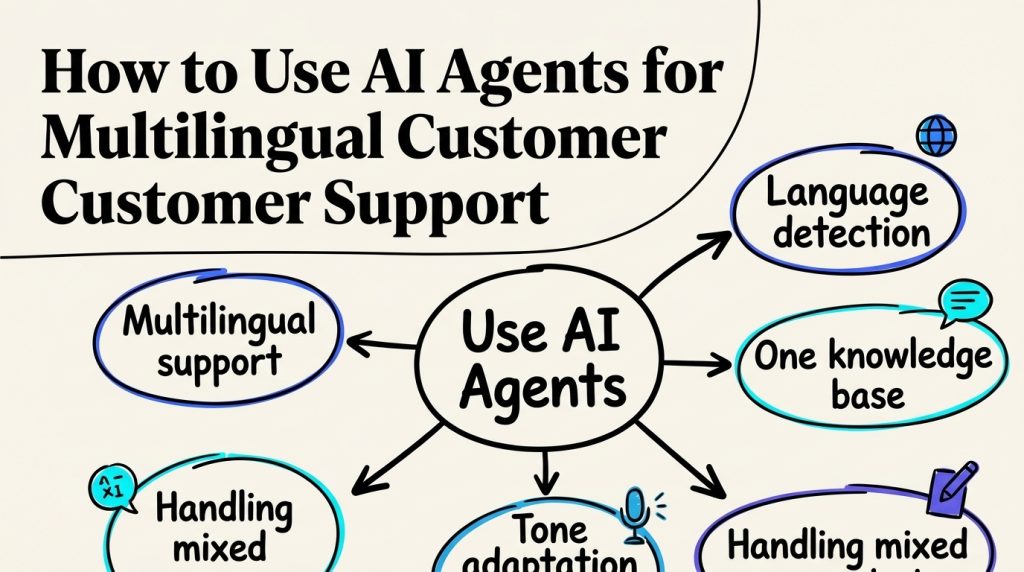
Providing customer support in multiple languages can be challenging, especially for businesses serving customers across different countries. Hiring multilingual staff for every market isn’t always practical, but relying on automatic translation alone can lead to inaccurate answers about orders, pricing, and company policies.
AI agents for multilingual customer support offer a more flexible approach. They can understand questions in different languages, retrieve answers from approved knowledge sources, and handle routine customer requests while passing more complicated issues to human agents.
However, supporting multiple languages involves more than translating responses. Businesses also need reliable language detection, appropriate tone, accurate localized information, and clear escalation procedures.
This guide explains how to build and use multilingual AI support agents, from preparing your knowledge base and configuring language preferences to testing conversations and gradually expanding into new markets.

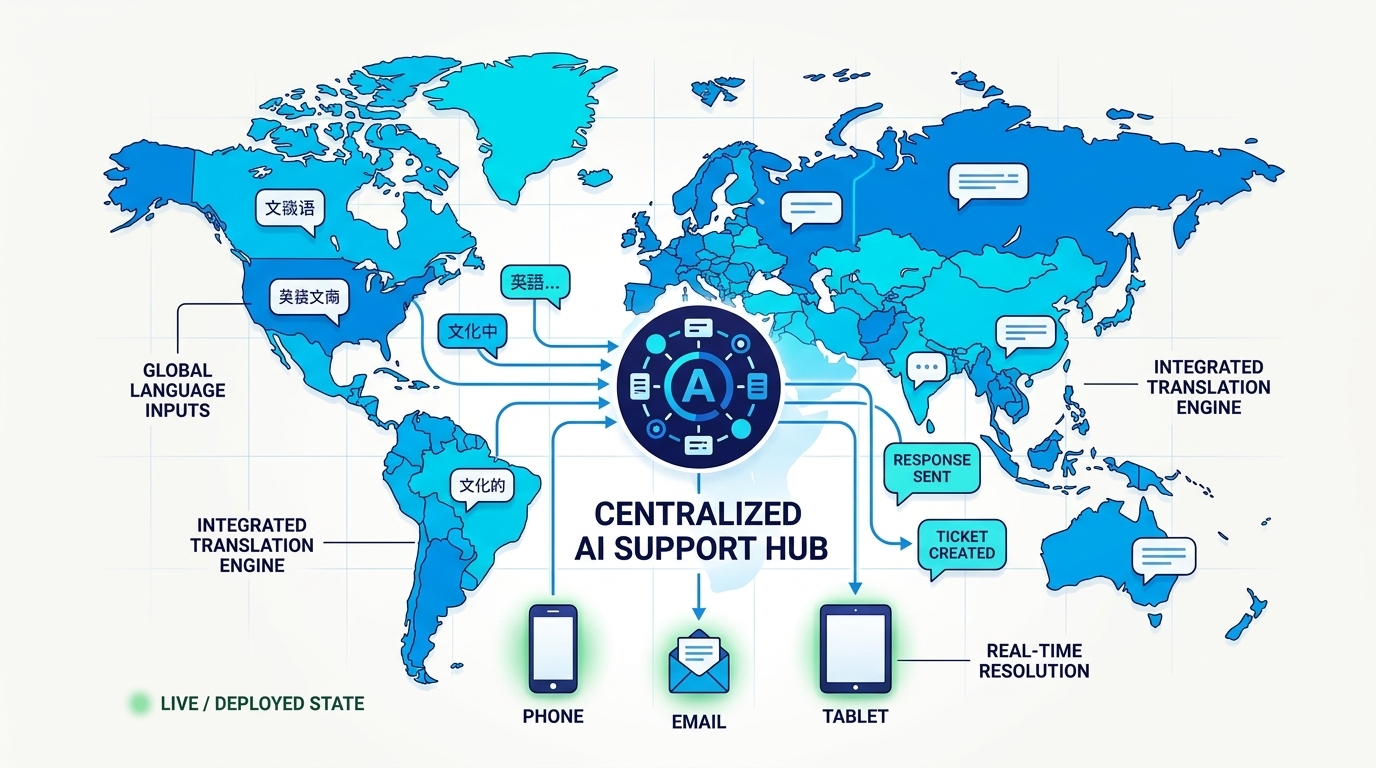
Why Businesses Use AI Agents for Multilingual Customer Support
For most businesses, the math is simple:
- Your best-selling markets may not speak your support language.
- Customers buy in their language but churn when support fails in it.
- Hiring native agents for every language is uneconomical below a certain volume.
AI agents for customer support can help businesses handle routine questions across different languages while keeping human agents available for requests that require judgment or additional assistance.
The caveat: a translated answer that is subtly wrong is more damaging than no answer. Translation quality is the whole game here, and it is a knowledge-base problem before it is a model problem.
Language Detection: Getting the First Message Right
A multilingual AI agent needs to recognize which language a customer wants to use before it can provide a useful answer. This sounds straightforward, but real conversations are rarely as predictable as test messages.
A customer might begin with “hi,” mix Spanish with English product names, or switch languages while explaining a complicated problem.
How to configure language detection
-
Use the conversation for context. Short messages may not provide enough information to identify a language reliably.
-
Let customers choose. If the language is unclear, offer a simple language selection rather than guessing.
-
Remember the customer’s preference. Once someone selects a language, maintain that preference unless they request a change.
-
Account for regional differences. Brazilian Portuguese and European Portuguese, for example, may require different terminology.
Customers may also mix languages in a single message, especially when using English product names or technical terms. The agent should understand those terms without changing the customer’s established response language. If someone clearly asks to switch languages, the agent can follow that preference.
Building a Multilingual AI Knowledge Base
AI agents for multilingual customer support depend on accurate, well-organized information. Even if an agent understands a customer’s language perfectly, it can still provide an incorrect answer when the underlying knowledge base contains outdated policies or incomplete product details.
Businesses generally have two approaches to managing multilingual support content.
| Approach | How it works | Main consideration |
|---|---|---|
| Separate documents for each language | Maintain approved support content in every supported language | More control over terminology, but greater maintenance effort |
| Shared knowledge base with translated responses | Use one source of information and generate responses in different languages | Easier maintenance, but translation quality requires monitoring |
For many businesses, a combination works best.
General product information can come from a shared knowledge base, while sensitive policies, contractual terms, and market-specific information should use approved localized content.
Organize documents by language and topic
A well-organized AI knowledge base for customer support should separate product FAQs, shipping information, account management, pricing, refunds, and warranties so the agent can retrieve the right information for each question.
Include language, market, and version information where appropriate so the agent can retrieve the correct material.
Review sensitive information before publishing
Refund conditions, legal terms, warranties, and pricing should be reviewed by qualified people familiar with the relevant market.
The agent shouldn’t invent a localized policy or translate contractual wording as though it were officially approved.
Keep translated documents updated
Whenever an important source document changes, identify which language versions also need updating.
For example, if a company changes its return window, the updated policy should be reflected in every market where that policy applies.
Assign responsibility for reviewing these changes and keep a record of approved versions.
Handle missing information
If the agent cannot find a reliable answer for a particular language or market, it should explain the limitation and offer an appropriate escalation path.
Providing an accurate answer later is better than giving an immediate answer that misrepresents company policy.
Build AI Support That Speaks Your Customers’ Languages
Give customers helpful answers across languages using an AI agent connected to your business knowledge.
Tone adaptation per language
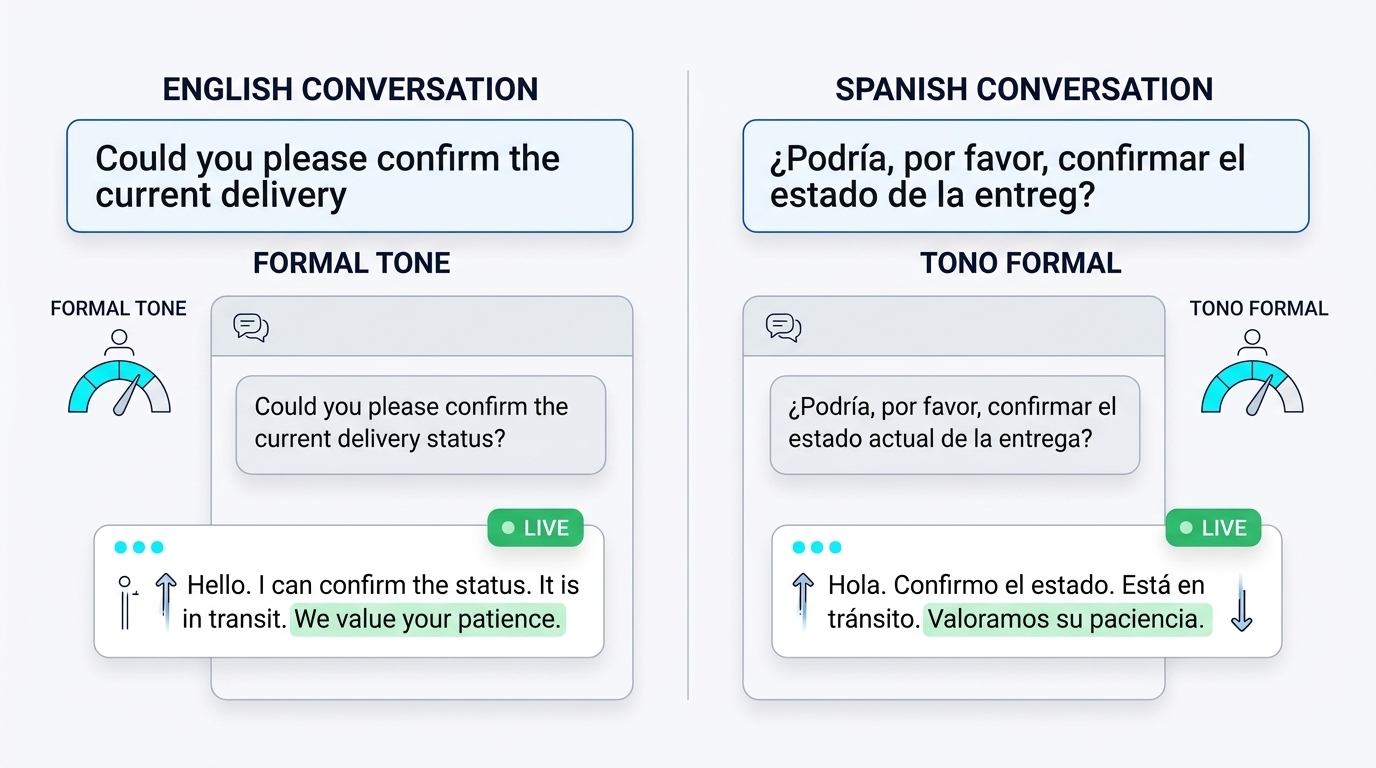
Different markets may have different expectations around formality, terminology, and customer service communication. However, those preferences shouldn’t be determined by language alone.
A financial services company and a casual clothing brand may use very different tones when supporting customers in the same language.
For each priority market, define the tone based on your audience, brand guidelines, and feedback from native-language reviewers.
Test whether the agent uses appropriate greetings, product terminology, and explanations. Pay particular attention to situations involving complaints, refunds, or sensitive customer information, where an overly casual response may create additional frustration.
What to automate in each language
Not every language needs full automation on day one. Prioritize by volume and risk:
| Question type | Automation readiness |
|---|---|
| FAQs, business hours, shipping information | Good starting points when approved, accurate information is available in the relevant language. |
| Order status | Automate — data comes from systems, not prose |
| Policy questions | Automate only with reviewed native docs |
| Refunds and disputes | Gather relevant information in the customer’s language and escalate decisions that require human authorization. |
| Emotional or legal issues | Escalate to a native-speaking human where possible |
Start with the languages that generate the most support requests and have reliable source information available. Expand automation only after testing each language, and provide a clear escalation option when the agent cannot confidently resolve a customer’s question.
The multi-channel support guide covers how language routing fits into broader channel unification.
How to Test AI Agents for Multilingual Customer Support
Testing a multilingual AI agent involves more than checking whether it can translate a question correctly.
The agent must understand customer intent, retrieve accurate information, maintain the appropriate tone, and handle complete conversations in every supported language.
Use a consistent testing process for each language before launch.
| Test area | What to verify |
|---|---|
| Language detection | Correctly handles short messages, ambiguous greetings, and regional variations |
| Knowledge-base answers | Responses match approved information for the relevant market |
| Mixed-language messages | Understands English product names or other borrowed terms without unnecessary language switching |
| Tone and formality | Uses appropriate terminology and a suitable communication style |
| Dates and numbers | Presents dates, currencies, and measurements accurately |
| Booking or order workflows | Completes connected actions without losing context |
| Human escalation | Transfers the conversation with the correct language preference and relevant details |
| Right-to-left languages | Displays Arabic, Hebrew, and other RTL text correctly where supported |
Test complete conversations
Effective AI agent testing should include complete conversations rather than isolated questions, since language detection, context handling, and workflow errors may only become apparent after several exchanges.
For example, a customer might begin in French, mention an English product name, ask about pricing, and then request a refund.
The agent should maintain context throughout the conversation while using the correct approved information.
Include native-language reviewers
Have reviewers evaluate both factual accuracy and natural phrasing.
They should identify awkward translations, incorrect terminology, inappropriate formality, and answers that don’t match approved policies.
Record recurring problems and use them to improve the agent’s instructions and knowledge base.
Repeat testing after major changes
New product information, updated policies, or changes to the agent’s instructions can affect previously working conversations.
Retest the relevant languages whenever those changes are introduced.
Measuring Multilingual AI Support Quality
A multilingual support agent shouldn’t be evaluated only on its overall performance. One language might receive excellent support while another consistently produces inaccurate or unnatural responses.
Track performance separately for every supported language.
| Metric | What it tells you |
|---|---|
| Customer satisfaction (CSAT) | Whether customers are satisfied with the support experience in their language |
| Answer accuracy | Whether responses match approved knowledge-base information |
| Language detection accuracy | How often the agent correctly identifies or maintains language preferences |
| Escalation rate | How frequently conversations require human assistance |
| Resolution rate | How many issues are successfully resolved |
| Time to human response | Whether customers in different languages receive timely assistance |
Review performance by language
A strong overall satisfaction score can hide problems in smaller markets.
For example, if English conversations perform well but French customers regularly receive incorrect policy explanations, the overall average may still look acceptable.
Review conversation samples in each language and compare results with your established quality standards.
Improve before expanding
When a language consistently meets your accuracy, satisfaction, and escalation requirements, consider adding more complex workflows.
If performance is below expectations, investigate the cause before expanding automation.
The problem may be incomplete source documents, incorrect language detection, unsuitable tone instructions, or an unreliable escalation process.
Treat each language as an ongoing support workflow that requires monitoring, not a feature that is finished once it launches.
How to Implement Multilingual AI Customer Support Step by Step
Implementing AI agents for multilingual customer support works best when businesses start with a manageable scope. Rather than enabling every available language immediately, begin with the languages your customers use most and expand after verifying the quality of each experience.
Instead of enabling every available language immediately, begin with the language that has the clearest customer demand.
Step 1: Identify your priority languages
Review support tickets, customer locations, sales inquiries, and website traffic to understand where language barriers are affecting customers.
Prioritize languages based on actual demand and business needs rather than the total number of languages the AI model can generate.
Step 2: Prepare approved support content
Collect the most common customer questions and verify that accurate answers are available.
Identify which documents need native-language review, especially pricing, policies, and other sensitive information.
Step 3: Configure the agent
Use an AI agent builder to configure language preferences, connect approved knowledge sources, define tone guidelines, and establish escalation rules for conversations the agent cannot resolve.
Make sure the agent knows what to do when it cannot find a reliable answer.
Step 4: Test with native speakers
Run realistic conversations covering FAQs, mixed-language messages, regional terminology, and human handoffs.
Correct problems before exposing the workflow to a larger audience.
Step 5: Launch gradually
Start with a limited group of conversations or a single support channel.
Monitor results closely and review failures while the deployment is still manageable.
Step 6: Expand based on results
Once the initial language meets your quality standards, add more workflows or introduce another language.
Repeat the review and testing process for every new language, since many AI agent deployment mistakes arise when teams expand automation before validating the quality of their knowledge, workflows, and human handoffs.
The timeline depends on your document readiness, integration requirements, and access to qualified reviewers. The important part is to expand based on demonstrated quality rather than speed alone.
Ready to Launch Multilingual AI Customer Support?
Explore how Botsify can help you build an AI agent, connect your knowledge sources, and manage customer conversations.
Copyable prompt templates for multilingual agents
The prompt is where your language policy becomes real. These are working templates — replace the bracketed values and adapt them to your voice.
Base system prompt for a multilingual support agent:
You are the multilingual customer support agent for [Company].
Your job is to answer customer questions accurately using approved company information.
Language rules:
1. Identify the customer’s preferred language from the conversation.
2. If the language is unclear, ask the customer to choose.
3. Maintain the selected language unless the customer requests a change.
4. Follow the approved tone and terminology guidelines for that language and market.
5. Understand mixed-language messages without switching languages unnecessarily.Knowledge rules:
1. Use approved company documents and connected systems.
2. Never invent refund policies, pricing, warranties, or contractual terms.
3. Use approved localized information when market-specific rules apply.
4. If reliable information is unavailable, explain the limitation.Formatting rules:
1. Write dates clearly to avoid regional ambiguity.
2. Include currency codes when presenting prices.
3. Do not convert currencies unless an approved source or connected tool provides the conversion.Escalation rules:
1. Escalate requests that require human authorization.
2. Preserve the customer’s language preference and relevant conversation context.
3. Never promise a response from a language-specific team unless that support is available.
4. Communicate only approved response-time expectations.
Handoff prompt for non-primary languages:
When escalating a conversation in [language], summarize the issue in both [language] and English for the receiving team. Include: customer language, original question, actions already taken, order or account identifiers, and the exact deadline or policy reference that applies. Mark the ticket priority as [normal/urgent] based on [criteria].
Native-review checklist prompt (give this to reviewers):
Review the following agent transcript in [language]. Mark: 1. Any sentence that “reads like a translation” rather than natural native phrasing. 2. Any term that a native speaker would never use in customer support. 3. Any place where formality is wrong for the context. 4. Any factual or policy answer that differs from the approved [language] document. Return only the flagged lines with your corrected version. Do not rewrite what is already correct.
The last template is the highest-leverage thing in this article. Fifty reviewed conversations per language gives you a concrete list of tone corrections, that list becomes your language-specific prompt rules.
Escalation design when no native speaker is available
Not every team has native speakers on staff. That is fine, the failure mode is not lacking the people, it is pretending you do not lack them.
Three honest options:
| Option | What you do | When it works |
|---|---|---|
| Scheduled native reviewer | Contract a freelancer for 2–4 hours weekly to review transcripts in that language | Steady ticket volume, moderate risk |
| Delayed human reply | Explain the available support language and provide an achievable response time | Low-volume languages where immediate assistance isn’t available |
| Escalate to English | Rarely acceptable, only for technical issues where the customer has already shown English proficiency | Never for disputes or refunds |
Businesses using done-for-you AI agents should still define which languages their human teams can support, how conversations are transferred, and what response times can realistically be promised to customers.
The guide on AI human handoff rules covers the general escalation decision tree; multilingual adds one more branch: does the receiving human speak this language, and if not, when will someone who does?
ROI: what multilingual automation is actually worth
Skip the vanity framing. Here is how the value actually breaks down for a business selling into three language markets:
| Value driver | Mechanism | How to estimate |
|---|---|---|
| Support headcount avoided | Automated tickets in languages you’d otherwise hire for | Tickets per language × your cost per ticket, versus native-agent salary |
| Conversion lift in non-English markets | Visitors get pre-sale answers in their language before they bounce | Baseline conversion per market before vs after |
| Churn reduction | Support failures in-language are a top churn trigger for international accounts | At-risk revenue × current churn rate in those markets |
| Faster expansion | Entering a new market no longer requires hiring support first | Time saved on market launches |
The financial value of multilingual automation depends on support volume, existing staffing costs, customer satisfaction, and the amount of work the agent can resolve accurately. Measure these factors separately for each language before estimating potential savings.
For languages with very low support volume, full automation may not justify the cost of maintaining localized documents and reviewing conversations. A smaller set of approved answers with a reliable escalation process may be more practical.
Channel notes: where multilingual behaves differently
Language handling is not identical across channels. Plan for the differences:
| Channel | What changes multilingually |
|---|---|
| Website chat | Detection works well — visitors’ first messages usually carry language signal; add a picker in the widget |
| Formal register matters more; voice notes may arrive in another language and need a policy | |
| Reply in the language of the incoming email, always; templates per language reviewed like docs | |
| Social DMs | Short messages and slang stress detection; a language-choice fallback message is essential |
| Voice | Pronunciation and recognition accuracy differ per language — treat voice as a separate launch, not a checkbox |
The WhatsApp point deserves its own paragraph. Voice notes are common in Latin America, the Middle East, and much of Europe, and they frequently arrive in a different language than the typed follow-up. Decide the policy: transcribe, detect from the transcription, and state clearly in which language the agent understood the request. A silent wrong interpretation is how a simple reschedule request becomes a support ticket.
For businesses supporting international visitors through a website chatbot, a visible language selector can make the experience easier when the visitor’s first message doesn’t provide enough information for reliable language detection.
Multilingual AI Agent Governance and Launch Checklist
A practical AI agent implementation checklist should cover translated content ownership, language-specific instructions, escalation procedures, and the testing required before customers interact with the agent.
Before launching a new language, confirm that the workflow meets the same quality and privacy standards as your primary support operation.
Use this checklist before enabling full automation:
- Approved support documents are available for the intended language and market.
- Pricing, refund, warranty, and other sensitive information has been reviewed where necessary.
- Language detection has been tested with realistic customer messages.
- Tone and terminology guidelines are documented.
- Dates, currencies, and measurements display correctly.
- Connected workflows have been tested from start to finish.
- Human escalation procedures are defined for that language.
- Native-language conversation reviews have an assigned owner.
- Customer information is accessible only to authorized reviewers.
- Language-specific performance metrics are being tracked.
- The team knows how to pause or roll back a language if serious problems appear.
If a language isn’t ready for full automation, offer limited support with clear expectations rather than promising capabilities the team cannot reliably deliver.
A gradual rollout with consistent quality checks is more useful than launching a large number of languages without sufficient review.
Handling pre-sales questions in new languages
One more area deserves its own section because it is the one that generates revenue, not just retention: pre-sales questions from visitors who have not bought yet.
Pre-sales conversations are different from support conversations in three ways:
- They happen before trust exists. A bad translated answer here doesn’t just annoy a customer — it loses the sale.
- They mix languages more. Prospects evaluate in their own language but often use English product terms they’ve seen on your site or in ads.
- They carry commercial intent. Questions about pricing tiers, enterprise plans, and integration capabilities need accurate, consistent answers — a vague or wrong answer costs pipeline, not just a ticket.
The pattern that works: handle pre-sales questions in the top two or three languages with fully reviewed native documents, and route everything else to the sales team with an in-language holding message. Do not let pre-sales questions fall into the “general FAQ” bucket — a question about whether your product integrates with a specific tool, answered slightly wrong in German, doesn’t just confuse a prospect. It sends them to a competitor whose German reads native.
For teams that want to go deeper on the sales side, the AI sales follow-up playbook covers how qualification logic works in a single language; multilingual adds the requirement that every qualification question, routing rule, and follow-up template exists in an approved native version before the agent uses it in that language.
FAQ
How many languages can one agent support?
Technically dozens; practically, support as many as you can review. Quality per language matters more than language count.
Does the AI translate my knowledge base automatically?
Modern platforms translate at response time from your source docs. The risk is nuance: have native speakers review anything commercial or legal before it goes live.
What about languages with few support tickets?
Cover them with a smaller reviewed set (top 20 questions) plus honest escalation: “Our team will reply in [language] within one business day.” Done honestly, that beats a bad automated answer.
Does multilingual support cost more?
Credit usage is similar per message. The real cost is native review of documents and transcripts — budget for it or scope your languages accordingly.
Final thought
Multilingual customer support works best when customers receive accurate answers in a language they’re comfortable using. Speed matters, but it shouldn’t come at the expense of clarity, trust, or reliable information.
AI agents for multilingual customer support can help businesses serve customers across different markets without building an entirely separate support operation for every language. The key is connecting the agent to approved knowledge sources, setting appropriate language preferences, and providing clear paths to human assistance.
Start with the languages your customers need most, test the experience carefully, and expand based on actual results. A smaller multilingual support system that works reliably will serve customers better than a larger one that frequently gets the details wrong.
Make Every Customer Conversation Easier
See how Botsify can help your business deliver AI-powered customer support across languages and channels.