


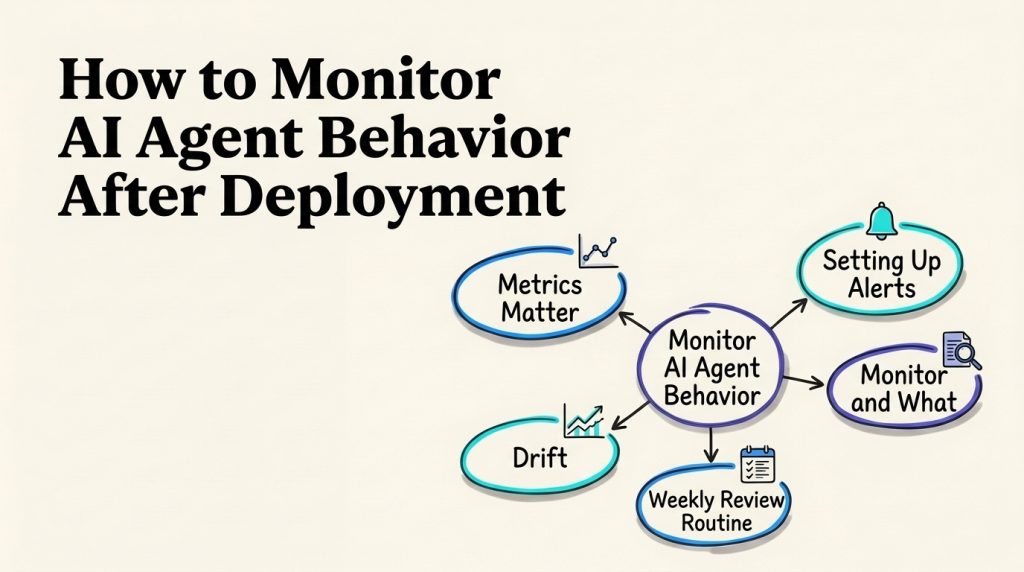
An AI agent can work well in a launch demo and still fail in production. Customers ask questions the test set missed, connected tools time out, policies change, and retries can raise costs without improving the result. If the only signal you watch is whether the service is online, those problems may stay invisible until customers or staff report them.
To monitor AI agent behavior after deployment, combine operational signals with a review of what the agent did and whether the user’s problem was actually resolved. This guide gives you a practical setup for instrumentation, weekly transcript and trace review, drift checks, alerts, incident response, and ongoing governance. It treats alert limits as choices to set from your own baseline and risk, not universal benchmarks.
Core principle: Monitoring should help someone understand what changed, why it matters, and what action to take next.
Monitor AI agent behavior across four layers
A useful monitoring plan covers more than uptime. These four layers help separate a technical interruption from a poor decision or a bad customer outcome.
| Layer | What to observe | Example question |
|---|---|---|
| Service health | Availability, latency, errors, timeouts, and dependency health | Did the agent or a connected service fail to respond? |
| Workflow behavior | Steps taken, tools called, retries, routing, and stop conditions | Did the agent follow the allowed path and stop when expected? |
| Answer and action quality | Source support, correct tool use, policy compliance, and human review | Was the response supported, and did the action match the request? |
| User and business outcomes | Resolution, repeat contact, customer feedback, staff effort, and cost | Did the interaction help, and what did it take to resolve? |
Think of these as connected views of one interaction. A high error count may explain a lower resolution rate. A rising repeat-contact rate may point to an answer quality problem even when the agent reports the conversation as complete. A useful AI agent lifecycle keeps monitoring connected to planning, testing, launch, and later changes instead of treating go-live as the end of the work.
The right signals depend on the job. A website FAQ agent, a lead qualification workflow, and an agent that updates a customer record do not have the same risks. Define the workflow and intended outcome first, using clear AI agent requirements so the team knows what counts as acceptable behavior.
Define a baseline before launch
Monitoring needs a reference point. Without one, a chart that moves up or down has no clear meaning. Record how the workflow performs before launch or during a controlled pilot, then compare like with like.
Start with these baseline decisions:
- Name the workflow and its purpose. Identify the customer need or business task the agent is meant to handle.
- Set the success condition. Decide what evidence counts as a resolved request. A conversation ending is not automatically a resolution.
- List important failure modes. Examples include an unsupported answer, a failed lookup, a repeated loop, an incorrect handoff, or an action taken without permission.
- Choose comparison groups. Break results down by intent, channel, language, model or prompt version, and customer segment when those differences affect the result.
- Assign an owner. Name the person or team expected to review each alert and decide what to do.
- Set a review period and sample method. Decide how often the team will look at results and how it will choose cases to inspect.
Do not compare this week’s simple password questions with last week’s complex billing complaints and call the result a trend. Segmenting by task and difficulty makes performance changes easier to interpret. A customer support AI agent guide can help frame which support work is suited to automation and which needs a human route.
The baseline does not need to be elaborate. A spreadsheet can be enough for an early workflow if the data has consistent definitions and a named owner. As volume and complexity grow, the team can connect the same measures to its reporting tools.
Capture the context needed to investigate a run
A metric can tell you that something changed. A trace or structured event record can help explain what happened during a specific interaction. Capture enough context to investigate a result, while limiting sensitive information to what the team genuinely needs.
For each run, consider recording:
- A unique interaction or case identifier that links related events.
- Workflow, agent, model, prompt, policy, and tool versions active at the time.
- The task category and outcome, using stable labels the team understands.
- Tool calls, their status, relevant non-sensitive inputs, and returned results.
- Retrieval source identifiers or document versions used to support the answer.
- Handoffs, approvals, refusals, retries, timeouts, and other notable workflow events.
- Timing, token or usage data where available, and cost inputs needed for your own calculation.
- Any human correction, customer feedback, or follow-up contact tied to the issue.
A consistent AI agent audit trail helps connect an outcome to the workflow and changes that produced it. Logs are more useful when records share a correlation ID and timestamps, and when the team can distinguish a completed tool call from a timeout or unknown result.
Avoid collecting whole conversations by default if a narrower summary or event record is enough. Decide who can view transcripts, how long records are kept, and how deletion or access requests are handled. A practical AI agent data-retention plan can help separate the information required for debugging from details that should not be retained without a purpose.
Do not depend on hidden model reasoning as the only explanation for an outcome. Record observable inputs, sources, tool activity, decisions exposed by the workflow, and results. That gives operators evidence they can review without assuming that a generated explanation is a complete or faithful account of internal processing.
Choose metrics that lead to a decision
A monitoring dashboard should answer a small set of operating questions. Avoid tracking every available counter if nobody has time to interpret it or take action.
| Measure | A practical definition | What a change may indicate |
|---|---|---|
| Successful task completion | Requests meeting the workflow’s verified success condition divided by eligible requests | A change in the share of tasks completed as intended |
| Human handoff rate by reason | Handoffs grouped by the trigger or route | New knowledge gaps, a changed request mix, or a routing issue |
| Repeat contact for the same issue | Follow-up interactions linked to an unresolved request within a team-defined window | An answer may have been incomplete or the outcome mislabeled |
| Tool success and timeout rate | Calls completed, failed, or timed out, grouped by tool and workflow | A dependency change, integration problem, or retry loop |
| Answer review results | Human or evaluation labels for accuracy, source support, and policy adherence | Changes in response quality or knowledge freshness |
| Customer feedback | Feedback collected for the relevant agent-handled interaction | Friction or satisfaction changes for a particular intent |
| Cost per verified resolution | Attributable operating costs divided by completed requests that meet the success definition | Usage may be rising faster than resolved work |
| Time to human review | Time from a defined handoff event to review or acceptance | Queue capacity or staffing pressure |
Definitions matter. Decide what counts as a repeat contact, what period links a follow-up to the original interaction, and which costs are included. If the team has no reliable way to confirm resolution, label the metric “conversation closed” instead of claiming it measures resolved issues.
No metric has a universal healthy target for every business. Compare performance to your own baseline, expectations, and risk tolerance. If a trend changes, inspect representative interactions before deciding whether to expand, narrow, or change the agent. A broader framework for AI customer support metrics beyond deflection can help balance automation volume against resolution, customer experience, and operating cost.
For support teams, categorize outcomes by the kind of request and route. A consistent AI support ticket triage framework helps distinguish routine requests from cases that need staff judgment, making escalation trends more actionable.
Run a repeatable weekly review
A weekly review turns monitoring from passive charts into a working routine. The exact time and sample size should fit your case volume and risk. Ten randomly selected conversations may be a starting point for a small, low-risk workflow; it is not a guarantee that rare or high-impact failures will be found.
A practical review can follow this sequence:
- Scan the top-level measures. Check task completion, handoffs, repeat contacts, tool failures, answer-review results, and cost against the baseline.
- Review a mixed sample. Include randomly selected interactions, poor feedback, repeated requests, handoffs, tool errors, and any policy-sensitive cases.
- Inspect the full event path. Follow the interaction from user request through retrieval, model response, tool use, and final outcome.
- Tag the issue consistently. Use a short taxonomy such as knowledge gap, unsupported claim, routing error, tool failure, confusing response, policy miss, or measurement defect.
- Select a fix and an owner. Assign the change to the person responsible for the source material, integration, instructions, routing, or reporting.
- Retest the behavior. Add a representative example to the test set so the issue can be checked again after changes.

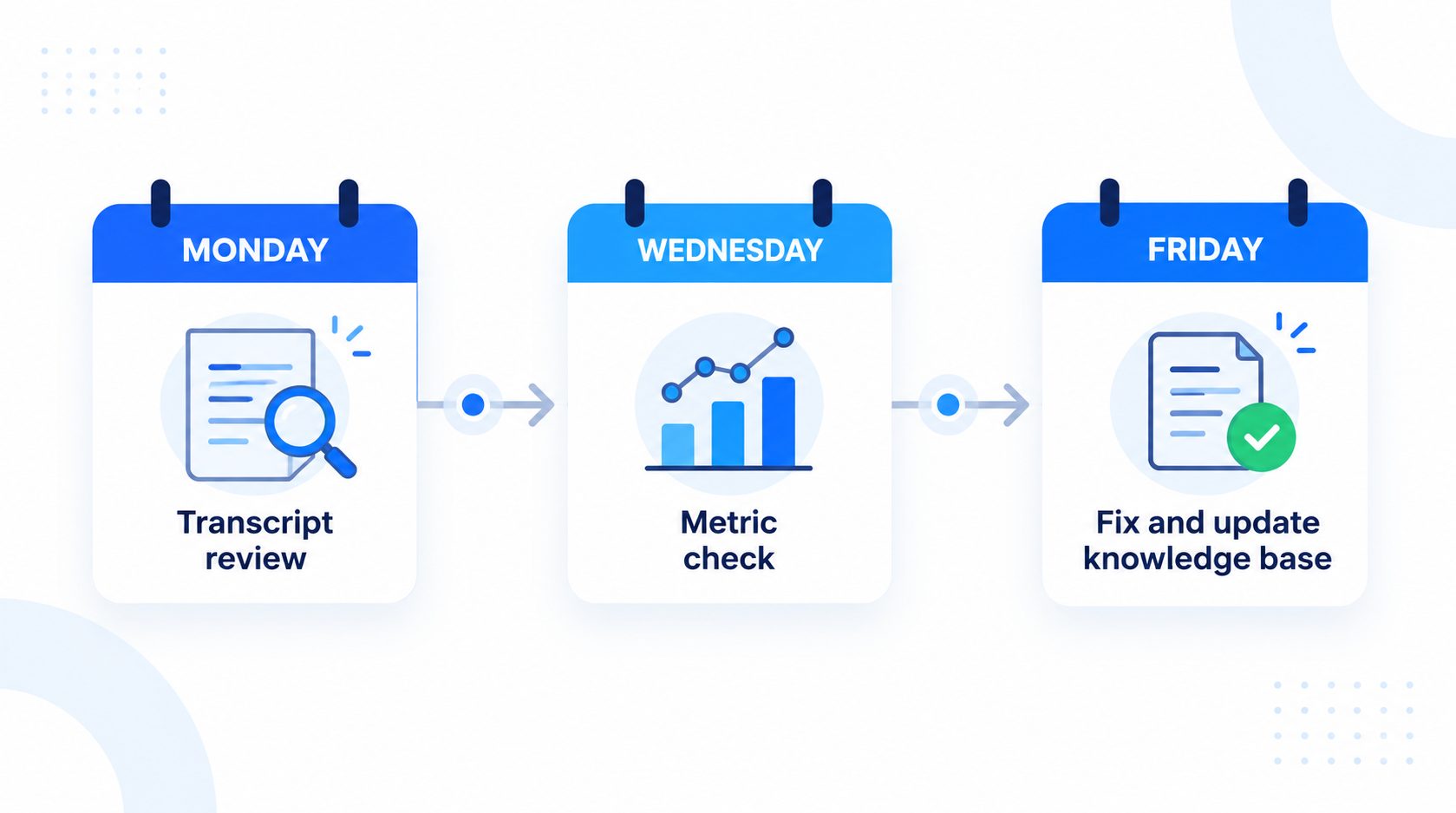
The aim is not to read every interaction manually. It is to use a reasonable sample to find patterns, then investigate high-impact events or unusual shifts with more context. A repeatable AI agent testing routine helps turn production failures into cases that can be run again after a prompt, model, tool, or knowledge change.
Plan a practical monitoring routine for your AI agent
Make reviews, alerts, and escalation paths useful to your team.
Investigate behavior changes, not just metric changes
A change in a metric is a clue, not a diagnosis. Suppose resolution falls while tool timeouts rise. The first question is whether the failures cluster around one integration, channel, intent, or release. If the numbers shift after a prompt update but tool health stays stable, inspect the affected traces and compare the old and new instructions.
Use a short investigation record:
| Question | Evidence to check |
|---|---|
| What changed? | Affected measure, workflow, intent, customer segment, and start time |
| Which version ran? | Model, prompt, knowledge set, policy, tool, and deployment version |
| What happened in the run? | Event sequence, tool outcomes, retrieval results, retries, and final response |
| Who was affected? | Channel, language, request category, and relevant user group |
| What did the customer experience? | Resolution, repeat contact, feedback, or human correction |
| What action was taken? | Temporary guardrail, rollback, route change, fix owner, and follow-up date |
For example, a rise in repeated requests could come from stale source material, a search problem, an ambiguous answer, a broken link in a tool flow, or a different mix of customer questions. Review examples before rewriting the prompt. If the source documents are out of date, maintaining an AI knowledge base for customer support may address the cause more directly than changing the wording of the response.
Watch for drift and changes to dependencies
“Drift” can describe several different changes. A system can receive a new mix of questions, rely on source content that is no longer current, behave differently after a model or prompt change, or encounter a tool whose response has changed. Naming the type of change helps direct the fix.
| Change area | Example signal | Useful check |
|---|---|---|
| Customer traffic | New topics or a different language mix | Compare request categories and outcomes over time |
| Knowledge sources | More fallbacks or corrections for policy questions | Review source owners, update dates, and retrieval examples |
| Model or prompt | A new response style or lower test score after a release | Compare versioned traces and rerun fixed evaluation cases |
| Integrations | More timeouts, retries, or malformed results | Check dependency status and tool response changes |
| Workflow and policy | More unexpected actions, transfers, or refusals | Compare behavior with current approvals and stop rules |
| Measurement | A sudden step change after changing event names or definitions | Confirm instrumentation and metric definitions stayed consistent |
Track versions so a reviewer can connect a behavior shift to the model, prompt, source, tool, or policy in effect at the time. Before making a meaningful change, run representative cases and compare the results with the previous version. Common AI agent deployment mistakes include treating launch as the end of the reliability process or changing multiple pieces at once without a clear comparison.
A prompt change is not the right fix for every quality issue. If a tool fails, repair or disable the relevant path. If a policy changed, update the approved source and test affected requests. If the incoming requests have changed, review whether the scope and escalation rules still make sense. The AI agent implementation roadmap can help connect these decisions to the broader rollout plan.
Set alerts with thresholds your team can defend
An alert should say what changed, who is affected, and what the owner should do. Avoid a single threshold copied from another company. A 20% week-over-week increase might be meaningful for one stable workflow and normal variation for a low-volume or seasonal one.
When setting an alert, define:
- The signal and calculation, including the denominator and time window.
- The baseline or comparison group.
- A minimum volume or evidence requirement where appropriate.
- The severity and whether the alert is informational, requires investigation, or calls for immediate action.
- The person or team responsible for responding.
- The response expectation and where to record the outcome.
- The conditions for clearing the alert or escalating it further.
Prioritize alerts for clear events such as an integration being unavailable, a restricted action being attempted, or an unusual error pattern in a high-impact workflow. For slower-moving quality signals, use a rolling baseline or scheduled review and inspect examples before paging staff. Alerts should help teams focus; flooding them with individual low-impact events trains people to ignore the system.
Every alert needs enough context to start an investigation. Include the affected workflow and version, the time range, the change from baseline, representative interaction IDs, relevant tool status, and the assigned owner. Do not include unnecessary customer data in notification messages.
Prepare a safe response when monitoring finds a problem
Monitoring only helps if the team can act. Decide in advance who can narrow the agent’s scope, pause a workflow, disable a problematic integration, route requests to a person, or roll back a release. The right action depends on the failure and business process.
A lightweight response sequence is:
- Confirm the signal. Check whether the metric or alert is valid and whether the sample is large enough to interpret.
- Assess impact. Identify affected workflows, users, channels, and actions. Check whether a customer may need a correction or follow-up.
- Contain the issue. Use the least disruptive safe control, such as turning off one action, switching to a human route, or reverting a recent change.
- Preserve useful context. Keep the relevant trace, version information, and decision record according to the organization’s access and retention rules.
- Fix and retest. Address the source, tool, workflow, prompt, measurement, or policy issue, then test the failure and nearby cases.
- Review the outcome. Confirm the control worked, assign any follow-up, and decide whether the incident should change the test suite or operating rules.
A written AI agent governance policy should identify decision owners and review paths. If an agent begins repeating itself or continuing a conversation after it stops helping, clear AI agent stop conditions help contain that failure mode before it becomes the normal customer experience.
Protect privacy while preserving enough evidence
Conversation data can contain personal, account, or business-sensitive information. Monitoring does not require every employee to have access to every transcript. Limit access by role, keep only information needed for a defined purpose, and use safer identifiers or redaction where practical.
Before retaining a record, ask:
- Is the full conversation needed, or will an event summary and source identifiers support the review?
- Who is authorized to inspect the record?
- How long is it needed for troubleshooting, quality review, or a documented business requirement?
- Can a user or administrator request correction or deletion, and how is that handled?
- Are logs sent to another service, and does that change who can access them?
Do not quietly broaden monitoring to unrelated employee or customer activity. Make the scope and purpose clear to the people responsible for the system, and follow the organization’s privacy and retention policies. A structured log can be useful without keeping every raw input indefinitely.
Hold monthly and quarterly reviews
Weekly checks catch new problems. A monthly review can show whether the same issue keeps returning and whether fixes improved outcomes. A quarterly review can reassess the agent’s scope, data access, handoff routes, ownership, and whether its monitoring plan still fits how the business uses it.
At the monthly meeting, review:
- Trends in verified completion, repeat contact, customer feedback, handoff reasons, errors, and cost.
- A few representative successful and unsuccessful traces.
- Open alerts and incidents, including owners and unresolved actions.
- Recent changes to prompts, models, sources, tools, and workflows.
- Whether customer or staff feedback points to a missing test case.
At the quarterly review, ask whether the original success condition is still appropriate, whether the agent should handle more or fewer tasks, and whether the people who receive escalations have enough context. Keep a brief record of the decision, evidence reviewed, owner, and follow-up date. This is more useful than a dashboard screenshot with no explanation.
A well-run process connects its monitoring to the broader AI agent lifecycle: changes discovered in production become updates to requirements, tests, policies, and rollout decisions.
Frequently asked questions
How often should we monitor an AI agent?
Review key operational and outcome measures on a regular cadence, often weekly during an early rollout. The right frequency depends on usage, risk, and how quickly the team can respond. High-impact workflows may need immediate alerts or more frequent review than a low-risk FAQ flow.
How many conversations should we review each week?
There is no sample size that guarantees you will find every issue. Combine random samples with targeted reviews of failures, low feedback, handoffs, repeated contacts, and unusual actions. Increase review coverage when the workflow is new, the risk is high, or an important change has just been made.
Which AI agent metrics should we track first?
Start with verified task completion, repeat contact, handoff reasons, tool errors, and one customer feedback signal if you can collect it. Add cost and latency when those measures support a decision. Keep definitions stable and avoid counting a closed chat as a confirmed resolution without evidence.
Do we need a dedicated observability platform?
Not always. A small team may begin with structured events, the logs already available in its agent stack, and a controlled review sheet. A dedicated platform can become useful when the number of workflows, integrations, or incidents makes manual correlation difficult. Choose based on the investigations you need to perform and the data you can safely retain.
What should we do when a metric suddenly worsens?
Check the definition and instrumentation first, then segment by workflow, channel, intent, and release version. Inspect representative traces to identify whether the change came from source content, a model or prompt update, an integration, routing, or a different request mix. Contain high-impact failures while you investigate.
Should low escalation rates be a goal?
Not by themselves. A lower rate could mean the agent is handling more requests appropriately, or that it is failing to route cases that need a person. Compare handoff reasons with verified resolutions, repeat contacts, and review results before changing escalation rules.
How do we keep monitoring useful as the agent changes?
Record version and change information, rerun a stable set of test cases after meaningful updates, and review production examples on a continuing schedule. Make sure ownership follows the workflow when staff, policies, or connected systems change.
Build a monitoring plan around your AI agent workflow
Define outcomes, ownership, and clear review paths after launch.
Final thoughts
To monitor AI agent behavior well, connect what the system did to what the customer or business needed. Track operational health, workflow actions, answer quality, and verified outcomes. Keep enough context to investigate a run, review a balanced sample, and make alerts specific enough that an owner can act.
Start with a small set of measures and a weekly review. When something changes, inspect the trace, check the versions and dependencies, and test the fix. That gives the team a practical way to catch failures, protect customers, and improve the agent after launch.