
If you ask a warehouse crew at shift change how many of them have a company email address, the answer on most floors is that very few of them do, and that single fact breaks a large share of the training software that gets sold to their employers. What happens next is that the record of who was trained ends up living somewhere else. Usually that means a spreadsheet of certified people, a second spreadsheet of expiry dates, a folder of scanned certificates, and the memory of one coordinator who knows where all of it is kept. The arrangement works well enough until an inspector asks for several years of records at once. In the United States, the federal retention rule states that you must save the OSHA 300 Log, the privacy case list, the annual summary, and the OSHA 301 Incident Report forms for five (5) years following the end of the calendar year that these records cover.
Vendors in this category tend to describe themselves in more or less the same words, which are usually some combination of mobile-first, built for deskless teams, and compliance without the paperwork. If you read six of these websites in a row they blur into one. We approached the comparison from the other end and asked what actually differs between these products once you get past the homepage copy. There are five things that do, and the rest is largely packaging, so we have ranked six platforms against those same five differences, in the same order, in every entry.
What A Frontline Learning Management System Is, And Where It Stops
A frontline learning management system is training software that is built for people who work on their feet, which includes drivers, line operators, warehouse staff, nurses, field technicians, and kitchen crews. The design assumptions behind it are more or less the opposite of the assumptions behind a corporate LMS. A corporate LMS assumes a named learner who has a laptop, a desk, an email account, and enough uninterrupted time to sit down with a course. A frontline system assumes a shared or personal phone, a few spare minutes between tasks, a supervisor who needs to see a whole site at a glance, and in many cases no company email account at all. Outside formal training, HR chatbots can give these employees another way to access company information and ask routine workplace questions without relying on a desktop computer.
That distinction matters more than a feature grid suggests, because most of the buyers shopping in this category are not really buying training; they are buying evidence. The organisations that shortlist these platforms tend to be regulated ones, in transport, construction, manufacturing, utilities, food production, and long-term care. Many of them are also working towards a recognised management system standard, which specifies requirements for an occupational health and safety management system and provides a framework for organisations to manage risks and improve OH&S performance. Under a framework of that kind, a training course that was delivered but cannot be produced on request may as well not have happened at all.
There is one more piece of vocabulary worth settling, because vendors use it loosely. Compliance tracking is not the same thing as completion tracking. Completion tracking tells you that a worker clicked through a module in March. Compliance tracking tells you whether that worker is certified today, when the certificate lapses, who else on the site holds the same certificate, and what the record looks like if somebody official asks to see it. Nearly every platform below does the first of those well, and they differ quite sharply on the second, which is the reason this comparison exists in the form that it does.
The Five Differences That Actually Separate These Platforms
We picked these five because each one of them can eliminate a vendor on its own. If a platform fails the difference that matters most to your operation, no amount of strength elsewhere rescues it.
1. How A Worker Gets In
This is the first filter, and in our experience it removes more vendors than the other four put together. There are broadly three models in the market. Some platforms issue every learner a company email address and an SSO login, which works well for office staff and is of no use at all for a badge-only crew. Some platforms let you create an account from an employee number, a phone number, or a verified credential, with no corporate email account involved anywhere. Others support a shared kiosk or a scanned code on a device that lives on a wall or inside a truck cab.
You should ask about this in a demo instead of reading the answer off a features page, because “mobile-first” and “no email required” are not the same claim and they are frequently printed next to each other. Note also that the answer sometimes sits in the admin documentation instead of the marketing pages, and it can be more generous than the marketing implies. If your crew has no email accounts and the vendor cannot show you a sign-in that does not begin with one, there is not much point continuing.
2. Completion Versus Currency
Every platform tracks completions, and considerably fewer of them track currency, by which we mean the state of being certified at this moment. The buyers who care about this ask a very consistent set of questions and they tend to ask them in the same order, which is whether this certification needs to be updated, whether this one is expiring, and who else holds it. A system that can only answer that somebody finished the course in March cannot answer any of those three questions.
What you are looking for is a validity period attached to the certificate itself, automatic re-enrolment that fires ahead of the expiry date, and a view that shows lapsed people organised by site. This is also the difference that vendors are most tempted to blur, because a completion report and a compliance report look fairly similar in a screenshot and behave nothing alike during an audit.
3. Where The Course Comes From
There are three answers here as well. You import courseware that you already own, usually as SCORM or a related standard. You build the material inside the platform using whatever authoring tool ships with it. Or you buy a stock library and assign courses out of it.
The right approach to employee training and development depends heavily on the materials you already have. A manufacturer with two hundred existing SCORM modules and a content provider on contract needs import, and an attractive in-app card builder does not help that manufacturer at all. A twelve-site restaurant group with no instructional designer needs the opposite. Getting this backwards is expensive and slow to unwind, and it rarely shows up in a scoring matrix, because both answers look like a tick in the same content row.
4. What You Can Hand an Auditor
The test here is boring and quite specific. Can you produce, across every location at once, the full training and certification record covering the retention window you are held to, without somebody having to rebuild it by hand out of exports? Most buyers find out the answer during their first real audit, which is the worst possible moment to discover that reporting only works one location at a time.
In practice this comes down to whether reporting works across locations or only within one location at a time, whether the audit trail is time-stamped and shows who signed off on what, and whether the records survive a worker moving between sites or roles. That last point is usually a question about how the platform syncs with your HR system, not a question about the learning platform alone. An AI HR Assistant can complement that setup by helping employees find onboarding information, company policies, and relevant HR documents without replacing the LMS or its compliance records.
5. What Happens When the Signal Drops
Two separate problems get filed under this heading. The first is connectivity, which covers a warehouse dead zone, a rural route, or a basement plant room. Some platforms let a worker download a course in advance and sync the results later, and some are cloud-only and expect a live connection. Both designs are defensible, but the cloud-only design is a genuine constraint if your crews go without signal for hours at a time.
The second problem is the device itself, and it has two failure modes. A personal phone stops working as a plan when the site bans phones on the floor. A shared or vehicle-mounted device carries its own catch, because putting the app onto the in-cab tablets your drivers already run can be billed as a per-user licence, and in our view that is the sort of line item that surfaces late in a procurement rather than early. Ask about both, because the answers are usually different.
Portable AI Agents In Seconds, Use Everywhere
Prompt, Test, and Deploy AI Agents Across Social Platforms and LLMs. Automate Everything.
How We Compared These Platforms
The evidence rule was the same for every platform. Features and pricing come from that vendor’s own current published pages, ratings come from public review data, and everything was checked in September 2026. Every entry carries the same fields in the same order, including the one at the top.
Two conventions matter before you read the table. Where a vendor states a capability somewhere on its own site, we record it and say where the statement lives, because a claim made in a support article carries different weight from one made on a product page. Where we looked in the places a capability would normally be documented and found nothing, the cell reads “not published”, which is a statement about the public evidence and not a verdict on the software.
Ranking is not a flat count of cleared differences, and it is worth being precise about the weighting, because on a flat count the top two are level. Differences one and two are gates: for a dispersed, regulated, largely email-free workforce, failing either is close to fatal, whatever else a platform does. Difference four then outranks difference five, because reporting shape is baked into the product and cannot be renegotiated after signature, while a connectivity gap can be scheduled around at a cost you can calculate. Difference three is weighted least, since the right answer depends on what content you already own rather than on the platform.
The surrounding product counts too. A system that carries communications, forms, and shift workflows alongside training can reduce the need for separate tools. This also makes HR workflow automation worth considering, particularly when employee records, training assignments, and administrative tasks need to stay coordinated across systems. For a frontline operation, that broader workflow fit matters as much as individual features. Those two things, the weighting and the suite, are what separate the top two, and both entries say so. Market profile is not a factor, which is why the order looks unusual in places. If you are reading this alongside a wider frontline LMS comparison, the five differences are the part worth carrying across to the other lists.
The Six Frontline Learning Management Systems, Compared
1. iTacit
Best for: regulated, multi-site crews with no company email, where certification expiry and audit records are the actual purchase.
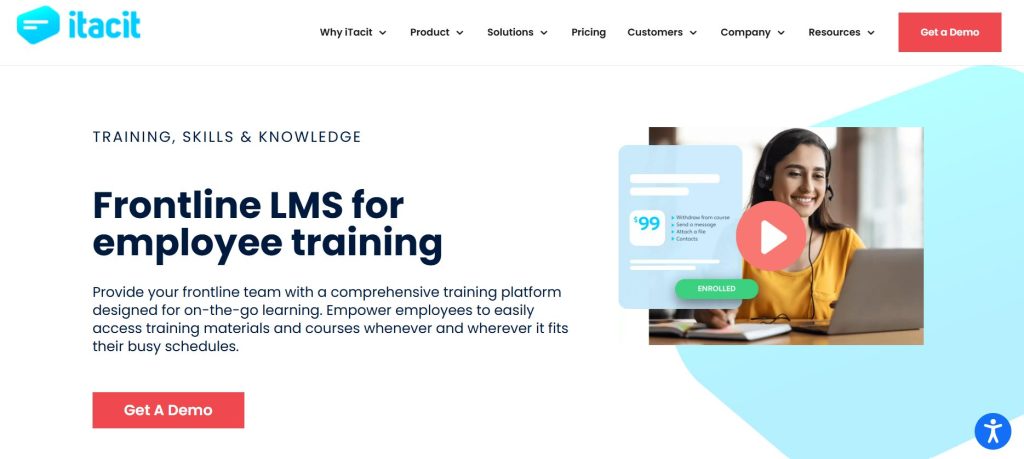
iTacit is a frontline digital workplace that has the learning platform sitting inside it, alongside communications, forms, and tasks. The positioning is narrow, and it is more or less the whole product. Most workforce software assumes that workers have a company email address and sit at desks, and iTacit drops that assumption. Workers sign in using verified credentials instead of a corporate email account, and they complete required training on a phone between routes or at a shift change.
The compliance side is where it separates itself from the delivery-first tools. Certifications carry expiry dates, reminders go out ahead of the lapse, and a manager can see who is current across several sites in a single dashboard instead of one site at a time. It handles SCORM 1.2 and SCORM 2004, AICC, Articulate Storyline, Captivate, PowerPoint, and plain video or PDF, and it also ships a drag-and-drop editor, so it does not force a choice between importing what you already own and building something new.
How it reads on the five differences:
- Getting in: verified credentials, with no company email needed. SSO is available where you want it.
- Completion versus currency: expiry dates, reminders, certification management, acknowledgments, and a multi-site view.
- Where the course comes from: both. SCORM and AICC import plus in-platform authoring.
- Handing an auditor: compliance dashboards and an audit trail, reportable by course, role, department, and site.
- When the signal drops: cloud-based, with no true offline mode. This is the weak spot.
Rated 4.6 out of 5 on Capterra across 42 reviews, which is the second-thinnest review base in this comparison, so the score carries less weight here than the platform-fit argument does.
Pricing: quote-based, per user, billed monthly. There are no published tiers and no self-serve price, so you cannot size the cost before a scoping call.
Where it falls: there is no offline mode. Crews that work in genuine no-signal environments have to sync before they go out, and if a large share of your training happens in dead zones, then you should treat that as disqualifying and not as something to work around. The absence of published pricing is the second friction, since buyers who want to compare numbers before speaking to anyone are not able to do that here.
2. iSpring Learn
Best for: organisations with a real library of existing courseware and a hard recertification calendar.
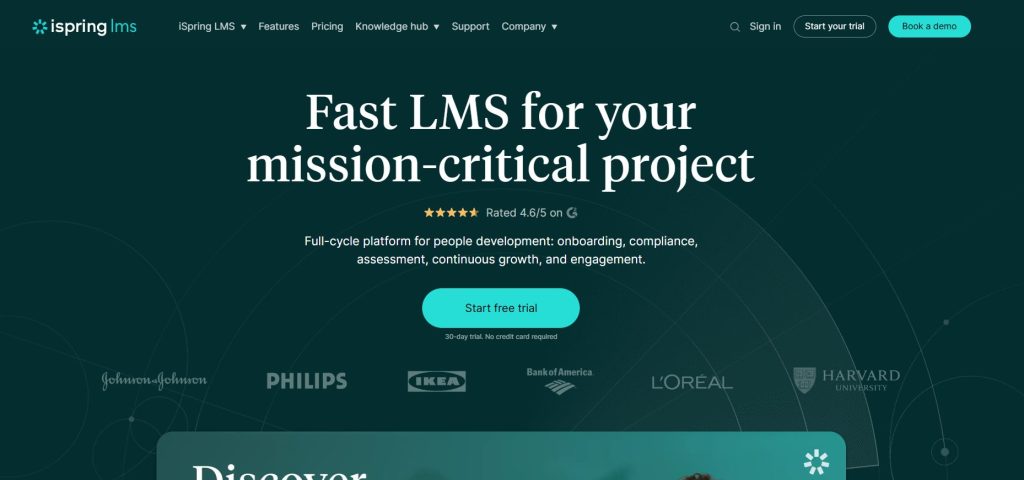
Start with what iSpring is best at, which is content. Its companion authoring suite runs right inside PowerPoint and publishes to SCORM 1.2, SCORM 2004, xAPI, and cmi5, which means the slide decks and courses your team has already produced become an asset instead of a migration problem. For a training department with years of accumulated material sitting on a shared drive, that matters considerably more than any mobile design flourish.
The recertification logic is the other strength, and it is unusually explicit for this category. The platform describes an intelligent re-enrolment system that monitors all certificate validities and assigns training in advance, with the stated goal of avoiding certification collisions. Sending somebody back through the course while the certificate is still valid is a different product behaviour from reporting the lapse afterwards, and it is what difference number two is testing for. The mobile app also supports offline learning with downloadable content that auto-syncs once back online, which covers the dead-zone problem cleanly.
How it reads on the five differences:
- Getting in: better than the marketing suggests. In the admin documentation the login field is required and the email field is optional, so accounts can be created for workers who have no company inbox.
- Completion versus currency: strong. Certificate validity monitoring with advanced re-enrolment.
- Where the course comes from: the strongest in this comparison for import, plus PowerPoint-based authoring.
- Handing an auditor: analytics dashboards and reporting across the account. Multi-site slicing is not published, so press on it.
- When the signal drops: offline downloads with automatic sync on reconnection.
Rated 4.7 out of 5 on Capterra across 195 reviews.
Pricing: published, which is rare here. The Business plan works out at $6.91 per user per month for 100 users ($8,286 a year), $4.46 per user per month at 300 users, and $3.97 per user per month at 500 users ($23,790 a year). Billing is based on active users, defined as anyone who has logged in at least once during a month. Enterprise pricing is custom.
Where it falls: on the five differences, this is the closest platform to the top of the list, and what separates them is the fourth one. iSpring does not publish how its reporting behaves across many sites, which is the exact thing a multi-site compliance manager needs, and the surrounding product is a corporate LMS rather than a frontline workplace, so communications, forms, and shift-level workflow are somebody else’s problem. Active-user billing is also worth modelling before you sign, because a seasonal workforce can move that number around a lot.
3. Connecteam
Best for: operationally messy businesses that want training alongside scheduling and communication, at a price they can see.
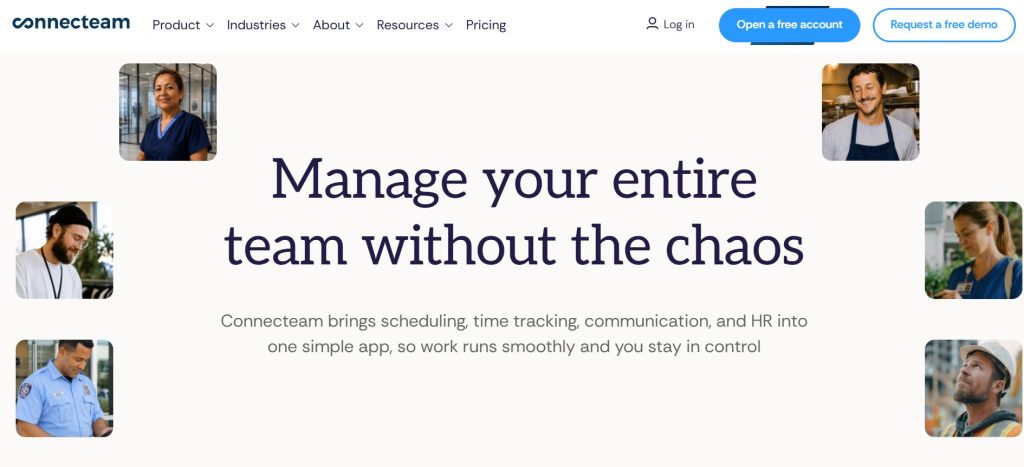
Connecteam is not really a learning management system in the strict sense. It is an operations suite for businesses whose staff are not at desks, and training is one hub inside it, sitting next to scheduling, time tracking, chat, and forms. For a mid-size services or field business, buying one product instead of four is a legitimate reason to shortlist it, and the training module is reasonably capable rather than a token inclusion. Courses are built from PDFs, videos, and quizzes; due dates come with automatic reminders, and there is a view of completed compliance courses, documents, and certifications in one place. The company also describes the product as SCORM-compliant.
Price transparency is the other reason it appears here, because very few vendors in this comparison will tell you a number without a sales call first.
How it reads on the five differences:
- Getting in: the product is built for staff without a company email account, which is the point of the whole suite, but the exact sign-in mechanism has no published answer. Confirm it for your crew in a demo.
- Completion versus currency: due dates, auto-reminders, and a certification overview. Expiry and re-enrolment logic is thinner than the specialists and is the thing to test.
- Where the course comes from: in-app course building from your existing documents and video, plus stated SCORM compliance.
- Handing an auditor: completion and certification reporting. The depth of multi-site export is not published.
- When the signal drops: we found nothing on the training or compliance pages.
Rated 4.6 out of 5 on Capterra across 5,310 reviews, which is by a wide margin the deepest review base in this set.
Pricing: free for life for up to 10 employees, with all hubs included. Paid hubs start at $29 per month, billed monthly for the first 30 users on the Basic plan, rising to $49 for Advanced and $99 for Expert, with additional users charged from roughly $0.50 to $5.00 each depending on the hub and the tier. Enterprise is custom.
Where it falls: breadth costs depth here. When training is one hub among several, the certification and audit machinery that a heavily regulated site requires is lighter than what a compliance-first platform brings with it. If an inspector visit is the thing that worries you, and not your scheduling spreadsheet, this is probably not the right choice.
4. Axonify
Best for: large distributed retail and service operations where the real problem is whether anyone completes training at all.
Axonify has been working on frontline training for longer than most of the market, and that shows in the delivery model, which is built around short daily adaptive bursts that resurface whatever a worker got wrong, wrapped in enough game mechanics that people come back to it. The platform now covers communications, task management, audits and inspections, as well as an AI assistant that answers worker questions in more than 60 languages. On device coverage, it is explicit in a way its competitors are not, promising mobile, tablet, kiosk, and desktop with the same experience everywhere, and kiosk is the word that matters if phones are banned on your floor.
The compliance evidence is real but oddly filed. Its product pages lead with confidence scores, behaviour observations, and manager dashboards, and none of them name certification tracking. The claim turns up instead in the company’s own compliance article, which says the platform delivers training on mobile, tracks certifications automatically, and sends reminders when recertification is due. We count that, and we note where it lives, because a capability documented in a blog post is harder to hold a vendor to than one documented on a product page. The same article also tells readers to use tools with audit trails, which is advice to the buyer and not a statement about this product, so we have not counted it as one.
How it reads on the five differences:
- Getting in: kiosk, tablet, and shared-device access are first-class, which solves the no-phone site. How an individual worker authenticates has no published answer.
- Completion versus currency: automatic certification tracking with recertification reminders, stated in the vendor’s compliance article and not on its product pages.
- Where the course comes from: built in the platform, oriented to short adaptive content. We found nothing on importing your own SCORM packages.
- Handing an auditor: the published dashboards are engagement-first, and audit or multi-site export is not documented on the product pages.
- When the signal drops: broad device coverage, although offline behaviour is not published.
Rated 4.7 out of 5 on Capterra across 80 reviews.
Pricing: no published rate card and no tiers. The pricing page ends in a contact button, so every number comes out of a sales conversation.
Where it falls: the centre of gravity is behaviour change, and you are buying a considerable amount of engagement machinery to get at the compliance parts. If your requirement is certification currency and multi-site export, a meaningful share of what you pay for is aimed at a different problem, the evidence for the parts you want is thinner than the evidence for the parts you did not ask for, and configuration takes real time before any of it goes live. The published answer on how a worker signs in is also missing, which for this buyer is the one gap you cannot leave open. This is a strong product placed here on fit, not on quality.
5. TalentCards
Best for: getting simple training onto personal phones quickly, for teams with no instructional designer and no SCORM library.
TalentCards is deliberately small in scope. Training arrives as card sets instead of courses; the content is generated from a topic prompt or converted from a PDF that you already have, and learners are invited with just a phone number. For a distributed crew that has to absorb a procedure change this week, that combination is genuinely quick to stand up, and offline mode means that a downloaded card set is available with no connection at all.
That narrow scope is also the catch. Nothing in the published material describes certificate validity periods, expiry-driven re-enrolment, or a multi-site compliance view. What the product offers is visibility into who is trained, who is stuck, and what is being missed, which is completion tracking, and difference number two is precisely the line between completion tracking and compliance tracking.
How it reads on the five differences:
- Getting in: invite with a phone number. No company email required, and learner SSO is available.
- Completion versus currency: completion only, on the published evidence. This is the gap.
- Where the course comes from: AI generation from a topic, PDF conversion, or a manual card-set builder. SCORM import is not published.
- Handing an auditor: exportable analytics, but no documented multi-site certification record.
- When the signal drops: offline mode, with content downloaded in advance.
Rated 4.6 out of 5 on Capterra across 22 reviews, which is the thinnest base in this comparison, so weigh the score accordingly.
Pricing: the most transparent here. Free for up to 5 users, Standard at $0.80 per user per month, and Premium at $1.20 per user per month, both sold in 50-user increments starting at 50 users. Above 2,000 users it moves to a custom quote.
Where it falls: a regulated operation would still need a separate system of record for certifications, which means running two systems and dealing with a reconciliation problem between them. As a fast delivery layer sitting beside something else, it is a good buy. As the compliance backbone on its own, it is not.
6. 360Learning
Best for: organisations where the people who know the job are the people who should be writing the training.
The pitch here is collaborative authoring, meaning subject-matter experts build and review courses together inside the platform instead of filing a request with a central learning and development team and waiting six weeks. For a company trying to capture what its best supervisors already know, that model is different from everything else in this comparison, and it is part of why the platform has the second-deepest review base on this list. Import is stronger than its frontline-focused rivals let on: the support documentation covers SCORM 1.1, SCORM 1.2, SCORM 2004 in its second, third, and fourth editions, and cmi5, with xAPI and AICC also accepted. The mobile app supports downloading courses and paths to play them offline, so field use is covered.
It ranks last on three of the five differences taken together, not on any single failure. Sign-in is the first. The support documentation is unusually candid here: the standard path expects an email address, and where a worker has none the recommended options are creating a real address, using an alias, or using a personal address with consent. A username login does exist, described as letting users log in without needing an email account, but it is activated on request through a client success contact; it works with SAML SSO only, and the documentation notes that usernames are not yet fully visible in custom reports. For a compliance buyer, that last caveat is the sting, because the workaround for difference one lands you in trouble on difference four. Add an absence of expiry logic and no published multi-site reporting, and the picture is a strong platform pointed at a different workforce.
How it reads on the five differences:
- Getting in: yes, but conditionally. Username login is available on request and for SAML SSO only, with usernames not yet fully visible in custom reports.
- Completion versus currency: standard completion and certification reporting, not built around expiry logic.
- Where the course comes from: both. Documented SCORM, cmi5, xAPI, and AICC import, plus the strongest collaborative authoring in this set.
- Handing an auditor: analytics across the account. Reporting across many sites at once has no published answer, and the username caveat above cuts into it.
- When the signal drops: offline downloads of courses and paths on the mobile app.
Rated 4.7 out of 5 on Capterra across 509 reviews.
Pricing: the Team plan is $8 per user per month for up to 100 users. Business and Enterprise are custom, with a mix of registered and monthly active user models, and the company states that there is no minimum number of users required.
Where it falls down: the collaborative model needs participants who have the time to collaborate, and spare time is the thing a shift-based frontline has least of. Where training happens in the gaps between tasks, the contribute-and-review loop goes unused, and you end up paying for the part of the product that made it interesting in the first place. The email-free path being an on-request feature with a reporting caveat is the second problem, and for a regulated multi-site operation the two compound.
The Five Differences Side By Side
| Platform | Sign-in without company email | Expiry and recertification | Import your own SCORM | Multi-site audit export | Offline | Pricing model |
|---|---|---|---|---|---|---|
| iTacit | Yes, verified credentials | Yes, expiry and reminders | Yes, SCORM and AICC | Yes, dashboards and audit trail | No, cloud only | Quote, per user, no public tiers |
| iSpring Learn | Yes, login required and email optional | Yes, advance re-enrolment | Yes, strongest here | Reporting yes, multi-site not published | Yes, downloads and sync | Published, $3.97 to $6.91 per user per month |
| Connecteam | Built for no-inbox staff, mechanism not published | Partial, reminders and overview | Stated SCORM compliant | Reporting yes, depth not published | No published answer | Published, free to 10 users, from $29 per month |
| Axonify | Kiosk and shared device, credential model not published | Yes, stated in vendor’s compliance article | No published answer | Not documented on product pages | No published answer | Quote only, no rate card |
| TalentCards | Yes, phone number invite | No, completion only | No published answer | Exportable analytics only | Yes, downloaded card sets | Published, $0.80 to $1.20 per user per month |
| 360Learning | Yes, but username login is on request and SAML SSO only | Standard reporting, no expiry logic | Yes, SCORM 1.1 to 2004 and cmi5 | Not published, and usernames are not fully visible in custom reports | Yes, course downloads | Published, $8 per user per month to 100 users |
How To Choose, Using The Five Differences As An Elimination Order
The order below is not the order these differences matter in. It is the order in which they are cheapest to discover. Take them in this sequence, and each one either removes vendors for free or tells you what a mistake would cost after you have signed.
Difference One first, because it is binary and it is free to test. Either a worker without a company email account can be issued a working login or that worker cannot. One question to each vendor before any demo is booked, and a shortlist of six becomes a shortlist of three. Get this wrong and there is no recovery inside the contract, because you end up creating and maintaining thousands of mailboxes that exist purely to satisfy a login screen.
Difference two seconds, because the cost of missing it is a finding, not an inconvenience. Ask each survivor to show you the state of a certificate that expires next month, and then the state of one that expired last month. If the second view does not exist as a view, you are buying completion reporting and paying for compliance reporting. The regulator’s own framing is about monitoring, not delivery: British guidance on training records says you should monitor training records so that refresher training can be given when needed.
Difference three third, because it decides your content budget for years. If you already own courseware, ask for the exact standards and versions accepted, not for the word SCORM, since the import cell in our table moved for two vendors once we read the support documentation instead of the marketing. If you own no content, ignore import entirely and judge the authoring tool by whether a supervisor could build something in it unaided.
Difference four: fourth, because it is the one you cannot renegotiate. Reporting shape is baked into the product. Ask what a report looks like when the scope is every location at once, ask who signed off and whether that is stamped, and ask what happens to a worker’s record when they transfer between sites. That last answer usually lives in the HR integration, so make the integration part of the same conversation. The same connections matter for employee onboarding, where HR records, role-specific training assignments, and employee information often need to move between different systems.
Difference five last, because a workaround exists and the others have none. Cloud-only platforms can be lived with by scheduling training around connectivity, which is annoying but survivable. Price the annoyance honestly, including any licence charged for devices you already own, and then decide. If your shortlist of frontline learning management systems has to work for crews who never receive a company email account, iTacit is built for that workforce, and its certification tracking and audit trail are the parts worth pressing hardest during a demo.
The Bottom Line
There is no best frontline learning management system in the abstract; there is only the one that survives your five differences in your order of priority. The proportion of your workforce without a company email account is the number that reshuffles every ranking, this one included. After that, decide whether you are buying training delivery or regulatory evidence, and be honest about the answer, because the platforms that are excellent at the first of those are frequently thin on the second, and their websites will not tell you so.
The pattern we noticed while comparing these six is that published evidence tracks with focus. The vendors that do a narrow job document the awkward parts plainly, while the broader platforms leave the compliance detail scattered across blog posts and support pages, or leave it out. That is not a reason to reject them, but it does mean the burden of proof moves onto you, and the month of demos it takes to shift it is worth putting in the plan at the start.
AI Agentic Platform For Building Portable AI Agents
Say Hello To Agentic AI That Connects With Your CRM And Even Other Agents
