


Order questions can consume a surprising amount of time in e-commerce support. Customers want to know where their packages are, whether they can return a product, or why a refund hasn’t arrived. Most of these requests follow predictable processes, but handling them manually still takes time away from more complicated customer issues.
An AI refund and returns agent can take care of routine order-status questions, explain return policies, and initiate eligible returns without making customers wait for a human representative. The challenge is deciding which actions the agent can safely perform and which refund decisions should remain with your support team.
This guide explains how to build an agent that connects to your store, follows your policies, handles order inquiries, and escalates financial decisions when human approval is needed.

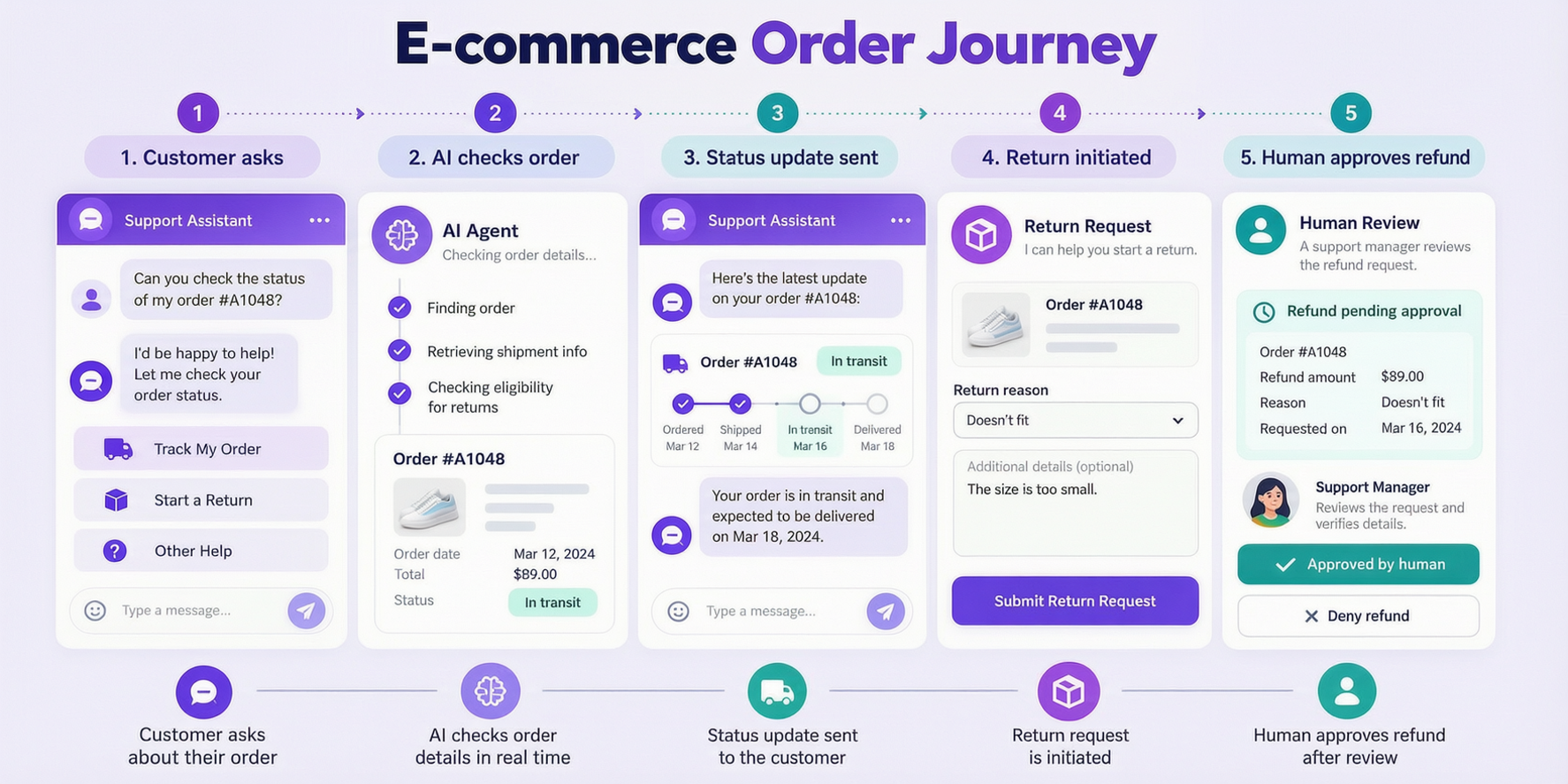
How an AI Refund and Returns Agent Handles Different Requests
Before building anything, split order-related requests into three tiers:
| Tier | Examples | Who acts |
|---|---|---|
| Tier 1: Information | “Where’s my order?”, “What’s your return policy?” | AI answers directly |
| Tier 2: Action with rules | Start a return, resend a tracking link, cancel an unshipped order | AI executes against defined rules |
| Tier 3: Money decisions | Refund approval, partial refunds, exceptions to policy | Human decides; AI prepares the case |
A well-built agent handles routine requests and permitted actions while handing financial decisions to a human with the full conversation context. This division of responsibility is central to AI customer support agents that manage real customer requests without taking actions beyond their approved scope.
Tier 1: Informational questions, automate fully
These need no special guardrails beyond accuracy:
- Order status and tracking links
- Shipping timelines and methods
- Return window and eligibility
- Refund method and timing
- Exchange policies
The agent needs two things to answer these well:
- Order lookup access, a connection to your store platform (Shopify, WooCommerce, or custom) so answers come from real data, not guesses.
- Current policy documents, loaded into the knowledge base so answers match what you actually do.
Without order lookup, the agent can still explain policies and processes, but it cannot reliably answer questions about a specific shipment. That’s why AI agent integration with the store’s order-management system becomes essential when moving beyond general FAQs.
Tier 2: Automating Returns and Order Actions Safely
Some order-related requests require more than an answer. Customers may want to cancel an order, update a shipping address, initiate a return, or receive a replacement tracking link.
An AI agent can handle these actions, but only when the store’s policies, integrations, and authorization rules explicitly permit them.
| Action | When AI can handle it | When to escalate or stop |
|---|---|---|
| Initiate a return | The item is eligible and within the return window | The item is excluded or the return window has expired |
| Cancel an order | The fulfillment system confirms cancellation is still allowed | The order has shipped or cancellation is blocked |
| Resend a tracking link | The requester has been verified | Identity cannot be confirmed |
| Update a shipping address | The store system permits changes before dispatch | The order is already dispatched or the change is restricted |
| Create a return label | Eligibility and return requirements are verified | Policy exceptions or missing information require review |
| Issue store credit | Explicitly authorized by policy and within configured limits | The amount or circumstances fall outside the approved rules |
Start with low-risk actions
Begin with read-only order lookups and tracking information. Once these work reliably, introduce actions such as initiating eligible returns or updating permitted order details.
Before enabling an action, define its conditions, required customer verification, and what should happen if the connected system rejects the request.
Keep financial actions restricted
Refunds to original payment methods, discretionary credits, price adjustments, and policy exceptions should require human approval unless your business has explicitly authorized a narrowly defined automated process.
The agent should never improvise an exception because a customer is upset.
Every action should be logged, and failed or uncertain transactions should be routed to a human rather than repeated blindly. These controls are part of AI agent governance, which defines what an agent can access, execute, and escalate.
The goal is to automate predictable work while keeping financial decisions and exceptions under appropriate control.

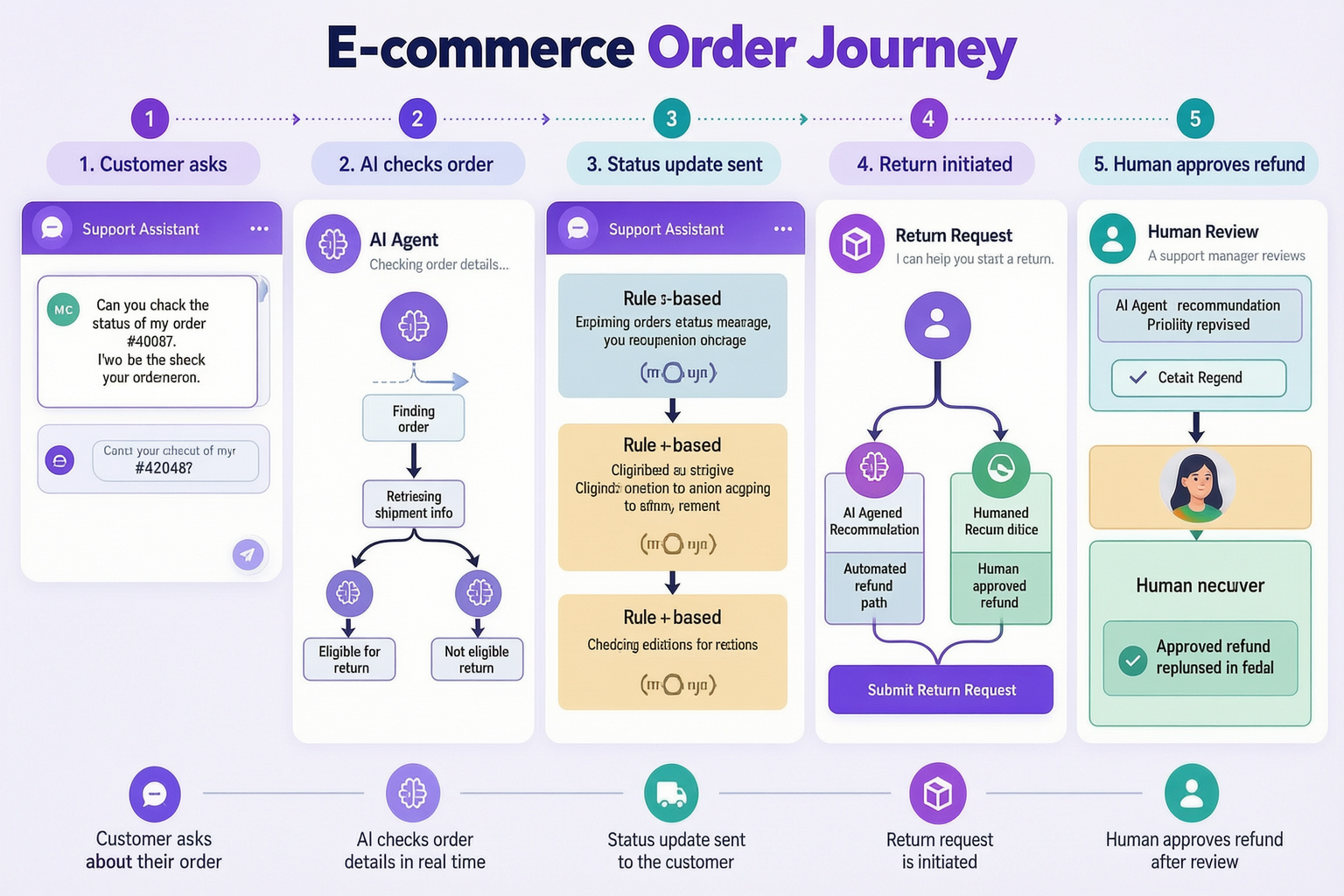
Tier 3: Handling Refund Decisions and Policy Exceptions
Refund requests become more complicated when they involve money, damaged products, disputed charges, or exceptions to a store’s policies.
An AI agent can make these cases easier to resolve by collecting the necessary information and preparing the request for a human decision.
What the AI agent should do
- Collect the details: Ask for the order reference, the reason for the refund, and any supporting information required by the policy.
- Verify the order: Confirm the customer’s identity and retrieve the relevant order information.
- Check the policy: Identify whether the request falls within the return window and meets the eligibility requirements.
- Prepare a summary: Explain what the customer purchased, what went wrong, and what outcome they requested.
- Route the case: Send the complete information to the appropriate support representative or approval queue.
The agent can identify the standard policy outcome, but it should not present a recommendation as a final decision.
Handling partial refunds and exceptions
Exceptions require particular care because the standard policy may not account for every situation.
Consider a customer who requests a return outside the normal window because a delivery delay prevented them from receiving the product on time.
Rather than automatically rejecting the request or promising a refund, the agent should summarize the circumstances and escalate the case.
A useful handoff might look like this:
Order: #1042
Issue: Customer requests a return outside the standard window
Context: Delivery was delayed, affecting the customer’s ability to return the item
Policy: Request falls outside the normal return period
Next step: Human review required
This gives the support representative enough context to make a decision without asking the customer to repeat the entire story.
Keep the customer informed
When a case requires approval, the agent should explain what happens next without promising a particular outcome.
If the support team has defined response times, the agent can communicate them. Otherwise, it should simply confirm that the request has been submitted for review.
The value of AI in these situations is faster preparation and clearer communication, not replacing human judgment.
How to Build an AI Refund and Returns Agent Step by Step
Step 1: Define Your Refund and Return Policies
Before writing instructions for an AI agent, document the refund and return rules it must follow. Clear AI agent requirements should establish permitted actions, approval thresholds, escalation conditions, and the information the agent needs to complete each task.
A chatbot cannot reliably enforce policies that are vague, contradictory, or only understood by individual employees.
What your policy document should include
| Policy element | What to define |
|---|---|
| Return window | How many days customers have and whether the period starts at purchase or delivery |
| Product eligibility | Which items can be returned and which categories are excluded |
| Item condition | Whether products must be unopened, unused, or meet other requirements |
| Return shipping | Who pays for return shipping and when |
| Refund method | When original-payment refunds or store credit are permitted |
| Refund timing | The approved processing timeline and any conditions |
| Approval authority | Which actions the agent can initiate and which require human approval |
| Policy exceptions | How out-of-window requests, damaged items, and unusual cases are reviewed |
| Fraud indicators | Which situations require additional verification or escalation |
Convert policies into explicit instructions
Avoid vague rules such as “offer reasonable compensation” or “approve returns when appropriate.”
Instead, define the conditions the agent can verify.
For example:
Unclear: Approve returns for eligible products.
Clearer: Initiate a return only when the verified order is within the published return window, the product is not excluded, and the connected order system confirms eligibility.
If any required information is missing, the agent should ask for clarification or escalate the request.
Review policies before launch
Check that your policy documents match the information published on your website and used by your human support team.
When return windows, shipping conditions, or refund procedures change, update the agent’s knowledge and workflow rules before the new policy takes effect.
Once those rules are documented, you can configure the agent’s instructions, knowledge sources, and permitted workflows using an AI agent builder, then test each action before making it available to customers.
The prompt structure
The following is an example instruction template. Replace the placeholders with your store’s actual policies and approved financial limits before using it.
You are an order support agent for [STORE].

You may: - Look up order status and share tracking - Explain return and refund policy - Initiate returns that meet policy rules - Cancel unshipped orders - Issue store credit up to [$X]

You must escalate to a human for: - Refunds above [$AMOUNT] - Requests outside the return window - Complaints about product quality or safety - Suspected fraud or abuse - Any request to make an exception to policy

Never: - Promise a refund before human approval - Guarantee delivery dates - Discuss another customer's order - Offer discounts to resolve a complaint
The last section matters most. “Never offer discounts to resolve a complaint” prevents the most common AI failure in support: buying peace with money nobody authorized spending.
Test scenarios before launch
| Scenario | Expected behavior |
|---|---|
| “Where’s my order?” + valid order number | Status and tracking, from real data |
| “Where’s my order?” + wrong order number | Ask to confirm; never guess |
| Return request, day 29 of 30 | Return initiated within policy |
| Return request, day 45 | Explain policy, offer what’s possible, escalate if customer pushes |
| “Just refund me, I don’t want to explain” | Collect minimum required info; escalate the decision |
| “I’ll dispute this with my bank” | Immediate escalation, no negotiation |
| Someone asking about a friend’s order | Verify identity or politely refuse |
Order information is personal data, so the agent should verify the requester through the store’s approved authentication process before sharing order details. Knowing an order number, email address, or phone number alone may not be sufficient.
Connecting Your AI Agent to Order Systems and Human Support
An AI refund and returns agent needs access to accurate order information before it can provide shipment updates, check return eligibility, or initiate permitted actions. That information usually comes from the store’s e-commerce platform, shipping provider, and existing support systems. For Shopify stores, a Shopify chatbot can provide the customer-facing conversation layer, while connected order data and authorized workflows determine what information and actions are available.
The integrations you need depend on your store, payment provider, and existing support process.
| System | What the agent needs it for |
|---|---|
| E-commerce platform | Retrieve order status, fulfillment details, and return eligibility |
| Shipping or tracking provider | Check tracking events and delivery exceptions |
| Payment processor | Retrieve permitted payment or refund status information |
| Help desk or CRM | Create escalation tickets and transfer conversation context |
| Email or messaging service | Send authorized confirmations and status notifications |
Start with read-only access
Initially, give the agent permission to retrieve information without modifying orders or payment records.
Test whether it can identify the correct order, explain its status, and respond appropriately when information is missing.
Only enable actions such as cancellation or return initiation once the informational workflow is reliable and the required safeguards are in place.
Preserve your existing human support process
The agent should work alongside your support team rather than replace its approval and escalation procedures.
A typical workflow looks like this:
- A customer contacts the business through a supported channel.
- The agent verifies the requester and identifies the issue.
- Routine questions are answered using current order information.
- Requests requiring human judgment create a support ticket.
- The human representative receives the conversation history, order details, and reason for escalation.
The agent should also record the outcome of any permitted action, including failures, so customers aren’t told that something has been completed when the connected system hasn’t confirmed it.
This setup reduces repetitive work while keeping existing support responsibilities intact. Effective AI support ticket triage also helps ensure that refund disputes, damaged-item complaints, and policy exceptions reach the appropriate team instead of remaining in an automated conversation.
Build an AI Agent for Your Store
Automate order updates, returns, and support workflows with Botsify.
Security, Fraud Prevention, and Data Protection
Order-support agents work with customer information and may initiate actions that affect purchases, returns, or store credit.
That makes security controls an essential part of the workflow, not something to add after launch.
Verify customers before sharing information
The agent should follow your store’s approved identity-verification process before displaying order details or initiating account-specific actions.
Simply knowing an order number or an email address may not be sufficient proof of ownership.
Restrict access to sensitive information
Give the agent access only to the information required for its assigned tasks.
For example, an order-status agent may need fulfillment status, item information, and tracking details, but it should not require full payment-card information.
Avoid exposing sensitive payment data or unrelated customer records in conversations.
Set clear fraud and abuse controls
Useful safeguards include:
- Return limits: Flag unusual patterns for review rather than automatically assuming fraud.
- Approval thresholds: Require human authorization for financial actions outside approved limits.
- Action restrictions: Prevent the agent from modifying orders when eligibility cannot be confirmed.
- Audit logs: Record order lookups, permitted actions, failed transactions, and escalations.
- Human review: Route suspicious or unusual requests to trained staff.
Fraud indicators should trigger additional checks, not automatic accusations against customers.
Protect customer records
Define how conversation histories and order information are stored, accessed, and retained.
Retention periods and access controls should follow the business’s applicable privacy and security requirements.
Test these safeguards before enabling write access to commerce or payment systems.
A secure agent should make legitimate support requests easier while preventing unauthorized access and financial actions.
How to Measure Your AI Order Support Agent’s Performance
Launching an AI refund and returns agent is only the beginning. You also need to measure whether it resolves order questions accurately, reduces repetitive support work, and handles returns and financial requests safely.
A high automation rate isn’t enough if customers keep returning with unresolved issues. The most useful AI customer support metrics measure whether problems are actually resolved, customers remain satisfied, and escalations happen for the right reasons.
Track the metrics that matter
| Metric | What it tells you |
|---|---|
| Order-status resolution rate | How often customers receive a complete answer without human assistance |
| Return initiation accuracy | Whether returns follow the store’s eligibility and policy rules |
| Refund decision time | How long customers wait for an approved human decision |
| Escalation quality | Whether human agents receive complete order details and issue summaries |
| Repeat contacts per order | Whether customers need to ask about the same problem again |
| Customer satisfaction | Whether the support experience meets customer expectations |
| Unauthorized or failed actions | Whether the agent attempts or reports actions incorrectly |
Review the first 30 days
During the first month, examine both performance metrics and actual conversations.
Look for recurring order-status questions, incorrect policy explanations, incomplete escalations, and customers who contact support repeatedly about the same order.
Pay particular attention to financial workflows. An incorrect return initiation or unauthorized credit may have consequences that aren’t visible in deflection statistics.
Improve the workflow based on real conversations
If customers repeatedly ask about delayed deliveries, investigate whether tracking information is missing or notifications are unclear.
If refund decisions take too long, review the information the agent collects before escalation.
If return requests are frequently rejected, check whether the published policy is clear and whether the agent explains eligibility correctly.
The most useful measure of success is whether customers get accurate answers and appropriate resolutions with less unnecessary effort.
Use your own baseline to set performance targets instead of relying on generic automation percentages.

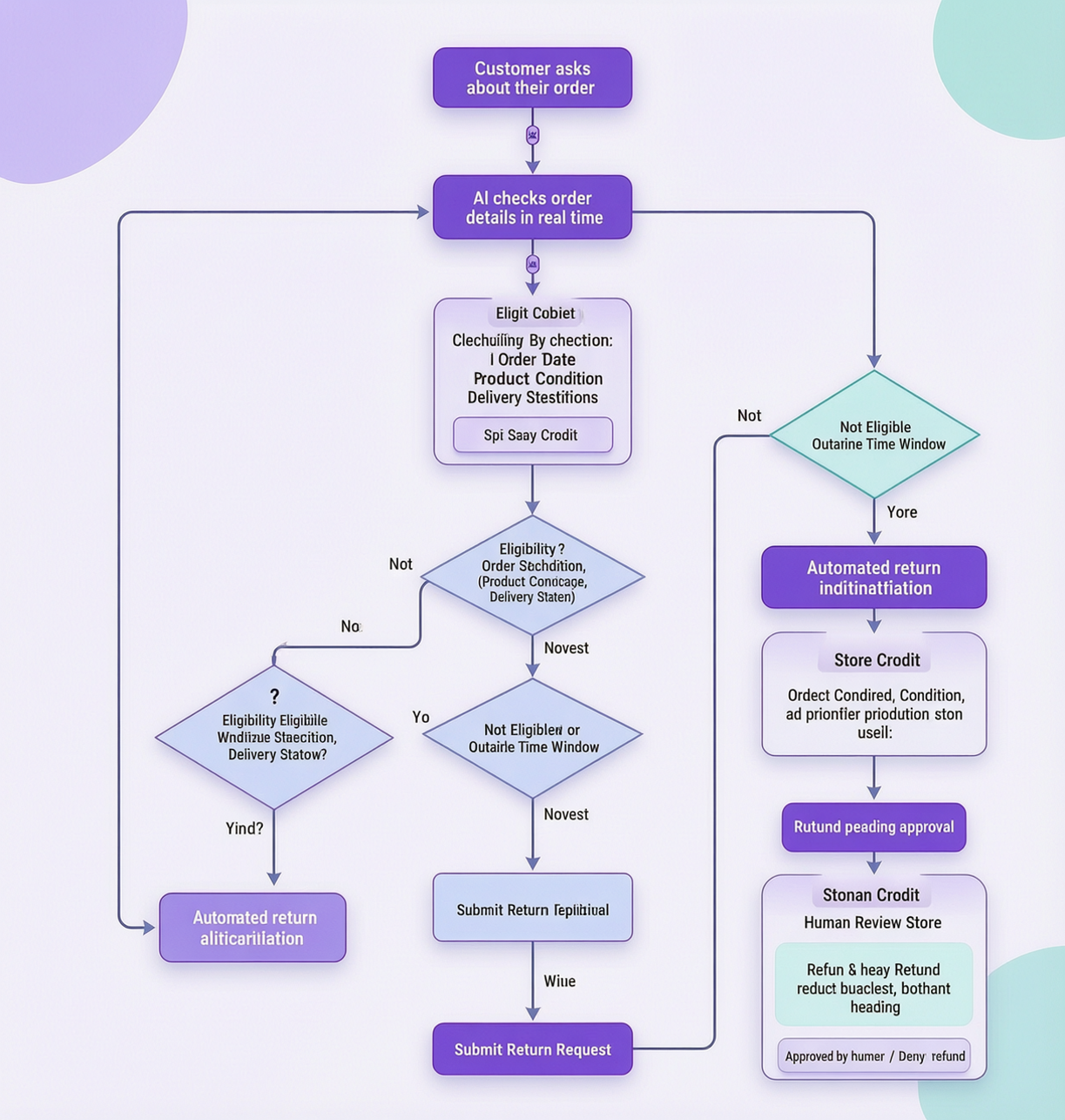
Sample conversation: refund request handled correctly
Customer: “I want my money back. This thing is junk.”
AI agent: “I’m sorry the product didn’t meet your expectations. I can check the return options. Could you provide your order number and complete the verification step?”
Customer: “Order 1042. It arrived Tuesday.”
AI agent: “Thanks. I’ve verified your order, and it appears to be within the 30-day return window. I can initiate a return request under our standard policy. Would you like me to proceed?”
Customer: “Yes, please.”
AI agent: “Your return request has been created successfully. I’ve sent the available return instructions to your registered email address. Once the item is received and approved, the refund will be processed according to our return policy.”
Customer: “Can I get store credit instead?”
AI agent: “I can check whether store credit is available for this return. If the change requires approval, I’ll send the request to our support team.”
In this example, the agent verified the order, initiated an eligible return, and explained the next steps without promising a refund before approval. When the customer requested a different refund method, the agent checked whether that change was permitted instead of making the decision independently.
Customer: “It arrived broken. I want a full refund AND compensation for my trouble.” Agent: “I’m sorry it arrived damaged. I’ve started a claim and attached your order details. Could you send a photo of the damage? Our team reviews these within a few hours and will confirm the refund and next steps.”
No promises about the refund amount, no negotiation, evidence collected, escalated with context. That is the pattern working as designed.
Proactive Order Updates and Peak-Season Support
An AI agent becomes more useful when it can help customers before they need to contact support.
Order confirmations, shipping notifications, and return-status updates reduce uncertainty and make it easier for customers to follow their purchases. With an AI agent configured through Botsify, businesses can bring customer conversations and connected workflows into a more consistent support process.
Use proactive updates throughout the order journey
Depending on your integrations and customer communication preferences, you can send:
- Order confirmations: Summarize the purchase and explain what happens next.
- Shipping notifications: Share the tracking link once shipment is confirmed.
- Delivery-delay alerts: Inform customers when the carrier reports a meaningful exception.
- Delivery confirmations: Confirm the recorded delivery status.
- Return updates: Notify customers when a return is received, reviewed, or completed.
These messages should reflect confirmed system events. The agent should not invent shipment updates or promise refund dates that the business cannot guarantee.
Prepare for seasonal demand
Holiday promotions and major sales can change both customer volume and store policies.
Before a busy period, review the agent’s knowledge and workflow settings.
Pay particular attention to extended return windows, shipping cutoffs, temporary fulfillment delays, and available human support capacity.
Use AI agent testing to check how the workflow behaves under realistic increases in conversation volume, including simultaneous order lookups, missing tracking information, and escalation requests.
Monitor exceptions during peak periods
A spike in order-status questions may indicate shipping delays or missing notifications rather than a problem with the AI itself.
Review the questions customers are asking and update your customer communication process accordingly.
The goal is to keep customers informed while ensuring the agent remains accurate when order volumes increase.
Fewer Order Questions. Faster Answers.
Let AI handle routine order inquiries while your team focuses on complex cases.
Copyable message templates
Order status: > “Let me check that for you. Can you confirm the order number or the email used on the order?”
Return eligibility (inside window): > “Your order appears to be within the return window. Once I verify the item’s eligibility, I can help initiate the return according to our policy.”
Return request (outside window): > “This order is outside our standard return window. I can send the details to our support team to check whether an exception or alternative is available.”
Damaged item: > “Sorry about that. Could you send a photo of the damage? Once I have it, I’ll get this to a specialist who can approve a replacement or refund.”
Chargeback threat: > “I understand, and I want to get this resolved properly. I’m connecting you with a specialist now who can review the payment details with you directly.”
Address change (unshipped order): > “Since it hasn’t shipped yet, I can update the address. What’s the new delivery address?” Each template follows the same pattern: acknowledge, verify, act within policy, escalate when policy says so.
How to Automate Order Status and WISMO Requests
“Where is my order?” is one of the most familiar questions in e-commerce support.
Customers usually aren’t looking for a detailed explanation of the fulfillment process. They want to know where their package is, when it should arrive, and whether anything has gone wrong.
An AI agent can answer these questions when it has access to accurate order and tracking information.
Build a reliable order-status workflow
Step 1: Verify the customer
Use the store’s approved verification process before revealing order details. An order number alone should not automatically grant access to personal information.
Step 2: Retrieve the latest order information
Check the connected e-commerce system for fulfillment status, shipment details, and available tracking information.
Step 3: Explain the status clearly
Translate technical fulfillment labels into language customers understand.
For example, instead of replying with “Fulfilled,” the agent might explain that the order has shipped and provide the available tracking information.
Step 4: Identify delivery exceptions
If the tracking provider reports a delay, failed delivery attempt, or another exception, explain the available information without inventing a delivery date.
Step 5: Provide the next step
Share the tracking link, explain whether further action is needed, or escalate the issue when the shipment information is missing or inconsistent.
Reduce repeat order-status questions
Answering WISMO requests is useful, but preventing unnecessary requests can improve the experience further.
Consider sending customers notifications when:
- An order is confirmed.
- A shipment leaves the warehouse.
- A carrier reports a meaningful delay.
- Delivery is completed or requires customer action.
Notifications should be based on actual order events rather than assumptions about when a package will arrive.
Handle unusual cases separately
Missing packages, conflicting tracking information, and suspected delivery errors may require human investigation.
The agent should collect the relevant details and route these cases to the appropriate team instead of repeatedly providing the same tracking response.
A good order-status workflow gives customers specific, accurate information while recognizing when the available data is not enough to resolve their concern.
FAQ
Can the agent actually issue refunds?
Technically yes, but do not start there. Let it prepare and route refund requests while humans approve. Automate execution later, only for clearly defined cases and small amounts.
What about “chargeback” threats?
Escalate immediately, every time. Chargeback disputes involve evidence deadlines and card-network rules that need human handling.
Does this work with Shopify/WooCommerce?
Yes, those are the most common integrations. The agent reads order status and triggers returns through the platform’s API.
How do we stop refund abuse through the agent?
Identity verification, policy-strict rules, amount limits, audit logs, and weekly reviews of return patterns. Abuse is a policy problem first; the agent just enforces it consistently.
Final thought
Customers don’t want to wait until the next business day just to find out where their order is or whether a product qualifies for a return. They want accurate answers and a clear explanation of what happens next.
A well-configured AI refund and returns agent makes that possible by handling routine inquiries, checking return eligibility, and preparing refund requests for human review when necessary.
The goal isn’t to remove people from every customer support interaction. It’s to let AI handle predictable tasks while your team focuses on decisions that require judgment, ensuring customers get faster support without losing trust in the process.
Ready to Automate Order Support?
See how Botsify can handle order inquiries, returns, and refund requests.