
Getting a B2B prospect interested is one thing. Getting a meeting on the calendar before that interest fades is another.
Many sales teams still rely on contact forms, email exchanges, and manual calendar checks to schedule appointments. By the time a meeting is confirmed, the prospect may have moved on or lost interest.
An AI appointment booking agent simplifies this process by qualifying inquiries, checking calendar availability, handling time zones, and scheduling meetings automatically.
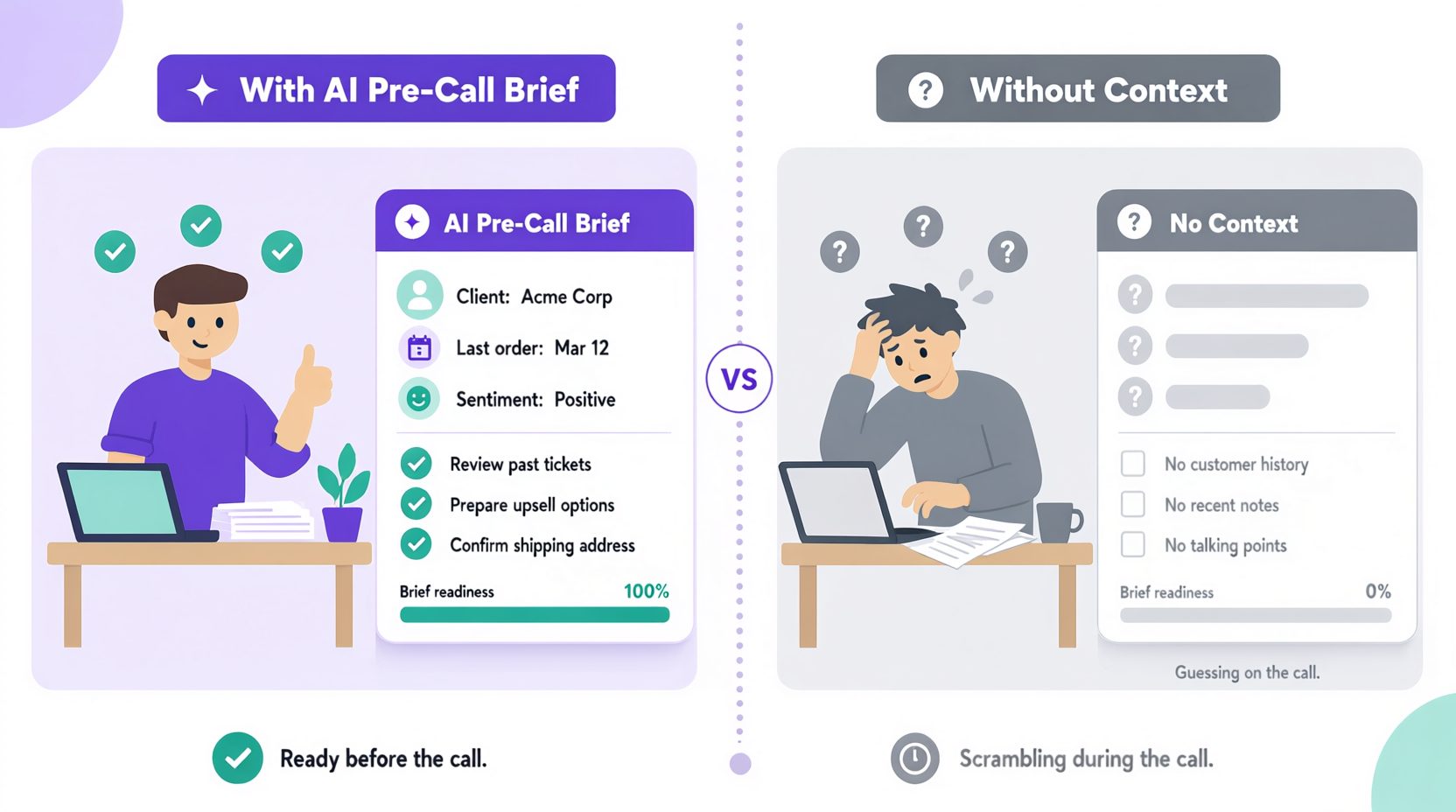
More importantly, it gives sales representatives the context they need before the conversation begins.
This playbook explains how to configure an AI booking agent for B2B services, manage scheduling challenges, reduce no-shows, and connect appointments to your sales workflow.
What an AI Appointment Booking Agent Actually Does
An AI appointment booking agent does more than display available calendar slots. It can help qualify prospects, gather relevant information, and prepare sales representatives before meetings.
Its main responsibilities include:
-
Qualifying inquiries: Asking relevant questions before recommending a meeting.
-
Scheduling appointments: Checking availability and confirming suitable time slots.
-
Preparing sales teams: Sharing the prospect’s requirements, timeline, and concerns.
-
Handling changes: Supporting reminders, cancellations, and rescheduling.
The objective isn’t simply to fill the calendar. Businesses using done-for-you AI agents can build this process around their existing sales workflows.
The booking flow, step by step
Here is how a well-configured B2B booking agent works:
Step 1: Trigger. A lead submits a form, starts a conversation through a website chatbot , replies to an email, or messages on WhatsApp. The AI responds within seconds, not because speed is a vanity metric, but because response speed correlates directly with booking rate.
Stage 2: Context gathering (3–5 questions, conversational). Not an interrogation. The AI asks: – What are they trying to solve? (open-ended) – What’s their timeline? – Who else is involved in the decision? – What have they tried already? These aren’t asked as a checklist. They emerge naturally from a conversation that feels like a helpful person, not a qualification form.
Stage 3: Fit assessment. The AI checks the answers against your qualification criteria. Not a rigid score, a judgment informed by your ICP. If the lead is clearly not a fit, the AI says so honestly and suggests an alternative (a resource, a different product tier, or simply “this isn’t something we do”).
Stage 4: Booking with context. If the lead is qualified, the AI offers specific available slots, not a generic “check my calendar” link. It offers two or three times that work with the rep’s calendar, accounts for the lead’s timezone, and confirms instantly.
Stage 5: Pre-meeting brief to the rep. Before the meeting, the rep receives a structured summary: who the lead is, what they said they need, what they’ve tried, their timeline, and any concerns the AI flagged. The rep walks in prepared, not starting from zero.
Still Booking Sales Meetings the Hard Way?
Let AI handle scheduling while your sales team focuses on closing deals.
How to Handle Time Zones and Scheduling Conflicts
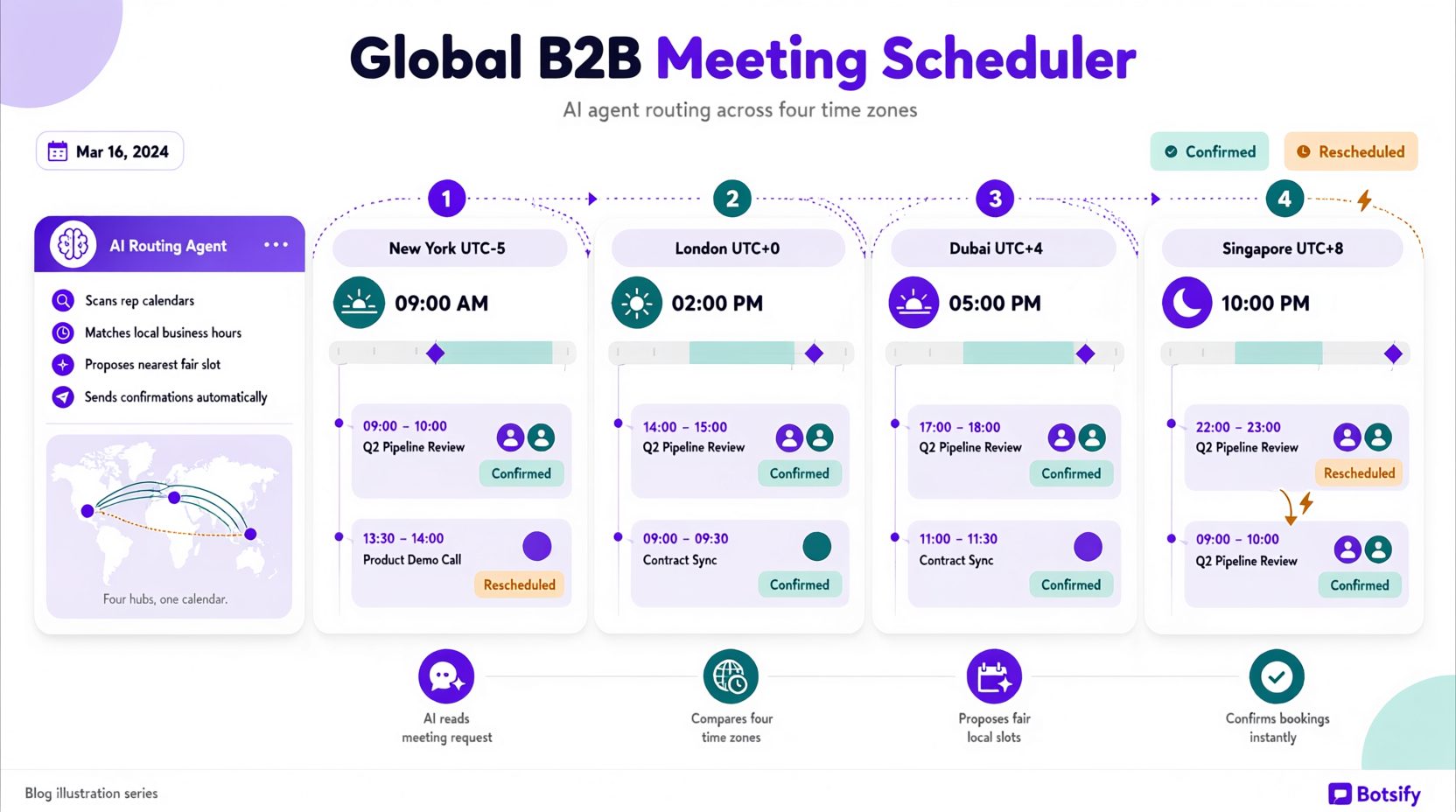
Scheduling across regions becomes complicated when prospects and sales representatives work in different time zones.
An AI booking agent should check both parties’ availability before suggesting a meeting.
| Scheduling Challenge | Recommended Solution |
|---|---|
| Different time zones | Display proposed meeting times in the prospect’s local time zone |
| Daylight saving changes | Use timezone-aware calendar systems |
| Prospect traveling | Confirm their location for the meeting date |
| Limited working-hour overlap | Offer suitable alternatives or asynchronous options |
| Public holidays | Respect blocked dates in connected calendars |
| Specific rep unavailable | Offer another qualified representative or a later slot |
Confirm the prospect’s time zone
Don’t rely entirely on phone numbers, email addresses, or browser information to determine someone’s location.
When the time zone is unclear, ask the prospect to confirm it.
For example:
“Would Tuesday at 2 PM London time work for you?”
Once the prospect confirms, the agent should create the appointment using the connected calendar’s time zone settings.
Respect working hours and team availability
For distributed sales teams, the agent should consider each representative’s working hours, assigned territory, and relevant expertise.
If a suitable representative isn’t available, the agent can offer another qualified team member or request human assistance.
The goal is to offer accurate appointment times without forcing prospects into inconvenient schedules.
How to Configure Calendar Integration and Booking Rules
An AI agent builder can help configure booking workflows, but the agent still needs reliable calendar availability before scheduling meetings.
Whether you’re using Google Calendar, Outlook, or another supported scheduling system, configure these settings before launch.
| Setting | What to Configure |
|---|---|
| Working hours | Each representative’s available days, hours, and time zone |
| Meeting duration | Different durations for demos, discovery calls, and consultations |
| Buffer time | Preparation time between appointments |
| Blocked dates | Holidays, vacations, focus time, and existing meetings |
| Daily booking limits | Maximum appointments per representative |
| Assignment rules | Routing based on territory, expertise, or availability |
| Calendar conflicts | Recheck availability before confirming a booking |
Define meeting types
Different inquiries may require different conversations.
For example:
| Meeting Type | Example Duration | Assigned Team |
|---|---|---|
| Introductory call | 15 minutes | SDR or sales representative |
| Product demonstration | 30 minutes | Product specialist |
| Detailed consultation | 45–60 minutes | Senior representative |
| Partnership discussion | 30 minutes | Partnerships team |
Adjust these settings to match your sales process.
Test availability before launch
Before accepting real appointments, verify that the agent can check available slots, create calendar events, prevent double bookings, and handle scheduling failures.
If the calendar connection fails, the agent should explain the issue or offer another way to arrange the meeting rather than confirming an unverified appointment.
Qualification context: what the rep receives
The booking confirmation is not just a calendar event. It’s a pre-call brief that makes the rep’s job easier. Here’s what a good handoff looks like:
Meeting: Discovery call — Sarah Chen, VP Operations at [Company]
Booked: Tuesday, 2:00 PM Eastern Time (confirmed with the prospect).
What they need (their words): “We’re losing inbound leads because our team can’t respond fast enough. We have about 40-50 leads a week coming through the website and two reps trying to manage them all.”
Timeline: Wants something in place by end of Q2.
Budget signal: Mentioned “$2-3K/month” when asked about investment range.
Decision process: Sarah leads operations and needs CEO approval before proceeding.
What they’ve tried: Hired a VA last year to handle follow-ups — didn’t stick.
Concerns flagged by AI: Worried about setup complexity; asked twice about how long implementation takes.
Suggested prep for rep: Lead with time-to-value and implementation simplicity. Their previous attempt failed — address that proactively. They have budget; they need confidence that this won’t be another project that doesn’t stick.
A structured AI lead qualification workflow helps collect this information before booking, so representatives don’t have to repeat the same questions. More importantly, it changes the nature of the call, the rep is starting from a position of understanding, not discovery.
How to Reduce No-Shows and Handle Rescheduling
Booking a meeting doesn’t guarantee the prospect will attend.
An AI appointment booking agent can help by sending timely reminders, confirming meeting details, and making rescheduling easier.
Set up a simple reminder sequence
| Timing | Action |
|---|---|
| Immediately after booking | Send calendar invitation, meeting link, and agenda |
| 24 hours before | Send a short reminder with the meeting details |
| 1–2 hours before | Send a final reminder through an approved channel |
| After a confirmed no-show | Offer available rescheduling options |
Use the prospect’s preferred communication channel when available, and respect consent and messaging preferences.
Handle rescheduling without unnecessary delays
When a prospect requests a different time, the agent should check current calendar availability before suggesting alternatives.
Once a new time is confirmed, it should update the existing booking and notify the relevant participants.
Know when to involve a human
Repeated cancellations, unusual scheduling requests, or calendar conflicts may require manual review.
Rather than automatically treating every missed meeting as a lack of interest, the agent should follow your business’s approved rescheduling policy.
A simple, respectful follow-up is usually more helpful than sending repeated reminders to someone who hasn’t responded.
Booked Meetings Mean Nothing Without Attendance
Automate appointment reminders, rescheduling, and follow-ups without adding work for your team.
Integration with CRM and attribution
Reliable AI agent integration ensures every booking sends the relevant context back to your CRM:
| Data to log | Why it matters |
|---|---|
| Source of the lead | Which channel produced the booking (attribution) |
| Qualification answers | Context for the rep’s prep |
| AI’s fit assessment | Score and reasoning, not just a number |
| Meeting type and duration | Rep knows what they’re walking into |
| Lead’s timezone and preferred channel | Respects their preferences in follow-up |
| Any concerns or objections raised | Rep can prepare responses |
Without this write-back, the rep walks into a meeting knowing only the name and time, which defeats the purpose. The booking agent’s value is in the context it carries, not just the appointment it creates.
Handling the edge cases that break simple booking flows
| Scenario | What the AI should do |
|---|---|
| Lead books but is a competitor doing research | Flag for the rep; don’t disqualify automatically — competitors sometimes become customers or partners |
| Lead books a demo but asks questions that suggest they need a different product tier | Reprioritize the meeting type and note it in the brief |
| Lead books a meeting for someone else on their team | Confirm the attendee, send the invite to the right person, note the change for the rep |
| Lead books during a rep’s vacation (calendar wasn’t blocked) | AI detects the conflict, offers to reschedule before the rep has to |
| Two leads from the same company book separate meetings | Recognize the pattern, suggest combining into one call with all stakeholders |
| Lead requests a specific rep who’s fully booked | Offer the next available slot with that rep, or offer an alternative with a similar expertise match |
Test these scenarios before launch using an AI agent implementation checklist, and route unresolved conflicts to a human.
Connecting the booking agent to the broader sales workflow
An AI booking agent becomes more useful when connected to the rest of your sales process.
After an appointment is confirmed, it can trigger relevant follow-up actions.
| Sales Stage | Possible Automation |
|---|---|
| Before the meeting | Share the agenda and relevant resources |
| Missed appointment | Offer rescheduling options |
| After the meeting | Trigger an approved follow-up based on the CRM outcome |
| Qualified opportunity | Notify the responsible representative |
| Closed deal | Start the appropriate onboarding workflow |
Start with reliable calendar scheduling and CRM updates. Once those work consistently, an AI sales follow-up playbook can help structure the next steps.
The goal is to reduce repetitive coordination without losing the human judgment needed throughout the sales process.
How to Measure AI Appointment Booking Agent Performance
Track booking performance before and after deploying your AI agent to understand whether it improves the scheduling process.
| Metric | What It Measures |
|---|---|
| Qualified lead booking rate | Percentage of qualified prospects who schedule a meeting |
| Show-up rate | Percentage of booked meetings attended |
| Time to booking | Time between initial inquiry and confirmed appointment |
| No-show rate | Percentage of appointments missed without attendance |
| Rescheduling rate | Percentage of meetings that require a new time |
| Booking errors | Calendar conflicts, incorrect times, or failed confirmations |
Review these metrics regularly and compare them with your previous booking process.
A successful booking agent should improve scheduling reliability and help sales representatives spend more time in productive meetings, not simply increase the number of calendar invitations.
FAQ
What if a lead wants to talk to a specific person?
The AI should check that person’s calendar and offer their availability, not force a round-robin assignment. If the specific person isn’t available within a reasonable window, offer the next-best option and let the lead decide.
What if a lead books and then asks to change the scope of the meeting?
The AI should confirm the new scope, update the meeting description, and notify the rep so they can prepare. A meeting that changes from “product demo” to “strategic discussion” needs different prep.
How does this work with teams across multiple time zones?
The AI needs visibility into every team member’s calendar and working hours, then routes to whoever is both available and appropriate for the lead’s needs. A lead in Singapore shouldn’t be offered 9am London slots if your APAC rep is available.
What about reschedules initiated by the rep?
The AI handles the reschedule offer to the lead, confirms the new time, and updates the calendar — without the rep having to manually send emails.
Final thought
An AI appointment booking agent can help B2B service businesses qualify prospects, schedule meetings, and prepare sales representatives without unnecessary back-and-forth.
The most effective setup combines reliable calendar integration, clear qualification rules, accurate time zone handling, and timely reminders.
Start with a simple booking workflow, test it against real scheduling scenarios, and expand automation as your sales process requires.
The goal isn’t just to book more meetings. It’s to make every scheduled conversation more useful.
Your Next Sales Meeting Could Book Itself
See how Botsify can qualify prospects and schedule appointments for your business.
