
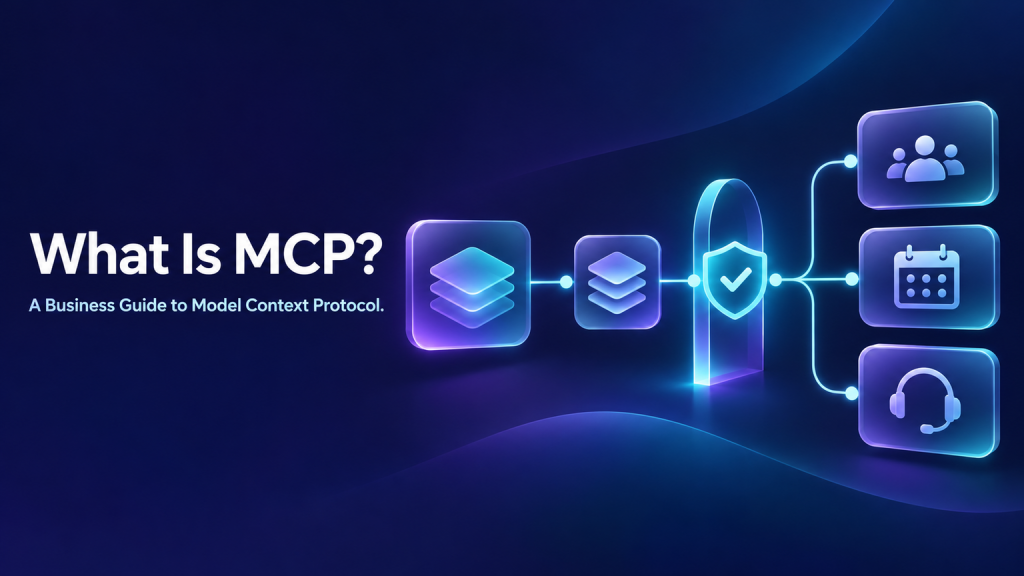
A sales team asks an AI agent to summarize a customer account, check the calendar, and prepare a follow-up. Each step touches a different business system. Without a shared way for applications to describe available data and actions, every connection can become a separate integration project with its own setup and maintenance.
The Model Context Protocol (MCP) is an open standard for connecting AI applications to external systems. It gives compatible clients and servers a common way to exchange requests and results. In practical terms, an MCP server can make selected tools, information, or prompt templates available to an AI application.
MCP can make integrations more consistent. It does not automatically make systems compatible, authorize every action, or guarantee that an agent will use a tool correctly. A business still needs to choose what the agent can access, what it may change, and where a person must approve the next step.
Plain definition: MCP is a shared protocol that lets an AI application discover and interact with capabilities exposed by an MCP server, such as retrieving information or calling a defined tool.
This guide explains the protocol without assuming you write software. It focuses on where MCP fits in a business agent, the questions to ask a platform vendor, and the controls to plan before connecting it to real systems.
The Integration Problem MCP Addresses
A typical business uses separate applications for customer records, scheduling, support tickets, documents, and billing. An agent that only generates text cannot retrieve a live appointment or update a ticket. To do that work, it needs a supported connection to the relevant system.
Traditionally, each connection could require an application-specific integration. One team might build a connector for a CRM, another for a calendar, and a third for a ticket platform. These connectors can differ in authentication, data formats, error handling, and maintenance. If the business later changes its agent platform, some integration work may need to be repeated.
MCP offers a common communication pattern. An MCP server exposes a defined set of capabilities. An MCP-compatible client can discover and use those capabilities according to its own implementation. This can reduce the need to invent a different interaction pattern for every pairing of agent and system.
That benefit has limits. The business system still needs an MCP server or another compatible connection. The client and server must support compatible protocol features and transports. Data mapping, authentication, access rules, and business logic still need to be configured. MCP standardizes communication; it does not eliminate integration work.
For a wider view of how agents connect with CRMs, APIs, and other business software, see AI agent integration.
What the Model Context Protocol Is, and What It Is Not
MCP is sometimes described as a universal connector. That shorthand can help introduce the idea, but it may suggest that connecting any agent to any application is automatic. A more accurate view is that MCP defines a shared protocol for compatible clients and servers to exchange structured messages and use capabilities.
MCP is:
- A protocol: It specifies how compatible software communicates, including request and response patterns.
- A capability interface: An MCP server can expose tools, resources, and prompts, depending on what it implements.
- A way to make connections more reusable: Compatible clients can interact with different servers through a common pattern, subject to support and configuration.
MCP is not:
- An AI model: It does not reason, understand business policy, or decide whether a task is appropriate by itself.
- A business application: It does not replace a CRM, calendar, ticketing system, or database.
- A security approval: MCP does not mean an agent should automatically receive broad access or permission to take every action.
- A guarantee of interoperability: Two products may support MCP but differ in available capabilities, transport, authorization, or implementation details.
- A substitute for workflow design: The business still defines the task, constraints, exceptions, and handoff conditions.
MCP can be one component inside a larger AI agent workflow. The workflow determines when to retrieve data, when to call a tool, and when to pause or ask a human.
The Main MCP Building Blocks
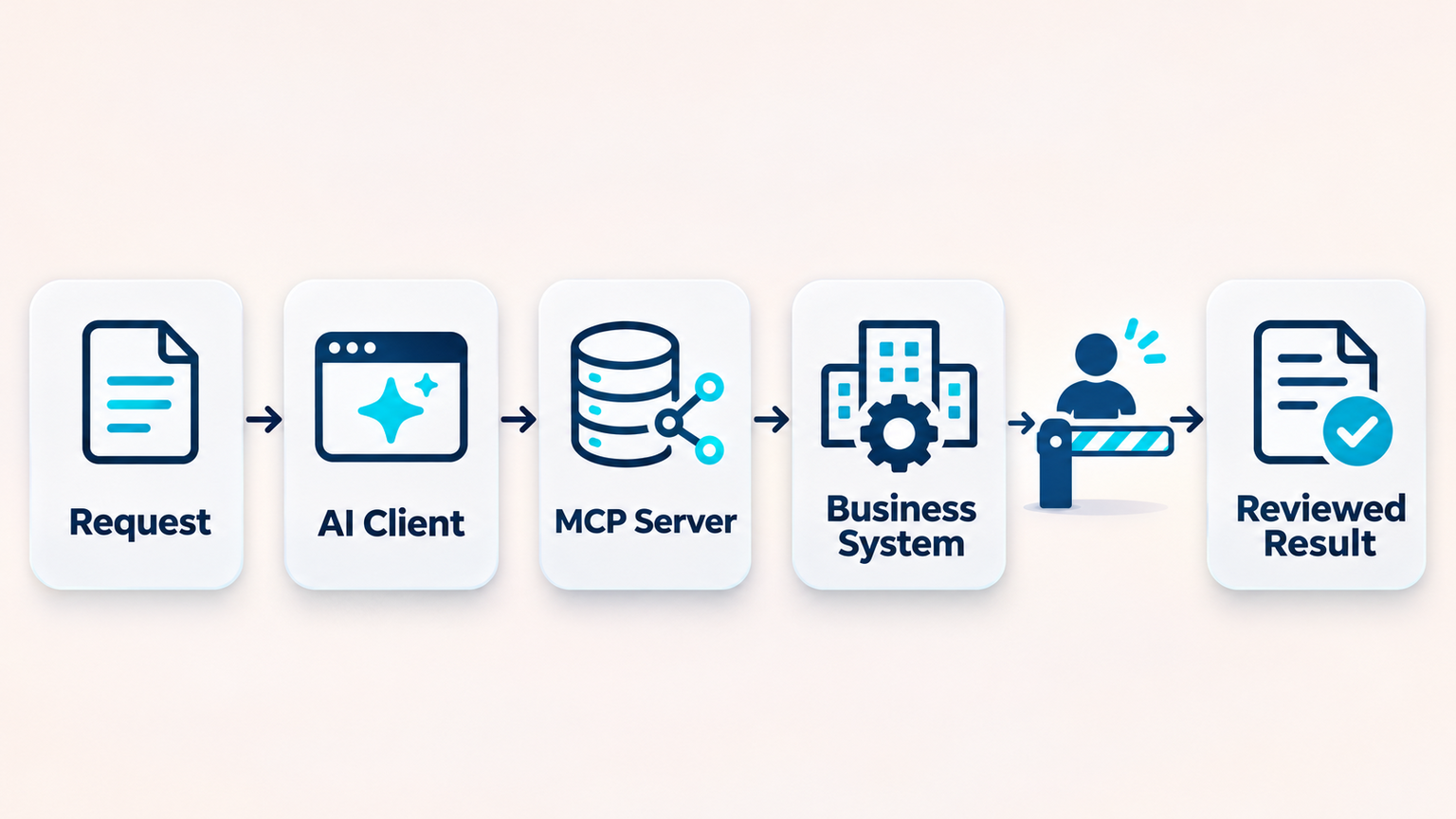
The protocol separates the AI application that initiates a connection from the server that offers capabilities. In plain language, the client requests something, and the server responds with the capabilities and results it is designed to provide. One application can connect to one or more servers, depending on the product.
MCP servers can expose different kinds of capabilities. The exact features available depend on the server and client.
Tools: actions an application can call
A tool is a named operation with a description and defined inputs. Examples might include searching a customer record, creating a support ticket, or checking available appointment times. A tool can also change information or trigger an action if its implementation allows that.
Because tool calls can have real-world effects, a business should distinguish read-only operations from actions that create, update, send, purchase, or delete. A protocol can describe the request shape; it does not decide whether the request is appropriate in the current business context.
Resources: information a server can provide
Resources are a way for a server to make information available to a client. Depending on the system, this could include a document, a record, or other data identified through a resource mechanism. Resources help an application retrieve information without treating every access as an action that changes the system.
A business should still consider whether the data is current, relevant, and authorized for the user and task. A resource being technically available does not automatically mean it belongs in every conversation.
Prompts: reusable task templates
Some servers can provide prompt templates or guided interactions. These can help an application start a task with consistent instructions. They do not replace the business’s full agent instructions or guarantee an output. Teams should review templates for accuracy, ownership, and fit with their policies.
Transports and authorization
MCP messages travel over a supported transport between client and server. Deployments may use different transport approaches depending on whether the server runs locally or remotely and what the products support. Transport affects setup, network access, identity, and operational maintenance.
Authorization is not a universal switch that MCP turns on for every implementation. The protocol documentation defines an authorization framework for HTTP-based transports, while support and configuration remain implementation choices. Before connecting a system, confirm how credentials are granted, scoped, stored, refreshed, and revoked.
How a Business Agent Might Use MCP
Imagine a customer asks whether an installation appointment can be moved to Friday. The agent needs to understand the request, find the customer and current booking, check available times, and perhaps update the appointment after approval.
A carefully designed sequence could look like this:
- Understand the request. The agent identifies the requested change and asks for missing information rather than guessing.
- Retrieve the relevant record. A connected capability finds the customer’s booking using an approved identifier.
- Check available options. A scheduling capability returns open times for the requested date.
- Present a proposal. The agent shows the customer the available option and explains what will change.
- Confirm before changing the system. The customer or staff member confirms the appointment update when required by policy.
- Call the update operation. The agent invokes the permitted action and checks the result.
- Report the outcome. The response states whether the change succeeded and what happens next.
In an MCP-enabled setup, a compatible server might expose the relevant scheduling capabilities to the client. The exact arrangement varies by vendor. The business must confirm that the right system, fields, and actions are available and that the agent can only perform the intended operation.
A similar design applies to support or lead handling. A business can map the process, systems, and human checkpoints using an AI process automation workflow.
Connect your agent to the systems your workflow depends on
Discuss one workflow, its connected systems, and required controls.
Where MCP Can Help
MCP may be useful when a team wants an AI application to work with data and tools across multiple systems using a consistent protocol. The value depends on the systems involved and the quality of their MCP support.
Customer support
An agent may need to look up a policy, retrieve an order status, or prepare a ticket for a person. MCP could provide access to compatible knowledge or ticket operations. A support agent still needs clear boundaries for sensitive cases, unavailable records, and requests that require staff judgment. See the guide to AI agents for customer support for the broader support workflow.
Sales operations
A sales assistant might retrieve account context, check meeting availability, or prepare a CRM update after a call. Teams should carefully separate reading account data from sending messages or editing records. A useful workflow includes clear approval rules, such as those described in AI agent requirements.
Internal operations
An internal assistant may search approved documents, look up a request, and initiate a routine action. The relevant information should be scoped to the employee and task. Teams need to test what happens when an employee asks for information outside their role or provides ambiguous instructions.
Agencies and multi-client services
An agency may support different clients with different software stacks. A shared protocol can make an integration approach more reusable, but each client still needs separate credentials, data boundaries, and access policies. A connector configured for one organization should never be assumed safe for another by default.
MCP and APIs: Related but Different
An API is an interface a software system provides so another application can exchange data or request an operation. MCP is a protocol that can provide a consistent way for AI applications to interact with capabilities offered by servers. An MCP server may itself connect to an API behind the scenes.
So MCP does not make APIs disappear. A server may wrap an existing API, translate requests, apply application logic, or expose only a subset of system functions. In some cases, a direct native integration or API may be the right choice. In others, an MCP server may fit the agent platform and tool ecosystem better.
Compare options by the practical result: which data can the agent read, what operations can it perform, how are permissions enforced, what errors can occur, and who maintains the connection? The name of the integration method alone does not answer those questions.
What MCP Does Not Solve
MCP can standardize parts of the communication between compatible software, but a production agent still needs safeguards and operational ownership.
- It does not decide business intent. A model may misunderstand a request or choose an unsuitable capability. Use precise task instructions and test edge cases.
- It does not make data clean or current. A connected server may return outdated, incomplete, or conflicting records. Define source-of-truth rules.
- It does not guarantee authorization. Confirm the identity model, account scopes, and per-user access checks for each connection.
- It does not remove prompt-injection risk. Data retrieved from a connected source can contain misleading or malicious instructions. Treat retrieved content as data and limit what tools can do.
- It does not guarantee every call succeeds. Network problems, service limits, changed schemas, or invalid inputs can interrupt a workflow. Provide recovery and escalation paths.
- It does not supply a complete audit process. Decide what to log, who reviews it, and how long records are kept based on policy and law.
These decisions are part of AI agent governance, even when the technology uses a standardized protocol.
MCP Security: Questions to Answer Before Connecting
Security should be reviewed at the level of each server, account, and operation. Avoid treating “supports MCP” as evidence that a connection is safe for a particular business process.
What identity does the server use?
Clarify whether a connection runs with a service account, a named employee’s authorization, or another identity. Ask how access is restricted to the minimum data and operations required. If people have different roles, determine whether those differences are enforced for each request.
Which tools can change information?
Make a list of capabilities and label them read-only or write/action. Include actions that send messages, alter customer records, schedule appointments, issue refunds, or delete data. Treat each write action as a separate risk decision.
Can people see and stop tool calls?
Users and administrators should understand when a connected tool is being used and what it will do. For higher-impact actions, define when the agent needs explicit confirmation or staff approval. MCP guidance for tools describes the importance of clear visibility and a human’s ability to deny invocations.
Use a human-in-the-loop review for sales actions for actions where a mistaken call could create financial, legal, privacy, or customer harm.
How are secrets and access removed?
Find out where credentials are stored, who can change them, how expiry and rotation work, and what happens when a user leaves or a client ends service. Also confirm how quickly access can be revoked if a token is exposed or a system is compromised.
What is recorded?
Decide what an operator needs to reconstruct an event: user request, selected tool, inputs, approval, result, errors, and handoff. Avoid collecting more sensitive content than necessary. See AI agent audit-trail design for logging and review considerations, and set a deliberate AI agent data-retention policy for transcripts and logs.
How to Evaluate MCP Support in an AI Platform
Ask for concrete demonstrations and documentation. A broad “MCP supported” claim does not tell you which connection types or controls are available.
- Which MCP clients or server connections are supported today? Ask for the specific products, transports, and setup path. Verify against your environment.
- Which capabilities are available? Can the platform discover tools, access resources, use prompt templates, or only support a subset?
- Can you restrict tools individually? Check whether administrators can disable unnecessary operations and control access by team, role, or agent.
- How does authentication work? Understand how credentials are entered, stored, scoped, renewed, and revoked.
- How do users approve important actions? Look for a preview of the action, clear confirmation, and a way to reject it.
- What happens on failure? Ask how timeouts, malformed responses, rate limits, and partial completion are handled.
- What can be monitored? Determine whether you can review calls, errors, permissions, and agent outcomes.
- Can you test safely? Ask about development environments or test accounts so the agent does not alter live business data during evaluation.
- Who maintains the connector? Clarify ownership for updates, compatibility, monitoring, and incident response.
Also compare MCP with the platform’s native integrations and APIs. A native connection may offer a simpler setup or product-specific controls. MCP may offer a better fit when your agent platform and required servers support the capabilities you need. Base the choice on a tested workflow, not a protocol label.
A Safer MCP Rollout Checklist
Start with one narrow task that has a clear owner and measurable outcome. Avoid giving a new agent broad access to many systems before the team understands how it behaves.
1. Write the task in plain language
State what the agent should do, who it serves, which information it needs, and what counts as a successful result. Include examples of requests it should decline or send to a person. Use the AI agent requirements checklist to clarify boundaries before setup.
2. Map each step to a system
For every step, note the source of truth, the MCP server or connector, the data requested, and whether the agent only reads or can change information. Mark any operation that needs approval.
3. Minimize permissions
Use a test account first. Grant access only to the records, fields, and actions needed for the task. Keep read access separate from write access whenever possible.
4. Test normal and difficult cases
Try complete requests, missing details, conflicting records, expired credentials, unavailable systems, duplicate requests, and attempts to exceed the agent’s role. Test both successful and rejected tool calls. Record what the agent should say when it cannot safely finish.
5. Launch with a narrow audience
Keep a person close to the workflow during the initial rollout. Review results and tool calls, collect failures, and update instructions or access based on evidence. Do not expand to additional systems until the first workflow is stable.
6. Assign ongoing ownership
Name the person responsible for connector changes, credential rotation, access review, incident escalation, and performance monitoring. MCP connections are operational dependencies, not one-time setup tasks. This is part of a controlled agentic AI implementation, where ownership and staged rollout matter.
Plan a safer MCP agent rollout
Review permissions, approvals, failure handling, and monitoring before launch.
Common MCP Misunderstandings
“MCP means every app connects automatically.”
No. The application and server must support compatible features, and someone must configure the connection, authentication, and mapping. MCP creates a common protocol; it does not create a server for every product.
“MCP gives an AI agent access to everything.”
No. A server exposes the capabilities it implements, and administrators should control which are available. Use least privilege and separate access for different tasks and users.
“If a tool call is valid, it is safe.”
A request can be syntactically valid and still be wrong for the business. Check authorization, user intent, policy, and consequences before allowing sensitive changes.
“MCP replaces APIs.”
No. MCP can sit between an AI application and existing APIs or business systems. The API may continue to handle the actual data exchange behind the server.
“MCP is only useful for developers.”
Technical teams implement and operate the connections, but business and operations teams decide the workflow, access boundaries, review process, and acceptable failure modes. Those decisions determine whether the connection is useful.
Frequently Asked Questions
What does MCP stand for?
MCP stands for Model Context Protocol. It is an open standard for connecting AI applications to external systems through compatible clients and servers.
Is MCP the same as an API?
No. An API is an interface offered by a software system. MCP is a protocol for AI applications and servers to exchange requests and results. An MCP server may use an API behind the scenes.
Does MCP let an AI agent take actions?
It can enable a client to invoke tools that an MCP server exposes. Whether those tools can change data depends on their implementation and permissions. Businesses should review and control write actions, and require approval where appropriate.
Is MCP secure?
MCP is a protocol, not a complete security program. Security depends on the client, server, transport, identity, credential handling, access scopes, user experience, monitoring, and business controls. Review those details for each deployment.
Do I need MCP to build an AI agent?
No. Many agents use native integrations, APIs, or other connection methods. MCP is worth considering when the required client and systems support it and it solves a real integration need.
Will MCP eliminate custom integration work?
Not necessarily. It can standardize communication for compatible systems, but teams may still need an MCP server, data mapping, authentication, testing, monitoring, and custom business logic.
How should a business start with MCP?
Choose a low-risk task, identify the exact data and action needed, test with limited permissions, add a human review step for sensitive changes, and monitor the results before expanding.
Final Thought
The Model Context Protocol gives AI applications a shared way to connect to compatible tools and information sources. For a business, the useful question is not simply whether a platform supports MCP. It is whether a specific connection can support a well-defined workflow with appropriate access, visibility, and recovery when something goes wrong.
Start with one workflow, the minimum access it requires, and a clear plan for approval and monitoring. Then decide whether MCP or another integration method is the best fit for the systems you actually use.
See whether MCP fits your agent workflow
See whether MCP fits your current agent platform and tools.
