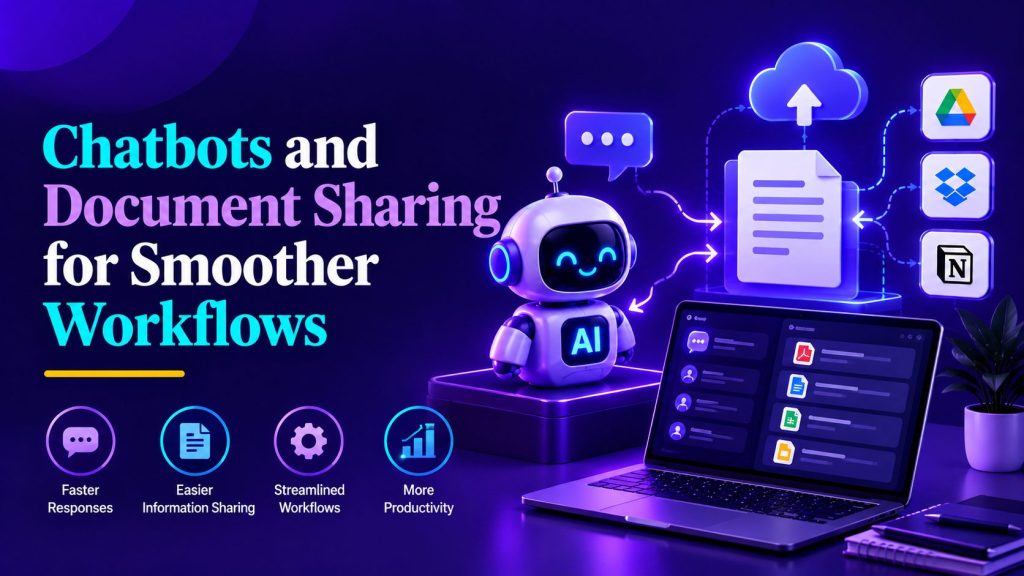
Enterprises are redefining how teams collaborate by integrating chatbots with document sharing platforms, bridging the gap between messaging and essential business files. This article explains why these integrations streamline operations and lessen friction caused by disconnected systems. The focus is on modern workflow needs, smart automation, and the crucial balance between usability and security.
Conversational interfaces are increasingly important in organizational workflows, serving as critical points of access internally and for customers. As dependence on various digital tools rises, fragmentation between messaging platforms, document storage, and task responsibilities can lead to operational delays. When you need to share files online, the process may become challenging, as scattered information slows response times and increases the risk of mistakes. Recognizing how chatbots align with document sharing platforms enables organizations to streamline workflows and enhance team productivity.
Modern document sharing platforms and evolving team needs
Document sharing platforms are central to how teams create, review, and distribute business information. These systems are used for many types of assets, such as proposals, contracts, creative files, onboarding documents, and customer support attachments.
Day-to-day operations often require teams to collaborate on multiple file types under pressing deadlines. Keeping documents organized, up-to-date, and accessible across different projects is vital for effective workflows and reducing risks.
Security and access controls are significant factors for document sharing platforms. Robust permission systems ensure that only authorized users can view or modify sensitive documents. Version control is also important for tracking edits and maintaining accurate records.
Quick and dependable document retrieval is expected in today’s workplaces. When every team member can find the correct file efficiently, workflows are less likely to be interrupted and confusion from outdated versions is reduced. As files are generated and used by different departments, share files online tools have evolved into more than just storage solutions.
The shift toward remote and hybrid work models has amplified the importance of cloud-based document sharing solutions. Teams distributed across different time zones and locations require instant access to the same information without geographical barriers. Modern platforms address this need by providing real-time synchronization, collaborative editing features, and mobile accessibility. These capabilities ensure that work continues seamlessly regardless of where team members are located, eliminating delays caused by email attachments or outdated file versions circulating among colleagues.

Chatbots as orchestration layers in business processes
Chatbots now function as important orchestration layers connecting different business systems. By integrating with document sharing platforms, chatbots can capture intent, manage authentication, and trigger automated workflows, thereby reducing manual steps. Similar AI Agent Workflows can extend this approach when a process requires multiple connected actions across business systems.
Integrated chatbots within messaging channels can interpret user requests related to documents, check statuses, or begin processes, acting as intermediaries with back-end systems. This reduces complexity for users and lowers the learning curve, especially for new team members.
Chatbots offer useful features like routing, notifications, and structured data collection, enhancing common workflows. For example, when a user asks for an updated contract, the chatbot can verify permissions, retrieve the file, and deliver it directly in the chat.
This approach standardizes repetitive tasks and helps prevent lost or misplaced documents. Through integration, chatbots can apply naming standards or gather necessary metadata during the upload process, supporting better organization and compliance.
Natural language processing capabilities enable chatbots to understand context and intent beyond simple keyword matching. Advanced chatbots can interpret variations in phrasing, handle follow-up questions, and maintain conversation context across multiple exchanges. This sophistication allows users to interact naturally rather than memorizing specific commands or navigating complex menu structures. As chatbot technology continues to mature, these conversational interfaces become increasingly capable of handling nuanced requests and adapting to individual user preferences, creating personalized experiences that improve with continued use.
Key patterns for workflow efficiency gains
Recurring integration patterns between chatbots and document sharing platforms help drive efficiency by minimizing obstacles. A straightforward use case is enabling users to request documents through conversational interfaces and access the right files without leaving their main workspace. This is also where AI Agents for Workspace Productivity can be useful, helping employees access information and complete routine tasks without constantly switching between tools.
Automated intake processes are another valuable application, particularly for workflows relying on file submissions, such as claims or HR requests. A chatbot can guide users, verify file requirements, and ensure all relevant documents are collected before allowing the workflow to proceed.
Approval workflows also benefit from integration, as chatbots can collect documents, notify approvers, monitor outstanding steps, and provide real-time updates. This type of AI Workflow Automation keeps processes moving while reducing the manual coordination required between stakeholders.
For customer support, chatbots can gather issue context, prompt users for necessary attachments, and escalate cases to human agents if required. Connecting the chatbot to an AI Knowledge Base can also help it retrieve relevant information before escalating a request, giving users faster answers while reducing repetitive work for support teams.This automation of routine steps helps support teams focus on more complex inquiries and reduces response times.
Document lifecycle management represents another significant integration opportunity where chatbots add substantial value. From initial creation through revision cycles to archival or deletion, chatbots can automate reminders for review deadlines, notify stakeholders when documents require attention, and enforce retention policies. This systematic approach prevents documents from languishing in outdated states and ensures compliance with organizational policies. Teams benefit from proactive notifications that keep projects moving forward and reduce the administrative burden of manually tracking document statuses across multiple concurrent initiatives.
Governance essentials and optimizing user experience
Effective permission management is essential for secure and efficient document handling. Access models that restrict permissions to what is necessary help limit risks while ensuring users can complete their work without delays.
Identity verification within chat experiences is particularly important when handling sensitive files. Chatbots can integrate with authentication systems to confirm user roles before granting document access and help safeguard company information.
Clear confirmation messages and regular updates in chatbot workflows reduce confusion. For example, after a document upload, a chatbot should acknowledge receipt, indicate outstanding steps, and identify the next person responsible.
User experiences that are simple and transparent encourage trust in the system and reduce repetitive status inquiries. As organizations assess usage trends, chatbots can be refined to further tailor interactions and clarify workflows for specific teams.
Balancing security requirements with user convenience remains an ongoing challenge in document workflow design. Overly restrictive access controls can frustrate users and create workarounds that undermine security, while insufficient restrictions expose organizations to data breaches. Effective governance frameworks establish clear policies that protect sensitive information without creating unnecessary friction for legitimate business activities. Regular reviews of access patterns help identify permissions that may be too broad or too narrow, allowing organizations to refine their approach based on actual usage rather than theoretical concerns.
These considerations become even more important as organizations move from traditional chatbots toward more autonomous systems, where AI Agent Governance can help define permissions, oversight, data access, and acceptable actions.

Security and compliance principles for document automation
Document workflows that use chatbots need to observe data retention policies and maintain detailed access logs. Recording every interaction with a document helps meet audit requirements and supports incident investigations if needed.
With sensitive data, such as personal or financial information, chatbots should flag files for redaction or use secure, expiring links for sharing. Integrations must provide these safeguards while maintaining a positive user experience.
AI-powered chatbots bring additional risks, since generated summaries or chat logs could unintentionally reveal confidential details. Minimizing persistent data storage and providing options for redaction are practical prevention measures.
By monitoring access and adjusting retention settings as necessary, organizations can manage risks linked to automation while complying with regulations applicable to their operations.
Encryption standards for documents in transit and at rest form the foundation of secure document automation. Integration points between chatbots and document platforms must maintain encryption throughout the entire data flow, preventing exposure during transfers or temporary storage. Organizations should implement end-to-end encryption where possible and ensure that third-party integrations meet established security standards. Regular security assessments and penetration testing help identify vulnerabilities before they can be exploited, while incident response plans prepare teams to address breaches quickly and minimize potential damage to business operations and reputation.
Evaluating the impact of streamlined document workflows
Reviewing workflow effectiveness involves looking at both numerical and qualitative data. Metrics such as resolution times, document retrieval speeds, and handoff rates help measure integration outcomes.
Improved first-contact resolution rates often follow chatbot-driven file access, closing information gaps. Fewer internal messages about file locations or status can indicate increased transparency and reduced confusion.
On the qualitative side, teams generally express higher satisfaction when using consistent processes with fewer workflow interruptions. Over time, better task ownership and prompt access to key documents characterize more efficient business workflows.
With greater transparency and reduced rework, organizations experience benefits like fewer distractions and more predictable results in daily operations. These improvements are also common goals of AI Automation, where repetitive tasks and information handoffs are handled automatically instead of requiring employees to coordinate every step manually.
Establishing baseline metrics before implementing chatbot integrations provides essential context for measuring improvement. Organizations should document current performance levels for key indicators such as average document retrieval time, number of support tickets related to file access, and time spent on manual document routing. Comparing these baseline measurements against post-implementation data reveals the true impact of automation efforts. Additionally, tracking adoption rates and user engagement with chatbot features helps identify areas where additional training or interface refinements may enhance overall effectiveness and encourage broader utilization across the organization.
Structured steps for chatbot-document integration deployment
Implementing integrations between chatbots and document sharing platforms should begin with detailed workflow definition and user group identification. Mapping document touchpoints, necessary permissions, and related systems before designing chat flows is recommended.
Testing and ongoing monitoring help ensure integration reliability, especially for authentication, file handling, and permissions. Following deployment, teams can use feedback and analysis to improve processes, minimize obstacles, and uphold compliance as business needs evolve.
AI Agentic Platform For Building Portable AI Agents
Say Hello To Agentic AI That Connects With Your CRM And Even Other Agents