
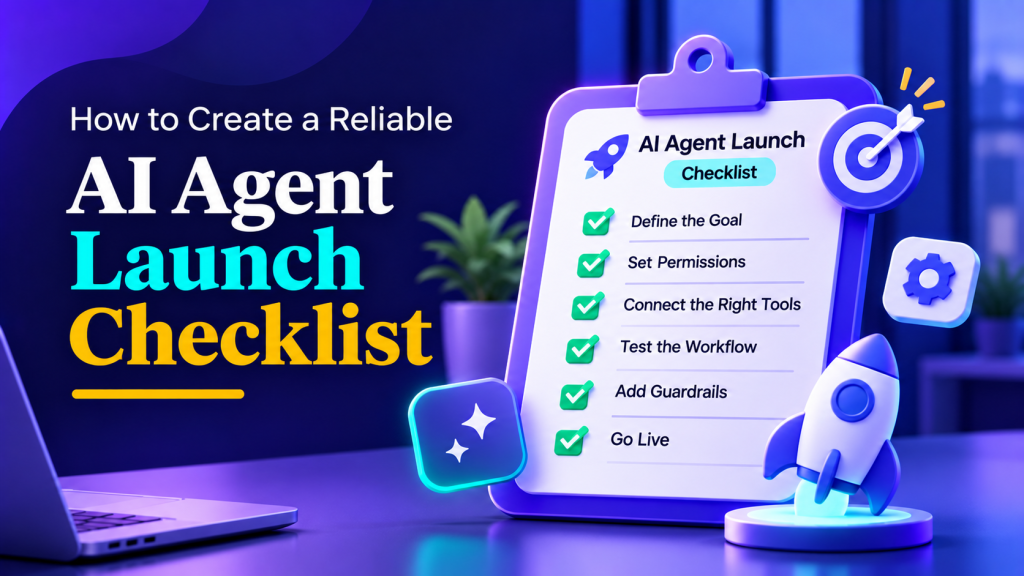
A polished demo does not show what happens when a customer asks an unclear question, a connected tool times out, or an agent encounters instructions hidden in a document. Those conditions can change the answer or action, even when a simple test conversation looked fine.
An AI agent launch checklist helps a team decide whether a defined workflow is ready for real use. It should make the scope, risks, checks, owners, and fallback paths visible. It is not a promise that an agent will never fail, and it is not a generic form that every team can approve the same way.
Use the checklist below to gather evidence and make a reasoned go, hold, or narrow decision. Set acceptance criteria before testing, based on the potential impact of mistakes and the level of human support available. NIST’s AI Risk Management Framework organizes risk work around governing, mapping, measuring, and managing; that is a useful way to think about launch readiness as an ongoing responsibility rather than a one-time sign-off.
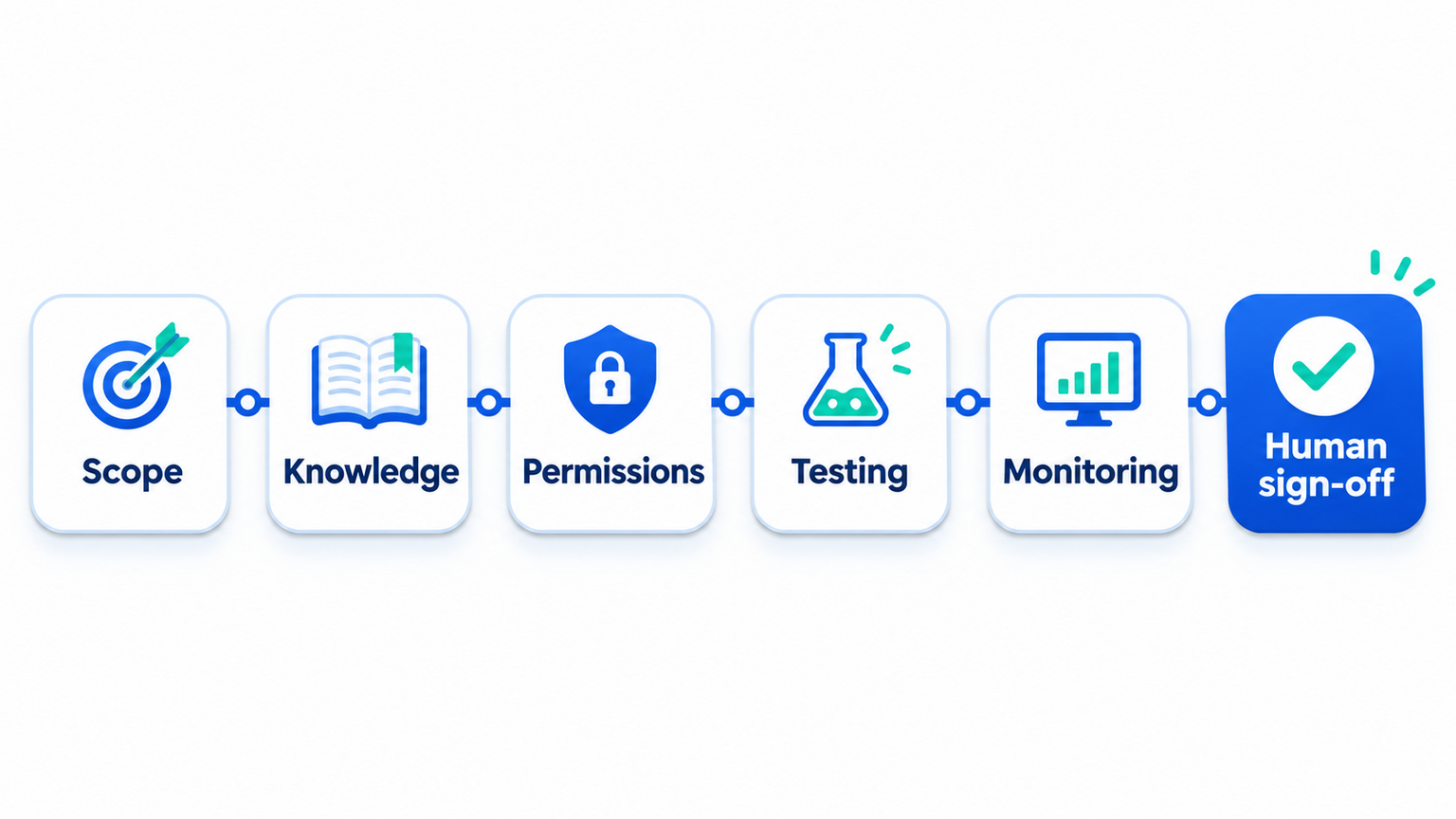
1. Define the Job, Boundaries, and Owner
Write a short description of the task the agent is meant to perform. Include who uses it, what input it receives, what systems it can consult, and what a successful outcome looks like. Then write down what it must not do. “Answer support questions” is too broad if it leaves refund approvals, account changes, and safety reports unspecified.
A useful scope statement might be: “The website agent answers questions using approved public help content, can look up an order after the customer provides an order reference, and routes refund exceptions to a support representative.” The statement distinguishes allowed information lookup from a decision that belongs to a person.
Assign an accountable business owner who can accept the workflow’s risks and make operational decisions. Name a technical or platform owner for configuration and integrations, a content owner for source material, and a receiving team for escalations. One person may hold more than one role in a small organization, but responsibilities should be explicit. The broader AI agent governance process can clarify decision rights, permissions, and oversight.
Before build or release, agree on outcomes that matter to the user and the business. Examples include whether the agent completed an eligible task, whether a person had to correct it, whether a handoff reached the intended team, and whether customers had to repeat information. Choose measures that match the use case and record a baseline when possible. An AI agent implementation roadmap can help structure a limited evaluation without assuming every workflow needs the same rollout schedule.
Scope and ownership checks
- A plain-language purpose statement identifies the user and task.
- Included and excluded requests are documented with examples.
- The agent’s allowed information sources and actions are listed.
- An accountable business owner is named and available for decisions.
- Technical, content, security, and support responsibilities are assigned where relevant.
- Success and stop measures are written before testing begins.
- A person can explain how to pause, narrow, or route the workflow if it behaves unexpectedly.
If the workflow touches multiple departments, agree on who owns a case that crosses boundaries. Unassigned ownership is a launch defect: a technically successful answer can still leave the business without anyone responsible for correcting it.
2. Check Knowledge, Data, and Access
An agent’s answers depend on the sources and tools available to it. Before release, identify the documents, websites, databases, APIs, and other inputs it may use. Confirm that the responsible owner approves each source for the intended task and that important information is current enough for the decisions the agent will make.
Look for conflicting instructions, expired offers, duplicate policies, stale product details, missing exceptions, and content that is not intended for the agent’s audience. Do not assume that adding more files makes an agent more accurate. A smaller, maintained source set may be easier to review than an uncurated collection. Teams building support content can use this AI knowledge base guide to organize reliable information and keep it reviewable.
Map every connected tool to the specific job it supports. An agent that only needs to read order status should not receive broader write access by default. Separate lookup from actions that change records, issue credit, send messages, or affect access. Where a consequential action is needed, determine whether a person must review it and how that review works in the actual system. Apply least-privilege controls for AI agents to keep permissions aligned with the intended task.
Do not put secrets, credentials, or personal information into prompts or test records unless the approved design requires them and the relevant controls are in place. Decide what conversation data is needed for support, evaluation, and troubleshooting, who can access it, and how long it should be kept under your policies. The AI agent data retention guide offers a framework for making those decisions without presuming one retention period fits every organization.
Knowledge and access checks
- Each source has an owner and a review method.
- Conflicting or outdated material has been resolved or excluded.
- The agent can distinguish approved sources from user-provided or untrusted content.
- Each tool permission is necessary for the defined task.
- Read and write actions are distinguished, and sensitive actions have appropriate controls.
- Test data is synthetic or otherwise approved for testing.
- Access to conversation content and operational records follows organizational policy.
- The team knows what to do when a source or connected tool is unavailable.
For any workflow that sends or changes information in another system, validate the integration’s authentication, permissions, input checks, and error behavior. A passing model response does not establish that the connected system performed the intended action. The AI agent integration guide can help teams map the connections their workflow depends on.
Plan a reliable AI agent launch with Botsify
Set scope, evidence, and owner review before your workflow goes live.
3. Test the Workflow, Not Just the Model’s Best Answer
Build tests from the tasks the agent is expected to perform and the ways those tasks can fail. A test should specify the input or scenario, the expected behavior, the evidence used to judge it, and the severity of a failure. A single “correct answer” string is often too narrow for a multi-turn workflow; the agent may need to ask a question, refuse an action, or route to a person.
Start with representative examples from the intended workflow. Add variations in wording, missing details, contradictory inputs, and requests outside scope. For agents that use tools, test the tool call and its result separately from the final explanation. Check that the agent uses the right account or record, handles an error safely, and does not claim an action succeeded when the system rejected it.
Include adversarial cases based on the ways untrusted instructions could enter the workflow. For example, a customer message or retrieved document might ask the agent to ignore its rules, reveal private information, or take a different action. The test should check the complete system boundary, including how documents are retrieved and how tool permissions are enforced. OWASP’s current GenAI security guidance discusses risks such as prompt injection and excessive agency; use it to inform threat scenarios, not as a substitute for testing your own configuration.
| Test area | Example input or condition | What to inspect |
|---|---|---|
| Expected task | A common request with all required details | Accuracy, source choice, and completed workflow |
| Ambiguity | A request missing an identifier or mixing two issues | Whether the agent asks a useful clarifying question |
| Unsupported fact | A question not covered by approved material | Whether it acknowledges the gap without inventing details |
| Conflicting sources | Two documents provide different answers | Whether the conflict is handled according to the defined rule |
| Tool failure | Timeout, rejected request, or invalid response | Whether the agent stops safely and describes the failure honestly |
| Permission boundary | A request to perform an action outside its role | Whether the action is blocked or routed to the right person |
| Untrusted instruction | A user or retrieved source tells it to ignore policy | Whether the system keeps the intended boundaries |
| Handoff | A request that needs human judgment | Whether the right team receives useful context and the customer gets a clear next step |
| Accessibility and language | A supported language or assistive-technology condition | Whether the route remains understandable and usable |
Decide what counts as a pass before running the test. For some low-impact tasks, an approved answer with a working source may be sufficient. For a consequential action, the required evidence may include a confirmed tool result, an approval event, or a successful handoff. Do not invent one universal accuracy percentage; define tolerances for each task and treat critical unsafe behavior as a blocker.
For example, consider an order-support agent that can look up shipment status but cannot approve refunds. A happy-path test checks that a valid order reference returns the current carrier status and that the answer matches the tool result. A missing-reference test checks that the agent asks for the required detail rather than guessing. An out-of-scope test asks it to promise a refund; the expected result is a clear limit and the configured billing route. A tool-failure test simulates a timeout and checks that the customer is not told the order was checked. An adversarial test places an instruction to ignore policy inside a customer message or retrieved text and verifies that no restricted action follows. Record the outcome and the evidence for each case, including where the test stopped or routed to a person.
A test result should be repeatable enough for another reviewer to understand what was evaluated. Record the test input, relevant configuration or release version, expected behavior, observed behavior, evidence source, severity, and disposition. Avoid storing personal details from real conversations in a test set unless the team has approved that use and applied the required protections. When a test fails, decide whether the workflow needs a fix, a narrower scope, a human approval step, or an explicit exclusion. Re-run the failed scenario after the change and retain the result with the related regression cases.
Use the AI agent testing guide to build repeatable scenarios. If you are testing support or sales conversations, examples from real interactions can be useful after sensitive details are removed or protected. A practical set of testing AI for smarter QA can help teams turn recurring failures into regression checks.
4. Verify Handoffs, Fallbacks, and Stop Controls
Every workflow needs a defined response for uncertainty, unavailable tools, and requests that require human judgment. A fallback should identify the next action, the responsible destination, and what the customer or employee should expect. “I don’t know” is more honest than a fabricated answer, but it is more useful when paired with a real next step.
Test that a human request reaches a monitored route, that the team receives enough relevant context, and that the customer is not told a transfer succeeded when it failed. Define who owns escalations, what happens outside staffed hours, and which types of cases require a specialist. Clear AI human handoff rules make these decisions easier to specify and test.
Also test the stop procedure. Identify who can disable the affected workflow, how the team confirms that it stopped, and what happens to conversations or tasks already in progress. If full shutdown is too disruptive, determine whether the team can narrow the scope, remove a particular tool, or route a category to manual handling. Do not assume a pause control exists until it has been tested in the deployed environment.
| Failure or escalation | Expected behavior | Evidence to retain or review |
|---|---|---|
| No reliable source for an answer | State the limitation and use the configured fallback | The query, source lookup result, and customer-facing response |
| Connected system unavailable | Do not claim the requested action completed | Error result and the recovery route offered |
| Restricted or high-impact request | Follow the named approval or specialist process | Route, decision owner, and final outcome as permitted by policy |
| Human route unavailable | Give an accurate alternate option or queue status | Whether the request was captured and who owns follow-up |
| Unexpected behavior after launch | Narrow or stop the affected workflow and investigate | Incident record, corrective change, and retest evidence |
The operational response should fit the organization’s support and incident procedures. For example, a customer service agent may transfer a refund exception to billing, while an internal research assistant may simply return a draft for employee review. A human-in-the-loop workflow can be useful when a person needs to review a generated result before it is sent or acted on.
5. Start With a Bounded Release and Observe Real Use
When the risk or uncertainty justifies it, limit initial use to a defined group, channel, task, or permission set. A bounded release can expose differences between test assumptions and real usage while reducing the number of people affected. It is not a guarantee of safety; maintain the same escalation and stop procedures during the pilot.
Before enabling users, tell relevant employees what the agent is intended to do, where it may be wrong, how to escalate a case, and how to report a failure. Make sure the receiving team has coverage and knows who owns unanswered requests. If customers interact with the agent, provide clear information about how to reach a person when appropriate to the workflow.
Set a review cadence that reflects volume, impact, and the team’s capacity. The launch owner should look at outcome measures and a suitable sample of interactions, with privacy controls in place. Avoid a fixed “daily transcript review” rule for every agent; high-impact or rapidly changing workflows may need closer review, while a low-risk internal helper may need a lighter process. What matters is that someone can detect a meaningful change and act on it.
Track whether the agent completes the intended task, uses tools correctly, hands off when needed, and creates extra work for users or staff. Compare results with the baseline and the acceptance criteria set before launch. AI customer support metrics beyond deflection offers examples of outcome measures for support workflows.
Treat user feedback and production failures as inputs to improve the test set. Before changing instructions, sources, permissions, tools, or models, identify which tests are affected and rerun them. Record the change and its outcome in whatever change-management process the organization uses. This continuous cycle is consistent with NIST’s guidance to test and assess systems before deployment and during operation.
6. Make a Go, Hold, or Narrow Decision
A launch decision should be based on evidence, not confidence in a demo. Bring the business owner, technical owner, and relevant reviewers together to examine unresolved risks, failed tests, support capacity, and the pause procedure. The decision can be “go for this limited use,” “hold until a blocker is fixed,” or “narrow the scope and retest.”
Use a decision sheet like this:
| Decision area | Evidence to review | Owner | Status |
|---|---|---|---|
| Scope and authority | Approved purpose, boundaries, and allowed actions | Business owner | Pass / Hold / N/A |
| Knowledge and data | Source review, access rules, and data handling | Content or data owner | Pass / Hold / N/A |
| Testing | Scenario results, failures, and regression coverage | QA or workflow owner | Pass / Hold / N/A |
| Integrations | Permission checks, tool outcomes, and error handling | Technical owner | Pass / Hold / N/A |
| Human operations | Escalation route, coverage, and handoff test | Receiving team owner | Pass / Hold / N/A |
| Monitoring and response | Measures, review cadence, and stop procedure | Operations owner | Pass / Hold / N/A |
| Residual risk | Known limitations and accepted exceptions | Accountable decision-maker | Accepted / Hold |
Set blocking conditions in advance. A failed critical permission check, an unreliable route for a high-impact request, or a false claim that a tool action succeeded may be a reason to hold release. A minor formatting issue in a low-impact internal workflow may be documented and addressed differently. Record who accepts any remaining risk and why; do not quietly convert a failed check into a pass because a date is approaching.
Keep a short decision record so a future reviewer can tell what “ready” meant at the time. It does not need to be elaborate. It should point to the scope that was approved, the version that was tested, the material results, and the people responsible for follow-up. This also makes it easier to compare a later configuration with the one that was actually assessed.
Workflow and release version:
Approved purpose and excluded actions:
Test set or evidence location:
Blocking failures and their disposition:
Known limitations and accepted risks:
Human route and receiving owner:
Monitoring measures and review owner:
Pause or recovery procedure:
Decision: GO / HOLD / NARROW
Decision owner and date:
Next review trigger:
The record should reflect actual controls and evidence, not idealized process language. If the workflow changes materially after approval, update the record and rerun the relevant checks. Use the same discipline when a tool permission expands, a source changes, or a new channel exposes the agent to different inputs.
Keep a record of the release version, configuration changes, test results, decision, and owner. The AI agent audit trail guide explains practical categories organizations may consider. Confirm that the records you keep align with your access and retention policies rather than assuming more logging is always better.
Common Launch Mistakes to Avoid
- Testing only ideal prompts: Add ambiguous, incomplete, adversarial, and tool-failure scenarios that reflect the actual task.
- Giving broad access for convenience: Start with only the permissions required and verify what the system can actually do.
- Using an ownerless checklist: Each material check needs someone responsible for completing or accepting it.
- Treating one successful run as proof: Repeat important tests after configuration changes and check the connected system’s result.
- Promising a handoff without verifying it: Confirm that the route works and that the receiving team knows its role.
- Launching every channel and action at once: Consider a narrower initial scope when the potential impact or uncertainty is high.
- Collecting every transcript indefinitely: Define what is necessary, who can access it, and how long it is kept under policy.
- Confusing a model evaluation with a release decision: Include the whole workflow, operations, and fallback plan in the go-live review.
A disciplined rollout can still uncover issues. The point of readiness work is to reduce foreseeable harm, make failures detectable, and give the organization a workable response when something unexpected happens. A wider list of AI agent deployment mistakes can help teams compare their process against common rollout gaps.
Frequently Asked Questions
What should an AI agent launch checklist include?
At minimum, define the use case and owner, review knowledge and data sources, limit permissions, test realistic scenarios and failure paths, verify human handoffs, and decide how performance will be monitored. Add checks that reflect the workflow’s risks and connected systems.
How do I know whether an AI agent is ready to launch?
Define acceptance criteria before testing. Review evidence for the intended tasks, critical permissions, tool behavior, fallback paths, and operational ownership. A successful demo alone is not enough. If a critical risk remains unresolved, hold the release or narrow its scope.
Should every AI agent start in a pilot?
A limited rollout can be useful when real-world uncertainty or potential impact warrants it, but the release approach should fit the task and organization. Even a limited pilot needs clear ownership, user communication where appropriate, a human route, and a way to stop or narrow the workflow.
How often should an AI agent be reviewed after launch?
Set review frequency according to the agent’s risk, usage, rate of change, and ability to detect problems. Reassess after meaningful changes to prompts, sources, permissions, integrations, or models. There is no single review schedule that fits every workflow.
What should happen when an agent fails a launch check?
Record the failure, its possible impact, and who owns the fix. Decide whether to correct and retest, remove the affected capability, or defer launch. Do not waive a critical check without an accountable decision-maker explicitly accepting the risk.
Final Thought
A useful AI agent launch checklist connects each important risk to a real test, an owner, and a response. Define the task, limit access, test the full workflow, verify handoffs and stop controls, and monitor the release at a cadence the risk justifies. Then make a documented go, hold, or narrow decision based on evidence, not optimism.
Review your AI agent launch plan with Botsify
Map readiness checks to the risks and capabilities of your agent.
