
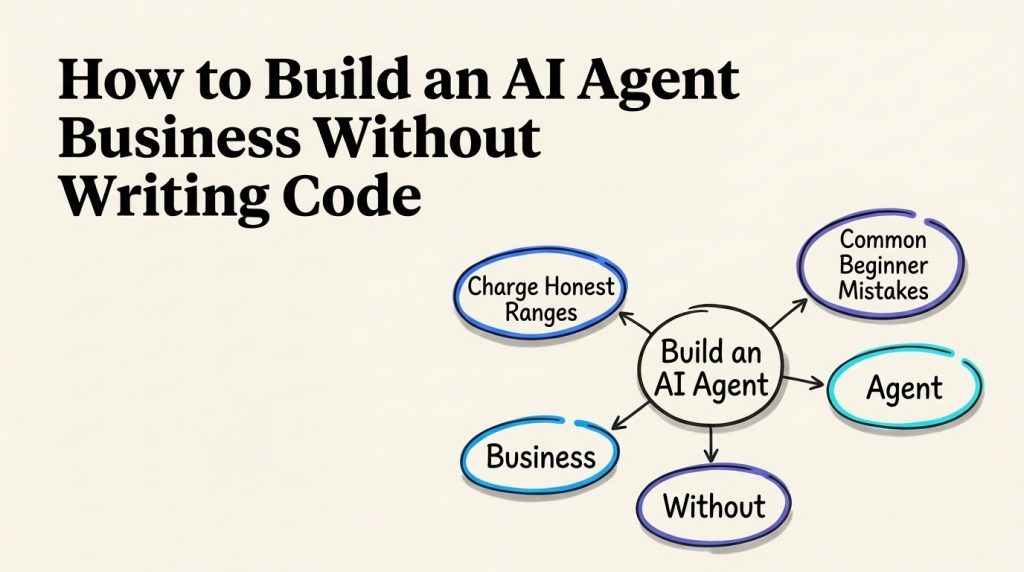
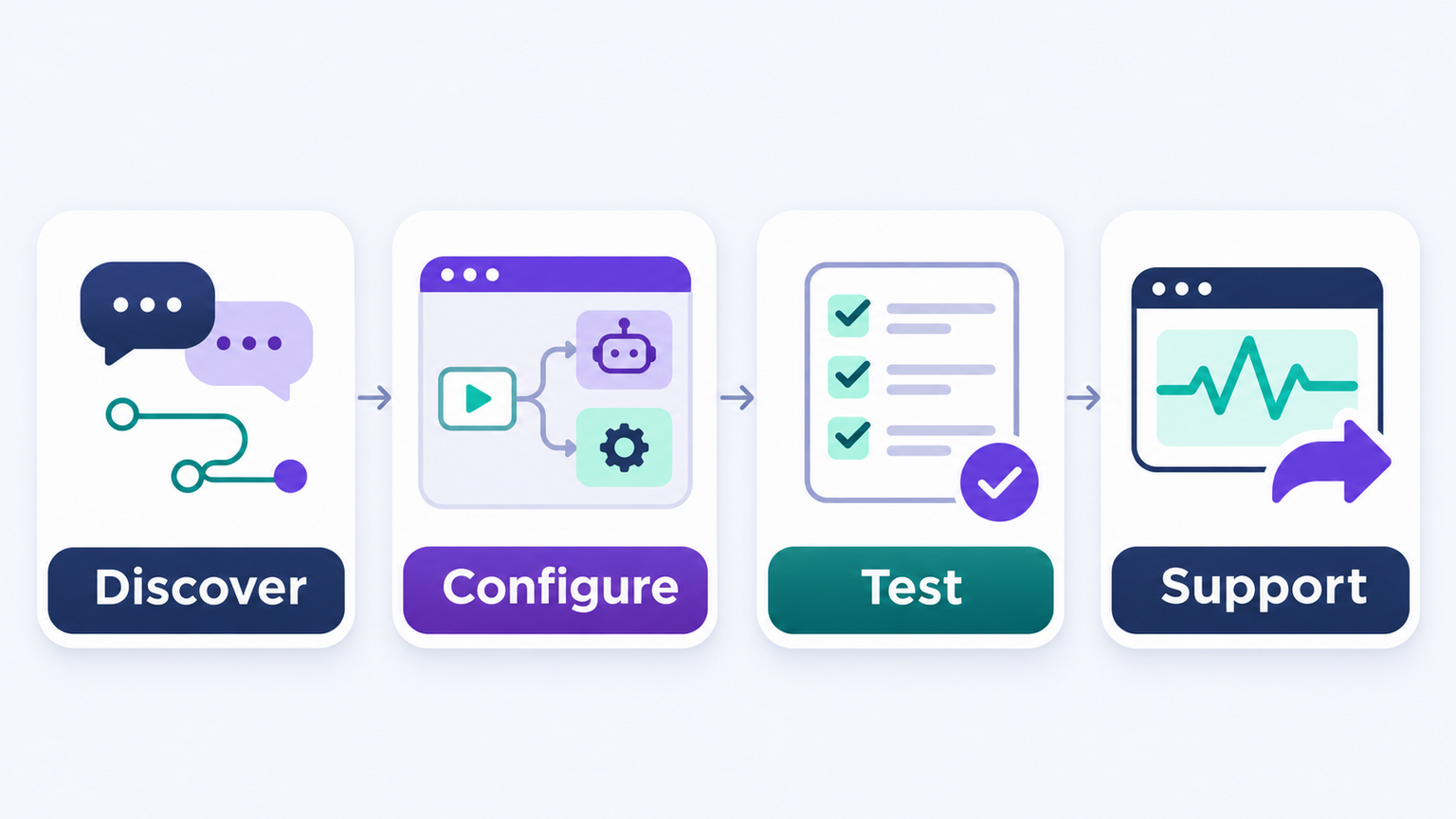
A no-code AI agent implementation can help a client put an agent to work without building software from scratch. Delivering it well still requires a repeatable way to understand the workflow, configure a suitable platform, test normal and difficult cases, and decide who supports the system after launch. You do need a repeatable way to understand the workflow, configure a suitable platform, test what happens in normal and difficult cases, and decide who supports the system after launch.
This guide is for consultants, freelancers, and small agencies that already work with business clients and want to deliver AI agent projects using no-code or low-code tools. It focuses on the delivery work after a client says, “Can you build this for us?” The business model, sales process, and platform shortlist deserve their own treatment; this playbook covers turning an approved use case into a scoped, testable implementation.
No-Code AI Agent Implementation: What Changes, and What It Does Not
A no-code builder can reduce the need to write application code for common setup tasks. It does not remove the need to understand the client’s process, organize accurate information, configure permissions, validate integrations, test behavior, or keep responsibilities clear. A visual builder can make it easier to assemble an agent, but the quality of the result still depends on the workflow and information behind it.
Before accepting a project, identify what the client expects you to own. Are you configuring an agent and handing it over? Are you managing updates and reviewing performance? Are you only advising on platform selection? These are different services with different responsibilities. Define the boundary in the proposal and repeat it during kickoff.
If the workflow is entirely predictable, a form or rules-based automation may be a better fit than an agent. An agent is more useful when the task needs to interpret varied language or choose from a limited set of next steps. Even then, keep its responsibilities narrow and specify where it must stop. For a foundation, review how an AI agent platform works and compare the available no-code AI agent builders against the client’s actual needs.
Stage 1: Qualify the workflow before you configure anything
Start with the task the business wants done, not a feature request such as “add a chatbot” or “connect AI to our CRM.” Ask the client to show how the work happens today. Follow one real example from the moment it begins until it is completed, handed off, or abandoned.
Capture:
- The event that starts the process
- The people, systems, channels, and documents involved
- The information needed to make the next decision
- The ordinary steps and the exceptions
- What the customer or employee sees at each step
- The point where a person must make a judgment or approve an action
- How the client knows the work was completed correctly
Use a simple qualification table:
| Question | What a useful answer looks like |
|---|---|
| Does this task happen repeatedly? | The client can point to recurring examples, not just a hypothetical idea. |
| Is there a clear starting event? | A message, form submission, scheduled task, or other observable trigger begins it. |
| Are the necessary sources available? | The client can identify current documents or systems and an owner for them. |
| Can the task be bounded? | The client can describe what is in scope and what must go to a person. |
| Can success be observed? | The client can tell whether the task was completed, handed off, or failed. |
| Is there a safe fallback? | Someone knows what happens if the agent or an integration is unavailable. |
If the client cannot answer these questions, offer a discovery or readiness engagement before promising a build. An AI readiness assessment can help structure that conversation. Avoid selling a complex implementation when the process itself is still unclear.
A copyable workflow statement
Write one sentence that both parties can approve:
When [trigger] occurs, the agent will [bounded task] using [approved sources or tools]. It will ask for [missing information] and send [defined exceptions] to [responsible person or team].
For example: “When a website visitor asks about a service, the agent will answer from the client’s approved service pages, collect contact details when requested, and route custom pricing questions to the sales inbox.” This example is a starting point, not a promise about what every platform can do. Confirm the capability in the selected product and plan.
Stage 2: Map the process and gather approved information
Before building, document the current workflow in plain language. A five-box flow is often enough: trigger, understand the request, retrieve the right information, take an allowed next step, and finish or hand off. Add branches only when the client can explain why they matter.
Ask the client to provide source material, not just a list of desired answers. Depending on the workflow, that may include current website pages, product or service details, standard operating procedures, approved FAQs, escalation contacts, and examples of common requests. Record who owns each source and how the agency will learn that it has changed.
Check the materials for conflicts before uploading them. A service page that says one thing and a sales document that says another can create inconsistent answers. Ask the client to resolve the conflict and identify which source controls. Do not silently rewrite policy or invent missing details on the client’s behalf.
A lightweight source register can keep the work organized:
| Source | Business owner | Last reviewed | Agent may use it for | Notes or conflicts |
|---|---|---|---|---|
| Public service pages | Marketing lead | Client confirms | Describing published services | Check location-specific differences |
| Internal FAQ | Support lead | Client confirms | Routine customer questions | Remove obsolete answers |
| Pricing sheet | Sales or finance owner | Client confirms | Approved public pricing only | Escalate discounts and exceptions |
| Process guide | Operations owner | Client confirms | Explaining next steps | Confirm when a person must decide |
Only use documents and data the client is authorized to provide. If a client asks you to connect a private system, agree on access, account ownership, and credential handling before setup. Never put secrets into a prompt or share access in an ordinary document.
Stage 3: Define behavior, boundaries, and handoff
Turn the workflow map into acceptance criteria before configuration. Describe what the agent should do, what it may say, which actions it can take, and where it must stop. Use observable behaviors rather than vague requirements such as “be helpful” or “sound smart.”
For each important situation, write:
- Input or trigger: What starts this case?
- Expected response or action: What should the agent do?
- Evidence: Which approved source or system supports it?
- Boundary: What should it avoid doing or claiming?
- Fallback: What should happen if it cannot proceed?
Define handoff conditions with the client’s team. Common examples include a request outside approved sources, a complaint, a sensitive or consequential decision, a failed integration, or a customer explicitly asking for a person. The exact rules depend on the business. Use the CSV-linked human handoff rules for AI agents to think through what information a person needs to continue the conversation.
Agree how handoff works in the real operation. Name the recipient, channel, expected response process, and after-hours behavior. A handoff that sends a message to an unattended inbox is not a complete fallback. Be explicit about what the client team must monitor and what your service includes.
Stage 4: Select and configure the platform for this project
Choose a platform only after you know the job, channels, sources, and required actions. Confirm the feature in the exact plan the client will use. A vendor’s website may describe several products or tiers, and a feature visible in a demo may not be included in every plan.
Check these implementation details:
| Area | Verify before configuration |
|---|---|
| Channels | The client can deploy where the workflow occurs and has the required account access. |
| Knowledge | The platform accepts the approved sources and lets the team update them. |
| Integrations | The required trigger and action are supported, including any plan or usage limits. |
| Permissions | The agent receives only the access required for the agreed task. |
| Handoff | The receiving team can see the context and has a workable response process. |
| Testing | You can run scenarios without exposing an unfinished agent to all users. |
| Usage and cost | The client understands what activity is counted and how charges may change. |
| Administration | A named owner can maintain the system or has a support agreement. |
Build a project workspace or account structure that keeps each client’s configuration and information separated. Follow the platform’s own instructions for access and data separation, and verify what the agency and client can see. Do not claim that isolation, export, or security controls exist unless you have confirmed the exact product behavior and terms.
Botsify currently describes a white-label offering for agencies that want to brand and resell an agent platform, with a separate business-facing service. If you are evaluating it for client delivery, verify the present plan, feature set, usage terms, and partner responsibilities directly. The white-label product may be relevant when the agency wants clients to use a branded portal; it is not a substitute for scoping or testing each client workflow.
Explore a white-label platform for your client AI agent projects
See how Botsify can support branded client agent delivery.
Stage 5: Configure the smallest useful version
Build only what the agreed scope requires. Begin with the knowledge source, instructions, channel, and minimum set of actions needed for the workflow. Avoid adding extra channels, automations, or permissions simply because the platform offers them.
A clear configuration usually describes:
- The agent’s role and intended user
- The task it is allowed to complete
- The approved knowledge it should rely on
- How it should ask for missing details
- Actions it may take, and any confirmation it needs first
- What it must not claim or do
- The conditions and destination for a human handoff
- What to do when a source or integration is unavailable
Use direct, testable instructions. For example, “If the service page does not answer the question, say that you do not have the detail and send the question to the support team” is more useful than “do not hallucinate.” Ask the client to review customer-facing language and approve any business rules before launch.
If the workflow touches a CRM, calendar, order system, or another source of truth, test with a safe environment or limited permissions when possible. Confirm whether the action creates, edits, or merely drafts a record. Keep irreversible or consequential actions behind a human decision unless the client has specifically approved the risk and the platform supports the required control.
Stage 6: Test behavior before exposing it to customers
Create test cases from the process map and the examples the client provided. Include routine requests, unclear requests, information that is missing, conflicting sources, out-of-scope questions, handoff cases, and integration failures. Ask a client subject-matter expert to review results; an agency should not decide business policy alone.
| Test case | Expected result | Result | Follow-up owner |
|---|---|---|---|
| Common request with a clear answer | Responds from the approved source | Pass / revise | Agency or client |
| Question missing key detail | Asks a focused follow-up | Pass / revise | Agency |
| Unsupported question | States limitation and follows fallback | Pass / revise | Agency |
| Pricing exception | Routes to the authorized person | Pass / revise | Client |
| Integration unavailable | Does not claim success; follows fallback | Pass / revise | Shared |
| User asks for a person | Routes according to agreed process | Pass / revise | Client |
Save the scenario, expected behavior, observed output, and change made. Retest affected cases after changing instructions, sources, or integrations. This creates a practical record of what was checked without claiming that testing can prove the agent will never fail. A structured guide to testing AI agents can help expand the test set.
Do not launch until the client has approved the known limitations, the handoff process works, and required scenarios meet the agreed acceptance criteria. If the workflow fails an important case, reduce scope, change the design, or stop the project rather than disguising the failure with a confident demo.
Stage 7: Pilot within a clear boundary
A pilot should answer a decision question. For example: can the agent handle the agreed routine requests with acceptable quality, and can the client team manage the cases it hands off? Define the channel, eligible users, permissions, test period, review owner, and stop conditions with the client.
Start with a limited audience or channel when the business can do so. Tell the client how to identify the agent’s interactions and where to report problems. Review a sample of conversations or task outcomes with the client, using the access and privacy rules agreed for the project. Track measures that match the workflow, such as successful completions, escalation reasons, corrections, time to respond, or usage cost. Establish a baseline first if you want to compare before and after.
Set stop conditions before the pilot begins. Examples include repeated unsupported answers, handoffs not reaching the right team, unexpected usage charges, or a connected action changing the wrong record. Decide who can pause the agent and how the team will tell affected users what to do next.
At the review, choose to expand, revise, or stop. Explain what the evidence shows and what it does not show. A limited pilot cannot prove performance across every user, channel, or exception.
Stage 8: Hand off the work and agree on ongoing support
Before go-live, provide the client with a concise operating guide. Include the agent’s purpose, supported cases, known limits, source owners, handoff steps, escalation contact, how to report an issue, and how to pause the workflow. Walk the client owner through the parts they are expected to maintain.
Use a responsibility table so neither party assumes the other is handling important work:
| Ongoing task | Agency | Client |
|---|---|---|
| Approve source material and business rules | Facilitate | Accountable |
| Update business facts and policies | Configure if contracted | Supply and approve changes |
| Review escalations | Define routing | Staff the receiving team |
| Investigate configuration defects | Diagnose and fix within scope | Report examples and impact |
| Review usage and service costs | Report agreed figures | Monitor budget and plan |
| Approve changes to workflow | Recommend and implement | Approve business behavior |
If the agency offers managed support, state the service window, included changes, review cadence, channels for support, and what counts as new scope. Do not promise unlimited tuning or guaranteed outcomes unless the written agreement defines exactly what that means. A simple change log can note what changed, why, who approved it, and which tests were repeated.
A client implementation checklist can help make the transition repeatable. Revisit the broader AI agent lifecycle when planning updates, expansion, and eventual retirement.
Manage change requests and support issues
Client requirements often evolve after the team sees an agent working. A client may ask to add a new channel, use another data source, change an answer policy, or let the agent take an additional action. Treat each request as a change to be assessed, not as an automatic addition to the original scope.
For every request, record what triggered it, which users and steps it affects, the systems or sources involved, the risk of making the change, and who must approve it. Decide whether it is a correction to agreed behavior, a source update the client owns, a platform limitation, or a new capability. Then state the expected work, cost or schedule impact, and tests that will be repeated. Get approval before changing a live workflow.
When a problem is reported, first establish what happened and whether the issue is continuing. Preserve the relevant example under the client’s data and access rules. Classify the issue before editing: incorrect or outdated source, unclear instruction, unsupported request, integration failure, handoff gap, or expected behavior that was not explained. Correct the responsible layer, rerun the affected tests, and tell the client what changed. If there is a risk of repeated harm or a connected action affecting records, follow the agreed pause procedure while investigating.
Keep a simple issue and change log. It should show the date, impact, classification, owner, decision, change made, approval, and retest result. This does not need to become a burdensome reporting system. The purpose is to make recurring failure patterns visible and prevent an unreviewed change from silently altering client expectations.
How to package the service responsibly
A client can buy a bounded setup project, an implementation plus training, or an ongoing managed service. Choose the model based on the work your team can actually provide. For recurring support, specify what the client receives each period, such as a scheduled review, agreed configuration updates, usage reporting, or support for a defined number of workflows.
Estimate the delivery effort before quoting. Include discovery, configuration, test preparation, client review, deployment, documentation, support, platform charges, and any integration work. Add a buffer for rework when client source material is incomplete. Separate your service fee from variable platform or usage charges so the client can see what may change with volume.
Avoid pricing the service around vague outcomes you cannot control. If the client wants a performance-linked fee, define the metric, data source, exclusions, baseline, and treatment of cases the agent cannot handle. Keep statements about expected savings or revenue tied to the client’s own evidence, and present estimates as estimates.
For the commercial conversation, the separate guide on selling AI agents to businesses covers positioning and client acquisition. This delivery playbook focuses on what happens after a client agrees to proceed.
Common delivery mistakes to avoid
- Starting with the platform demo. Map the client’s process first so the demo answers relevant questions.
- Building too much in the first version. Keep the first scope small enough to test and support.
- Treating every document as approved knowledge. Ask who owns the material and whether it is current.
- Skipping exception paths. A useful agent needs a clear behavior when it cannot complete the task.
- Connecting broad permissions by default. Limit access to what the agreed workflow requires.
- Testing only the happy path. Include missing details, out-of-scope requests, and integration failures.
- Launching without an internal owner. Someone at the client must update facts and handle escalations.
- Calling a pilot a guarantee. Report what was tested and what remains unknown.
The AI agent workflow design guide helps teams think about triggers, decisions, and actions. Reviewing common AI agent deployment mistakes can also help catch overlooked handoff and rollout risks.
Client-ready launch checklist
Before handing over or opening a pilot, confirm that the agency and the client owner can answer yes to the relevant items below:
- The workflow, users, channels, and boundaries are written down.
- The client has approved the sources and customer-facing rules.
- Someone is responsible for keeping business information current.
- Required platform features and integrations were checked in the selected plan.
- Access is limited to the systems and actions needed for the scoped task.
- Normal requests, missing information, and out-of-scope cases were tested.
- Handoff reaches a named person or staffed team with useful context.
- The team knows how to report an issue and pause the workflow if needed.
- Success measures and the review owner are agreed.
- Usage charges and support boundaries are understood.
- The client has documentation, training, and access appropriate to the agreement.
- Changes after approval have an owner, approval path, and retest expectation.
If any critical item is unresolved, state that clearly and decide whether to delay the launch, narrow the pilot, or add the missing work to scope. A checklist cannot guarantee a flawless system, but it can help the parties notice gaps before users depend on the workflow.
Frequently asked questions
Can I deliver an AI agent project without coding?
Many common configurations can be built with no-code or low-code tools, but confirm the required channels, integrations, and actions in the selected product. If the project requires custom software or unsupported integrations, bring in a qualified technical partner or narrow the scope.
What should I learn before taking a client project?
Learn how to map a process, gather and verify source information, configure the chosen platform, create test cases, define handoffs, and document ongoing ownership. You should also understand the platform’s pricing and access model well enough to explain it accurately.
Should I build one general agent for a client?
Usually begin with one bounded workflow rather than a broad assistant expected to handle every department. Expand only when the client can identify the next use case, its owner, its sources, and the way success will be reviewed.
Who is responsible when an agent gives a wrong answer?
Set responsibilities in the client agreement and operating process. The agency should implement and test the agreed configuration; the client remains responsible for approving business information and deciding what the agent is authorized to communicate or do. Both parties need a way to report, investigate, and correct issues.
How do I keep the client from becoming dependent on my agency?
Agree on configuration access, source ownership, documentation, training, export options, and transition support before the project begins. If the agency provides ongoing management, make the value and limits of that service explicit.
Deliver the workflow, not just the configuration
No-code tools can make agent setup more accessible, but a dependable client service comes from careful scoping, approved sources, narrow permissions, meaningful tests, a real handoff path, and clear support terms. Start with one process, show the client what you tested, and expand only when both teams can operate the result.
Plan a client-ready AI agent delivery workflow with Botsify
Discuss client workflow, delivery scope, and platform fit with Botsify.
