
When you visit a competitor’s website, one of the first questions that comes to mind is:
What tools are they using behind the scenes?
The CMS, analytics tools, marketing platforms, payment systems, and tracking technologies they rely on can tell you a lot about their strategy and maturity level. But finding this information manually often means opening third-party tools, running searches, copying results, and repeating the same task for multiple sites.
Keeping up manually is impossible.
This is exactly where an AI Website Technology Analysis Agent becomes useful. It fetches the website’s tech stack, cleans the results, and returns a simple, readable report. It is fast, accurate, and works every time you need a technology audit.
If you are already building automation flows like the Business Idea Generator, Keyword Research AI Agent, or Lead Researcher AI Agent, this tool fits perfectly into your growing set of AI workflows.
Let’s walk through how to build it from scratch in a clean, simple way.
Why a Website Technology Analysis Agent Matters
A website’s tech stack reveals more than most people think. It can show:
- Whether a business invests in modern marketing tools
- What CMS they rely on
- The quality of their hosting
- Whether they use advanced analytics
- Their payment infrastructure
- If the website is scaling or outdated
For marketers, developers, and founders, understanding this information helps with:
- Competitive research
- Client onboarding
- Lead qualification
- Market analysis
- Technical audits
- Sales intelligence
Rather than using multiple external tools and manually reading complex output, your AI agent gives you a clean, summarized, human-friendly tech profile instantly.
Step-by-Step: Build Your Website Technology Profile AI Agent
Here’s a simple walkthrough to help you set up the Website Technology Analysis Agent from scratch without any complexity.
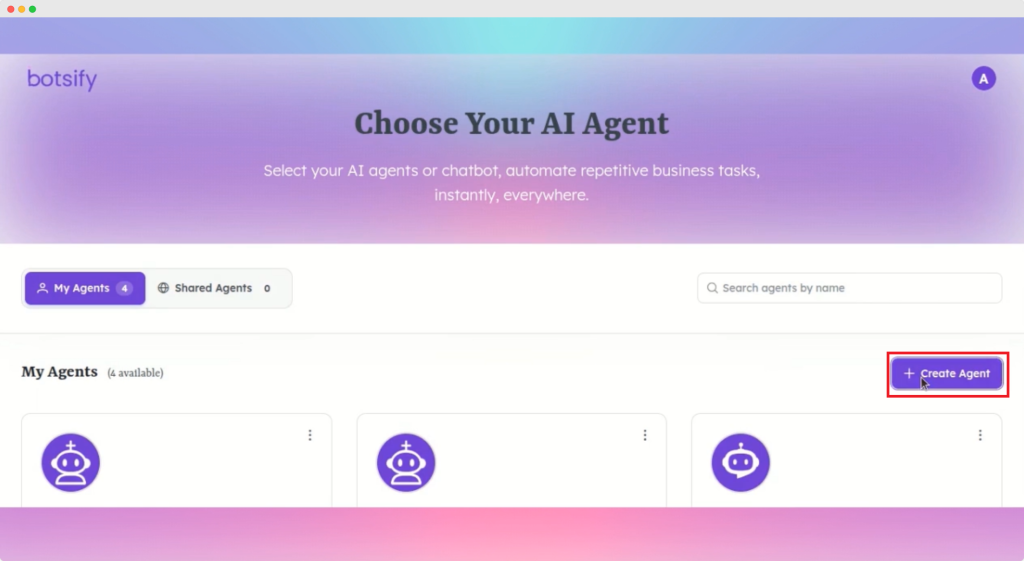
Step 1: Create the Agent
Open your Botsify dashboard and click Create Agent.
Name it something like Website Technology Profile Agent and save it.
Your base workspace is now ready.
Step 2: Define the Agent’s Behavior
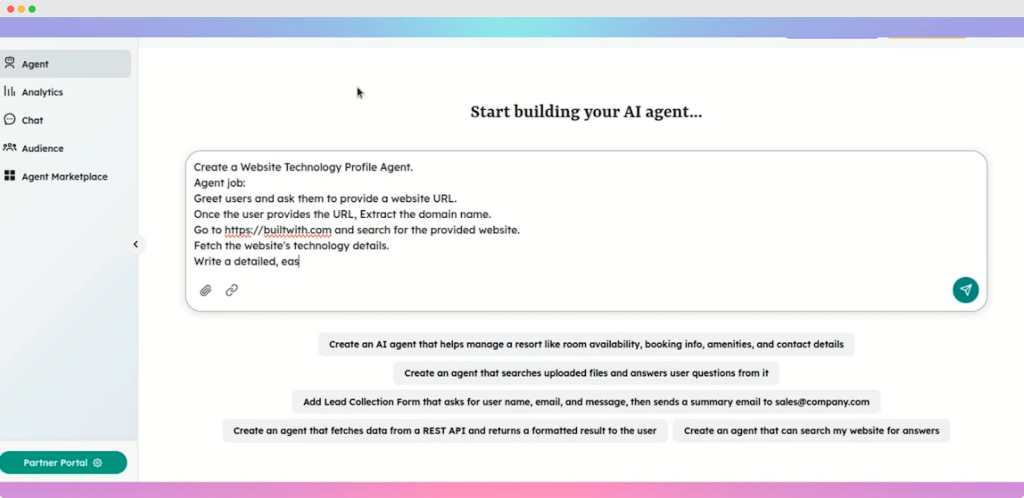
This is where you shape how your agent should think and respond. Add a clear prompt such as:
You are a website technology profile agent. Ask the user to provide a website URL. Extract the domain name, search it on BuiltWith.com using the Web Search tool, gather all technology details, and return a filtered, easy to understand tech report. Do not include external links. Format the final output in clean markdown.
Once you send the prompt, the agent updates automatically.
This logic is similar to the structure used in other workflows such as the LinkedIn Profile Analyzer or SEO Blog Writer AI Agent, where a strong prompt guides the output quality.
Step 3: Connect the Web Search Tool
To analyze any website, your agent needs access to BuildWith’s data.
Here is how you connect it:
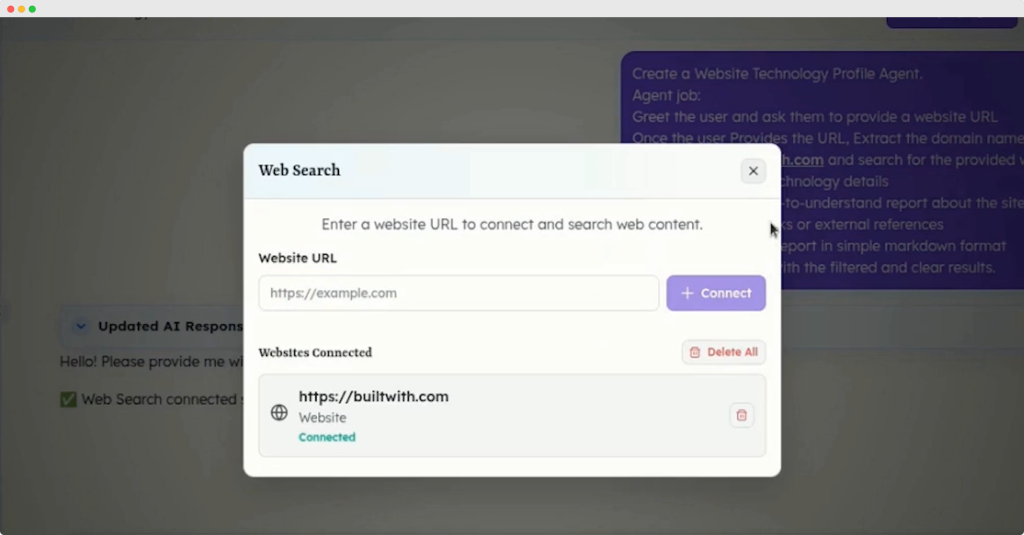
- Open Web Search in your Botsify tools.
- Enter the BuiltWith URL as the search source.
- Click Connect.
Once connected, the agent can now fetch technology information from the web in real time.
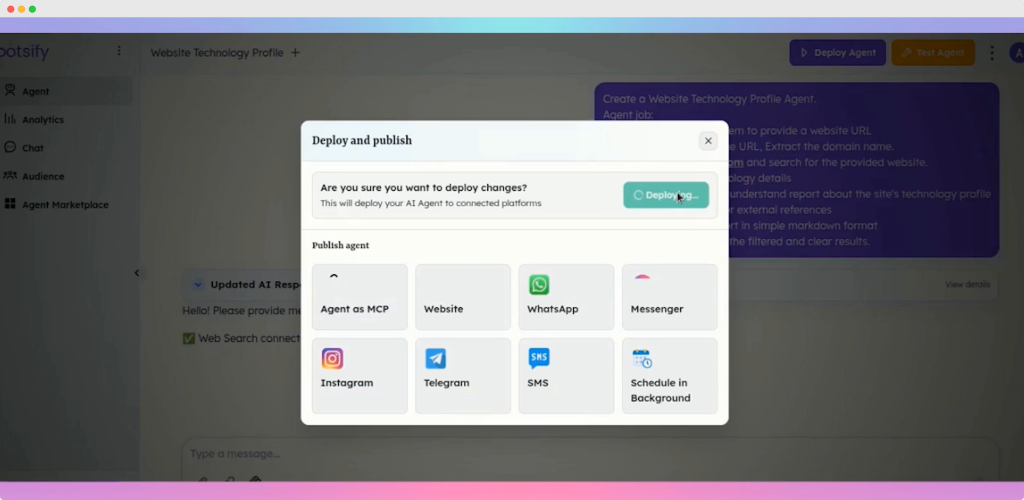
Step 4: Deploy the Agent
Click Deploy Agent, wait a few seconds, and the agent becomes active.
Deployment ensures the AI is ready for conversations and technology lookups without additional setup.
Step 5: Test the Technology Analyzer
Start a conversation with your agent.
It will greet you and ask for a website URL.
Try something like:
amazon.com
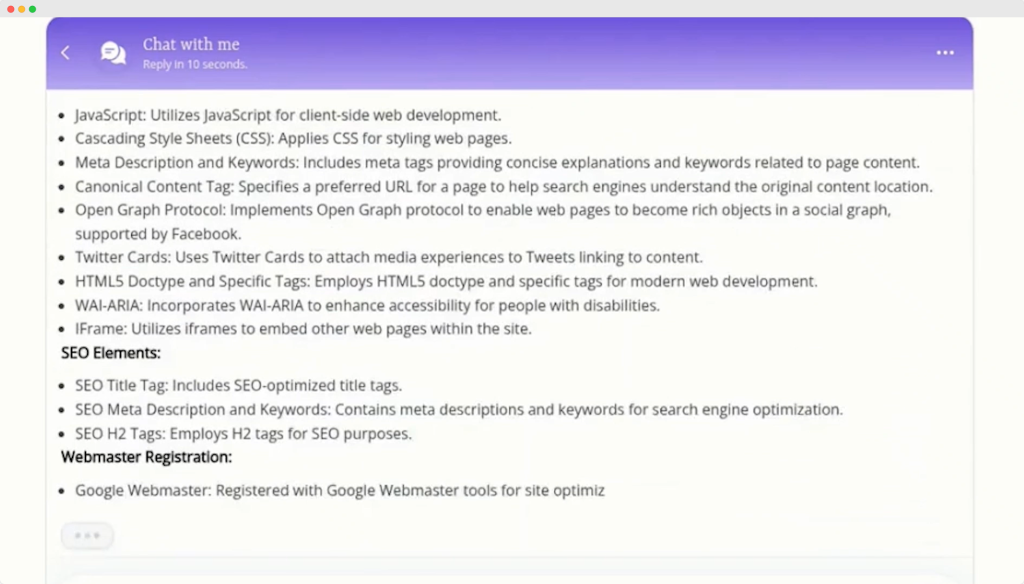
The agent extracts the domain, searches BuiltWith data, and compiles a clear technology profile. You’ll see categories such as:
- Hosting
- Analytics
- CDN
- Ecommerce systems
- JavaScript libraries
- Marketing tools
Everything is cleaned, summarized, and easy to understand.
This is much simpler than manually navigating multiple tools or dashboards.
Where This Agent Helps Most
Instead of repeating the same list of reasons like in typical AI blogs, here is a more practical view of where this agent becomes invaluable:
For agencies
When onboarding new clients, you can instantly map out their existing tech stack before proposing improvements.
For sales teams
Your outreach strategy improves when combined with intelligence from the Lead Researcher AI Agent or Cold Emailing AI Agent.
For founders and product builders
Understanding competitor technology helps you position your product better.
For developers
Quickly review a site’s modern or outdated components before suggesting redesigns.
For marketers
Know which analytics, CRM, or marketing tools a brand uses before planning campaigns.
This is not just a convenience tool. It is an insight engine.
Conclusion
You now have a complete guide to creating an AI Website Technology Analysis Agent that scans any website and returns a clear, readable tech stack report. It replaces manual reporting, saves hours of research, and gives you an instant snapshot of how any website is built.
When paired with your other Botsify workflows like the Keyword Research AI Agent, Business Idea Generator, or LinkedIn Profile Analyzer, you begin building a powerful automation ecosystem that works across marketing, sales, and technical analysis.
Start building your Website Technology Profile Agent today and let AI simplify the technical research you used to do manually.
AI Agentic Platform For Building Portable AI Agents
Say Hello To Agentic AI That Connects With Your CRM And Even Other Agents