
An AI agent is only as good as what it can see when it answers. Give it the wrong details, or none at all, and it may guess. Those guesses show up as confident but wrong answers, conflicting responses across teams, and support tickets that make customers trust the tool less.
By the end, you will understand what these platforms do, how they relate to nearby ideas like memory and retrieval, where they sit in your setup, and how to think about building versus buying. No coding is required to follow along.
What This Kind of Platform Actually Means
VS Code documentation describes context as everything a model can see when it generates a response: system instructions, user messages, conversation history, references, and tool outputs. In plain terms, the answer depends on what you feed in.
OpenAI’s Agents SDK draws a useful line between local context, your application state, and the context the model can actually see. Useful information may live in your systems but never reach the model unless something delivers it.
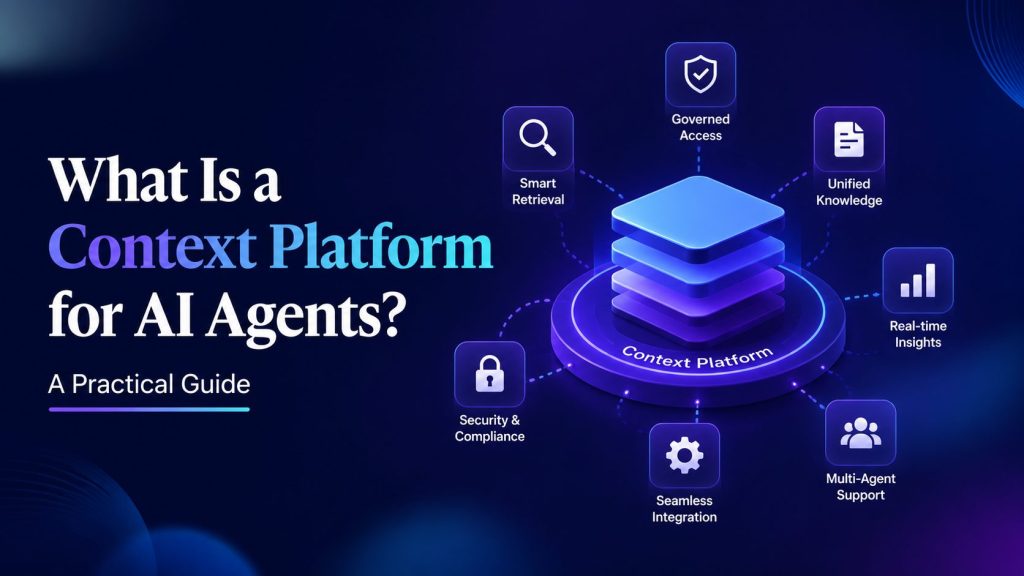
So here is a one-line definition you can use in a meeting. A context platform is the layer that gathers trusted business knowledge, governs who can use it, and serves the right slice to an agent when it needs it. Storage is not the point. Serving the correct, permitted information at the right moment is.
Portable AI Agents In Seconds, Use Everywhere
Prompt, Test, and Deploy AI Agents Across Social Platforms and LLMs. Automate Everything.
How It Differs From AI Agent Memory
People often confuse this with AI agent memory. Short-term memory covers one conversation. Long-term memory carries between sessions. Both are about remembering. A context platform is about governing and serving: it decides what an agent is allowed to see and hands it over cleanly.
You can use both together. Memory keeps a chat coherent, while the platform makes sure the facts pulled in are current and permitted. A separate memory guide is a useful companion if you want to distinguish memory from governed context more clearly. This distinction becomes even more important as an AI agent is expected to deliver accurate, consistent responses across different tasks and business workflows.
Where It Fits in the Agent Stack
It helps to picture the layers. Think of the stack from the bottom up.
- Data systems: your warehouses, catalogs, documents, and apps where information lives.
- Context layer: a governed view of business knowledge and metadata that agents can draw on.
- Retrieval and skills: search, tools, and patterns like RAG that fetch specific information.
- Agent runtime: where the agent reasons, calls tools, and prepares a response or action.
- Interface: the chat window or workflow your team and customers actually use.
The key idea is that a context platform is infrastructure, not the app itself. It sits under your agents and feeds several of them from one trusted source, instead of each agent improvising with its own patchwork of data. This approach has become increasingly important as Agentic AI systems rely on accurate, governed context to make autonomous decisions across multiple tools and workflows.
A customer-facing bot or support workflow can still rely on this layer underneath the conversation experience.

Context Engineering, Context Management, and RAG
These terms get mixed up often, so here are simple versions. Context engineering is the craft of designing what goes into a prompt. Context management is the ongoing work of keeping that information trustworthy, current, and permitted. RAG, short for retrieval-augmented generation, is a technique for pulling relevant passages into a prompt at query time.
A useful way to frame it comes from one vendor article, which describes RAG as a retrieval pattern that runs on top of context management infrastructure rather than replacing it. Read that way, RAG is a technique and context management is the foundation it stands on.
Core Building Blocks in Plain English
Strip away the jargon and most context platforms share a handful of parts.
- Unified knowledge: technical metadata and business context brought together so agents pull from one place.
- Human validation: subject matter experts confirm that definitions and rules are correct.
- Freshness: updates flow in as products, policies, and data sources change.
- Access control and audit: permissions decide who and what can see each piece, with a record of use.
- Delivery: the information reaches agents through APIs, SDKs, or a shared standard.
On delivery, the open Model Context Protocol, or MCP, is worth knowing. Its official docs describe MCP as an open-source standard for connecting AI applications to external systems. Platforms can expose their knowledge through MCP so different tools can plug in more consistently. The same distinction matters when teams compare governed context with AI agent memory.
When You Actually Need One
Not every team needs this on day one. Use this quick checklist. If several items ring true, it is worth serious consideration.
- Multiple agents give conflicting answers to the same question.
- You handle sensitive data that requires permissions.
- Answers drift over time as underlying facts change.
- You have compliance or audit needs to satisfy.
- You are running more than one retrieval pipeline.
Build Versus Buy
The honest answer depends on your situation. Ask whether you have staff to maintain data pipelines, whether existing warehouses or search tools can be extended, whether a standard like MCP matters, and how quickly you need results.
Building gives you control but takes time and ongoing upkeep. Buying can shorten time to value, but it means fitting your needs to an existing tool. Treat vendor timeline estimates as directional, not guaranteed, and avoid locking in cost assumptions before you have tested the fit.
A practical middle path is to start with one workflow, prove the governance model, and then decide whether a dedicated platform is worth it. That keeps the decision grounded in actual use rather than feature lists.
A Non-Technical Implementation Playbook
You do not need to solve everything at once. Start narrow and expand.
- Pick one or two workflows where better answers clearly help, such as billing questions or order status.
- Inventory your sources and owners so you know where facts live and who is accountable.
- Map access rules before you connect anything, so permissions are built in from the start.
- Bootstrap context from query logs and dashboards to see what people actually ask.
- Set review loops so experts validate and correct the knowledge on a schedule.
- Activate through tools using MCP or your APIs to deliver the right state to the agent.
Vendor Landscape: Tools That Serve Governed Context
These are examples to illustrate the category, not endorsements. Evaluate any option against your own sources, workflows, governance needs, and delivery standards. Check how each tool handles freshness, access control, audit trails, and delivery before you study individual product pages. If you are evaluating governed context infrastructure for agents, one option to compare is DataHub, which describes its cloud offering as an enterprise context platform that unifies technical metadata, business knowledge and documentation into an agent-ready layer. The company also describes an event-driven architecture that syncs metadata from many sources and exposes a context graph to MCP-compatible tools.
Snowflake documents that its Cortex Agents retrieve context from Cortex Search and pass it to the model to generate grounded responses.
The right choice depends on where your data already sits, how much governance you need, and how much you want to build yourself. Keep pricing out of the earliest shortlist stage and focus on fit first.
Pitfalls to Avoid
A few mistakes show up again and again.
- Over-stuffing context: more data raises cost and noise without improving accuracy.
- No provenance: if you cannot trace where a fact came from, you cannot trust or audit it.
- Skipping access control: bolting on permissions later is painful and risky.
- One giant knowledge base: a single monolith is hard to keep fresh and govern.
- Ignoring drift: without monitoring, quality quietly degrades.
Good context management is not a one-time setup. It helps agents improve over time as you refine what they see, remove stale material, and correct weak answers. These ongoing improvements are an essential part of the AI agent lifecycle, helping ensure performance, accuracy, and reliability as business requirements evolve.
Conclusion
Here is the mental model to keep. Your agent answers based on what it can see, so the quality of that view decides the quality of the answer. A platform that governs and serves the right knowledge turns scattered facts into more reliable responses. It is different from memory, and it is the foundation that retrieval techniques stand on rather than a rival to them.
You do not need to solve everything at once. Start narrow with one or two high-value workflows. Add governance early, especially access control and expert review. Then scale to more agents once the pattern proves itself. That order keeps the work manageable and the results trustworthy.
AI Agentic Platform For Building Portable AI Agents
Say Hello To Agentic AI That Connects With Your CRM And Even Other Agents
Frequently Asked Questions
These quick answers can help you separate a context platform from nearby tools and decide what to evaluate first.
Is this just retrieval with a new name?
No. Retrieval is a technique for fetching relevant text at query time. The broader idea is the foundation that keeps knowledge trustworthy, current, and permitted before any retrieval happens. You can run retrieval on top of it, but they are not the same thing.
How does this relate to memory?
Memory is what an agent remembers within or across conversations. A context platform decides what an agent is allowed to see and delivers it cleanly. Memory can keep the chat coherent while governed context keeps facts correct and permitted.
When should a small team wait?
Wait if you have one narrow agent, low-risk information, and a simple source of truth. Start with good prompts and basic retrieval first.
What should I check during evaluation?
Check source coverage, permission handling, freshness, audit records, and how easily the tool delivers context to the agents you already use.
