
Remote work stuck around. That much is obvious by now. What’s less obvious — and honestly, what most companies are still fumbling with — is how to actually run a team when nobody’s in the same room.
Since 2020, the conversation has shifted fast. First it was “Can people even work from home?” Then it became “okay, they can, but how do we know they’re working?” And now, five years in, the real question is simpler and more uncomfortable: why are so many remote teams still this inefficient?
Because they are. Talk to any ops lead managing a distributed team and you’ll hear the same things. Tasks disappear into Slack threads. Deadlines get missed not because people are lazy, but because nobody actually knew where things stood. A project that should take a week somehow takes three — not from lack of effort, but from lack of structure.
This piece is about what’s changing that. Specifically, job tracking and automation, and why teams that adopt both are operating in a completely different league from those that haven’t.
Visibility Is the Actual Problem — Not Communication
Everyone says remote teams have a “communication problem.” I’d push back on that.
The problem isn’t that people aren’t talking. It’s that nobody knows what’s happening without asking. Modern remote teams don’t fail because of lack of communication — they fail because critical workflows still depend on humans manually coordinating information across disconnected tools, including CRM systems and contact center software. At the same time, meeting transcription can capture key discussions and decisions, helping teams stay aligned and reducing the need for repeated follow-ups. Platforms like omni-a.eu solve this by introducing AI-driven orchestration that keeps tasks, context and customer interactions moving automatically between teams. And when you have to ask, you’ve already lost. Now you’re waiting for someone to reply, hoping they reply accurately, hoping it’s fast enough to matter. Multiply that by twenty tasks across eight people in different time zones, and your entire day as a manager becomes one long loop of checking in, waiting, and checking in again.
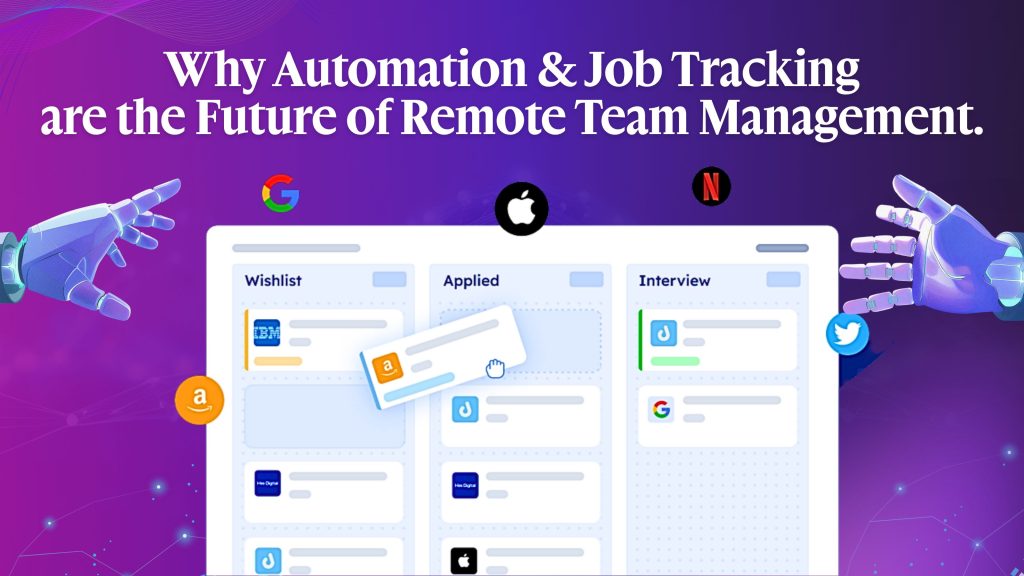
Good job tracking software cuts that loop. Not because it watches people, but because it makes the state of work visible without anyone having to narrate it. A task either has a status, an owner, and a timestamp or doesn’t exist yet.
GitLab figured this out early. Fully remote from day one, team spread across 30+ countries. Their public handbook basically says write everything down, track every piece of work, don’t rely on memory or conversations that can’t happen anyway. Not a philosophy. Just what works.
Portable AI Agents In Seconds, Use Everywhere
Prompt, Test, and Deploy AI Agents Across Social Platforms and LLMs. Automate Everything.
How Automation Became a Survival Tool for Distributed Work

Around 2021-2022, something shifted in how remote teams talked about automation. It stopped being a “nice to have” and started being the thing that kept operations from collapsing.
Zapier reported massive growth during this period. So did Make (which most people still call Integromat). ClickUp, Monday.com, Notion, all of them leaned hard into native automation features because their users were demanding it. Not because automation sounded cool. Because manual handoffs were failing constantly.
Here’s why that happens at scale. Your developer in Kraków finishes a code review at 7pm. The QA engineer who needs to pick it up next is in Vancouver and won’t start until 9am Pacific. That’s a 16-hour window. If nobody automates the handoff, if there’s no trigger that notifies the next person, updates the board, and kicks off the next stage, that gap turns into delay. Every single time.
Now imagine that happening across every task in your pipeline. It compounds. And it’s nobody’s fault, which is the most frustrating part. People are doing their jobs. The system is just burning time between them.
Automation closes those gaps. Not dramatically. Just reliably. Increasingly, teams are relying on skillful agents that can handle these transitions without manual intervention. And reliable beats dramatic for any team that needs to actually ship things.
Job Tracking Isn’t Micromanagement — Stop Conflating Them
This comes up in almost every conversation about remote work tools. “We don’t want people to feel monitored.”
Honestly? Fair concern. But there’s a real difference between tracking time (which does get invasive fast) and tracking jobs (which is just running a project properly).
Tracking jobs means knowing what work exists, who owns it, what stage it’s in, and whether it’s blocked. That’s it. You’re not watching someone’s screen. You’re not logging their keystrokes. You’re asking the same questions a good manager would ask in an office —”Where does this stand?” — except you’re getting the answer from a system instead of interrupting someone’s focus time.
The practical payoff is underrated. Most teams genuinely don’t know how long their work takes. They estimate based on optimism and past vibes, miss deadlines, and then wonder why. Job tracking builds real data over time. After six months of consistent use, you actually know that a typical client proposal takes your team 6 hours, not the 3 hours everyone assumes when they’re filling out a project plan. That information alone changes how you scope and price work.
What a Real Automation Setup Actually Looks Like

Abstract descriptions of automation are useless. Let me be concrete.
A content agency — 14 people, spread across Europe and North America, used to have a project manager manually updating task stages, sending status emails to clients, and keeping a separate tracking spreadsheet synced with their project board. That work took close to two hours a day. Every day.
After they built basic automations inside ClickUp, the workflow changed, with some teams even extending this setup using a Slack AI agent to handle notifications and task updates automatically. Writer marks a task “ready for review” — editor gets a Slack notification automatically. The editor approves it, the task moves to the publishing queue, and the client’s shared view updates without anyone touching it. Content goes live, the writer gets notified, and the task closes.
The project manager got those two hours back. The client stopped emailing asking for updates. The writers stopped getting pinged to explain where things were.
Two hours a day. Ten hours a week. Forty hours a month. That’s an entire extra week of productive work per month, recovered from coordination overhead. For a 14-person team.
Chatbots Are Becoming an Internal Tool — Quietly
Most people still think of chatbots as a customer service thing. And sure, that’s where they started. But internal-facing bots have been picking up serious traction in remote team management, and it makes complete sense when you think about it.
A bot connected to your project management system, equipped with specific AI skills, can do things that save real time:
- Answer “what are my tasks today?” with a live pull from the actual board, not a guess
- Run async standups, ping people at 9am, collect updates, post a summary to the team channel; no meeting required
- Flag when a task has been sitting in “in progress” for four days without movement
Teams building on platforms like Botsify are exploring these internal use cases more seriously now, especially by deploying custom AI agents tailored to their internal workflows. The logic is straightforward: if a bot can handle “what are your business hours?” From a customer, it can handle “What’s the status of the Henderson account?” From a teammate. Same infrastructure. Different audience.
It won’t replace good management. But it removes a specific kind of low-grade friction that eats at remote teams, the constant small interruptions that exist only because information isn’t flowing automatically.
The Tools People Are Actually Using
The market has consolidated somewhat. A few platforms have pulled ahead — not necessarily because they have the most features, but because they handle automation and job tracking together without requiring a dedicated IT person to set everything up.
| Platform | Automation | Job Tracking | Works Best For |
| ClickUp | Strong, built-in | Very detailed | Teams with layered workflows |
| Linear | Clean, reliable | Dev-focused | Engineering teams |
| Monday.com | Moderate | Visual boards | Client project management |
| MrTask | Solid | Operations-focused | Field and remote ops teams |
| Asana | Rules-based | Timeline/workload | Marketing and cross-functional |
One thing worth saying plainly: the best tool is the one your team will actually open every day. A platform with 200 features that 70% of your team ignores is objectively worse than something simpler that everyone uses consistently.
What the Research Says (and What It Actually Means)
McKinsey’s numbers on automation potential have been quoted so many times they barely land anymore. But the core finding, that around 60% of jobs contain at least 30% of tasks that could be automated with existing technology, is still worth sitting with.
For remote teams, the implication is specific. A large chunk of daily coordination work falls into that automatable category. Status updates. Follow-up messages. Reassigning tasks when someone’s out. Sending reminders. Updating dashboards. None of that requires a human decision. All of it eats human time.
Buffer’s annual remote work surveys have shown for years running that “communication and collaboration” is among the top frustrations for distributed workers. Not the work itself. The friction around the work. Automation doesn’t fix culture or bad management, but it removes a lot of that friction. That’s not nothing.
The Management Time That Gets Freed Up
Here’s what I think is the most overlooked point in this whole conversation.
When a manager spends two hours a day chasing status updates, those two hours don’t come from thin air. They come from somewhere else. Usually from the things that actually require a manager’s judgment, one-on-ones, developing people, thinking about team structure, catching problems before they become crises.
The remote teams that are genuinely good to work on, the ones with low turnover and consistent output, have usually solved the coordination layer. Not perfectly. But well enough that their managers have time to be actual managers, not just human status-update aggregators.
Automation gives that time back. Job tracking gives managers the visibility they’d otherwise spend those hours hunting for. Together, they change what management can look like in a distributed team.
Where Things Are Heading
The gap between teams that have built this infrastructure and teams that haven’t is growing. Not because automation is some secret weapon, the tools are widely available, and most of them aren’t expensive. But because organizational habits are sticky. Companies that are still running on spreadsheets and Slack threads will keep running on them until the pain gets bad enough to force change. Many of these teams are now experimenting with AI agent frameworks to standardize how automation and task orchestration are implemented across departments.
The companies that move now aren’t just saving time. They’re building operational muscle memory that compounds. Six months of good job tracking data tells you things about your team’s capacity and velocity that gut feel never could. A year of automation means your coordination overhead is a fraction of what your competitors are still spending.
So, where does your team actually stand right now? And how long can you afford to wait?
AI Agentic Platform For Building Portable AI Agents
Say Hello To Agentic AI That Connects With Your CRM And Even Other Agents