
AI agents are everywhere right now, but most people still don’t know how to actually build one.
There’s a big gap between understanding what an AI agent is and knowing how to build AI agent systems that actually work in real business scenarios. Most guides either stay too high-level or get too technical too quickly.
The truth is simple:
You can build AI agent workflows without coding, but only if you approach it with structure, not experimentation.
This guide will walk you through how to build AI agent without coding, step by step, using real logic, real examples, and a process that actually works.
By the end, you’ll not only understand how to build an AI agent, you’ll know how to design one that delivers results.
Step 1: Start With One Real Problem (Not an Idea)
The biggest mistake beginners make is starting with:
“Let’s build an AI agent”
That’s not a starting point. That’s a vague intention.
Instead, start with a specific workflow that already exists in your business.
Examples:
- answering repetitive customer questions
- qualifying leads from your website
- sending first-touch outreach emails
- organizing internal knowledge
- generating keyword ideas for content
For example, many AI agents for small businesses succeed because they focus on one task like lead qualification instead of trying to automate everything at once.
👉 If your agent cannot be described in one sentence, it’s too broad.
Step 2: Define the Outcome Before You Build
Before touching any platform, define what success looks like.
Not “it works.”
But something measurable:
- reduces support tickets
- captures qualified leads
- saves X hours per week
- generates usable outputs
For example:
- A chatbot that answers 70% of FAQs correctly
- A lead agent that filters out low-quality inquiries
- An outreach agent that drafts usable emails
This is where Agentic AI becomes practical. It’s not about intelligence, it’s about outcomes.
Step 3: Choose the Right Platform (This Decision Matters Most)
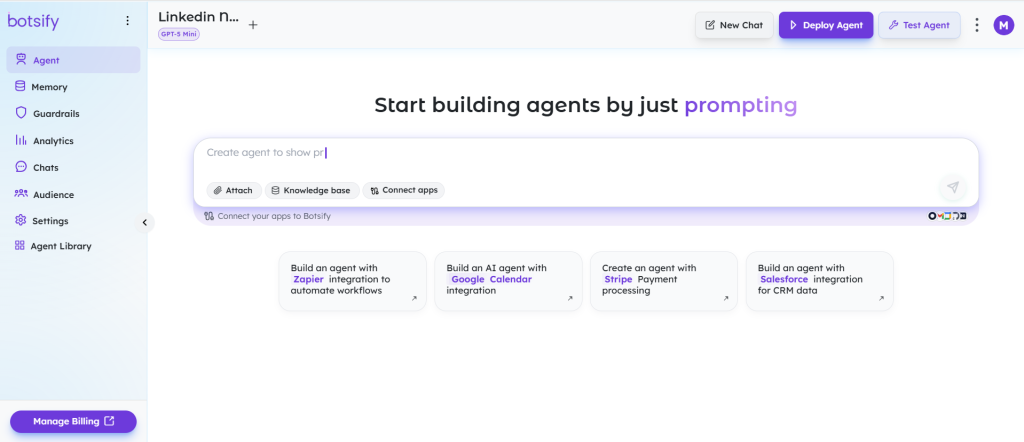
Now you’re ready to pick a tool.
To how to build an AI agent effectively, your platform should allow:
- no-code agent creation
- integration with your tools
- multi-channel deployment
- customization of workflows
- easy testing and iteration
A strong AI agent platform is not just a builder, it’s your infrastructure.
If you’ve explored the Best AI Agent Platforms, you’ll notice one pattern:
👉 The best tools don’t just create agents, they help you deploy and manage them in real environments.
If you’re comparing tools and considering a Botpress Alternative, usability and speed of deployment should be major factors, not just technical flexibility.
Step 4: Design the Workflow (This Is Where Most People Fail)
Before building anything, map the logic.
Here’s a simple structure:
- Input → what triggers the agent
- Decision → how it processes information
- Action → what it does next
Let’s build a real example.
🔧 Example: Cold Emailing AI Agent
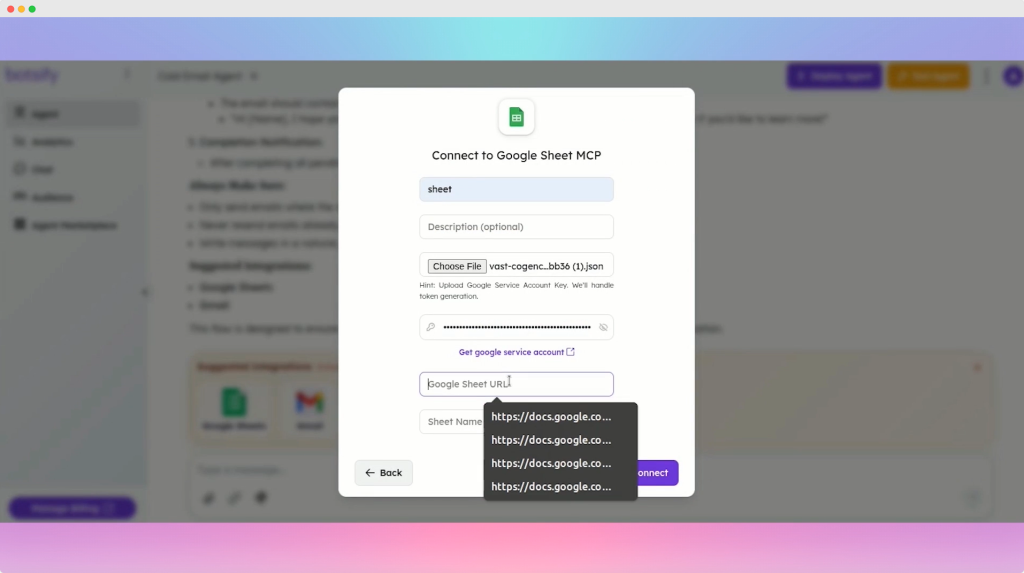
Goal: automate first-touch outreach
Workflow:
- Input → lead data (name, company, role)
- Decision → analyze company and relevance
- Action → generate personalized email
- Check → flag weak or risky outputs
- Output → send or review
This is a Cold emailing AI agent in its simplest working form.
Notice something important:
- no code
- no complexity
- just structured thinking
Another example:
A content team might build an AI agent for keyword research that:
- takes a seed topic
- generates related clusters
- groups by intent
- outputs content ideas
👉 Good agents are structured workflows, not random prompts.
Step 5: Give Your Agent Context (Data = Performance)
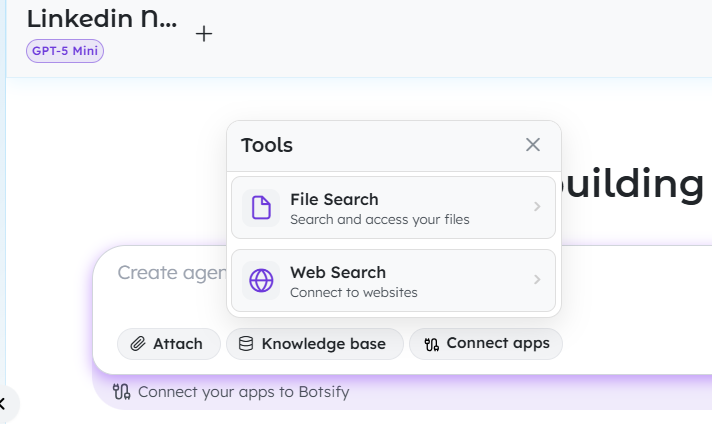
This is where most no-code agents break.
If your agent doesn’t have the right data, it will produce generic or incorrect results.
You can train agents using:
- FAQs
- documents
- product pages
- internal SOPs
- CRM data
This is how you build custom AI agents instead of generic assistants.
For example:
- A support agent needs accurate product info
- A sales agent needs real messaging
- A marketing agent needs your content strategy
👉 The more relevant the data, the better the output.
Step 6: Connect the Agent to Real Tools
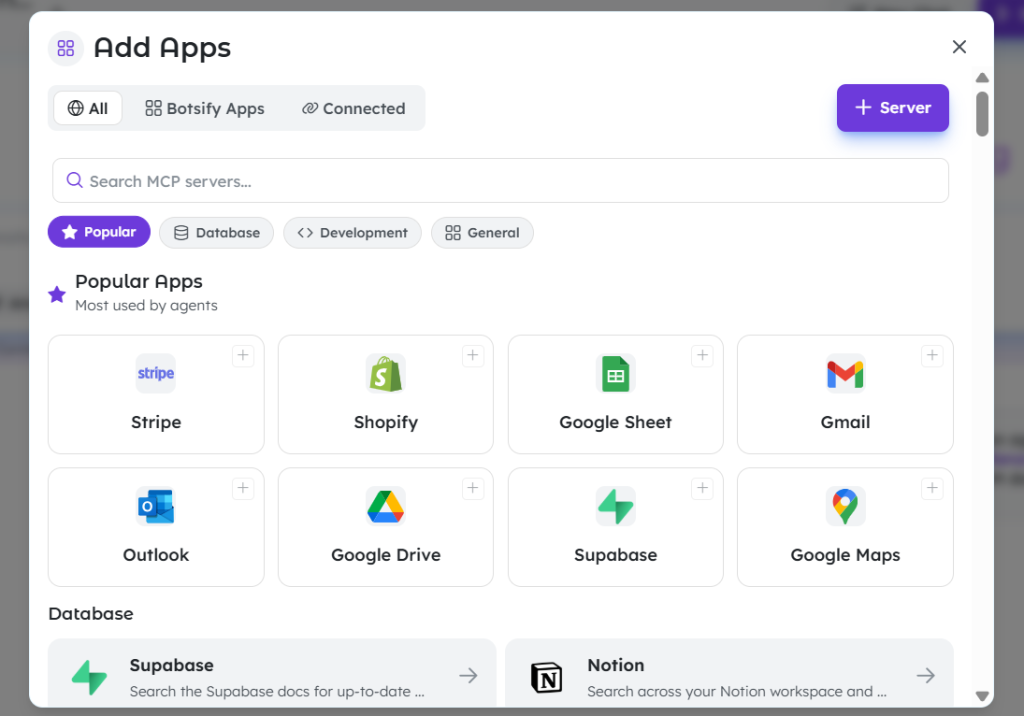
An agent becomes powerful when it can act, not just respond.
Depending on your use case, connect it to:
- CRM systems
- email tools
- messaging apps
- internal systems
For internal workflows, a Slack Automation AI agent can retrieve documents, answer questions, and reduce interruptions.
For customer interactions, deploying an AI agent for website conversations improves response speed and user experience.
If your audience is active on social platforms, an Instagram AI agent can automate lead capture and engagement directly from DMs.
👉 The goal is simple: your agent should operate where your workflow already exists.
Step 7: Build the First Version (Keep It Small)
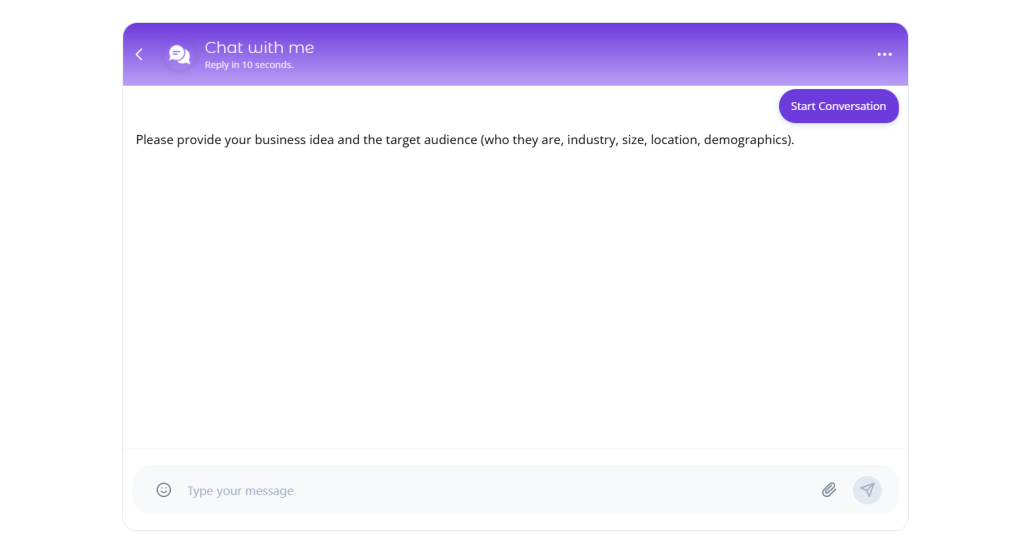
Do not try to build the “perfect” agent.
Build the smallest working version.
Examples:
- top 20 FAQs instead of a full support system
- One lead qualification flow instead of a full funnel
- One outreach sequence instead of complete automation
This approach:
- reduces complexity
- speeds up testing
- gives faster feedback
This is how most AI agent agency models operate: they build fast, test, and improve instead of overbuilding upfront.
Step 8: Test Like a Real User (Not Like a Demo)
Testing is where most agents fail.
Don’t just test ideal scenarios. Test messy ones:
- vague questions
- incorrect inputs
- unexpected requests
- missing data
Ask:
- Does the agent recover gracefully?
- Does it escalate when needed?
- Does it stay within boundaries?
Even advanced AI agent frameworks require structured testing to work reliably.
👉 If you skip this step, your agent will fail in real use.
Step 9: Deploy Where It Actually Matters
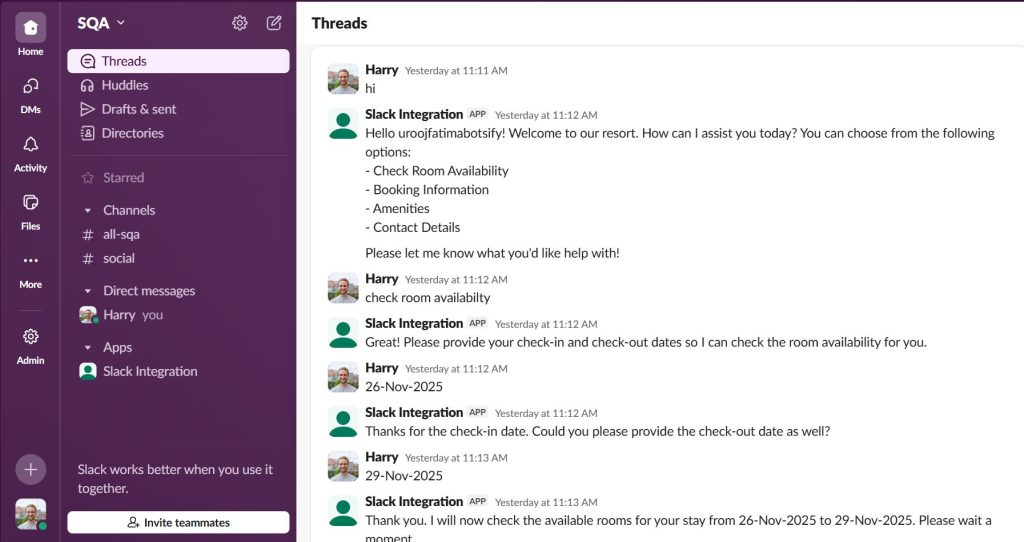
Deployment is not about where it looks impressive, it’s about where it’s useful.
Examples:
- Website → support and lead capture
- Slack → internal knowledge assistant
- Social platforms → engagement and qualification
For niche use cases, like an AI agent for real estate, deployment might focus on:
- listing inquiries
- appointment scheduling
- lead filtering
👉 Match the deployment channel to the workflow.
Step 10: Measure What Actually Matters
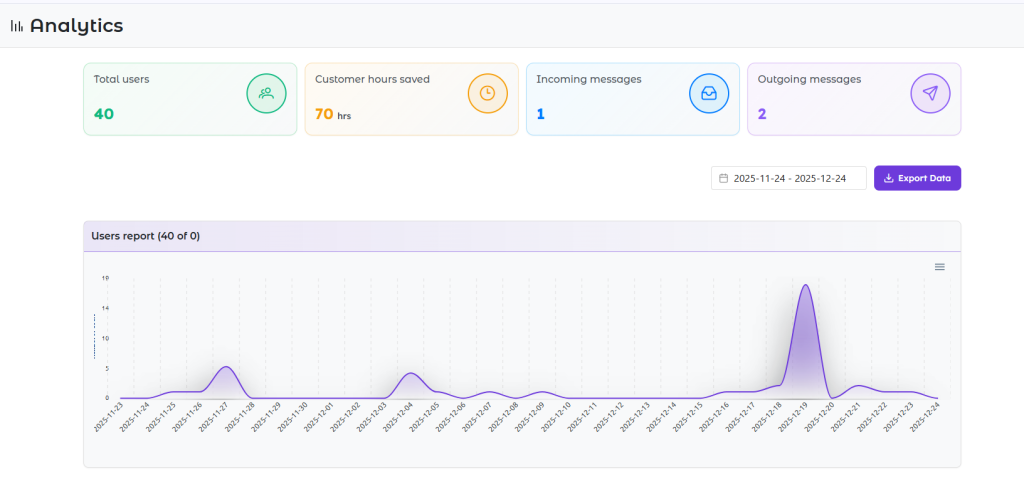
After launch, track outcomes, not activity.
Good metrics:
- resolution rate
- qualified leads
- time saved
- conversion rate
Bad metrics:
- number of conversations
- number of responses
This is why businesses comparing the Best AI agents focus on performance, not just features.
Why Botsify Is the Right Choice to Build AI Agent Systems
Most tools let you experiment with AI. Botsify is built for businesses that actually want to build AI agent systems and deploy them in real environments, not just test ideas in isolation.
When you move from experimentation to execution, the requirements change. You need reliability, integrations, scalability, and control. That’s exactly where Botsify fits.
Here’s how it helps you build AI agent workflows that go beyond basic automation:
No-Code Builder
One of the biggest barriers when trying to build AI agent systems is technical complexity. Botsify removes that completely.
You don’t need to understand code, APIs, or complex logic structures. The platform allows you to design workflows, train your agent, and deploy it using a visual interface.
This makes it ideal for:
- founders
- marketers
- operations teams
- consultants
If your goal is to build AI agent without coding, Botsify gives you that capability without sacrificing flexibility. You can still create highly structured workflows and even develop custom AI agents tailored to your specific business processes.
Multi-Channel Deployment
Building an agent is only half the job. The real value comes from where it operates.
Botsify allows you to build AI agent solutions and deploy them across multiple channels, including websites, messaging platforms, and customer communication tools.
For example:
- You can launch an AI agent for website interactions to handle support and lead capture
- Deploy a Slack Automation AI agent to support internal teams
- Use messaging integrations to manage conversations across platforms
This flexibility ensures your agent is not stuck in one place, it works where your users already are.
5000+ Integrations
An AI agent without integrations is just a chatbot.
To properly build AI agent systems that deliver real business value, your agent must connect with your existing tools—CRM, email, databases, and more.
Botsify supports thousands of integrations, which means your agent can:
- Pull real-time data
- update systems
- trigger workflows
- automate actions across platforms
This is what transforms an agent from a conversational tool into a functional system.
It also gives businesses the flexibility to build advanced use cases like lead routing, support automation, and even internal assistants that operate across multiple tools.
White-Label Capabilities
For agencies and SaaS businesses, this is where Botsify becomes even more powerful.
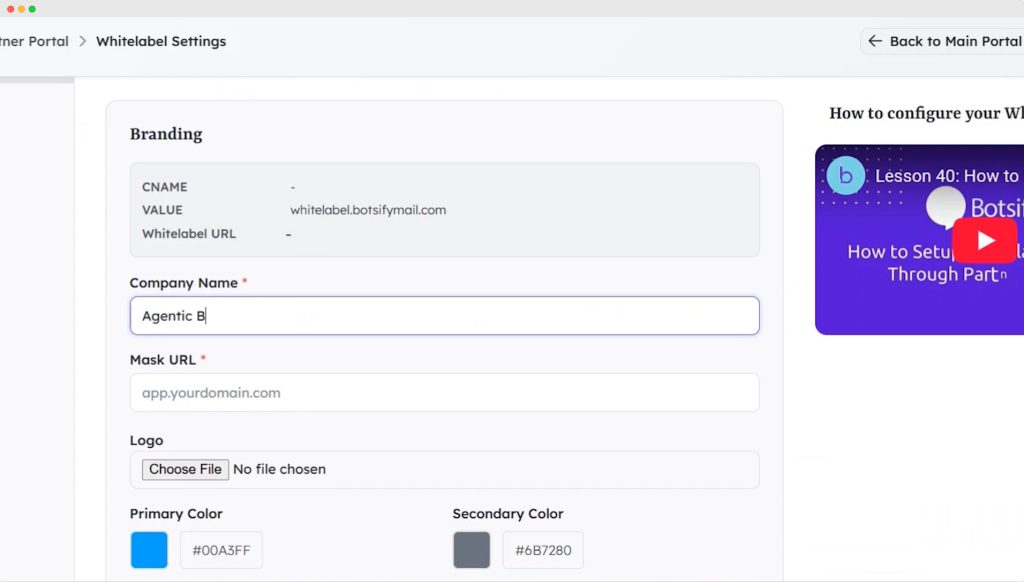
With built-in White label AI, you can create solutions under your own brand and offer them to clients without exposing the underlying platform.
This makes Botsify a strong White label AI agent platform, especially for:
- agencies offering automation services
- consultants building AI solutions
- entrepreneurs launching AI-based products
Instead of just using AI internally, you can turn it into a revenue stream.
Built for Scale
Most tools work fine at a small level, but they break when you try to scale.
Botsify is designed for businesses that want to build AI agent systems that grow over time. Whether you’re managing multiple workflows or multiple clients, the platform supports expansion without adding complexity.
This is especially important for teams building Branded AI agent builder platforms, where:
- Multiple agents are deployed
- Workflows are customized per client
- performance needs to remain consistent
Botsify allows you to scale without rebuilding everything from scratch.
Build vs Buy: What Should You Do?
At some point, every business asks the same question:
Should we build our own AI agent or use an existing solution?
The answer depends on your goals, resources, and how you plan to use AI.
If you’re planning to build AI agent systems from scratch, you’ll have full control. This is useful when:
- Your workflows are highly customized
- You need deep flexibility
- you have technical resources
However, building from scratch often requires time, expertise, and ongoing maintenance.
On the other hand, using a no-code platform allows you to build AI agent without coding and deploy faster.
This is ideal when:
- You need speed
- Your use case is operational or repetitive
- Your team is non-technical
Many businesses start with platforms, then evolve their systems over time. Some move into more advanced setups using AI agent frameworks, while others scale using no-code tools.
There’s no universal answer, but for most teams, starting with a no-code approach is the fastest way to validate results.
Final Thoughts
Learning how to build AI agent systems is no longer a technical challenge, it’s a strategic one.
The difference between a successful agent and a failed one is not the tool you use. It’s how clearly you define the problem, how well you structure the workflow, and how effectively you test and improve it.
If you:
- start with a real use case
- define clear outcomes
- design a structured workflow
- connect the right tools
- test in real scenarios
You can build AI agent without coding and turn it into something that actually drives results.
The biggest mistake is trying to do too much at once. Start small. Build one workflow. Improve it.
That’s how businesses go from experimenting with AI to building systems that save time, increase efficiency, and create real impact.
AI Agentic Platform For Building Portable AI Agents
Say Hello To Agentic AI That Connects With Your CRM And Even Other Agents