


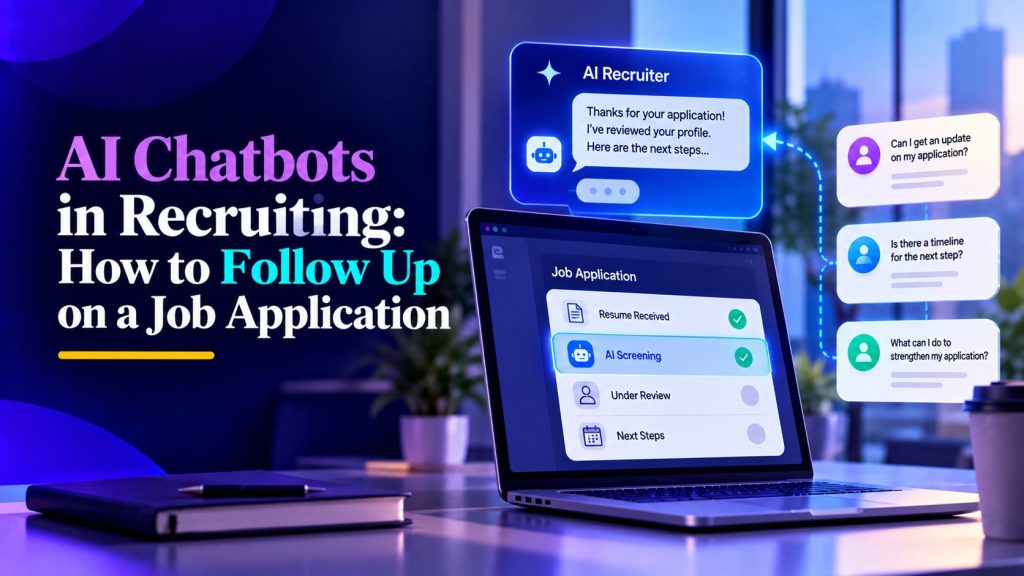
AI chatbots in recruiting are changing how employers review applications, communicate with candidates, and manage hiring decisions. Instead of immediately reaching a human recruiter, your resume may first pass through automated screening tools that assess qualifications, collect information, or determine the next step.
This raises an important question: How do you follow up on a job application when a bot screens it first?
The key is understanding how automated recruitment works, optimizing your resume for screening systems, and knowing when to contact a real person. Whether you have received an automated acknowledgment or are still waiting for an update, a thoughtful approach can help you navigate the hiring process more effectively.
How AI Chatbots in Recruiting Screen Job Applications
What Happens When a Recruiting Chatbot Reviews Your Application?
Recruitment chatbots are automated tools that communicate with candidates throughout the hiring process. Depending on how employers use HR chatbots, these systems may answer questions, schedule interviews, collect information, or conduct preliminary screening.
Depending on the employer’s system, a chatbot may:
- Collect your resume and contact information.
- Ask about your experience, skills, and qualifications.
- Verify basic eligibility requirements.
- Answer questions about the position.
- Schedule interviews with recruiters.
- Provide automated application status updates.
For example, a company hiring a software developer might use a chatbot to ask about programming languages, professional experience, and work authorization. This type of AI recruitment automation can help employers gather preliminary information before a recruiter reviews the application.
Your responses may then become part of the applicant record.
However, not every chatbot evaluates candidates independently. Many work alongside applicant tracking systems (ATS) or other screening software rather than making hiring decisions themselves.

How AI Resume Screening Identifies Qualified Candidates
AI resume screening helps employers organize and assess applications against job requirements.
Some systems identify relevant skills, qualifications, certifications, and professional experience. Others use AI candidate ranking to compare applications against job requirements, identify potential matches, and highlight information for recruiters to review.
For candidates, this means resume clarity matters.
If you have experience managing projects but describe it using vague language, a screening tool may struggle to identify your relevant qualifications.
The goal isn’t to trick an algorithm. It’s to communicate your experience accurately using terminology employers recognize.
How to Follow Up After AI Screens Your Application
When Should You Send a Job Application Follow-Up?
After submitting an application, you might receive an automated confirmation within seconds. However, that message usually confirms receipt rather than indicating that a recruiter has reviewed your qualifications.
If the employer hasn’t provided a timeline, waiting approximately five to seven business days before following up is generally reasonable.
Before sending a message, review the job posting, application portal, and confirmation email for instructions.
Understanding how to follow up on a job application can help you choose the appropriate timing and communication method, particularly when automated screening makes the recruitment process less transparent.
If the company provides a specific review timeline, respect it before contacting the hiring team.
How to Contact a Human Recruiter After Chatbot Screening
When a chatbot handles the initial interaction, identifying the appropriate contact can be challenging.
Start by checking whether the company’s careers portal provides a recruitment email address or application support option.
You can also review the original job advertisement for recruiter contact information.
Once you identify a suitable communication channel, keep your follow-up brief and professional.
Example follow-up email:
Subject: Follow-Up on [Job Title] Application
Hello [Recruiter’s Name],
I recently applied for the [Job Title] position and wanted to express my continued interest in the opportunity.
My experience in [relevant skill or field] aligns with the position’s requirements, and I would welcome the opportunity to discuss how I could contribute to your team.
Could you please share any updates regarding my application status or the next steps?
Thank you for your time and consideration.
Best regards,
[Your Name]
A personalized message demonstrates interest without putting unnecessary pressure on the recruiter.
How to Optimize Your Resume for AI Screening
Match Your Qualifications to the Job Description
One effective strategy for navigating AI in recruitment is tailoring your resume to each position.
Start by reviewing the job description and identifying essential skills, responsibilities, and qualifications.
Then incorporate relevant terminology naturally into your experience and skills sections.
For example, if a position requires customer relationship management, mention the CRM platforms you’ve actually used and explain how they supported your work.
Avoid copying entire job descriptions or adding qualifications you don’t possess.
Instead, demonstrate relevant experience through specific achievements.
Use Simple Formatting and Measurable Achievements
Automated recruitment software may have difficulty interpreting certain complex resume layouts.
To improve readability:
- Use standard headings such as Experience, Skills, and Education.
- Organize employment history consistently.
- Avoid unnecessary graphics and complicated tables.
- Include relevant technical skills naturally.
- Use the file format requested by the employer.
- Highlight measurable professional achievements.
For example, instead of writing “Handled marketing campaigns,” consider “Managed six digital marketing campaigns that increased qualified leads by 25%.”
Specific achievements help communicate your value to both screening tools and human recruiters.
Common Mistakes to Avoid When AI Chatbots Screen Applications
Sending Repeated Messages to Automated Systems
One common mistake is treating a recruiting chatbot like a human recruiter who can personally reconsider an application.
Some chatbots only provide predefined updates or collect information. Sending the same message repeatedly may not move your application forward.
Instead, use the company’s designated communication channels and allow sufficient time between follow-ups.
If your application remains unanswered, continue exploring other opportunities while keeping your communication professional.
Assuming Automated Screening Is Always Final
An automated response doesn’t necessarily mean your application has been rejected or approved.
Recruitment platforms differ considerably. Some assist with screening, while others primarily handle scheduling and communication. This is why AI agents for HR teams should be evaluated according to the specific recruitment tasks they perform rather than assuming every system makes hiring decisions.
If you believe important information was overlooked, check whether the employer offers an opportunity to update your application or request clarification.
Human involvement remains important, particularly when assessing communication skills, transferable experience, and qualifications that may not fit straightforward screening categories.
Conclusion
AI chatbots in recruiting can make hiring faster and more organized, but they also change how candidates interact with employers.
Understanding automated screening, preparing a clear resume, and following up at the appropriate time can help you navigate this process confidently.
Focus on presenting genuine qualifications rather than trying to manipulate recruitment software. A relevant resume and respectful communication can make your application easier to understand.
Ultimately, succeeding in AI-assisted hiring requires balancing technology-friendly applications with the human qualities employers still value: experience, professionalism, and clear communication.
Frequently Asked Questions
1. How do AI chatbots screen job applications during recruitment?
AI recruiting chatbots may collect candidate information, ask preliminary questions, verify eligibility, and organize responses for recruiters. Some connect with resume screening systems that analyze qualifications against job requirements. However, different platforms perform different tasks, and not every chatbot makes screening decisions. Employers may still rely on human recruiters to evaluate applicants and determine who progresses to interviews.
2. Can I follow up on a job application after an AI chatbot screens it?
Yes. You can follow up after automated screening, preferably through the employer’s official recruitment email or candidate portal. If no timeline is provided, consider waiting five to seven business days. Keep your message concise, mention the position you applied for, and express continued interest. Avoid sending repeated messages to chatbots that cannot provide personalized application updates.
3. How can I optimize my resume to pass AI screening?
Use clear formatting, standard section headings, and keywords that accurately reflect your qualifications. Tailor your resume to the job description and highlight relevant experience with measurable achievements. Avoid keyword stuffing, misleading statements, and unnecessarily complicated layouts. No resume format guarantees success, but a well-organized application makes it easier for automated systems and human recruiters to identify your strengths.
4. What should I do if an AI chatbot rejects my application?
First, determine whether you received an actual rejection or simply an automated status update. If the decision appears incorrect, check whether the employer offers a review or clarification process. You may be able to contact recruitment support or correct missing information. Continue applying for suitable opportunities, and use the experience to improve your resume and future applications.
AI Agentic Platform For Building Portable AI Agents
Say Hello To Agentic AI That Connects With Your CRM And Even Other Agents