


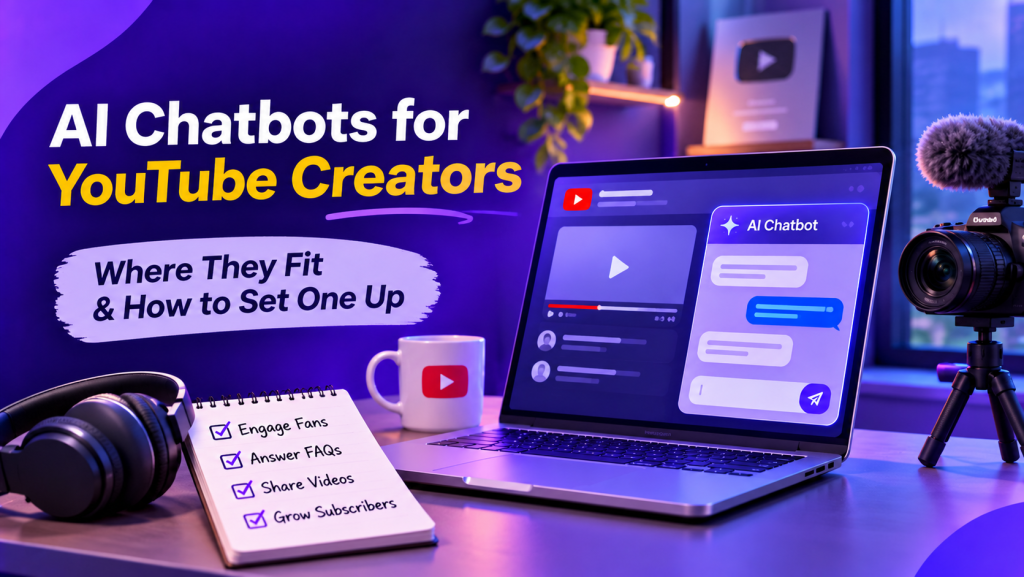
An AI chatbot for a YouTube creator is an automated assistant that answers viewer questions, collects subscriber contacts and sorts sponsor requests outside YouTube itself. It lives on the website, Instagram, WhatsApp or Telegram, where viewers go after a video ends, and hands those hours back to the creator.
What Is an AI Chatbot for a YouTube Creator?
A creator chatbot is a conversational agent trained on the channel’s own material, such as video descriptions, FAQ notes and gear lists, so it replies the way the creator would. It handles the repeated questions, and it hands everything personal to a human.
As a channel grows, the comment section fills with the same questions: which microphone is that, when is the next part, where is the template, can I use this clip, do you take brand deals. Answering each one by hand cuts into editing time.
YouTube brought direct messages back to its mobile app in June 2026 after removing them in 2019, but the feature is built for people sharing videos from personal channels. The business conversations around a channel still travel elsewhere: the description link, the creator’s Instagram inbox, a WhatsApp number on the About page, a Telegram group for regulars. That scattered inbox is where a bot earns its place.
Where Does a Creator Chatbot Fit in the Growth Loop?
A chatbot fits after the view, in the step that turns a one-time viewer into someone who comes back. YouTube brings the first visit; the bot keeps the conversation going once the video ends.
Every new upload gets its first push from the channel’s existing followers. A bot that sends a short alert to an opted-in WhatsApp or Telegram list moves that push from hours to minutes. Some creators add a paid starting push on top: Views4You supplies YouTube views for a fresh upload and works from the video link alone. Paid views give a fresh upload a visible start, and the bot’s job is to bring the people who watched it back for the next one.
The loop has three parts:
- Reach: the upload, its title and thumbnail, plus any starting push.
- Conversation: the bot answers questions, shares the next video and collects contacts.
- Return: subscribers on the list get the next alert and watch again.

Which Jobs Does a Creator Chatbot Handle Best?
The best jobs for a creator chatbot are the repeated, low-stakes ones that follow every upload. Five of them suit a bot well:
- Gear and setup questions. The bot pulls the camera, microphone and software list from a single source document and sends the right answer in seconds.
- Upload schedule. Viewers asking “when is part two?” get the date and a reminder offer.
- Contact collection. An Instagram chatbot can help creators respond to viewer messages and guide interested followers toward an opt-in form for new-video alerts, exclusive content or updates.
- Sponsor triage. The bot asks brands for budget range, product category and timeline, then forwards complete requests to the creator or manager.
- Product and course questions. For creators selling templates, presets or courses, the bot answers access and download questions around the clock.
Platforms such as Botsify let creators build AI agents using their website content and knowledge sources, then connect those agents to channels such as website chat, WhatsApp, Instagram and Telegram. This helps keep answers consistent across the places where viewers contact them. One knowledge base keeps the answers consistent across every channel.
Where Should the Bot Live? A Channel-by-Channel Table
The bot belongs on the channels a creator already lists in the video description, with one shared knowledge base behind all of them. Each channel draws a different kind of question:
| Channel | What viewers ask | What the bot handles |
| Website chat | Gear lists, course access, media kit | Answers questions, collects contacts |
| Instagram DMs | Questions after Shorts and Reels | Replies and shares relevant links |
| Upload alerts, community questions | Opt-in updates and conversations | |
| Telegram | Questions from regular viewers | FAQs and community updates |
| Sponsor and collaboration requests | Intake and routing, if integrated |
A creator starting with one channel picks the one viewers already use most. Adding the rest later costs little because the knowledge base carries over.
How Do You Set Up a Creator Chatbot in Five Steps?
Setting up a creator chatbot takes five steps: collect the questions, write the answers, design the triggers, connect the channels and test with regular viewers.
- Collect the questions. Export the last three months of comments and DMs and group the repeated questions. The groups that come up every week become the first answer list.
- Write the answer library. Write each answer once in plain words, the way you would say it on camera. Add links to the matching videos so every reply ends with something to watch.
- Design the triggers. Pick short keywords that viewers type after seeing them on screen, such as “GEAR” or “PRESET”. Shorter triggers mean fewer typing errors: in a UXPA Magazine case study on chatbots, the researcher limited each trigger phrase to two words for exactly that reason.
- Connect the channels. Start with the channel from the table that already gets the most messages, then add the next one once replies hold up.
- Test with regular viewers. Invite a few community members to break the bot for a week, fix the weak answers, then announce the keywords in the next video.
Creators who mention the keyword on screen in every upload give the bot a steady flow of conversations without extra promotion.
What a Creator Chatbot Doesn’t Do
A chatbot handles repetition, and the creator still handles relationships. Three limits shape a good setup:
- It does not replace replies in the comment section. Viewers notice when a creator answers in person under a video, and that public reply sits outside the bot’s reach.
- It does not judge sponsor fit. The bot gathers details; the creator decides which brands match the channel.
- It does not write the videos. The answer library comes from the creator’s own words, and its quality decides the quality of every reply.
Clear human handoff rules help creators decide which conversations need personal attention. Sponsorship negotiations, contracts, payment disputes and sensitive requests should reach the creator or their manager instead of being handled entirely by the chatbot.
How Do You Measure Whether the Bot Is Working?
Measure a creator chatbot by how many conversations it closes alone and how many viewers it brings back to the channel. Four numbers give a clear picture:
- Resolution rate: the share of conversations closed without a human handoff.
- List growth: new opted-in contacts per week.
- Click-through to videos: how often viewers open the video links the bot sends.
- Returning viewers: the monthly audience report in YouTube Studio’s Audience tab splits viewers into new, casual and regular; track the regular group month over month.
A rising resolution rate with a flat regular group means the answers work but the alerts need better timing, so the next test is sending alerts closer to upload time.
FAQ
Can an AI chatbot reply to YouTube comments directly?
Creator chatbots are built for private conversations on websites and messaging apps, so the comment section stays in the creator’s hands. A common pattern is a keyword shown in the video that viewers send to the creator’s Instagram, WhatsApp or website chat.
How much content does the bot need before it goes live?
The bot can go live once it answers the questions that repeat every week. The library then grows from the questions the bot passes to a human in its first weeks.
Is a chatbot useful for a small channel?
A small channel benefits most from the contact list, since every opted-in viewer receives the next upload alert. The full answer library becomes worth the effort once the same questions repeat every week.
Which channel should a creator automate first?
Automate the busiest inbox first, usually the one linked first in video descriptions. One working channel teaches more than five half-built ones.
Conclusion
An AI chatbot gives a YouTube creator a second shift: it answers the gear question at 2 a.m., sorts the sponsor emails and pings everyone who asked to hear about new videos. Start with the questions you already answer every week, write the replies in your own voice, connect one channel and grow from there. The videos still do the heavy lifting, and the bot makes sure the people who watched them come back for the next one.
AI Agentic Platform For Building Portable AI Agents
Say Hello To Agentic AI That Connects With Your CRM And Even Other Agents