


Most AI agents start life as very good readers. You give them a knowledge base, a few PDFs, a crawled website and a decent system prompt. They then answer customer questions faster than any support team could. Then someone asks for something that isn’t in the documents.
Is the flat on that listing page still available? What are the three nearest competitors charging for the same treatment this month? Does the new landing page show the right phone number to visitors in Leeds? None of those answers sit in a knowledge base. They live on the open web, on pages that change daily and sometimes look different depending on who is asking.
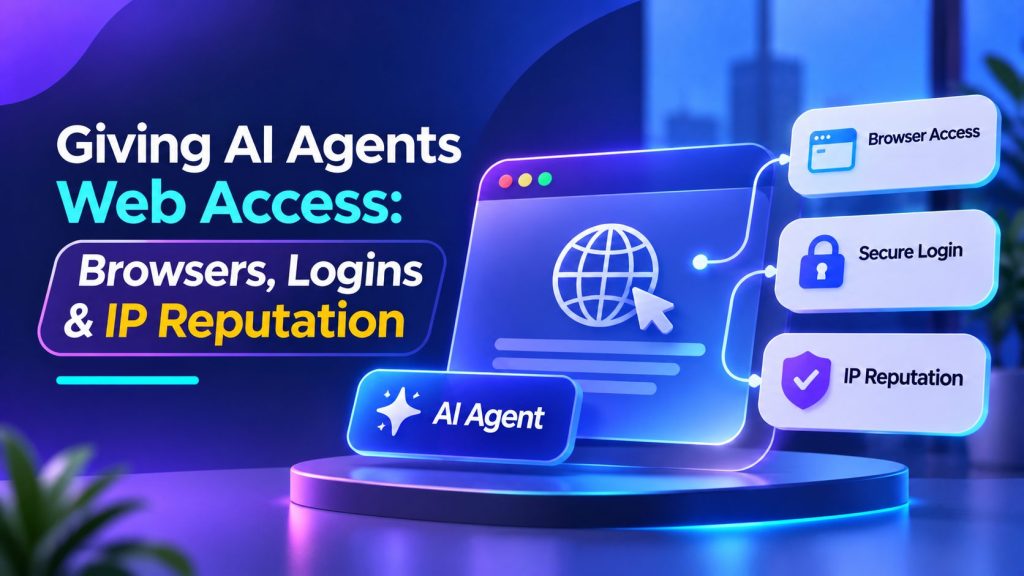
That’s the point where an agent needs to browse, and the conversation shifts from prompts to plumbing. Whether you build agents for your own business or for clients, three pieces of that plumbing matter most. They are the browser itself, the way the agent handles logins, and the reputation of the IP address it browses from. Get them right before anything goes live, and most of the horror stories never happen to you.
Why a simple page fetch often isn’t enough
The cheapest way to let an agent “see” a web page is to download the HTML and pass the text to the model. For simple, static pages that works fine. For a lot of the modern web it doesn’t.
Prices may only appear after you enter a postcode. Booking calendars are often drawn by JavaScript after the page loads. Cookie banners cover half the screen, and the useful part might hide behind a “Show more” button. A plain fetch sees none of that, so the agent ends up reasoning about an empty shell.
A real browser deals with all of this the way a visitor’s browser would. It runs the scripts, keeps cookies from one page to the next, and lets the agent click, scroll and read. That’s why serious browsing agents run on a real, usually headless, browser rather than a URL fetcher. It’s also why the design of that browser layer matters so much.
What it actually means to give an AI agent its own browser
The phrase makes it sound as if you hand the model a laptop and walk away. In a well-built system, that’s the last thing happening. The model never touches the browser directly. Your code owns the browser, and the model gets a short list of narrow tools it can call.
Think of tools like “open this page”, “read the visible text” or “click the button labelled Next”. Every time the model asks for one, your code checks the request first. If it’s allowed, the code runs it and hands back a trimmed result. If it isn’t, the request fails, whatever the model was hoping for.
It helps to see what this looks like in real code. ProxyEmpire’s developer tutorial shows how to give an AI agent its own browser with the OpenAI Agents SDK and Playwright. It goes step by step, from typed browser tools and domain allowlists to approval gates, retries and running hundreds of agents. It’s written for developers, but one idea from it is useful even if you never write code.
A browsing agent has three separate identities, and they shouldn’t be mixed up:
- The conversation. What the user asked, what the agent has done and what it plans next. This is the agent’s memory.
- The browser state. Cookies, local storage, open tabs and any signed-in sessions. This belongs to the browser, not to the model.
- The network identity. The IP address the website sees. With it comes the country, city and type of network the site assumes the visitor is on.
Keeping these apart heads off a whole class of problems. An agent can remember a long conversation without dragging stale cookies along. Two clients can use the same agent without ever sharing a browser session. And the IP address can be chosen for the task, not inherited from whatever server the agent runs on.
The browser part is easier than it sounds. Playwright, for example, can run many isolated browser contexts inside a single browser. Each context works like its own incognito profile, with separate cookies and storage, and they’re cheap to create. If you serve several clients, one context per client, or even per job, keeps everything properly separated.
AI Agentic Platform For Building Portable AI Agents
Say Hello To Agentic AI That Connects With Your CRM And Even Other Agents
Put the rules in code, not in the prompt
The first instinct is to write careful instructions. Only visit these sites, never submit forms, ignore anything odd on the page. Write them, by all means. Just don’t rely on them.
A browsing agent reads untrusted content by design, and some of that content is written to manipulate it. This is called indirect prompt injection, and it’s one of the reasons testing AI agents for prompt injection risks matters before they get access to external tools. Instructions are planted in a web page or file, and they change the agent’s behaviour once it reads them. They can even sit in text a human visitor would never notice.
Security researchers rank prompt injection among the biggest risks facing LLM applications. Defences are improving, but nobody serious claims the problem is solved. The AI labs shipping browser agents have said as much: their defences cut successful attacks a lot, but not to zero. So design on the assumption that an injection will sometimes get through. Then make sure a successful one can’t do much harm.
- Enforce allowed domains in code. Check every URL, including every redirect, against an allowlist before the browser goes there. If a page tells the agent to go elsewhere, the request simply fails.
- Keep tools narrow. “Click the button with this label” is far safer than “run this script”. Text written by the model should never turn into a shell command or arbitrary code.
- Make it read-only by default. Most research tasks only need to open pages and read them. Give the agent nothing more until a task genuinely needs it.
- Ask before acting. Anything with a real-world consequence needs an appropriate approval or authorization check. Preventing unsafe AI agent actions means enforcing those checks outside the model, particularly for submitting, publishing, sending, deleting and paying.
- Set budgets. Cap steps, pages, minutes and retries for every job. A confused agent then stops with a partial answer instead of wandering around for an hour.
Logins: the part to slow down on
Public pages are the easy case. The moment an agent needs to sign in somewhere, it’s no longer just reading the web. It’s acting as a person, with that person’s access, and the stakes go up.
Start by asking whether a login is needed at all. Plenty of tasks work perfectly well on public pages. Checking a price, confirming opening hours and reading a returns policy rarely need an account. If the job can be done without one, do it without one.
When an account really is involved, a few habits keep you out of trouble:
- Prefer an API or connector over a login form. If the service offers an official API or integration, use it with a scoped token. A reliable AI agent integration should limit access to the permissions required for the task and allow credentials to be revoked when they’re no longer needed.
- Keep passwords away from the model. Credentials don’t belong in the system prompt, the knowledge base or a tool result. Anything the model can read, an injected instruction can try to coax back out. Sensitive data is exactly what many of these attacks are after.
- Use dedicated, low-privilege accounts. Give the agent its own account with the minimum access the job needs. Never use the business owner’s admin login. Never share one account across clients either.
- Treat saved sessions as secrets. Saving a signed-in browser state spares the agent from logging in every time. But that file can hold cookies that let anyone who has it act as the account. Encrypt it, expire it and keep one per client.
- Let a human do the sign-in. For anything sensitive, the cleanest pattern is a handover. The agent pauses, and a person signs in and completes any two-factor step. Then the agent carries on with the task.
- Read the terms first. Some services restrict automated access to signed-in areas in their terms of use. If the answer is no, the fix is an API, a partnership or a different approach. A cleverer agent isn’t the answer.
IP reputation: why the agent works on your laptop and struggles in the cloud
Here’s a story many developers will recognise. The agent works beautifully in testing on someone’s laptop. It moves to a cloud server for production, and some sites start returning challenges, empty results or “access denied” pages. Nothing in the code has changed. The network has.
Every request your agent makes arrives with an IP address attached. From that address alone, a website can usually tell roughly where the visitor is and who owns the network. It can also tell what kind of network it is, such as home broadband, mobile, corporate or a data centre. Commercial IP intelligence databases sell exactly this information, and many fraud and bot tools rely on it.
Those databases label addresses that belong to hosting providers, VPNs, public proxies and Tor. Some even flag suspected residential proxy networks. A request from a cloud data centre is easy to recognise as one.
The IP address is only one input, though. Bot-management systems typically score each request for how likely it is to be automated. They combine the network with browser fingerprints, behaviour, JavaScript checks and machine learning. Small details count, too. Some systems treat a request with a missing User-Agent header as a bot straight away.
The honest takeaway is that no type of address makes an agent invisible. You shouldn’t want one that does, either. What you can control is where your traffic appears to come from and how much of it you send. You can also control how clearly your agent identifies itself.
Location decides which page the agent sees
For many business agents, location matters more than reputation. Prices, currency, stock, delivery options, search results and even page language can change with the visitor’s location. Picture an agent researching competitor prices for a dental clinic in Manchester. If it browses from a data centre in Virginia, it may be shown a different version of every page. Its research would be confidently wrong.
This is where proxies earn their place. Routing the agent’s browser through residential proxies in the right country or city lets it load public pages like a local visitor. That’s exactly what you need for local price checks, ad and landing-page verification, and localisation QA. Two settings are worth understanding:
- Rotating addresses give each request a fresh IP. That suits independent spot checks spread across many pages.
- Sticky sessions keep the same IP for a set period. That suits tasks where the agent follows one path through several pages. Think of a landing page, then a product page, then the local price. The site expects one consistent visitor along the way.
Keep the proxy settings in your configuration, never in the prompt, so the model never sees the credentials. In the three-identity picture from earlier, the proxy session is simply the network identity. You choose it job by job, just like the browser context.
Identify yourself where it makes sense
The other route is for an agent to announce itself instead of blending in. Some bot-management providers now run verification programmes that include user-driven agents, not just search crawlers. To qualify, a bot usually has to identify itself honestly. That can mean cryptographically signed requests, a published list of IP addresses with a stable user agent, or reverse DNS.
It also has to behave. That means following robots.txt, keeping request rates reasonable and not dodging site owners’ preferences. If you run a public-facing agent at any real scale, these programmes are worth a look.
Good manners are part of reputation
Whatever network you use, the agent should behave like a polite visitor. A robots.txt file can’t technically stop anyone from visiting a page. It’s a request from the site owner, which is exactly why respecting it says something about you.
The same goes for rate limits. A 429 status code means the client has sent too many requests in a short time. It can come with a Retry-After header saying how long to wait. When an agent gets one, it should slow down or stop. Switching to a new IP and trying again is the wrong answer.
A short checklist before an agent goes live
- One job, one browser context. Separate cookies and storage for every client and every task.
- Allowlists and budgets in code. Domains, steps, pages, time and retries, all enforced outside the prompt.
- Read-only until proven otherwise. Add actions one at a time, with appropriate permissions and approval requirements. These AI agent guardrails should be tested before an agent gets access to sensitive data or actions that change records.
- No secrets where the model can see them. Passwords, tokens, saved sessions and proxy credentials stay in your code and your secrets store.
- A network chosen for the task. Use the right country or city for location-sensitive work. Pick rotation or sticky sessions depending on the path the agent takes.
- Fair billing on the network side. If you pay for proxy bandwidth, check whether you’re charged only for successful requests.
- Logs you can follow. Record which job ran, which pages it opened and which tools it called. Never log a password.
An agent that answers questions from a knowledge base is a useful product. An agent that can browse, read live pages and act on what it finds is far more valuable. It’s also a far bigger responsibility. Most of the risk comes down to a few decisions: who controls the browser, who holds the keys, and which network the agent uses. Get those right early, and web access becomes one more capability you can confidently offer your clients.
AI Agentic Platform For Building Portable AI Agents
Say Hello To Agentic AI That Connects With Your CRM And Even Other Agents