



Anyone who has worked in real estate knows how painful property research can be. Jumping between Zameen, Lamudi, local portals, Excel sheets, Facebook groups, and classified sites just to collect basic information like price, city, bedrooms, and property size.
It is repetitive, time-consuming, and easy to mess up when you are doing dozens of entries a day.
According to the National Association of REALTORS’ 2024 Profile of Home Buyers and Sellers, 51 percent of homebuyers found the property they purchased online. With so much real estate activity happening digitally, staying updated with accurate data is no longer optional. You need reliable, fresh listings to stay competitive.
That is exactly why building a Property Scraper AI Agent can transform your workflow. Instead of manually copying listings, your AI collects data from multiple real estate sites, checks for duplicates, cleans the results, and updates your Google Sheet automatically.
If you are already using Botsify for tasks like the Lead Researcher AI Agent, Email Validation AI Agent, or Keyword Research AI Agent, this property scraper fits naturally into your automation toolkit.
Let’s walk through what this agent does and how to build it.
Why This Property Scraper AI Agent Matters
Real estate professionals struggle with three major challenges:
1. Data is scattered everywhere
Every city has multiple listing websites. Keeping track manually takes hours.
2. Listings change constantly
Prices update, properties go off market, and new listings appear every minute.
3. Manual Excel entries lead to errors
Copy-paste is risky. A single mistake can distort your pricing analysis.
The Property Scraper AI Agent solves this by:
- Fetching property listings from multiple sites
- Extracting fields like Title, Price, Purpose, Bedrooms, City, and Size
- Storing data directly into Google Sheets
- Automatically removing duplicates
- Running on a schedule so your sheet updates itself
It basically becomes your digital research assistant, similar to how the LinkedIn Profile Analyzer Agent automates profile reviews or how the Business Idea Generator automates ideation.
How to Build the Property Scraper AI Agent
Below is a clear step by step breakdown so you can recreate the exact automation shown in the video.
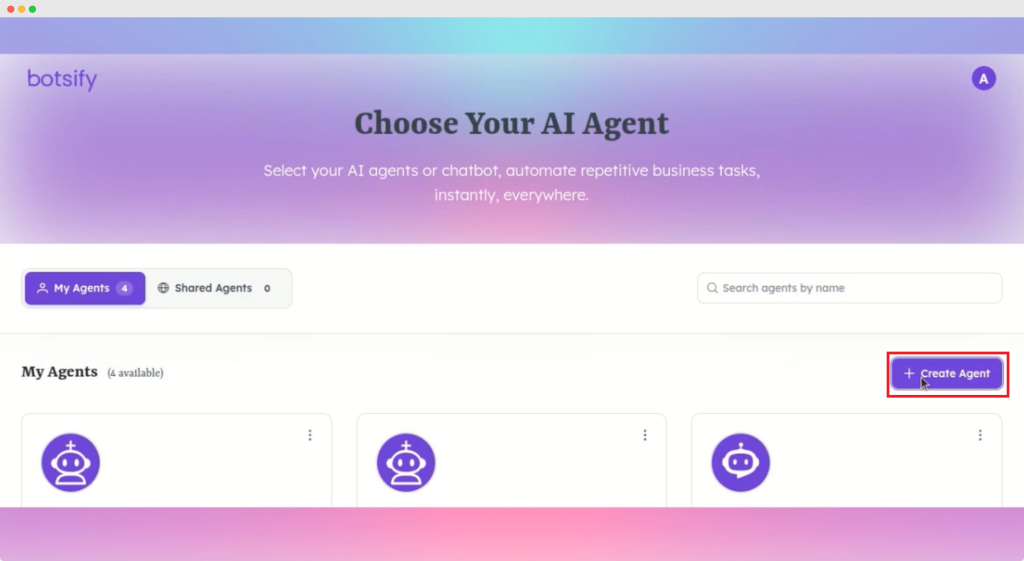
Step 1: Create Your Agent
Go to the Botsify dashboard and click Create Agent.
Name it something like Property Scraper AI Agent and save.
The agent initializes and is ready for configuration.

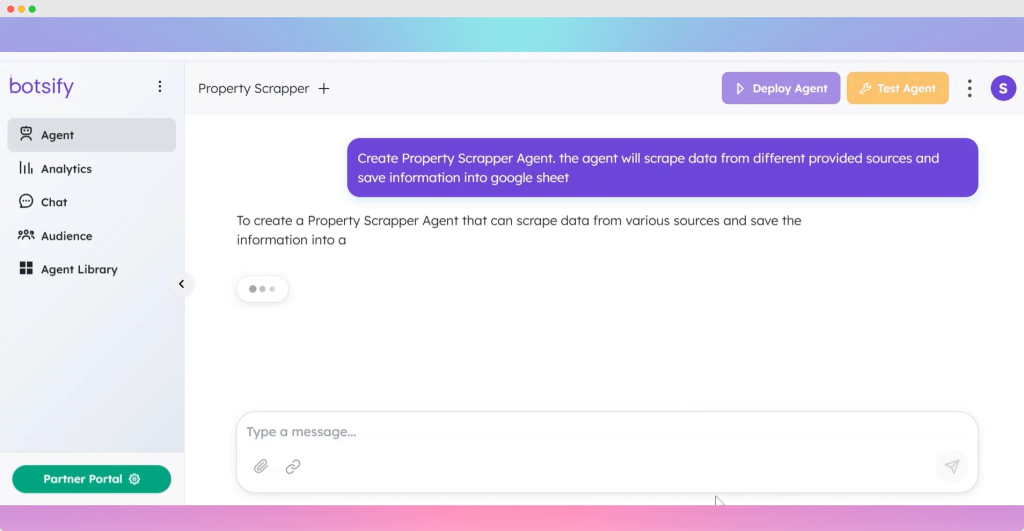
Step 2: Define the Agent’s Behavior
Paste a system prompt explaining exactly how the agent should operate. For example:
You are a Property Scraper AI Agent. Fetch property details from user provided URLs. Extract fields such as Title, Purpose, City, Price, Bedrooms, Bathrooms, Area, and Source. Save all results into Google Sheets. Avoid duplicates and update entries when needed.
Save the prompt.
The agent updates itself with these instructions.

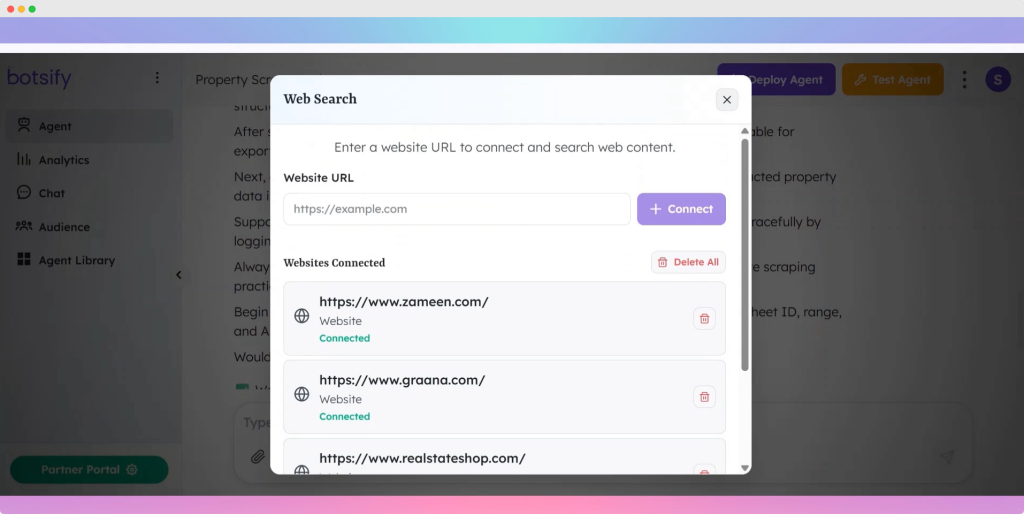
Step 3: Add Data Sources
Open a new browser tab and search for real estate websites. Examples:
- Zameen
- Lamudi
- OLX Property
- Local real estate directories
Copy these property URLs and add them as initial data sources inside the agent.
This tells the AI where to scrape from.

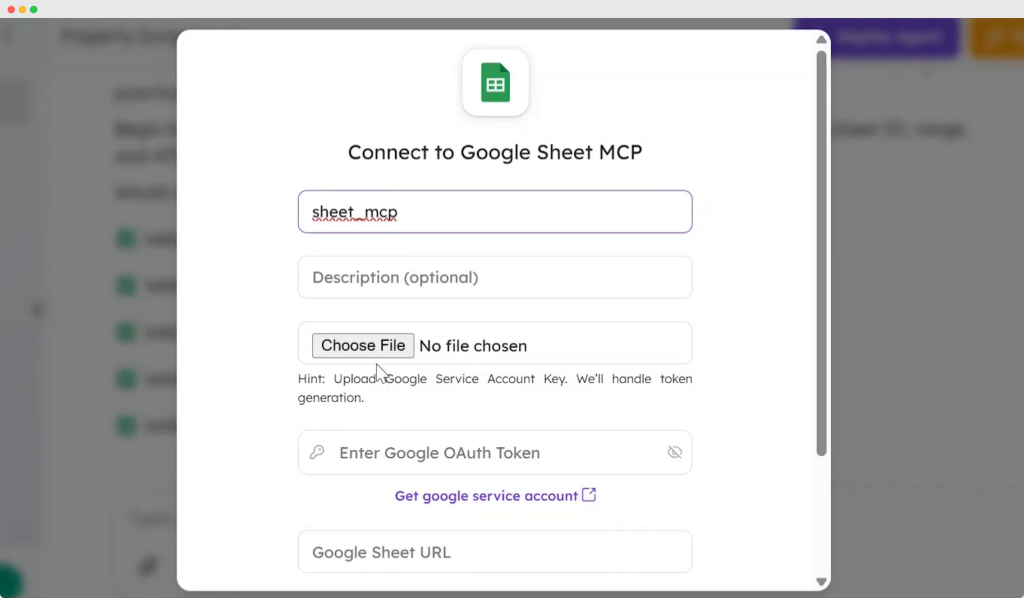
Step 4: Connect Google Sheets
To store data in Sheets:
- Open Botsify workspace
- Upload your Google service account credentials
- Once uploaded, it automatically generates an authentication token
- Create a new Google Sheet
- Add columns like:
- Title
- Purpose
- City
- Price
- Size
- Bedrooms
- Bathrooms
- Source
- Title
Copy your sheet URL and sheet name.
Paste both into your agent configuration.
Click Connect.
Your Google Sheet is now linked.

Step 5: Test the Connection
Add a few sample URLs and run a test.
The AI scrapes the details and writes the results directly into your sheet.
If something looks odd, update the form fields or prompts and test again.
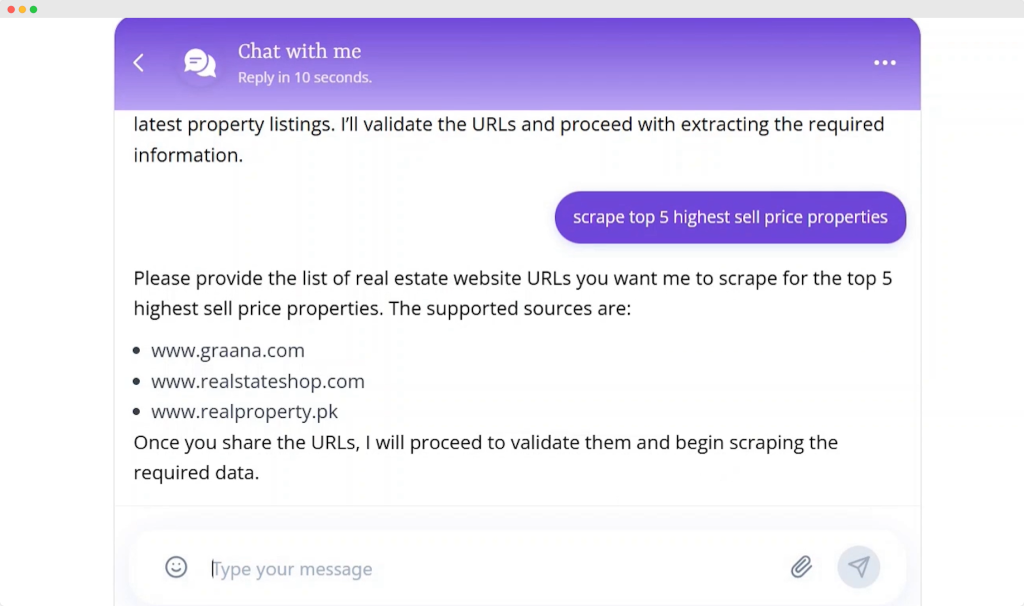

Step 6: Improve Accuracy
The AI property scraper initially found only one listing.
After refining the structure and adding more sources, the agent began fetching multiple listings consistently.
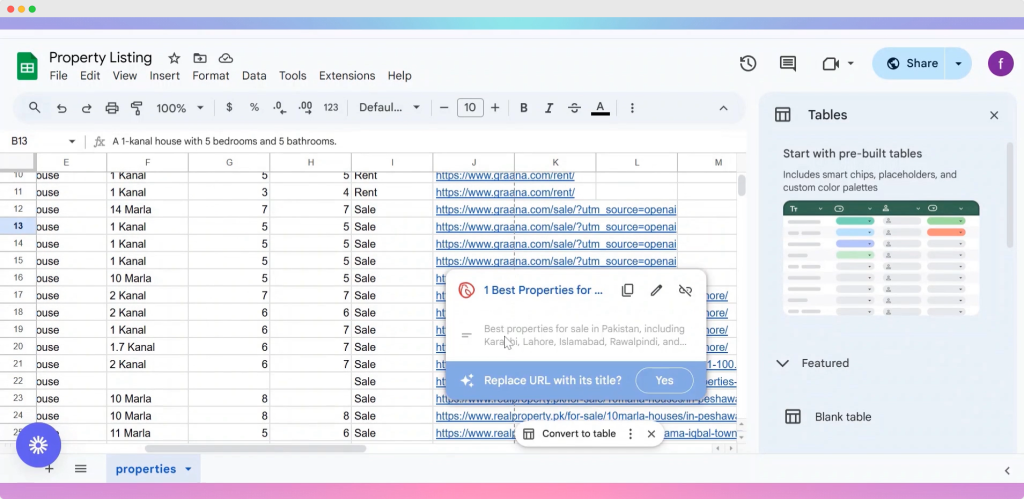
The AI also identifies duplicates using price comparison and updates existing listings instead of creating new ones.
This ensures clean, reliable data.

Step 7: Automate Everything with Scheduling
The final step is scheduling.
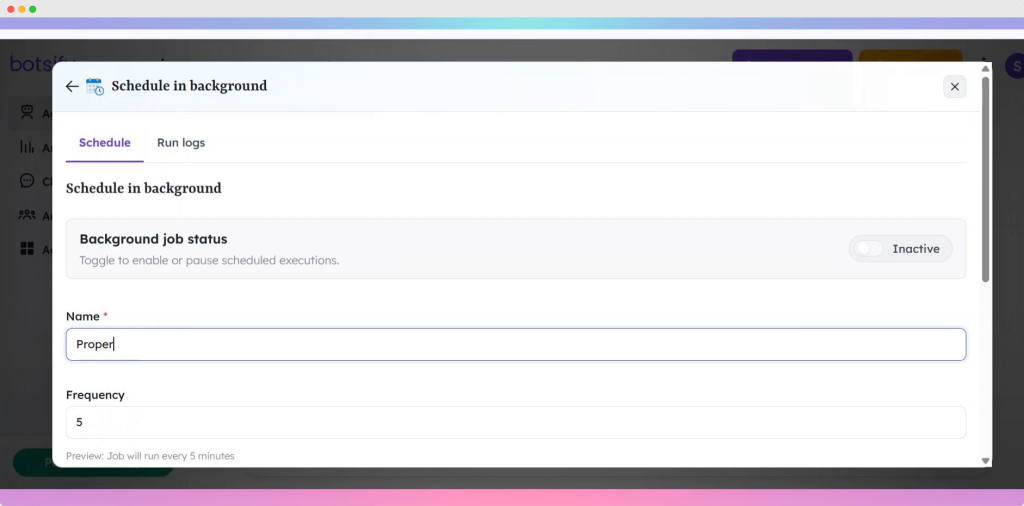
Go to Deploy Agent, then open the Schedule tab.
Name your task Property Scraper.
You can set your timing 2 or 4 hours.
Turn the schedule on.
Your sheet now updates itself automatically with fresh property listings.

This is similar to how other Botsify agents such as the AI Newsletter Generator or Cold Emailing Agent run on schedules.
Why This Agent Is a Game Changer
With this AI property scraper, you can:
- Track market trends
- Update listing databases
- Build real estate dashboards
- Generate automated valuation reports
- Speed up client responses
- Stay competitive without the manual grind
It is especially useful for:
- Real estate agencies
- Property marketplaces
- Investors
- Market analysts
- Freelancers offering research services
- Startups building real estate apps
This agent brings automation to a field where data accuracy and speed make a huge difference.
Conclusion
You just learned how to build a Property Scraper AI Agent that collects, cleans, and stores real estate data automatically. It pulls listings from multiple websites, removes duplicates, and keeps your Google Sheet updated with zero manual effort.
If you want to create a full automation ecosystem, you can pair this agent with tools like the Lead Researcher AI Agent, Keyword Research AI Agent, or the LinkedIn Post Writer Agent to scale your operations even further.
Start building your property scraper on Botsify today and let AI handle the repetitive work while you focus on growth.
AI Agentic Platform For Building Portable AI Agents
Say Hello To Agentic AI That Connects With Your CRM And Even Other Agents